
Gradle
Gradle Build Tool is a free, open-source system for automating software builds across projects of different types and sizes.
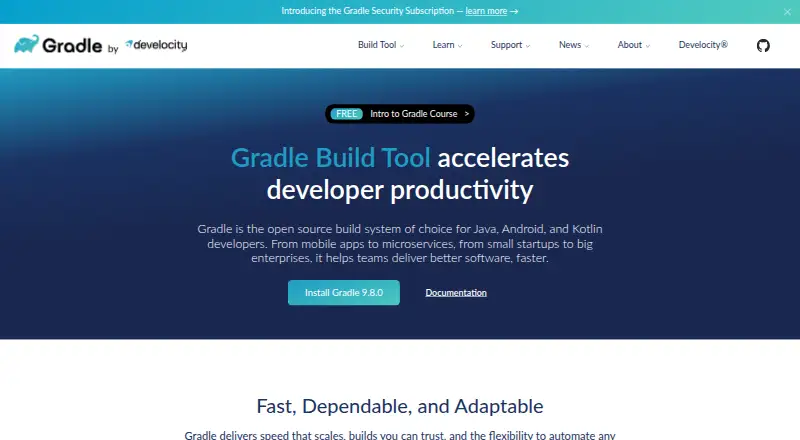
What Gradle is
Gradle Build Tool is a free, open-source system for automating software builds across projects of different types and sizes. Build logic can be written using either its Kotlin DSL or Groovy DSL. Gradle supports incremental builds, build caching, and parallel task execution, and it downloads and manages transitive dependencies from Maven- and Ivy-compatible repositories. The Gradle Wrapper can provision a build environment and specify the version a project uses. Its ecosystem covers JVM, Android, C/C++, Swift, Objective-C, and assembler projects, and it runs on Windows, macOS, and Linux. The Tooling API lets IDEs and other tools inspect projects, run builds, receive progress events, and cancel operations. Listed support and integrations include Android Studio, Ant, Checkstyle, CodeNarc, PMD, and JaCoCo. Gradle includes dependency verification. The maker says open-source security fixes are limited by its end-of-life policy; a separate Security Subscription offers prioritized fixes under SLA and extended maintenance, but does not guarantee a clean scanner report when findings come from third-party libraries.
Good
- Free and open source.
- Supports Kotlin DSL and Groovy DSL build logic.
- Includes incremental builds, caching, and parallel task execution.
- Runs on Windows, macOS, and Linux.
Watch out
- Open-source security fixes are limited by an end-of-life policy.
- Security Subscription does not guarantee a clean scanner report.
- Third-party library findings may remain in scanner reports.
Who it suits
Gradle suits developers building Java, Android, Kotlin, and other supported project types who want a build system with dependency management and IDE tooling support.
Verdict
Gradle provides build automation, dependency management, and tooling across a wide range of project ecosystems. Teams should consider its stated end-of-life limits on open-source security fixes and the scope of the separate Security Subscription.
Plans and prices
From Gradle's own pricing page, checked 30 Sep 2026.
| Plan | Price | What it gives you |
|---|---|---|
| Gradle Build Tool | Free | Open-source build system |
The facts
Each one read from Gradle's own pages, with the date it was checked.
What it does
- Build languages
- Build logic can be written with Gradle’s Kotlin DSL or Groovy DSL.checked 30 Sep 2026
- Build performance
- Gradle supports incremental builds, build caching, and parallel task execution.checked 30 Sep 2026
- Build portability
- The Gradle Wrapper can provision the build environment and specify which Gradle version a project uses.checked 30 Sep 2026
- Build tooling API
- The Gradle Tooling API lets IDEs and other tools inspect projects, run builds, receive progress events, and cancel build operations.checked 30 Sep 2026
- Dependency management
- Gradle downloads and manages transitive dependencies and supports Maven and Ivy compatible repositories.checked 30 Sep 2026
- Dependency resolution
- Yeschecked 21 Sep 2026
- Ecosystem support
- Gradle features cover JVM, Android, C/C++, Swift, Objective-C, and assembler projects.checked 30 Sep 2026
- Integrations
- Gradle lists integrations or support for Android Studio, Ant, Maven and Ivy repositories, and Checkstyle, CodeNarc, PMD, and JaCoCo.checked 30 Sep 2026
- Intended users
- Gradle describes itself as the open-source build system of choice for Java, Android, and Kotlin developers, from startups to large enterprises.checked 30 Sep 2026
- Lockfile support
- Yeschecked 21 Sep 2026
- Offline installation
- Yeschecked 21 Sep 2026
- Package formats
- Maven,Ivy,flat directorychecked 21 Sep 2026
- Private registry auth
- Yeschecked 21 Sep 2026
- Purpose
- Gradle Build Tool automates building software of any type, size, or complexity.checked 30 Sep 2026
- Security
- Gradle includes dependency verification; the maker says open-source security fixes are limited by its end-of-life policy, while its Security Subscription offers prioritized fixes under SLA and extended maintenance.checked 30 Sep 2026
- Security coverage limit
- The Security Subscription does not guarantee a clean scanner report because some findings may come from third-party libraries.checked 30 Sep 2026
- Support and learning
- The site links to community Slack, community forums, professional services, a user manual, and free Gradle training.checked 30 Sep 2026
- Workspace support
- Yeschecked 21 Sep 2026
Money
- Free plan
- Yeschecked 21 Sep 2026
The company
- Headquarters
- San Francisco, California, United Stateschecked 28 Sep 2026
Where it runs
- Supported platforms
- Windows,macOS,Linuxchecked 21 Sep 2026
The full review of Gradle
Gradle is an open-source build system for automating software projects, with particular strength in Java, Android, and Kotlin development. It is best suited to teams that need configurable builds, dependency control, and support for several language ecosystems. The free tool is capable and broad, but security-lifecycle limits deserve attention in production environments.
Overview
Gradle Build Tool automates builds of different types and sizes, from startup projects to large enterprise codebases. Its core audience is Java, Android, and Kotlin developers, while supported ecosystems also include JVM languages, C/C++, Swift, Objective-C, and assembler. Build logic can be expressed in either the Kotlin DSL or Groovy DSL, so teams can choose the style that fits their existing skills and codebase.
Dependency resolution covers transitive dependencies and Maven- and Ivy-compatible repositories. The Gradle Wrapper provisions the build environment and records the Gradle version a project should use, making contributor and CI setups more consistent. For adjacent tooling, see Build Automation Software and Package Managers.
Key features
- Configurable build logic: Kotlin DSL and Groovy DSL support gives teams two established ways to model project tasks and conventions.
- Faster repeat work: Incremental builds, build caching, and parallel task execution can reduce unnecessary task processing, particularly in larger or frequently rebuilt projects.
- Dependency control: Gradle resolves transitive dependencies, works with Maven and Ivy repositories, and supports Maven, Ivy, and flat-directory package formats.
- Reproducibility tools: Lockfiles, dependency verification, offline installation, workspace support, and private-registry authentication help teams control how dependencies are obtained and reused.
- Portable environments: The Wrapper pins a project’s Gradle version and provisions the required build environment rather than relying on every machine having the same installation.
- Tooling API: IDEs and other integrations can inspect projects, launch builds, receive progress events, and cancel build operations.
- Development integrations: Support includes Android Studio, Ant, Maven and Ivy repositories, plus Checkstyle, CodeNarc, PMD, and JaCoCo.
Pricing
Gradle Build Tool — free. This is the open-source build system and has no stated seat, usage, or trial restriction. It is the natural choice for individual developers, open-source maintainers, and teams that can operate their own build infrastructure.
Security deserves a separate decision. Gradle says open-source security fixes are limited by its end-of-life policy. Its Security Subscription provides prioritized fixes under an SLA and extended maintenance, but the subscription does not guarantee a clean scanner report when findings originate in third-party libraries. Organizations with compliance or long-lived release requirements should account for that distinction rather than treating the free plan as complete security coverage.
Platforms
Gradle supports Windows, macOS, and Linux, and is also exposed through an API. Offline installation is supported, which is useful for restricted networks or controlled build environments. Package handling includes Maven, Ivy, and flat-directory formats.
Who it's for
Choose Gradle when a Java, Android, or Kotlin team needs one build system spanning multiple project types, configurable DSLs, dependency management, and integrations with IDEs and quality tools. Its broader language coverage also suits organizations maintaining JVM and native components together. It is less suitable for teams unwilling to manage build configuration or to evaluate the end-of-life implications of open-source security support.
Pros and cons
Pros
- Broad ecosystem coverage: One tool can coordinate JVM, Android, C/C++, Swift, Objective-C, and assembler projects.
- Strong reproducibility features: The Wrapper, lockfiles, verification, and offline installation give teams practical control over build inputs.
- Extensible integration surface: The Tooling API and listed IDE, repository, and analysis integrations support custom developer workflows.
- No license cost: The open-source plan is free for teams that do not need the separate security subscription.
Cons
- Security support has boundaries: End-of-life policy can limit open-source fixes, and the Security Subscription cannot ensure third-party scanner findings disappear.
- Configuration choice adds responsibility: Kotlin and Groovy DSL flexibility is valuable, but teams must establish and maintain their own conventions.
Alternatives
Apache Maven is a sensible alternative for teams that want a free Java-focused build tool under the Apache License 2.0 and requiring JDK 8 or newer for Maven 3.10.
Pick npm instead when JavaScript package publishing and registry access are the priority, with a freemium model and a free public-package plan. uv fits teams seeking a free, open-source Python package tool. Yarn is a free package manager with no stated paid plans or usage limits, while Cargo targets Rust package management and builds.
pip is the straightforward free Python package option; pnpm is another free package manager with Windows, macOS, Linux, and Android support; and Composer is the free MIT-licensed choice for PHP dependency management.
Verdict
Gradle is a strong recommendation for Java, Android, and Kotlin teams that need a flexible, cross-platform build system with serious dependency and reproducibility controls. Look elsewhere if your work is centered on a single language-specific package workflow or if open-source security end-of-life limits do not fit your maintenance and compliance requirements.