Gpick
Gpick is a free, open-source color picker and palette editor for Linux.
What Gpick is
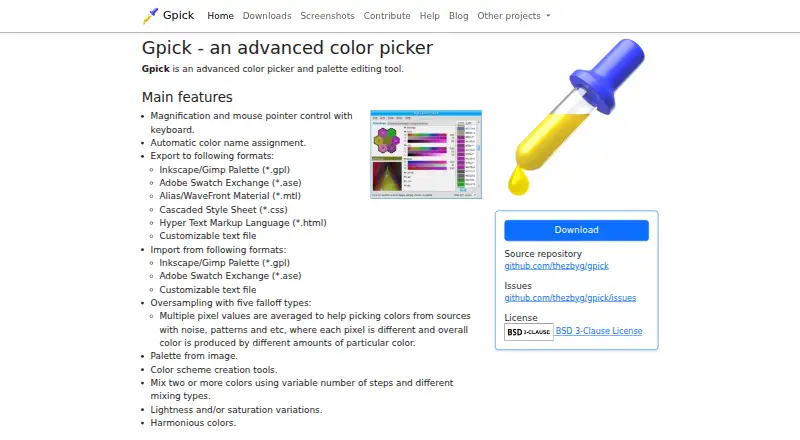
Gpick is a free, open-source color picker and palette editor for Linux. It can sample colors from the desktop using magnification and keyboard control of the pointer, and it can build palettes from images. Palette tools include color schemes, mixing, lightness and saturation adjustments, and harmonious color creation. Oversampling averages multiple pixel values and provides five falloff types, which can help with noisy or patterned sources. Gpick imports and exports Inkscape/GIMP palettes and Adobe Swatch Exchange files, and exports MTL, CSS, HTML, and customizable text files. Its floating mode uses a pointer-following window and notification-area icon for basic picking, but does not provide palette editing or color adjustment. HTML exports can be used to preview and share palettes with people who do not use palette-editing software. Command-line arguments allow use from other programs or scripts. The project is BSD-3-Clause licensed, and downloads include Debian and Ubuntu packages for amd64 as well as source archives.
Good
- Samples desktop colors with magnification.
- Creates palettes from images.
- Offers five oversampling falloff types.
- Exports palettes as CSS, HTML, and MTL.
- Command-line arguments support use from scripts.
Watch out
- Available for Linux only.
- Floating mode excludes palette editing and adjustment.
Who it suits
Gpick may suit Linux users who sample desktop colors or create palettes for graphic design applications. Its command-line arguments may also be useful when connecting it to other programs or scripts.
Verdict
Gpick combines desktop color sampling with palette creation, editing, and several import and export formats. Note that its floating mode is limited to basic color picking.
Plans and prices
From Gpick's own pricing page, checked 11 Oct 2026.
| Plan | Price | What it gives you |
|---|---|---|
| Gpick | Free | No paid plans or usage limits stated |
The facts
Each one read from Gpick's own pages, with the date it was checked.
What it does
- Color names
- It can assign color names automatically.checked 11 Oct 2026
- Color sampling
- It supports magnification and keyboard control of the mouse pointer.checked 11 Oct 2026
- Command line
- Command-line arguments allow Gpick to be used from other programs or scripts.checked 11 Oct 2026
- Export formats
- It exports Inkscape/GIMP palettes, Adobe Swatch Exchange, Alias/WaveFront Material, CSS, HTML, and customizable text files.checked 11 Oct 2026
- Floating mode
- Floating picker mode uses a pointer-following window and notification-area icon, and is intended for basic color picking without palette editing or color adjustment.checked 11 Oct 2026
- Floating picker
- Its floating picker mode provides a pointer-following window and notification area icon for basic color picking.checked 11 Oct 2026
- Import formats
- It imports Inkscape/GIMP palette files, Adobe Swatch Exchange files, and customizable text files.checked 11 Oct 2026
- Intended users
- The repository says Gpick can sample desktop colors and create palettes for graphic design applications.checked 11 Oct 2026
- Latest listed release
- The downloads page lists version 0.4.0-1 packages dated 2025-11-29.checked 11 Oct 2026
- License
- The project repository identifies its license as BSD-3-Clause.checked 11 Oct 2026
- Noisy image sampling
- Oversampling averages multiple pixel values and offers five falloff types to help pick colors from noisy or patterned sources.checked 11 Oct 2026
- Oversampling
- Its oversampling feature averages multiple pixel values and offers five falloff types.checked 11 Oct 2026
- Palette creation
- It can create a palette from an image and includes color scheme tools, color mixing, lightness and saturation variations, and harmonious colors.checked 11 Oct 2026
- Palette formats
- It imports and exports Inkscape/Gimp palettes and Adobe Swatch Exchange files; it also exports MTL, CSS, HTML, and customizable text files.checked 11 Oct 2026
- Palette sharing
- Exported HTML pages can be used to preview and share palettes with people who do not use Gpick or other palette editing software.checked 11 Oct 2026
- Palette tools
- It can create palettes from images, generate color schemes, mix colors, vary lightness or saturation, and create harmonious colors.checked 11 Oct 2026
- Product
- Gpick is an advanced color picker and palette editing tool.checked 11 Oct 2026
- Sharing
- Gpick can export HTML pages for previewing and sharing palettes with people who do not use Gpick or other palette editing software.checked 11 Oct 2026
- Source license
- The maker's linked source repository identifies the project as BSD 3-Clause licensed.checked 11 Oct 2026
- Support and feedback
- The maker's contribution page directs users to GitHub issues to report bugs or request features.checked 11 Oct 2026
Where it runs
- Linux downloads
- The official downloads page lists Debian and Ubuntu packages for amd64, plus source archives.checked 11 Oct 2026
The full review of Gpick
Gpick is a free, open-source Linux desktop tool for sampling screen colors and building editable palettes. It is best suited to graphic designers who work in desktop applications and need precise sampling plus palette generation. Its extensive format support and image-based tools are compelling on Linux, while users on other systems will need an alternative.
Overview
Gpick brings screen color capture and palette construction into one application. You can save palettes, derive sets of colors from images, and refine relationships between colors instead of stopping at a single sampled value. The BSD-3-Clause license and command-line arguments also make it a practical component in open workflows or scripts.
Key features
Sampling is designed for accuracy. Magnification enlarges the target area, and keyboard control of the mouse pointer helps position the picker deliberately. Oversampling averages multiple pixel values and offers five falloff types, which is useful for patterned, textured, or otherwise noisy areas where one pixel would give an unrepresentative result. Automatic color naming provides labels while a palette is being assembled.
The palette workspace covers common design tasks: extracting colors from an image, generating color schemes, mixing colors, varying lightness or saturation, and creating harmonious colors. These tools are more useful for developing a coherent set than a basic eyedropper, although they also make Gpick a more involved choice than a quick web picker.
Interoperability is a major strength. Gpick imports Inkscape/GIMP palette files, Adobe Swatch Exchange files, and customizable text files. It exports those palette types as well as Alias/WaveFront Material, CSS, HTML, and customizable text. HTML export produces pages that people without Gpick or another palette editor can preview and share, which is convenient for approvals or handoffs. Command-line arguments allow external programs and scripts to invoke it.
Floating picker mode is intentionally narrower. A pointer-following window and notification-area icon provide quick basic picking, but this mode does not include palette editing or color adjustment. Use the full palette interface when refinement matters.
Pricing
Gpick — free. It is open source with no paid plans, trial period, usage quota, or seat charge stated. That makes it a straightforward fit for individual designers, teams standardizing on Linux, and anyone who needs a distributable tool without subscription commitments. The trade-off is that the product is limited to its Linux desktop platform rather than offering a cross-device plan.
Platforms
Gpick runs on Linux. Official downloads include Debian and Ubuntu packages for amd64, along with source archives. The latest listed release is version 0.4.0-1, with packages dated 2025-11-29.
Who it's for
Choose Gpick if your work involves desktop color sampling followed by palette creation for graphic-design applications. It is particularly well matched to Linux users who need image extraction, saved palettes, color adjustments, and exchanges with Inkscape, GIMP, Adobe, web, or material workflows. It is less suitable for Windows, macOS, mobile, or browser-first work, and for someone who only needs an occasional single-color pick.
Pros and cons
Pros
- Accurate sampling controls: magnification, keyboard pointer control, and configurable oversampling help when screen pixels are difficult to isolate.
- Substantial palette editing: image extraction, schemes, mixing, harmony, and lightness or saturation variations support an end-to-end palette workflow.
- Broad interchange: Inkscape/GIMP, Adobe Swatch Exchange, CSS, HTML, MTL, and text exports reduce conversion work between design tools.
- Open and scriptable: the BSD-3-Clause license and command-line arguments suit open-source projects and automation.
Cons
- Linux only: users on other operating systems cannot use the desktop application natively.
- Floating mode is basic: quick picking there excludes palette editing and color adjustment.
- Desktop-oriented workflow: people seeking a lightweight browser or mobile picker may find its broader palette tooling unnecessary.
Alternatives
For a broader directory of palette-building options, see Color Palette Generators.
Pantone Connect Palette Generator is the better choice when you need Android, iOS, web, or extension access and Pantone’s large color library; its freemium Basic plan requires an account and limits saved and shared palettes.
Pick ColorKit for a web-based free tool with account-based palette saving instead of a Linux desktop application.
ColorPalette Pro suits web users wanting a free service with no ads or subscriptions planned.
Choose iWantHue when you need color generation across Android, iOS, Linux, macOS, Windows, web, or API environments.
Color Palette Generator AI is preferable for unlimited web or API generations, shareable links, and exports without an account.
Colora is another free, open-source BSD 3-Clause option on Windows.
ColorBox provides a free, ad-free web or extension experience.
ColorDesigner fits users who want browser or extension tools with a free tier, though that tier caps saved colors, palettes, and projects and includes ads.
Verdict
Gpick is a strong recommendation for Linux-based graphic designers who want precise desktop sampling, serious palette manipulation, and dependable format exchange at no cost. Its main reason to look elsewhere is platform reach: anyone needing Windows, macOS, mobile, or browser access should choose a cross-platform alternative.
Alternatives to Gpick
- 1

Pantone Connect Palette Generator
Free planAndroidiOSWebExtension8.0Free plan - 2
PaletteWB
Free planWindows7.1$14.99 one-time - 3

Colorfool
Free planWeb6.6Free plan - 4
qualpal
Open sourceWebAPILinuxmacOS6.6 - 5

ColorDesigner
Free planWebExtension6.5From $37.20 a year - 6

ColorPalette Pro
Free planWeb6.5Free plan