GoThru
GoThru provides tools for creating custom virtual tours, publishing 360 images to Google, and viewing tours in VR.
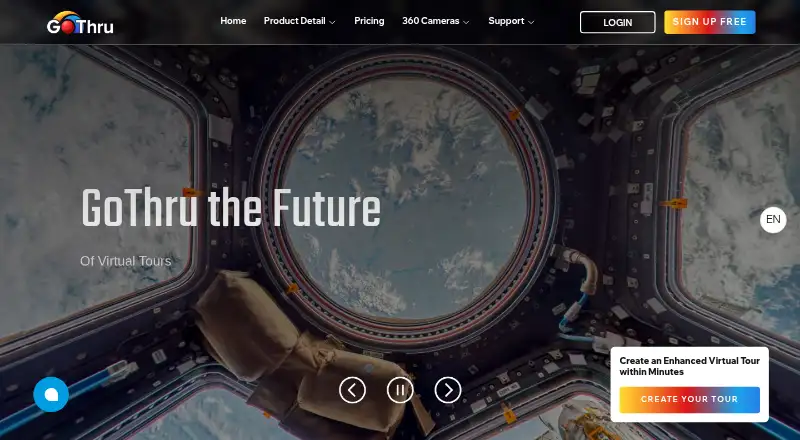
What GoThru is
GoThru provides tools for creating custom virtual tours, publishing 360 images to Google, and viewing tours in VR. Its tour creator supports themes, plugins, multilingual content, a side menu, and usage statistics. The Street View Moderator accepts panoramas uploaded directly or imported from Google Drive or Dropbox; users can connect images, preview tours, and publish to Street View. It also includes a tool to blur faces, license plates, and other sensitive details. GoThru Photo Studio is a freemium desktop app for viewing, organizing, editing, and publishing 360-degree images on macOS and Windows. Its free offering requires no trial or subscription, and its AI tools can use a user's own API key. Photo Studio can publish to GoThru, Panorra, or Google Street View. GoThru also offers a free Chrome extension for Google Business identifiers and Street View panorama details. Custom tour links stop working if a subscription ends, unless users pay per tour or host a downloaded tour themselves.
Good
- Create tours with themes and multilingual content
- Publish panoramas to Google Street View
- Moderator includes a privacy blur tool
- Photo Studio has a free offering without subscription
- Available across desktop, mobile, web, and extension
Watch out
- Custom tour links stop working when a subscription ends
- Panoramas must meet specified dimensions and aspect ratio
- Pay As You Go tours may have per-tour charges
Who it suits
GoThru suits Street View photographers, local SEO specialists, digital marketing agencies, business owners, and developers who need tour or panorama tools. Its Photo Studio may appeal to users working with 360-degree images on macOS or Windows.
Verdict
GoThru brings together tour creation, Street View publishing, and 360-image editing tools. Consider the panorama requirements and hosting implications before relying on custom tour links.
Plans and prices
From GoThru's own pricing page, checked 4 Oct 2026.
| Plan | Price | What it gives you |
|---|---|---|
| Pay As You Go | Free | 2 GB · Street View/Blue Line tours $14 USD/tour one time · tours with 4 images or fewer publish free · $0 USD/month |
| Basic | $15 a month | 2 Street View/Blue Line tours/month · 100 GB · 360 videos 0/day · walkthrough videos 0/day · $15 USD/month |
| Pro | $34 a month | 10 Street View/Blue Line tours/month · 100 GB · 360 videos 5/day · walkthrough videos 5/day · $34 USD/month |
| Agency | $75 a month | 10 Street View/Blue Line tours/month · 500 GB · 360 videos 20/day · walkthrough videos 20/day · $75 USD/month |
The facts
Each one read from GoThru's own pages, with the date it was checked.
What it does
- AI editing
- Photo Studio supports AI image tools, and its FAQ says users can connect their own API key, such as one from OpenAI, for tools including Tripod Remover.checked 4 Oct 2026
- Chrome extension
- The free GoThru CID and PlaceID Finder Chrome extension retrieves Google Business identifiers and Street View panorama details, and can generate share links and access full-resolution panorama images.checked 4 Oct 2026
- Hosted tour limitation
- If a user stops their subscription, links to Custom Virtual Tours stop working; the user can pay per tour or download and host the tour themselves.checked 4 Oct 2026
- Image requirements
- GoThru says virtual tour panoramas need a 2:1 aspect ratio and must be between 5300×2650 and 14000×7000 pixels.checked 4 Oct 2026
- Integrations
- Photo Studio can publish images to GoThru, Panorra, or Google Street View.checked 4 Oct 2026
- Intended users
- The CID and PlaceID Finder page identifies Street View photographers, local SEO specialists, digital marketing agencies, business owners, and developers as potential users.checked 4 Oct 2026
- Photo Studio
- GoThru Photo Studio is a freemium desktop app for viewing, organizing, editing, and publishing 360-degree images, with no trial or subscription required for its free offering.checked 4 Oct 2026
- Privacy and security
- GoThru's privacy policy says it uses physical, electronic, and administrative procedures to safeguard data and may transfer or process data through third parties in other countries.checked 4 Oct 2026
- Privacy tools
- The Moderator includes a blur tool for faces, license plates, and other sensitive or private information.checked 4 Oct 2026
- Product
- GoThru provides tools to create custom virtual tours, publish 360 images to Google, and view tours in VR.checked 4 Oct 2026
- Street View publishing
- The Street View Moderator lets users upload panoramas directly or import them from Google Drive or Dropbox, connect them, preview tours, and publish to Street View.checked 4 Oct 2026
- Support
- The site lists email support, a phone number, documentation, training videos, a forum, and weekly Hangouts for guidance and questions.checked 4 Oct 2026
- Virtual tour tools
- The tour creator supports themes, plugins, multilingual content, a side menu, and usage statistics.checked 4 Oct 2026
Where it runs
- Photo Studio platforms
- Photo Studio is available for macOS and Windows.checked 4 Oct 2026
The full review of GoThru
GoThru is a suite for building custom virtual tours, publishing 360-degree images to Google Street View, and editing panoramas. It is best suited to photographers and marketing teams with compatible panorama files who need publishing and tour tools in one workflow. Its breadth is compelling, but hosted custom-tour links depend on an active subscription unless you pay per tour or host the files yourself.
Overview
GoThru brings together a tour creator, the Street View Moderator, a desktop Photo Studio, and a free Chrome extension for finding Google Business identifiers and panorama details. That mix suits users who handle several stages of a 360-image project, rather than those who only need a place to display tours.
The tour creator supports themes, plugins, multilingual content, a side menu, usage statistics, floor plan views, custom branding, and embed codes. In the Street View Moderator, users can upload panoramas or import them from Google Drive or Dropbox, connect images, preview tours, and publish to Street View. A blur tool can conceal faces, license plates, and other sensitive information before publication.
Key features
Panorama publishing and tour hosting
Virtual-tour panoramas need a 2:1 aspect ratio and dimensions between 5300×2650 and 14000×7000 pixels. Those requirements are a practical constraint: users whose source images fall outside the range need to prepare suitable panoramas before building tours. GoThru hosts tours, but custom-tour links stop working when a subscription ends. Paying per tour or downloading and self-hosting the tour are the alternatives, so users should weigh link continuity before making GoThru-hosted tours part of a long-lived campaign.
Photo Studio and extension
Photo Studio is a freemium desktop app for viewing, organizing, editing, and publishing 360-degree images. Its free offering requires no trial or subscription, and the app can publish to GoThru, Panorra, or Google Street View. AI tools are supported; users can connect their own API key, such as an OpenAI key, for tools including Tripod Remover. This gives technically comfortable editors room to use AI features without making them part of a required subscription, but it does mean bringing an API key.
The free GoThru CID and PlaceID Finder Chrome extension retrieves Google Business identifiers and Street View panorama details, and can generate share links and access full-resolution panorama images. It is a focused utility for Street View workflows, not a replacement for the tour creator.
Pricing
GoThru is freemium, with a free plan and paid plans starting at $15/mo. The free Pay As You Go plan is free, billed $0 USD/month, and includes 2 GB. Street View/Blue Line tours cost $14 USD/tour one time, while tours with four images or fewer publish free. This keeps entry costs low for occasional or small tours, but larger tours incur a per-tour charge.
Basic costs $15 a month, billed $15 USD/month. It includes 2 Street View/Blue Line tours per month and 100 GB, but no daily 360-video or walkthrough-video allowance. It fits users who need a modest monthly tour quota and storage without video output.
Pro costs $34 a month, billed $34 USD/month, and includes 10 Street View/Blue Line tours per month, 100 GB, and five 360 videos and five walkthrough videos per day. It is the step up for users producing video as well as tours. Agency costs $75 a month, billed $75 USD/month, with 10 tours per month, 500 GB, and 20 of each video type per day. Its higher storage and video allowances suit heavier production, though the tour quota is the same as Pro. No free trial is offered.
Platforms
GoThru is available on Android, iOS, macOS, web, Windows, and as an extension. Photo Studio specifically runs on macOS and Windows; the Chrome extension is a separate free utility.
Who it's for
Street View photographers, local SEO specialists, digital marketing agencies, business owners, and developers are all potential users. GoThru is a strong fit for people publishing panoramas to Street View while also creating branded, embeddable tours. It is less suitable when source panorama dimensions do not meet its requirements, or when custom-tour links must remain active without ongoing subscription costs.
GoThru says it uses physical, electronic, and administrative procedures to safeguard data, and may transfer or process data through third parties in other countries. Support includes email, phone, documentation, training videos, a forum, and weekly Hangouts, giving users several routes for guidance.
Pros and cons
Pros
- Broad 360 workflow: tour creation, Street View publishing, desktop image editing, and a panorama-focused extension cover more than tour assembly alone.
- Useful publishing safeguards: the Moderator's blur tool can obscure faces, plates, and other private details before sharing.
- Low-cost entry: the free plan includes 2 GB, with tours of four images or fewer publishing free.
- Flexible Photo Studio publishing: its free offering can publish to GoThru, Panorra, or Google Street View without a trial or subscription.
Cons
- Strict image requirements: panoramas must meet a specified aspect ratio and pixel range, which can add preparation work.
- Hosted links depend on subscription: custom-tour links stop working if a subscription ends unless users pay per tour or self-host.
- Video allowances vary sharply by plan: Basic includes none, while Pro and Agency set daily limits.
- Agency does not increase the monthly tour quota over Pro: its additional capacity is storage and daily video allowance.
Alternatives
Compare 3D Virtual Tour Software if you want to weigh GoThru against more options in the category.
- Asteroom is an alternative to consider if its free plan or $39.90 a month Professional plan suits your needs; the Professional plan includes 10 active tours for one user and requires an Asteroom Pano Kit or 360 camera.
- Kuula may suit users whose free-plan allowance of up to 300 posts and 100 uploads per month is a better fit.
- Matterport is worth considering if a free plan with one active space and two users fits your project.
- Zillow 3D Home may be preferable for listing tours when avoiding per-home, service, and hosting fees is the priority.
- Panoee is an option for users who want a free plan with unlimited projects and tours, subject to its 3 GB storage allowance.
- iGUIDE is another virtual-tour option.
- Pivo Tour is another virtual-tour option.
- TeliportMe is another virtual-tour option.
Verdict
Choose GoThru if you publish 360 panoramas to Street View and want tour creation, image editing, and publishing tools under one roof. Its main advantage is that connected workflow, including a useful free entry point. Look elsewhere if your panoramas do not meet its image requirements or if you need hosted tour links to keep working without subscription dependence.
Getting started
- Open the GoThru website.
- Choose Pay As You Go or a paid plan.
- For desktop 360-image work, download Photo Studio for macOS or Windows.
- For Google Business identifiers and panorama details, install the free Chrome extension.
- Prepare tour panoramas in a 2:1 aspect ratio between 5300×2650 and 14000×7000 pixels.
- Upload panoramas or import them from Google Drive or Dropbox in the Street View Moderator.
Limits worth knowing
Pay As You Go includes 2 GB; Street View/Blue Line tours cost $14 USD/tour one time, while tours with four images or fewer publish free. Basic is $15 USD/month and includes two Street View/Blue Line tours per month and 100 GB; 360 video and walkthrough video allowances are 0/day.
Questions
Is there a free plan?
Yes. Pay As You Go costs nothing and includes 2 GB. Tours with four images or fewer publish free; Street View/Blue Line tours otherwise cost $14 USD/tour one time.
What do paid plans cost?
Basic is $15 USD/month, Pro is $34 USD/month and Agency is $75 USD/month. Basic includes two Street View/Blue Line tours monthly and 100 GB; Pro includes 10 tours monthly and 100 GB; Agency includes 10 tours monthly and 500 GB.
Which platforms does GoThru support?
GoThru lists Android, extension, iOS, macOS, web and Windows. Photo Studio is available for macOS and Windows.
Does Photo Studio require a subscription?
Its free offering requires no trial or subscription. Photo Studio supports AI image tools and can publish images to GoThru, Panorra or Google Street View.
Can I use my own API key for AI editing?
Yes. The Photo Studio FAQ says users can connect their own API key, such as one from OpenAI, for tools including Tripod Remover.
What happens to custom tour links if I stop paying?
Links to Custom Virtual Tours stop working when a subscription ends. Users can pay per tour or download and host the tour themselves.
Alternatives to GoThru
- 1

CloudPano
Free planAndroidiOSWebAPI8.2From $27 a month - 2
Panoee
Free planAndroidiOSWebSelf-hosted8.0From $0.15 a month - 3
InsideMaps
Free planiOSWeb7.6From $5 a year - 4

Matterport
Free planAndroidiOSWebAPI7.5From $12 a month - 5

RICOH360 Tours
Free planAndroidiOSWebAPI7.4From $39 a month - 6

Asteroom
Free planAndroidiOSWeb7.2From $399 a year