Gmail Bulk Unsubscribe & Cleanup Tool
Gmail Bulk Unsubscribe & Cleanup Tool helps Gmail users handle unwanted messages in batches.
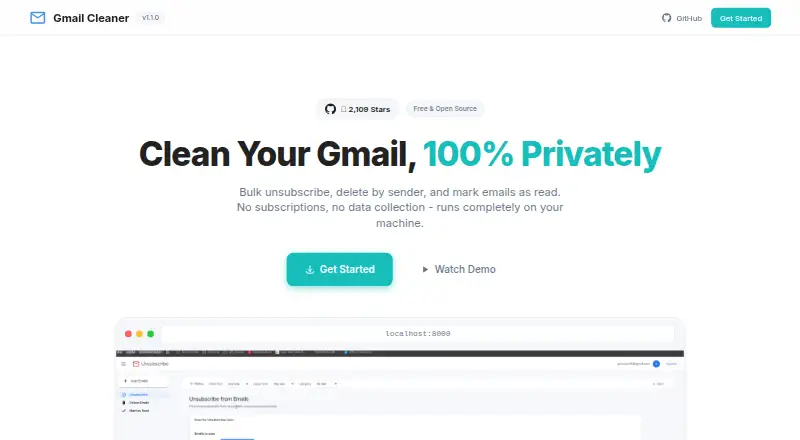
What Gmail Bulk Unsubscribe & Cleanup Tool is
Gmail Bulk Unsubscribe & Cleanup Tool helps Gmail users handle unwanted messages in batches. It can unsubscribe using automatic one-click or manual methods, delete messages from multiple senders, archive email, manage labels, mark messages read or important, and export email metadata as CSV. Filters cover date range, email size, category, sender, and labels. The tool works through the Gmail API, and users must create their own Google Cloud project and OAuth credentials. The maker says it runs locally without external servers or data collection, and describes its requested access as read and modify permissions. Setup requires Docker or Python 3.9+ with uv, along with users' own Google credentials. The software is free to use under the MIT license. A one-on-one setup service is listed at $8, paid once. Deleted messages go to Gmail Trash, where they can be recovered within 30 days. The maker says responses to issues and pull requests may be delayed while taking personal time.
Good
- Bulk unsubscribe supports automatic and manual methods
- Filters include date, size, category, sender, and labels
- Can archive, delete, and manage labels in batches
- Maker says it runs locally without data collection
- Free to use under the MIT license
Watch out
- Supports Gmail only
- Requires users to create Google Cloud and OAuth credentials
- Requires Docker or Python 3.9+ with uv
- Maker may be delayed responding to issues
Who it suits
It suits Gmail users who want to clean up messages in batches and are comfortable supplying Google credentials and setting up Docker or Python. People who need installation help can consider the listed one-on-one service.
Verdict
The tool offers several Gmail cleanup actions and says processing stays local, but setup requires users to supply their own Google credentials. Check that the permissions and setup requirements fit your comfort level.
Plans and prices
From Gmail Bulk Unsubscribe & Cleanup Tool's own pricing page, checked 15 Oct 2026.
| Plan | Price | What it gives you |
|---|---|---|
| Free | Free | bulk unsubscribe · bulk deletion · archiving · local execution · MIT-licensed open source · free forever |
| 1-on-1 Setup Service | $8, paid once | Google Meet guidance · Docker/Google Cloud/credentials help · under-20-minute target · one-time setup session |
The facts
Each one read from Gmail Bulk Unsubscribe & Cleanup Tool's own pages, with the date it was checked.
What it does
- API and SDKs
- Documentation explains using the Gmail API but does not present a separate public product API or SDK.checked 15 Oct 2026
- Archiving
- Selected senders' messages can be archived to remove them from the inbox.checked 15 Oct 2026
- Batch performance
- The project says Gmail API batch requests process 100 emails per API call.checked 15 Oct 2026
- Bulk unsubscribe
- The tool finds newsletters and supports both automatic one-click and manual unsubscribe methods.checked 15 Oct 2026
- Community traction
- The GitHub repository page showed about 2.1k stars and 138 forks when opened.checked 15 Oct 2026
- CSV export
- Email metadata for selected senders can be downloaded as CSV.checked 15 Oct 2026
- Delete by sender
- Users can identify heavy senders and delete their messages in bulk.checked 15 Oct 2026
- Deletion limit
- Deleted messages go to Gmail Trash and can be recovered there within 30 days.checked 2 Oct 2026
- Documentation and support
- Setup instructions, FAQ, advanced configuration, troubleshooting, video guidance, GitHub issues and contribution instructions are provided.checked 15 Oct 2026
- Filters
- Filters include date range, email size, category, sender, and labels.checked 2 Oct 2026
- Importance control
- Users can mark or unmark messages from selected senders as important.checked 15 Oct 2026
- Independent description
- An external Chinese-language tools site described the project as free, open source, local and deployable through Docker or Python.checked 15 Oct 2026
- Independent feature summary
- The same external write-up highlighted unsubscribe, sender deletion, bulk read marking, filters, local privacy and Gmail API batching.checked 15 Oct 2026
- Integration
- The tool uses the Gmail API and requires users to create their own Google Cloud project and OAuth credentials.checked 2 Oct 2026
- Integrations
- The documented external integration is the Gmail API.checked 15 Oct 2026
- Intended user
- The maker offers a paid one-on-one setup service for people who need help with Docker, Google Cloud Console, or credentials.json.checked 2 Oct 2026
- Interface
- The repository describes a Gmail-style interface with real-time progress tracking.checked 15 Oct 2026
- Label management
- The interface can create, delete, apply and remove Gmail labels for sender-selected mail.checked 15 Oct 2026
- Licence
- The repository and product footer identify the licence as MIT.checked 15 Oct 2026
- Limit: bulk-delete bug
- A Reddit user reported an “Error: undefined” failure when deleting multiple emails, while one-by-one deletion worked.checked 15 Oct 2026
- Limit: Gmail-only demand
- Reddit users asked for Hotmail/Live and other-provider support, indicating the published tool is focused on Gmail.checked 15 Oct 2026
- Limit: missing automation
- Reddit users requested scheduled deletion, broader provider support and an API for automation.checked 15 Oct 2026
- Limit: OAuth complexity
- Reddit discussion included confusion and errors around remote-server OAuth, localhost use and credentials setup.checked 15 Oct 2026
Where it runs
- Independent platform summary
- The external write-up listed Docker and Python deployment on Linux, Windows, Intel macOS and Apple Silicon macOS.checked 15 Oct 2026
The full review of Gmail Bulk Unsubscribe & Cleanup Tool
Overview
Gmail Bulk Unsubscribe & Cleanup Tool is a Gmail utility for unsubscribing from mail and taking bulk cleanup actions. It is best suited to users willing to run software locally and configure their own Google credentials; its breadth is useful, but the setup is a real commitment.
Key features
Unsubscribe automatically with one click or use the manual method, then delete messages from multiple senders, archive them, or mark them read or important. Filters for date range, message size, category, sender, and labels make it possible to narrow a bulk action rather than sweep an inbox indiscriminately. Label management and CSV downloads of email metadata add useful housekeeping options beyond unsubscribing.
The tool uses the Gmail API and requires read and modify access. Its maker says it runs locally without external servers or data collection, and users control their own Google OAuth app. That arrangement may suit people who prefer not to route email through an outside service, but it does not remove the need to trust the permissions they grant or to handle credential setup themselves. Deleted messages go to Gmail Trash and can be recovered there for 30 days.
Pricing
| Plan | Price | What it includes |
|---|---|---|
| Free | free | Free to use under the MIT license, with no subscription. |
| 1-on-1 Setup Service | $8, paid once | Personal setup help via Google Meet, guided until installation works. |
The free option makes sense for technically confident users who can handle Docker or Python 3.9+ with uv, a Google Cloud project, and their own OAuth credentials. The one-time setup service is aimed at people who want assistance with Docker, Google Cloud Console, or credentials.json; it helps with installation rather than changing the tool's Gmail focus. There is no free trial, subscription renewal, or published quota to weigh against the free plan.
Platforms
It supports Linux, macOS, Windows, web use, and self-hosting. In practice, the listed desktop operating systems do not make this a conventional plug-and-play app: users still need Docker or Python 3.9+ with uv and must supply Google credentials.
Who it's for
This is a fit for Gmail users who want detailed, sender- and message-filtered bulk actions and are comfortable managing their own OAuth setup. The local-running model may appeal to privacy-conscious users, while the read-and-modify permission scope and technical installation make it a poor match for anyone seeking a quick, account-connected cleanup service. Support is also less dependable for urgent troubleshooting: the maker says responses to issues and pull requests may be delayed while taking personal time.
Pros and cons
- Pro: It combines unsubscribe, delete, archive, read-state, importance, label, and CSV metadata actions, giving Gmail users more control than a single-purpose unsubscribe tool.
- Pro: Filters by date, size, category, sender, and labels help target bulk changes more carefully.
- Pro: Local operation, according to the maker, avoids external servers and data collection; users control their own Google OAuth app.
- Con: Users must create a Google Cloud project, supply OAuth credentials, and install with Docker or Python 3.9+ and uv, a substantial barrier for casual inbox cleanup.
- Con: Read and modify permissions are broad enough to warrant careful consideration before granting access.
- Con: The maker warns that support responses may be delayed, so users who depend on prompt setup help should factor that in.
Alternatives
Email Cleanup Software is the category overview for comparing other inbox-cleaning options. Clean Email may suit users who want Android or iOS access and a free account capped at 1,000 messages, with paid features for more; its free tier omits Screener, Sender and Mailing List Settings, and Auto Clean. InboxSweeper is another free, open-source option with Linux, macOS, web, and Windows support and no account or subscription.
Cleanfox is a free Android, iOS, and web alternative for inbox cleaning and newsletter unsubscribing. Unroll.Me is also free on Android, iOS, and web, but requires access to commercial emails and uses commercial-email data for measurement products. Trimbox offers its first 10 unsubscribes free across Android, iOS, web, and browser extension.
ClearInbox may appeal to users looking for a self-hosted or web option that starts with connecting a mailbox. Unsubscribe for Gmail is another freemium Gmail-unsubscribe option. GoodByEmail offers a free trial and a Lite plan at $9.99 a month, with unlimited inboxes, unsubscribes, and inbox size, entire email history, and one device.
Verdict
Choose Gmail Bulk Unsubscribe & Cleanup Tool if you want a broad set of Gmail cleanup actions, precise filters, and a locally run approach, and are prepared to configure Google OAuth yourself. Look elsewhere if you want minimal setup, faster support, or a service that does not require granting read and modify access to your Gmail account.
Getting started
- Open the project's website.
- Choose Docker or Python 3.9+ with uv for setup.
- Create your own Google Cloud project and OAuth credentials.
- Supply your Google credentials to run the tool.
- Use the $8, paid once one-on-one setup service if you want guided installation help.
Questions
Is Gmail Bulk Unsubscribe & Cleanup Tool free?
Yes. The Free plan costs nothing and is free to use under the MIT license.
What does the one-on-one setup service cost?
It costs $8, paid once and provides guided setup via Google Meet until installation works.
Which email provider does it support?
It supports Gmail and uses the Gmail API.
What setup is required?
Users need Docker or Python 3.9+ with uv and must provide their own Google credentials.
How does the tool handle privacy and access?
The maker says the app runs locally without external servers or data collection. The repository describes requested access as read and modify permissions, with users controlling their own Google OAuth app.
Can deleted email be recovered?
Deleted messages go to Gmail Trash and can be recovered there within 30 days.
Alternatives to Gmail Bulk Unsubscribe & Cleanup Tool
- 1

Clean Email
Free planAndroidiOSWebmacOS8.0From $29.99 a year - 2
Paperweight
Free planOpen sourceLinuxmacOSWindows7.8From $55 a year - 3
Gmail Unsubscriber
Free planOpen sourceAndroidiOSWeb7.7Free plan - 4
InboxSweeper
Free planOpen sourceWebLinuxmacOSSelf-hosted7.4Free plan - 5
Cleanfox
Free planAndroidiOSWeb7.3Free plan - 6
Smart Delete for Gmail
Free planWebExtension7.3$1 one-time