glassbar
glassbar is an open-source Windows desktop shell that adds a floating dock, HUD, and fuzzy launcher alongside the Windows taskbar.
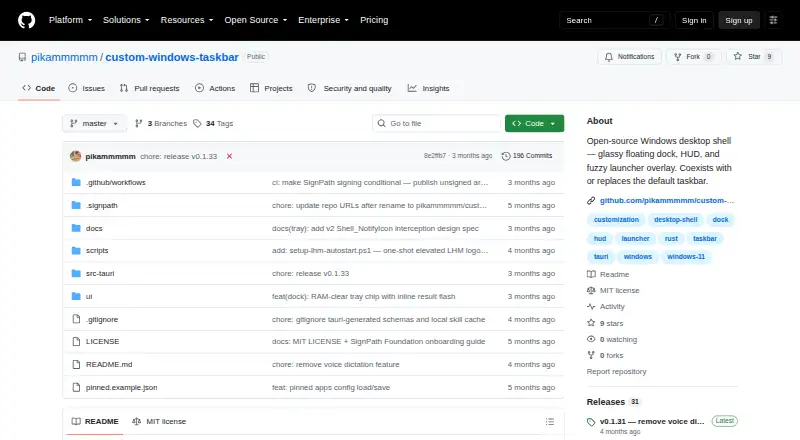
What glassbar is
glassbar is an open-source Windows desktop shell that adds a floating dock, HUD, and fuzzy launcher alongside the Windows taskbar. The dock displays pinned and running apps and provides controls for launching, focusing, minimizing, pinning, unpinning, and reordering them. The launcher searches Start Menu apps, UWP and Microsoft Store apps, and files in common folders, with acronym and typo-tolerant matching. The HUD includes a clock, weather, CPU and RAM readings, network throughput, media controls, an audio device switcher, file stash, WARP toggle, and power menu. Users can change accent color, glass tint, and opacity, with changes applied live across windows. Weather uses Open-Meteo and its geocoding API, while the WARP control invokes warp-cli locally. Settings and pinned apps are stored locally; Spotlight app and file indexes stay in process memory. The project says it collects, stores, or transmits no user data and has no analytics, telemetry, crash reporting, phone-home, or account system. It lists Open-Meteo weather and geocoding as its only outbound requests. Downloads include an MSI installer and portable executable. It requires Windows 10 version 1809 or later, Windows 11, and WebView2. The project describes the release as early, warns of rough edges on non-1080p, multi-monitor, and fractional-DPI configurations, and notes that it supports only one primary monitor and does not host third-party tray icons.
Good
- Dock manages pinned and running apps.
- Launcher tolerates acronyms and typos.
- HUD includes system readings and media controls.
- Portable executable is available.
- Settings and pinned apps stay locally.
Watch out
- Supports only one primary monitor.
- Does not host third-party system tray icons.
- Requires WebView2.
- Early release may have rough edges on some display setups.
Who it suits
glassbar suits Windows users who want a dock, launcher, and system controls in a customizable desktop overlay. Its portable executable may suit users who prefer not to use the MSI installer.
Verdict
glassbar combines app navigation and system controls in a customizable Windows overlay. Its single-monitor limit and early-release caveats matter for some display setups.
The facts
Each one read from glassbar's own pages, with the date it was checked.
What it does
- Customization
- Users can change the accent color, glass tint, and opacity, with changes applied live across windows.checked 8 Oct 2026
- Dock
- The dock shows pinned and running app icons and supports launching, focusing, minimizing, pinning, unpinning, and reordering apps.checked 8 Oct 2026
- Downloads
- The project offers an MSI installer and a portable executable through its GitHub Releases page.checked 8 Oct 2026
- HUD
- The HUD includes a clock, weather, CPU and RAM readings, network throughput, media controls, an audio device switcher, file stash, WARP toggle, and power menu.checked 8 Oct 2026
- Integrations
- The project describes fetching weather from Open-Meteo and locally invoking Cloudflare WARP; it also reads Claude Code transcripts locally.checked 8 Oct 2026
- Launcher
- The Spotlight launcher searches Start Menu apps, UWP and Microsoft Store apps, and files in common folders with acronym and typo-tolerant matching.checked 8 Oct 2026
- License
- The project is open source under the MIT license.checked 8 Oct 2026
- Limitations
- The README says the current version supports only a single primary monitor and does not host third-party system tray icons.checked 8 Oct 2026
- Local data
- Settings and pinned apps are kept locally, while Spotlight's app and file indexes are held in process memory.checked 8 Oct 2026
- Network requests
- The README lists Open-Meteo weather and geocoding endpoints as glassbar's only outbound requests and says the app has no first-party server or third-party SDK.checked 8 Oct 2026
- Privacy
- The README says glassbar collects, stores, or transmits no user data and has no analytics, telemetry, crash reporting, phone-home, or account system.checked 8 Oct 2026
- Product
- glassbar is an open-source floating dock and HUD for Windows that can coexist with the Windows taskbar.checked 8 Oct 2026
- Purpose
- glassbar is an open-source Windows desktop shell with a floating dock, HUD, and fuzzy launcher overlay.checked 8 Oct 2026
- Release status
- The GitHub release page identifies v0.1.31 as the latest release and says it removes the voice dictation feature.checked 8 Oct 2026
- Requirements
- The README lists Windows 10 version 1809 or later, Windows 11, and the WebView2 runtime as requirements.checked 8 Oct 2026
- WARP integration
- The HUD can toggle Cloudflare WARP through local warp-cli invocations.checked 8 Oct 2026
- Weather integration
- Weather uses Open-Meteo and its geocoding API to fetch current weather for the city selected in HUD settings.checked 8 Oct 2026
Alternatives to glassbar
- 1

DisplayFusion
Free planAndroidiOSAPIWindows7.9$34 one-time - 2

TaskbarX
Free planOpen sourceWindows7.6$1.09 one-time - 3

GitHub CodeQL
Free planWebExtensionLinuxmacOS7.5From $30 a month - 4
Winstep Nexus Dock
Free planWindows6.7$12.95 one-time - 5

Deskloom
Free planWindows6.4Free plan - 6
MyDockFinder
Windows6.4$4.99 one-time