
GanttProject
GanttProject is a free, local-first desktop project management application for Windows, macOS, and Linux, centered on Gantt charts.
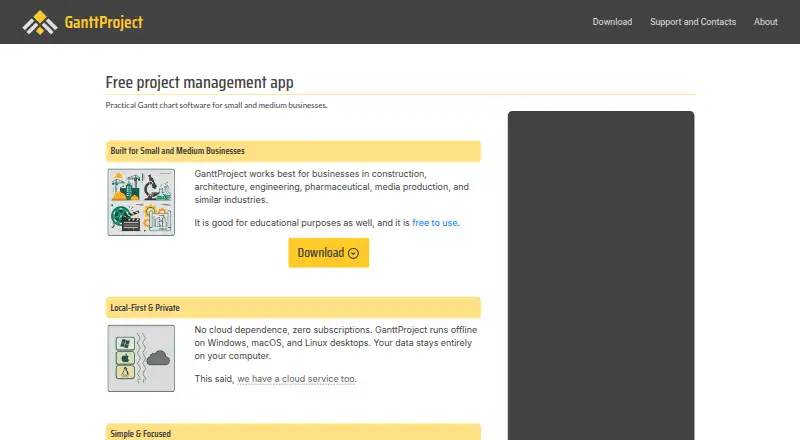
What GanttProject is
GanttProject is a free, local-first desktop project management application for Windows, macOS, and Linux, centered on Gantt charts. It supports task hierarchies, dependencies, constraints, automatic scheduling, milestones, and project baselines. People can be assigned to tasks, resource load charts can be reviewed, and task costs can be calculated from resource rates. The application creates PERT charts and exports projects to PDF, HTML, PNG, and CSV. It imports MPX, MPP, and XML/MSPDI files and exports XML/MSPDI for Microsoft Project compatibility. The desktop app works offline and stores project files locally unless cloud storage or an integration is selected. Optional GanttProject Cloud adds team features, project locks, notifications, and recent project history, with files stored in Google Cloud Storage. The maker describes it as suitable for small and medium businesses, including construction, architecture, engineering, pharmaceutical, and media production, as well as educational use. The desktop download is free under GPL-3.0 with all features and no project, task, resource, or user limits.
Good
- Free GPL-3.0 desktop application
- Works offline with locally stored project files
- Supports dependencies, constraints, milestones, and automatic scheduling
- Exports PDF, HTML, PNG, CSV, and PERT charts
- Imports and exports Microsoft Project file formats
- No project, task, resource, or user limits
Watch out
- May not suit users needing browser-based real-time editing
- May not suit users needing phone or tablet project management
- May not suit many third-party integrations
- May not fit large interdependent enterprise portfolios
Who it suits
GanttProject suits small and medium businesses managing structured projects with desktop Gantt planning. It also fits construction, architecture, engineering, pharmaceutical, media production, and educational use, especially when offline local files are useful.
Verdict
Choose GanttProject for full-featured desktop Gantt planning with offline files and broad project-data exchange. Look elsewhere if your team needs browser collaboration, mobile project management, extensive integrations, or very large interdependent portfolios.
Plans and prices
From GanttProject's own pricing page, checked 22 Sep 2026.
| Plan | Price | What it gives you |
|---|---|---|
| Free download | Free | Free desktop application download |
| Paid download | — | Optional paid download · Same software license as the free download |
| GanttProject desktop (free download) | Free | GPL-3.0 · all features included · no project, task, resource, or user limits |
| GanttProject desktop (optional paid download) | $5, paid once | Same binaries and features as the free download · Pay what you think is fair, starting from $5 |
The facts
Each one read from GanttProject's own pages, with the date it was checked.
What it does
- Cloud collaboration
- Optional GanttProject Cloud supports teams, project locks, notifications, and recent project history, and stores files in Google Cloud Storage.checked 11 Oct 2026
- Exports
- It can generate PERT charts and export to PDF, HTML, PNG, and CSV.checked 11 Oct 2026
- Guest access
- Yeschecked 22 Sep 2026
- Intended users
- The maker describes it as best suited to small and medium businesses, including construction, architecture, engineering, pharmaceutical, and media production businesses, and also notes educational use.checked 11 Oct 2026
- Microsoft Project compatibility
- GanttProject imports MPX, MPP, and XML/MSPDI files and exports XML/MSPDI.checked 11 Oct 2026
- Notable fit limits
- The maker says it may not suit users needing browser-based real-time editing, phone or tablet project management, many third-party integrations, or large interdependent enterprise portfolios.checked 11 Oct 2026
- Offline and local files
- The desktop app works offline and stores project files locally unless the user chooses cloud storage or an integration.checked 11 Oct 2026
- Purpose
- GanttProject is a local-first desktop project management app with Gantt charts for Windows, macOS, and Linux.checked 11 Oct 2026
- Resource management
- Users can assign people to tasks, review resource load charts, and calculate task costs from resource rates.checked 11 Oct 2026
- Scheduling
- It supports task hierarchies, dependencies, constraints, automatic scheduling, milestones, and project baselines.checked 11 Oct 2026
- Security and privacy
- The desktop privacy policy says purchase and app data are transmitted over secure channels and that the payment processor does not provide GanttProject with card numbers.checked 11 Oct 2026
- Support
- The Support Portal is the default support channel, and public discussions are encouraged unless a question is confidential.checked 11 Oct 2026
- Task views
- ganttchecked 22 Sep 2026
The company
- Company
- BarD Software s.r.o. is registered in Prague, Czechia, and was founded in 2012 by Dmitry Barashev to coordinate GanttProject development and support.checked 11 Oct 2026
- Founded
- 2003checked 28 Sep 2026
Money
- Free plan
- Yeschecked 22 Sep 2026
The full review of GanttProject
GanttProject is a free, local-first desktop planner built around Gantt scheduling. It is best suited to small and medium businesses, educators, and project leads who want complete scheduling without per-seat limits. Choose it when offline files and broad project-data exchange matter more than browser collaboration, mobile access, or a large integration ecosystem.
Overview
GanttProject organizes work through task structures, schedules, and assigned resources on Windows, macOS, and Linux. The desktop application works offline and stores project files locally unless you select cloud storage or an integration. That gives organizations direct control over their files and keeps planning possible without a connection, but distributed teams looking for a shared browser workspace will find the desktop-first model restrictive.
Optional GanttProject Cloud adds project locks, notifications, and recent-project history for team workflows, with files stored in Google Cloud Storage. The software has been developed since 2003, while BarD Software s.r.o. coordinates development and support from Prague. Support is handled through a Support Portal, with public discussions encouraged for non-confidential questions.
Key features
Task hierarchies break large scopes into phases and work packages. Dependencies, constraints, automatic scheduling, milestones, and baselines provide the mechanics for sequencing work and comparing progress with an original plan. This is a strong fit for structured schedules, although the main task view is Gantt, so it is less suitable when a team expects many different planning perspectives.
Resource assignment lets managers attach people to tasks, inspect resource-load charts, and calculate task costs from resource rates. Those tools make the app useful for construction, architecture, engineering, pharmaceutical, and media-production planning where capacity and labor cost affect the schedule. PERT charts add another way to visualize project logic.
Exports to PDF, HTML, PNG, and CSV support sharing and reporting beyond the application. Import for MPX, MPP, and XML/MSPDI files, plus XML/MSPDI export, is valuable for teams exchanging schedules with Microsoft Project users. The breadth of file exchange reduces lock-in, but it does not replace the real-time, integrated workspace offered by browser-first systems.
Pricing
| Plan | Price | What it includes |
|---|---|---|
| GanttProject desktop (free download) | free | GPL-3.0 software, all features, and no project, task, resource, or user limits |
| GanttProject desktop (optional paid download) | $5, paid once | Pay what you think is fair, starting from $5; the same binaries and features as the free download |
The free download is the practical choice for everyone who can install a desktop application: there are no stated caps on projects, tasks, resources, or users, and no trial period is needed. The optional $5 one-time payment supports the project without buying additional capability. Neither option supplies a separate per-seat upgrade path; teams needing browser collaboration must consider the optional Cloud service rather than a different desktop tier.
Platforms
Native desktop versions are available for Linux, macOS, and Windows. Offline operation is a core advantage on those systems. There is no phone or tablet project-management experience, so mobile-first teams should look elsewhere.
Who it's for
GanttProject is a sensible choice for small and medium businesses, educators, and project managers who need detailed scheduling, resource loading, cost calculations, and portable project files without subscription or seat limits. It is particularly well aligned with industries that plan sequential, resource-heavy work.
It is a poor fit for organizations that require browser-based real-time editing, phone or tablet management, many third-party integrations, or very large portfolios with extensive interdependencies. Optional Cloud collaboration helps with locking and notifications, but the core workflow remains desktop-centered.
Pros and cons
Pros
- Complete free edition: every feature is included, with no project, task, resource, or user limits.
- Offline, local files: teams retain direct control of project data and can work without connectivity.
- Serious scheduling controls: dependencies, constraints, automatic scheduling, milestones, baselines, resource loads, and cost calculations cover demanding plans.
- Broad exchange: MPX, MPP, and XML/MSPDI imports and XML/MSPDI export ease Microsoft Project workflows, while PDF, HTML, PNG, CSV, and PERT outputs support reporting.
Cons
- Desktop-first collaboration: browser real-time editing is not its strength, even with Cloud additions such as locks and notifications.
- No mobile project management: phone and tablet users need another tool.
- Narrower view model: Gantt is the stated task view, limiting teams that need a broad set of planning views.
- Limited ecosystem fit: the maker identifies many integrations and large interdependent enterprise portfolios as potential mismatches.
Alternatives
Choose Agantty when you need web, Android, or iOS access and are willing to accept a freemium structure; its free plan allows one project, no teams, and no support for a 14-day all-features trial.
RationalPlan suits buyers seeking a paid desktop/web option, with a free tier capped at two projects, 100 tasks, 10 MB storage, and two users.
ProjectLibre is an alternative freemium planner with a $9.99-per-month Core plan billed annually and Microsoft Project import.
Microsoft Project is the better direction for organizations already committed to Microsoft's Planner and Project ecosystem.
Open Planner Studio is another free, open-source option with Gantt charts, critical-path analysis, and resource planning.
Tom's Planner is aimed at web and mobile schedule planning; its free Personal plan permits one schedule and 200 rows but cannot print or export.
Ganttic favors web resource planning, offering a free plan with up to 10 resources, unlimited users and projects, reports, and Kanban boards.
TaskJuggler is a free, open-source alternative licensed under GNU GPL version 2.
For broader category browsing, see Gantt Chart Software and Project Management Software.
Verdict
Choose GanttProject if you want full-featured Gantt scheduling, offline local files, resource costing, and generous Microsoft Project-compatible exchange without per-seat limits. Look elsewhere if your priority is browser-based teamwork, mobile project management, extensive integrations, or coordinating very large interdependent portfolios.
Getting started
- Visit the GanttProject website
- Choose the free desktop download or optional paid download
- Install the application on Windows, macOS, or Linux
- Create or import a project file
- Assign people, schedule tasks, and define dependencies as needed
- Export the project to a supported format or use optional GanttProject Cloud
Questions
How much is the desktop application?
The desktop application is free.
What license does GanttProject use?
The free desktop plan uses the GPL-3.0 license.
Which platforms are supported?
GanttProject desktop runs on Windows, macOS, and Linux.
Can it work offline?
Yes. The desktop app works offline and stores project files locally unless cloud storage or an integration is chosen.
Does it support Microsoft Project files?
It imports MPX, MPP, and XML/MSPDI files and exports XML/MSPDI.
What does GanttProject Cloud add?
Optional GanttProject Cloud provides team support, project locks, notifications, and recent project history, storing files in Google Cloud Storage.
Alternatives to GanttProject
- 1

Agantty
Free planAndroidiOSWebLinux8.1From €50 a year - 2
RationalPlan
Free planWebLinuxmacOSSelf-hosted7.9From $4 a month - 3
Sinnaps
Free planAndroidiOSWebSelf-hosted7.9From $9 a month - 4
Rillsoft Project
AndroidWebAPILinux7.7 - 5

Oracle Primavera Cloud
AndroidiOSWebAPI7.6 - 6
TIEMCHART
AndroidiOSWebSelf-hosted7.6From $12.99 a month