Tom's Planner
Tom's Planner is an online Gantt chart maker for people who want to plan projects without relying on spreadsheets or taking on more complex project managemen…
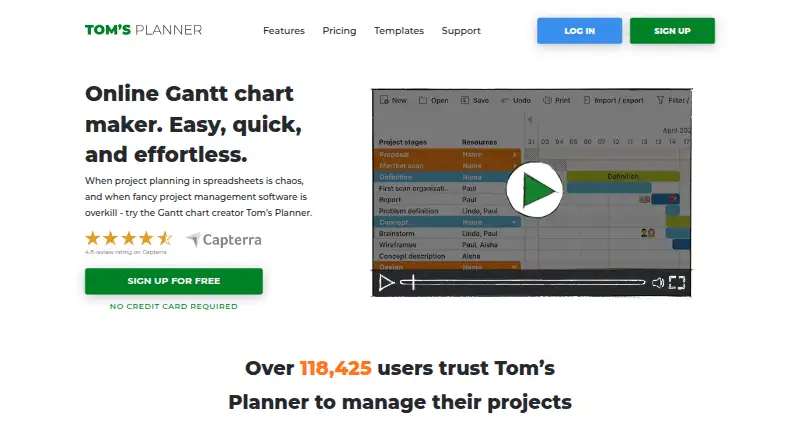
What Tom's Planner is
Tom's Planner is an online Gantt chart maker for people who want to plan projects without relying on spreadsheets or taking on more complex project management software. Its schedules can be viewed at scales from a year down to five-minute intervals. Users arrange color-coded time blocks with drag-and-drop, link tasks with dependencies, and track progress using percentages, traffic lights, icons, or colors. Milestones and resource management are supported, and schedules can be filtered by resource, activity, team, icon, or date. The maker says schedules can be imported from Excel, MS Project, Outlook, and Google Calendar. Paid accounts can print and export schedules; JSON export is available only on Unlimited. Free users can accept collaboration invitations, but inviting collaborators requires a paid account. The Personal free plan allows one chart with up to 200 rows or activities and excludes online sharing, printing, and export. Tom's Planner works on web, Android, and iOS; mobile use is mainly for consulting schedules. Pricing is $9.95/mo (annual) for Professional and $19.95/mo (annual) for Unlimited.
Good
- Views range from yearly to five-minute intervals.
- Supports task dependencies, milestones, and resource management.
- Imports schedules from Excel, MS Project, Outlook, and Google Calendar.
- Free email support is offered to all account types.
Watch out
- Free Personal is limited to one chart and 200 rows.
- Free plan excludes online sharing, printing, and export.
- Inviting collaborators requires a paid account.
- Mobile use is mainly for consulting schedules.
Who it suits
It suits people who find spreadsheets chaotic but do not need more complex project management software. Mobile access is mainly suited to checking schedules on the go.
Verdict
Tom's Planner provides a focused way to build and track Gantt schedules, with useful import and filtering options. Check the free-plan limits and paid-plan collaboration and export terms against your needs.
Plans and prices
From Tom's Planner's own pricing page, checked 9 Oct 2026.
| Plan | Price | What it gives you |
|---|---|---|
| Personal | Free | 1 schedule · max. 200 rows/activities in one schedule · cannot print or export |
| Professional | $9.95 a month | 20 schedules · collaboration invitations · print and export · * Based on a yearly subscription |
| Unlimited | $19.95 a month | Unlimited schedules · JSON export · embed schedules · collaborators can print · * Based on a yearly subscription |
The facts
Each one read from Tom's Planner's own pages, with the date it was checked.
What it does
- Collaboration
- Free accounts can accept invitations to collaborate, while a paid account is required to invite others to collaborate on schedules.checked 9 Oct 2026
- Dependencies
- Users can add dependencies between tasks in a schedule.checked 9 Oct 2026
- Editing
- The product supports drag-and-drop color-coded time blocks and flexible progress tracking with percentages, traffic lights, icons, and colors.checked 9 Oct 2026
- Exports
- Paid accounts can export schedules to MS Project, Excel, CVS, PDF, or an image file; JSON export is listed for Unlimited accounts only.checked 9 Oct 2026
- Filtering
- Schedules can be filtered by resource, activity, team, icon, and dates.checked 9 Oct 2026
- Imports
- The maker says users can import project schedules from Excel, MS Project, Outlook, and Google Calendar.checked 9 Oct 2026
- Intended users
- The maker describes the product as useful when spreadsheets are chaotic and more complex project management software is excessive.checked 9 Oct 2026
- Mobile
- Tom’s Planner states it is compatible with iPhone, iPad, and Android devices without requiring an app, but says mobile is mainly suited to consulting schedules on the go.checked 9 Oct 2026
- Offline use
- The pricing page says users can save a schedule offline on their own computer, and its FAQ says the product is cloud-based and does not need installation.checked 9 Oct 2026
- Purpose
- Tom’s Planner is an online Gantt chart maker intended for project planning as an alternative to spreadsheets or more complex project management software.checked 9 Oct 2026
- Scheduling
- Users can change schedule views from yearly down to five-minute intervals.checked 9 Oct 2026
- Security and privacy
- The privacy statement says chart data is stored securely and access is limited to account credentials or credentials of collaborators the user chose.checked 9 Oct 2026
- Support
- The maker offers free email support to all account types and says its support team is available 10 a.m.–10 p.m. CET weekdays and 10 a.m.–4 p.m. CET weekends, typically responding within an hour.checked 9 Oct 2026
The company
- Founded
- 2009checked 28 Sep 2026
- Headquarters
- Willemstad, Netherlands Antilleschecked 28 Sep 2026
Money
- Free-plan limit
- The free Personal account allows one chart and does not include online sharing, printing, or export.checked 9 Oct 2026
Alternatives to Tom's Planner
- 1

Agantty
Free planAndroidiOSWebLinux8.1From €50 a year - 2
RationalPlan
Free planWebLinuxmacOSSelf-hosted7.9From $4 a month - 3
Sinnaps
Free planAndroidiOSWebSelf-hosted7.9From $9 a month - 4
Rillsoft Project
AndroidWebAPILinux7.7 - 5

Oracle Primavera Cloud
AndroidiOSWebAPI7.6 - 6
TIEMCHART
AndroidiOSWebSelf-hosted7.6From $12.99 a month