GameHQ
GameHQ is a free Windows app for capturing gameplay with controller navigation.
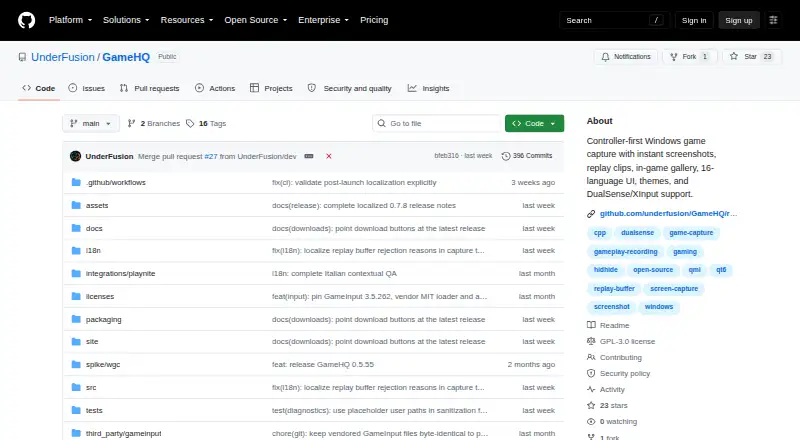
What GameHQ is
GameHQ is a free Windows app for capturing gameplay with controller navigation. It takes screenshots and saves a configurable rolling buffer of recent play as MP4 clips with system audio. Screenshots can be PNG or JPEG, and users can also save the frame shown in a recorded clip. An in-game overlay lets users browse, play, favorite, reveal, and delete captures while a borderless game remains visible. Controller support includes DualSense over USB or Bluetooth, XInput, and app-local GameInput. Its capture library can watch folders used by Steam, Game Bar, NVIDIA, and OBS; a separate Playnite integration is available. Sharing options include Telegram Desktop, Discord, Discord channel webhooks, and the clipboard, without logging into Telegram or Discord through the app. GameHQ supports 16 interface languages and includes thirteen themes. The maker describes it as having no account, telemetry, background service, or game-process injection. The core is licensed under GNU GPL version 3. It requires 64-bit Windows 10 version 1903 or newer and a GPU and driver that support Windows Graphics Capture and H.264 encoding.
Good
- Rolling replay buffer saves MP4 with system audio
- Supports DualSense, XInput, and app-local GameInput
- Capture library can watch several game-related folders
- Includes 16 interface languages and thirteen themes
Watch out
- Requires 64-bit Windows 10 version 1903 or newer
- Requires compatible Windows Graphics Capture and H.264 support
- Windows binaries are not Authenticode-signed
Who it suits
GameHQ suits Windows players who want controller-operated screenshots, replay clips, and an in-game capture gallery. It also fits users who want to share captures through the listed services or clipboard.
Verdict
GameHQ offers controller-first capture, an in-game gallery, and several sharing options without an account or background service. Check the Windows and graphics requirements before choosing it.
Plans and prices
From GameHQ's own pricing page, checked 9 Oct 2026.
| Plan | Price | What it gives you |
|---|---|---|
| GameHQ | Free | No paid tier · Windows 10 version 1903 or newer, 64-bit |
The facts
Each one read from GameHQ's own pages, with the date it was checked.
What it does
- Capture resolution
- 4kchecked 20 Sep 2026
- Controllers
- GameHQ supports DualSense over USB and Bluetooth, XInput, and app-local GameInput, with controller navigation throughout the interface.checked 9 Oct 2026
- Distribution
- The maker recommends Setup for normal use and also offers a portable ZIP that stores its profile beside the application.checked 9 Oct 2026
- Instant replay
- Yeschecked 20 Sep 2026
- Integrations
- The capture library can watch Steam, Game Bar, NVIDIA, and OBS folders, and a separate Playnite integration is available.checked 9 Oct 2026
- Languages and themes
- The app supports 16 interface languages and includes thirteen themes.checked 9 Oct 2026
- License
- GameHQ core is licensed under GNU GPL version 3, while the separately packaged Playnite integration and public integration protocol are MIT-licensed.checked 9 Oct 2026
- Overlay
- The in-game overlay lets users browse, play, favorite, reveal, and delete captures while a borderless game remains visible.checked 9 Oct 2026
- Privacy
- The maker describes GameHQ as having no account, telemetry, background service, or game-process injection.checked 9 Oct 2026
- Purpose
- GameHQ brings controller-first game capture to Windows, including instant screenshots, replay clips, and an in-game gallery.checked 9 Oct 2026
- Recording modes
- instant-replaychecked 20 Sep 2026
- Release verification
- The maker says releases include an Ed25519-signed manifest and SHA-256 checksums, while Windows binaries are not Authenticode-signed.checked 9 Oct 2026
- Replay capture
- Its rolling buffer saves a configurable amount of recent gameplay as an MP4 with system audio.checked 9 Oct 2026
- Screenshots
- It captures PNG or JPEG screenshots and can save the displayed frame of a recorded clip.checked 9 Oct 2026
- Sharing
- Captures can be shared through Telegram Desktop, Discord, Discord channel webhooks, or the clipboard; GameHQ does not sign in to Telegram or Discord.checked 9 Oct 2026
- Support
- The maker says users can support independent development through Ko-fi and report vulnerabilities through the repository's security advisory form.checked 9 Oct 2026
- System requirements
- GameHQ requires 64-bit Windows 10 version 1903 or newer and a GPU and driver that support Windows Graphics Capture and H.264 encoding.checked 9 Oct 2026
- Webhook credential storage
- Discord webhook links are kept in Windows Credential Manager.checked 9 Oct 2026
Money
- Free plan
- Yeschecked 20 Sep 2026
Where it runs
- Supported platforms
- Windows 10+checked 20 Sep 2026
Alternatives to GameHQ
- 1
Medal
Free planAndroidiOSWindows8.4From $7.99 a month - 2

OBS Studio
Free planLinuxmacOSWindows7.9Free plan - 3
Razer Game Clips
Free planAndroidiOSAPIWindows7.9Free plan - 4

Steam
Free planAndroidiOSWebAPI7.8Free plan - 5

Bandicam
WebLinuxmacOSWindows7.7 - 6
RePlays
Free planOpen sourceLinuxWindows7.6Free plan