Gainward ExperTool
Gainward ExperTool is a free Windows utility for performance tuning and desktop management, with Gainward positioning its dedicated Expert Tool for overclock…
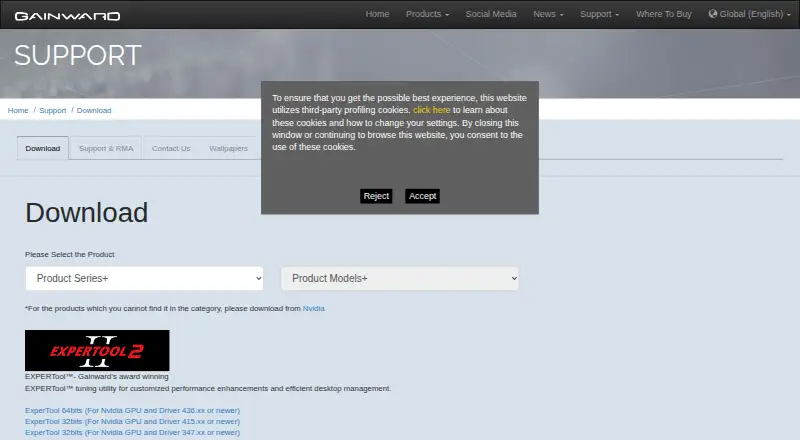
What Gainward ExperTool is
Gainward ExperTool is a free Windows utility for performance tuning and desktop management, with Gainward positioning its dedicated Expert Tool for overclocking. ExperTool II adds flexible fan curve control and a BIOS saving feature, and the utility offers LED lighting control for personalizing ARGB effects. Gainward says the fans stop during multimedia or general workloads and start under heavier loads when GPU temperature exceeds 60°C. The available downloads specify Nvidia GPUs and minimum driver versions: the 64-bit download requires driver 436.xx or newer, while 32-bit downloads are listed for drivers 415.xx or newer and 347.xx or newer. The current 64-bit package is version 11.13, dated 2025-02-19, and has a download size of 16.5 MB. It is listed for Windows 7 (64-bit), Windows 10 (64-bit), and Windows 11. The free plan is free. Gainward directs warranty and return matters to authorized distributors or the original store; its stated warranty coverage concerns hardware component defects under normal use and may be void if product stickers are removed.
Good
- Free Windows utility for performance tuning.
- ExperTool II adds flexible fan curve control.
- Offers LED lighting control for ARGB effects.
- Current 64-bit package supports Windows 11.
Watch out
- Downloads specify Nvidia GPUs only.
- 64-bit download requires Nvidia driver 436.xx or newer.
- 32-bit downloads require specified older driver versions.
Who it suits
ExperTool suits Windows users with compatible Nvidia GPUs who want performance tuning, overclocking, fan controls, or ARGB lighting options. Check the driver and system requirements for the specific download before installing.
Verdict
ExperTool offers tuning and related controls for users with compatible Nvidia hardware. Its GPU, driver, and Windows requirements make compatibility the key detail to check first.
Plans and prices
From Gainward ExperTool's own pricing page, checked 7 Oct 2026.
| Plan | Price | What it gives you |
|---|---|---|
| EXPERTool | Free | Nvidia GPU; driver 436.xx or newer for 64-bit, or 415.xx / 347.xx or newer for 32-bit |
The facts
Each one read from Gainward ExperTool's own pages, with the date it was checked.
What it does
- 32-bit compatibility
- Gainward lists 32-bit downloads for Nvidia GPUs with driver 415.xx or newer and 347.xx or newer.checked 7 Oct 2026
- 32-bit downloads
- Gainward lists 32-bit ExperTool downloads for Nvidia GPUs with drivers 415.xx or newer and 347.xx or newer.checked 7 Oct 2026
- 64-bit compatibility
- The 64-bit download is labeled for Nvidia GPUs and driver 436.xx or newer.checked 7 Oct 2026
- 64-bit download
- Gainward lists a 64-bit ExperTool download for Nvidia GPUs with driver 436.xx or newer.checked 7 Oct 2026
- Current package
- On a product download page, Gainward lists ExperTool 64-bit version 11.13, dated 2025-02-19, at 16.5 MB for Windows 7 64-bit, Windows 10 64-bit, and Windows 11.checked 7 Oct 2026
- Fan control
- A Gainward product datasheet says Expertool II adds flexible fan curve control.checked 7 Oct 2026
- Fan stop behavior
- Gainward says the fans stop during multimedia or general workloads and start under heavier loads when GPU temperature exceeds 60°C.checked 7 Oct 2026
- Integrations
- The opened Gainward product and download pages list no ExperTool integrations.checked 7 Oct 2026
- Latest listed version
- Gainward lists ExperTool version 11.13, dated 2025-02-19, with a download size of 16.5 MB.checked 7 Oct 2026
- Lighting control
- ExperTool II offers LED lighting control, and Gainward says its utility can personalize ARGB lighting effects.checked 7 Oct 2026
- Nvidia requirement
- The listed ExperTool downloads specify compatibility with Nvidia GPUs and minimum Nvidia driver versions.checked 7 Oct 2026
- Overclocking
- Gainward says its dedicated Expert Tool is for overclocking.checked 7 Oct 2026
- Purpose
- Gainward describes EXPERTool as a tuning utility for customized performance enhancements and efficient desktop management.checked 7 Oct 2026
- Security and compliance
- The opened Gainward product and download pages state no security certification or compliance claim for ExperTool.checked 7 Oct 2026
- Support
- Gainward directs product warranty and return handling to authorized distributors or the original store.checked 7 Oct 2026
- Support channel
- Gainward says product warranty is managed by authorized distributors and directs customers to their local distributor or original store for return procedures.checked 7 Oct 2026
- Target users
- Gainward presents EXPERTool as a tool for users seeking performance tuning and desktop management.checked 7 Oct 2026
- Warranty limit
- Gainward says warranty coverage applies to hardware component defects under normal use and may be void if product stickers are removed.checked 7 Oct 2026
Where it runs
- BIOS feature
- ExperTool II includes a BIOS saving feature.checked 7 Oct 2026
- BIOS saving
- A Gainward product datasheet says Expertool II adds a BIOS saving feature.checked 7 Oct 2026
- Supported Windows versions
- A current product download page lists ExperTool 64-bit for Windows 7 (64-bit), Windows 10 (64-bit), and Windows 11.checked 7 Oct 2026
The company
- Founded
- 1984checked 28 Sep 2026
- Headquarters
- Taipei, Taiwanchecked 28 Sep 2026
The full review of Gainward ExperTool
Gainward ExperTool is a free Windows utility for overclocking and managing compatible Nvidia graphics cards. It is aimed at owners who want tuning, fan, lighting, and BIOS controls from a vendor-focused tool rather than a broad, multi-brand suite. The zero price is attractive, but support is tightly tied to the GPU model and Nvidia driver generation.
Overview
Gainward positions EXPERTool as a utility for customized performance enhancements and desktop management, with a dedicated overclocking function. That makes it a practical choice for Nvidia users who want to adjust GPU behavior directly. It is not a universal graphics utility: the supported downloads are explicitly for Nvidia GPUs, with separate minimum driver requirements for 64-bit and 32-bit packages.
ExperTool II extends the basic tuning role with flexible fan curves, LED control, ARGB effect personalization, and BIOS saving. Gainward also describes a fan-stop mode in which fans remain off during multimedia or general workloads and restart during heavier use once GPU temperature exceeds 60°C. Those controls can help balance noise, thermals, and appearance, provided the hardware supports the relevant ExperTool II functions.
Key features
- Overclocking and performance tuning: The utility is designed for customized GPU performance adjustments. It suits enthusiasts who want a Gainward-oriented tuning path, but Nvidia ownership is mandatory.
- Flexible fan curves: ExperTool II lets users shape fan behavior instead of relying only on fixed defaults. The documented fan-stop behavior favors quiet light-use operation, while the 60°C trigger gives a clear point for heavier-load cooling.
- Lighting controls: LED and ARGB controls allow compatible cards to coordinate their lighting without a separate utility. This matters mainly to users whose Gainward hardware exposes those lighting features.
- BIOS saving: ExperTool II can save the BIOS configuration, a useful safeguard for users who change settings and want a recoverable profile.
- Driver-specific packages: Gainward lists a 64-bit build for Nvidia GPUs using driver 436.xx or newer, plus 32-bit builds for drivers 415.xx or newer and 347.xx or newer. Checking the driver branch before downloading is essential.
Pricing
EXPERTool costs free. There is one free plan, no trial period, and no paid tier or renewal charge. That makes it suitable for anyone with compatible Gainward/Nvidia hardware who wants the listed controls without a software budget. The free price does not remove the hardware and driver gate: the 64-bit plan requires an Nvidia GPU with driver 436.xx or newer, while the 32-bit options require 415.xx or 347.xx or newer.
Platforms
ExperTool is a Windows-only download. Gainward’s current 64-bit package is version 11.13, dated 2025-02-19, with a 16.5 MB download size, and is listed for Windows 7 64-bit, Windows 10 64-bit, and Windows 11. Gainward also provides 32-bit packages, but the applicable driver thresholds differ by package. There are no listed macOS, Linux, Android, or iOS versions.
Who it's for
Choose ExperTool if you own a compatible Gainward or other supported Nvidia GPU and want free overclocking, fan-curve, lighting, or BIOS controls in a Windows environment. It is particularly appropriate for users who prefer Gainward’s own utility and need fan-stop behavior or ARGB personalization alongside tuning.
Look elsewhere if you use AMD or Intel graphics, need Linux or mobile support, or want a tool with broad cross-vendor compatibility. The driver cutoffs also make an older Nvidia setup a poor candidate unless it can use one of Gainward’s supported packages.
Pros and cons
Pros
- Free with no trial restriction: The complete listed plan costs nothing and has no paid renewal.
- Useful control range: Overclocking, fan curves, fan-stop behavior, lighting, and BIOS saving cover more than basic performance adjustment.
- Current 64-bit package: Version 11.13 supports Windows 7 64-bit, Windows 10 64-bit, and Windows 11.
Cons
- Nvidia-only compatibility: AMD and Intel GPU owners cannot use the listed downloads.
- Driver thresholds matter: Older or mismatched Nvidia drivers may not meet the 64-bit or 32-bit requirements.
- Windows-only scope: There are no listed Linux, macOS, Android, or iOS builds.
- Vendor-directed support: Warranty and returns go through an authorized distributor or original store; Gainward states coverage concerns hardware defects under normal use and may be void if product stickers are removed.
Alternatives
For a broader comparison, see GPU Tuning Software and GPU Overclocking Software.
ASUS GPU Tweak III is another free Windows utility for users who prefer ASUS hardware support. GALAX Xtreme Tuner Plus fits GALAX owners who want Android or iOS access alongside Windows, with its mobile app requiring Xtreme Tuner PC software. Inno3D TuneIT is the more direct choice for supported INNO3D GeForce 50 through 700-series cards on Windows 10 or 11 64-bit.
MSI Afterburner is preferable when you need GPU overclocking and undervolting, hardware monitoring, custom fan control, and an on-screen display. AMD GPU Tuner is the alternative for AMD Radeon users on Windows 10 or 11 64-bit, while Intel VTune Profiler targets Intel-oriented profiling across Linux, Windows, and self-hosted setups. Linux users can consider NVIDIA_OC Daemon or CoreCtrl instead.
Verdict
Gainward ExperTool is a sensible pick for Windows users with a compatible Nvidia card who want free, vendor-focused overclocking plus fan, lighting, and BIOS controls. Its main reason to choose it is the combination of those practical controls at no cost. Look elsewhere when your GPU is not Nvidia, your system is not Windows, or you need a broader monitoring and cross-hardware tool.
Getting started
- Open Gainward’s download page
- Choose the 64-bit or 32-bit ExperTool package
- Match the package to your Nvidia GPU driver version
- Download the Windows package for your supported Windows version
- Install ExperTool and use the available tuning, fan, BIOS, or lighting controls
Limits worth knowing
The 64-bit download requires an Nvidia GPU with driver 436.xx or newer. Listed 32-bit downloads require Nvidia drivers 415.xx or newer or 347.xx or newer, depending on the package.
Questions
How much does ExperTool cost?
ExperTool is free, with a listed price of no cost. There is no free trial because the utility is offered as a free plan.
Which GPUs and drivers are supported?
The downloads specify Nvidia GPUs. The 64-bit package requires driver 436.xx or newer, while listed 32-bit packages require 415.xx or newer or 347.xx or newer.
Which Windows versions are listed?
The current 64-bit package is listed for Windows 7 64-bit, Windows 10 64-bit, and Windows 11.
What features does ExperTool II add?
ExperTool II adds flexible fan-curve control, BIOS saving, and LED lighting control for ARGB effects.
How are warranty returns handled?
Gainward directs warranty and return handling to authorized distributors or the original store. Coverage applies to hardware component defects under normal use and may be void if product stickers are removed.
Alternatives to Gainward ExperTool
- 1
CoreCtrl
Free planOpen sourceLinux7.1Free plan - 2
MSI Afterburner
Free planAndroidWindows7.1Free plan - 3

ASUS GPU Tweak III
Free planWindows6.7Free plan - 4

GALAX Xtreme Tuner Plus
Free planAndroidiOSWindows6.7Free plan - 5
Inno3D TuneIT
Free planWindows6.5Free plan - 6
Intel VTune Profiler
Free planLinuxSelf-hostedWindows6.5Free plan