
FTPie
FTPie is a Windows application for managing, transferring, editing, backing up and sharing files across servers, cloud storage and NAS.
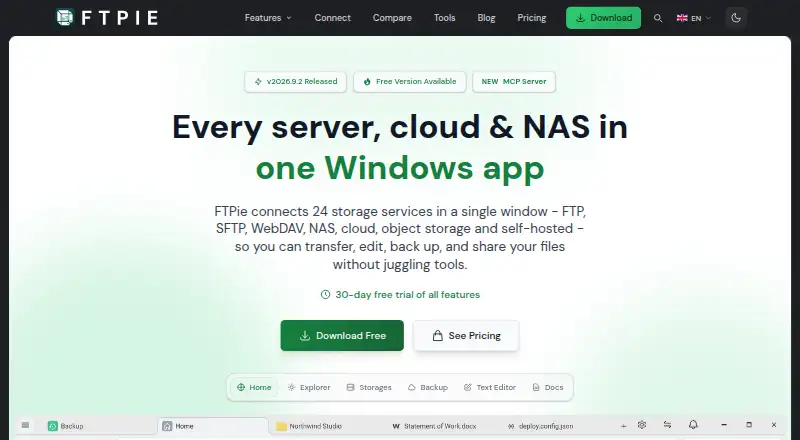
What FTPie is
FTPie is a Windows application for managing, transferring, editing, backing up and sharing files across servers, cloud storage and NAS. It lists 24 supported services, including FTP, SFTP, WebDAV, object storage and integrations such as Google Drive, OneDrive, Dropbox, Synology, Amazon S3, Azure Blob Storage and Google Cloud Storage. Transfers can move between storage services without downloading files locally, and paused transfers can resume after an app restart. File tools cover PDFs, images, text and media, with document editing through Google Docs or Microsoft 365. Pro adds scheduled transfers, automated backups, a command-line interface and AES-256 encryption performed before upload. An MCP server connects storage to Claude, Cursor and VS Code; the site says credentials do not reach the model. The free plan is personal and non-commercial, supports one device and three server connections, and excludes cloud, NAS, WebDAV, encryption, scheduled transfers and CLI.
Good
- Supports 24 storage services
- Transfers can pause and resume after restarts
- Moves files between services without local download
- Pro includes scheduled transfers and CLI
- Offers AES-256 pre-upload file encryption
Watch out
- Windows only
- Free plan excludes cloud, NAS and WebDAV
- Free plan is personal and non-commercial
- Pro is listed at $59 a year
Who it suits
FTPie suits Windows users managing several server, cloud or NAS locations. It is also relevant to people needing scripted transfers, backups or commercial use through Pro.
Verdict
FTPie combines multi-service transfers with editing, automation and backup tools. The free plan is restricted, while Pro adds commercial use, encryption and advanced transfer controls.
Plans and prices
From FTPie's own pricing page, checked 7 Oct 2026.
| Plan | Price | What it gives you |
|---|---|---|
| Free | Free | 1 device · Up to 3 server connections · Personal, non-commercial use · $0 / forever |
| Pro Monthly | — | 3 devices · Unlimited connections |
| Pro Yearly | — | 3 devices · Unlimited connections |
| Pro Lifetime | — | 3 devices · Unlimited connections |
| Pro | $59 a year | 3 devices · Unlimited connections · Commercial use allowed · $59 / year |
The facts
Each one read from FTPie's own pages, with the date it was checked.
What it does
- AI integrations
- Its MCP server can connect storage to Claude, Cursor, and VS Code; the site says credentials never reach the model.checked 7 Oct 2026
- Automation
- Pro includes scheduled transfers, automated backups, and a command-line interface for scripted uploads, downloads, and transfers.checked 7 Oct 2026
- File encryption
- Pro includes AES-256 file encryption that encrypts files on the device before upload.checked 7 Oct 2026
- File synchronization
- Nochecked 20 Sep 2026
- File tools
- The app includes PDF, image, text, and media tools, and supports document editing through Google Docs or Microsoft 365.checked 7 Oct 2026
- Integrations
- Listed integrations include Google Drive, OneDrive, Dropbox, Box, pCloud, MEGA, Nextcloud, ownCloud, Synology, QNAP, Amazon S3, Azure Blob Storage, and Google Cloud Storage.checked 7 Oct 2026
- Protocol coverage
- multi-protocolchecked 20 Sep 2026
- Purpose
- FTPie is a Windows app for managing, transferring, editing, backing up, and sharing files across servers, cloud storage, and NAS.checked 7 Oct 2026
- Scheduled transfers
- Yeschecked 20 Sep 2026
- Security
- The security page says transfers use SSL/TLS, cloud connections use OAuth 2.0, FTP credentials are encrypted and stored on the device, and FTPie does not track in-app activity.checked 7 Oct 2026
- Support
- The download page says the support team responds within 2 hours during business days.checked 7 Oct 2026
- Supported services
- The site lists 24 supported services, including FTP, SFTP, WebDAV, NAS, cloud platforms, and object storage.checked 7 Oct 2026
- Transfer automation
- Yeschecked 20 Sep 2026
- Transfers
- It supports transfers between storage services without downloading files to the local device first, and transfers can pause and resume after app restarts.checked 7 Oct 2026
Where it runs
- Download platform
- The download page offers a 64-bit installer for Windows 10 and 11.checked 7 Oct 2026
- Supported platforms
- windowschecked 20 Sep 2026
Money
- Free plan
- Yeschecked 20 Sep 2026
- Free plan limits
- The Free plan is for personal, non-commercial use and excludes cloud, NAS, and WebDAV storage, AES-256 file encryption, scheduled transfers, and CLI.checked 7 Oct 2026
- Trial and refund
- The site offers a 30-day Pro trial and a 30-day money-back guarantee.checked 7 Oct 2026
The company
- Headquarters
- Rzeszów, Polandchecked 28 Sep 2026
- Maker
- The contact page identifies Vladyslav Fedoniuk as FTPie's developer, owner, and sole creator, and lists Rzeszów, Poland as the location.checked 7 Oct 2026
Alternatives to FTPie
- 1

WinSCP
Free planOpen sourceWindows7.9Free plan - 2
Cyberduck
Free planmacOSWindows7.9Free plan - 3
Serv-U FTP Server
AndroidiOSWebAPI7.8 - 4

FileZilla Client
Free planLinuxmacOSWindows7.7Free plan - 5
FTP Commander
Free planAndroidWindows7.6$49.95 one-time - 6

FTP Rush
Free planAndroidiOSLinuxmacOS7.5Free plan