FTPGetter
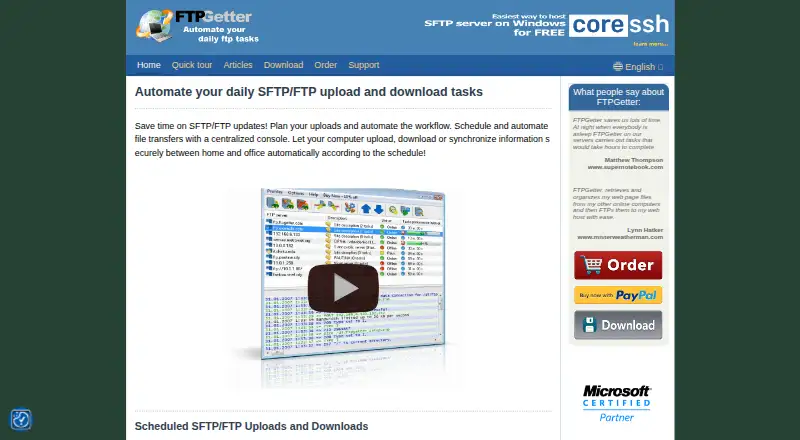
The facts below are what the maker publishes about FTPGetter, checked and dated. Our editors have not written about it yet.
The facts
Each one read from FTPGetter's own pages, with the date it was checked.
What it does
- Audience
- The maker describes FTPGetter Team as a privately owned software development company focused on Microsoft Windows software for corporate and individual users.checked 8 Oct 2026
- Authentication
- The features page lists username and password, PKCS12 keys, PEM, and ANSI DER client certificates for secure FTP server authentication.checked 8 Oct 2026
- Automation actions
- FTPGetter can run a program after a successful transfer, delete source files, and change uploaded file permissions.checked 8 Oct 2026
- Automation commands
- FTPGetter can run programs, commands, and scripts before or after transfers, including local and remote commands.checked 8 Oct 2026
- Batch transfers
- Users can select multiple files with masks, wildcards, and filters, including files in nested folders.checked 8 Oct 2026
- Certificates
- For secure FTP connections, the site lists PEM/ASN1 and PKCS12 certificates and keys for client authentication.checked 8 Oct 2026
- File comparison
- Transfers can be limited to new or changed files based on MD5 hash, modification date and time, or size.checked 8 Oct 2026
- File synchronization
- Yeschecked 20 Sep 2026
- Portable version
- Yeschecked 20 Sep 2026
- Protocol coverage
- ftp-ftps-sftpchecked 20 Sep 2026
- Protocols and proxies
- It supports FTP, FTP over SSL/TLS, and FTP, SOCKS, and HTTP proxies; its download page also lists SFTP support.checked 8 Oct 2026
- Purpose
- FTPGetter automates scheduled FTP and SFTP uploads, downloads, and synchronization between a computer and remote servers.checked 8 Oct 2026
- Scheduled transfers
- Yeschecked 20 Sep 2026
- Scheduling
- It includes a scheduler for each profile and supports cron-style schedules.checked 8 Oct 2026
- Security
- For SFTP, users can save and trust a server's public key; a later key change produces a connection error in the profile log.checked 8 Oct 2026
- Server browsing
- Built-in FTP Explorer supports server navigation, command execution, file properties, permission changes, and drag-and-drop transfers.checked 8 Oct 2026
- Support
- Technical support is available to registered users and evaluators; registered users are promised a reply within 24 hours.checked 8 Oct 2026
- Synchronization
- It can compare files by MD5 hash, modification date and time, or size, and transfer only new or changed files.checked 8 Oct 2026
- Terminal and explorer
- The product includes a server explorer with command-line access, file operations, permission changes, and drag-and-drop transfers.checked 8 Oct 2026
The company
- Company
- FTPGetter Team describes itself as a privately owned software development company specializing in Microsoft Windows software for corporate and individual users.checked 8 Oct 2026
- Founded
- FTPGetter Team says it was founded in 2003.checked 8 Oct 2026
Money
- Free plan
- Nochecked 20 Sep 2026
Where it runs
- Platforms
- The download page lists Windows 11, 10, 8, 7, and Windows Server versions 2003 through 2022.checked 8 Oct 2026
- Supported platforms
- windowschecked 20 Sep 2026
Alternatives to FTPGetter
- 1

WinSCP
Free planOpen sourceWindows7.9Free plan - 2
Cyberduck
Free planmacOSWindows7.9Free plan - 3
Serv-U FTP Server
AndroidiOSWebAPI7.8 - 4

FileZilla Client
Free planLinuxmacOSWindows7.7Free plan - 5
FTP Commander
Free planAndroidWindows7.6$49.95 one-time - 6

FTP Rush
Free planAndroidiOSLinuxmacOS7.5Free plan