Fraps
The facts below are what the maker publishes about Fraps, checked and dated. Our editors have not written about it yet.
Plans and prices
From Fraps's own pricing page, checked 20 Sep 2026.
| Plan | Price | What it gives you |
|---|---|---|
| Registered version | $37 a month | Unlimited recording duration · Full-size recording · No watermark on movies · Free updates |
| Fraps registered full version | $37, paid once | record as long as you like · full-size recording without watermarks · free updates |
The facts
Each one read from Fraps's own pages, with the date it was checked.
What it does
- Benchmarking
- It displays frames per second, can benchmark between two points, and saves benchmark statistics to disk.checked 7 Oct 2026
- Benchmark output
- Detailed benchmark statistics can be saved as CSV files containing FPS, frame times, and minimum, maximum, and average frame rates.checked 7 Oct 2026
- Capture resolution
- 8kchecked 20 Sep 2026
- Current listed release
- The download page lists Fraps 3.5.99 for Windows XP, 2003, Vista, and Windows 7, and says administrator rights are required.checked 7 Oct 2026
- File size
- The FAQ says captured video files can be large and recommends converting clips with a video editing program to reduce file size.checked 7 Oct 2026
- Instant replay
- Yeschecked 20 Sep 2026
- Latest release date
- The website identifies version 3.5.99, released February 26, 2013, as the latest release.checked 7 Oct 2026
- Paid from
- 37checked 20 Sep 2026
- Payment
- The purchase page says PayPal processes transactions and payment can be made from a PayPal account or by credit card.checked 7 Oct 2026
- Product
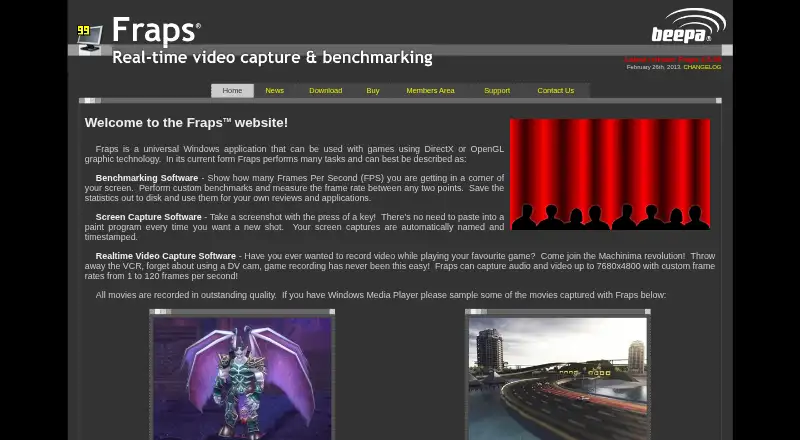
- Fraps is a Windows application for games using DirectX or OpenGL.checked 7 Oct 2026
- Recording impact
- The FAQ says recording can noticeably affect game performance because video data must be saved to disk.checked 7 Oct 2026
- Recording modes
- multi-modechecked 20 Sep 2026
- Screen capture
- It takes automatically named and timestamped screenshots with a hotkey.checked 7 Oct 2026
- Screenshot formats
- Screenshots can be saved as BMP, JPG, PNG, or TGA files.checked 7 Oct 2026
- Site licenses
- The site lists multi-computer company licenses and asks companies to specify one contact for update notifications and support.checked 7 Oct 2026
- Support
- The contact page directs technical questions to the News and Support pages first and provides a secure contact form.checked 7 Oct 2026
- System requirement
- Fraps 3.5 requires a CPU with SSE2 instructions, such as a Pentium 4 or above, and Windows XP or higher.checked 7 Oct 2026
- Video capture
- It captures game audio and video at resolutions up to 7680x4800, with custom frame rates from 1 to 120 frames per second.checked 7 Oct 2026
Money
- Free plan
- Nochecked 20 Sep 2026
- Free version limit
- The site offers a free download, while registration allows recording for as long as desired and full-size recording without watermarks.checked 7 Oct 2026
- Watermark-free video
- Yeschecked 20 Sep 2026
Where it runs
- Supported platforms
- Windows XP, Windows 2003, Windows Vista, Windows 7checked 20 Sep 2026
Alternatives to Fraps
- 1
Medal
Free planAndroidiOSWindows8.4From $7.99 a month - 2

OBS Studio
Free planLinuxmacOSWindows7.9Free plan - 3
Razer Game Clips
Free planAndroidiOSAPIWindows7.9Free plan - 4

Steam
Free planAndroidiOSWebAPI7.8Free plan - 5

Bandicam
WebLinuxmacOSWindows7.7 - 6
RePlays
Free planOpen sourceLinuxWindows7.6Free plan