fotobuch
fotobuch is a desktop app for making print-ready photobook layouts from image collections, especially books with many photos on each page.
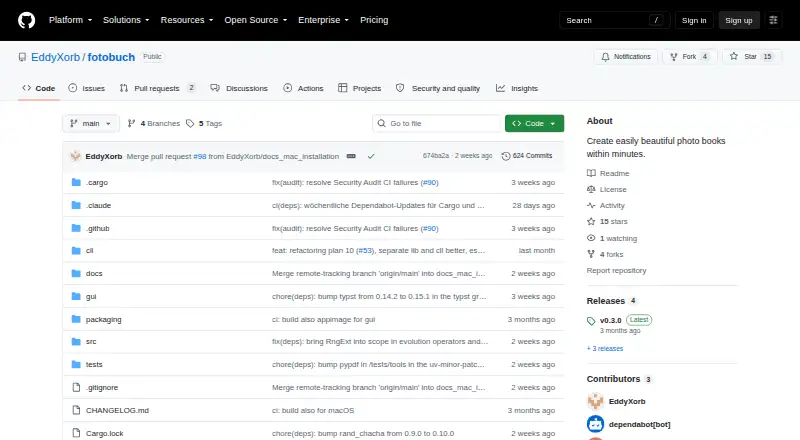
What fotobuch is
fotobuch is a desktop app for making print-ready photobook layouts from image collections, especially books with many photos on each page. Users can work in a graphical app or automate creation through a scriptable command-line interface. Its layout keeps each photo’s aspect ratio and reading order, without cropping or distortion. Users can change the space assigned to photos, rearrange pages, and group images by event or folder. Optional titles and an EXIF-based photo metadata appendix can add details. The app exports a self-contained PDF at 300 DPI for printing, but does not place print orders. It creates cached copies of source images and leaves originals unchanged. A project consists of a YAML file and Typst template; the app generates Typst source and uses the Typst compiler to render the PDF. Git tracks project changes, allowing history review and undo. The software is available for Linux, macOS, and Windows, and is free and open source under the GNU Affero General Public License v3.0. Its maker describes the layout approach as one focused design philosophy for many-image books.
Good
- Graphical app and scriptable command-line interface.
- Preserves photo proportions without cropping or distortion.
- Exports a self-contained 300-DPI PDF.
- Git history supports review and undo.
- Available for Linux, macOS, and Windows.
Watch out
- Supports one opinionated layout philosophy.
- Does not place print orders.
- Commercial licensing requires contacting the maker.
Who it suits
fotobuch suits people making photo books with many images per page, including users who want to script book creation. Its CLI is described as suited to power users, while the graphical app provides a visual workflow.
Verdict
fotobuch offers automated layouts and project history for image-heavy print photobooks. Its fixed design approach may not fit users seeking multiple layout philosophies, and printing must be arranged separately.
The facts
Each one read from fotobuch's own pages, with the date it was checked.
What it does
- Commercial licensing
- The README asks users to contact the maker to discuss a commercial license for uses such as integrating fotobuch into a paid service or product.checked 11 Oct 2026
- Export
- The app exports a print-ready 300-DPI PDF, and the README says the resulting PDF is self-contained.checked 11 Oct 2026
- GUI and CLI
- Users can arrange pages in a graphical app or automate book creation with a scriptable command-line interface.checked 11 Oct 2026
- Integrations
- The maker suggests using VS Code with the Typst Preview extension to see layout updates live, and names Saal Digital as an example print service.checked 11 Oct 2026
- Intended user
- The maker describes fotobuch as a hobby project built to address their own workflow for arranging thousands of photos into printed books.checked 11 Oct 2026
- Intended users
- The maker recommends the app for everyone and describes the CLI as suited to power users.checked 11 Oct 2026
- Layout
- The layout keeps photo aspect ratios intact and preserves reading order from top-left to bottom-right.checked 11 Oct 2026
- Layout controls
- Users can adjust photo weights, rearrange pages manually, and keep photos grouped by event or folder.checked 11 Oct 2026
- License
- fotobuch is licensed under GNU Affero General Public License v3.0, and the maker invites inquiries about commercial licensing.checked 11 Oct 2026
- Many-photo books
- It is designed for photobooks with many images per page, which the maker says can be tedious to lay out by hand.checked 11 Oct 2026
- Metadata
- The app can optionally add titles and an appendix with photo metadata generated from EXIF data.checked 11 Oct 2026
- Notable design constraint
- The README describes fotobuch as supporting one opinionated design philosophy for many-image photobooks.checked 11 Oct 2026
- Photo grouping
- Photos from the same event can be kept together, and users can assign more space to important photos.checked 11 Oct 2026
- Photo treatment
- The layout engine preserves each photo's aspect ratio and does not crop or distort images.checked 11 Oct 2026
- Project files
- A photo book project is stored as a YAML file and a Typst template tracked by Git.checked 11 Oct 2026
- Project history
- Changes are version-controlled in a Git repository inside the project folder, with history inspection and undo support.checked 11 Oct 2026
- Purpose
- fotobuch automatically turns images into print-ready photobook layouts for professional printing services.checked 11 Oct 2026
- Rendering engine
- fotobuch generates Typst source files and uses the Typst compiler to render the final PDF.checked 11 Oct 2026
The company
- Maker
- The maker’s GitHub profile is named EddyXorb.checked 11 Oct 2026
Where it runs
- Original photos
- The documentation says fotobuch reads source photos to create cached copies and does not modify the originals.checked 11 Oct 2026
- Platforms
- The maker lists pre-built binaries for Linux, Windows, and macOS with Apple Silicon.checked 11 Oct 2026
Alternatives to fotobuch
- 1
Saal Digital
Free planAndroidiOSWebmacOS8.2From $5.99 a month - 2

Blurb BookWright
Free planiOSWebAPImacOS8.1Free plan - 3
PastBook
Free planAndroidiOSWeb7.9Free plan - 4
AlbumForge
Free planAPILinuxmacOSWindows7.4Free plan - 5

Journi
Free planAndroidiOSWebmacOS7.4$19.99 one-time - 6

Popsa
AndroidiOSWeb7.4$0.44 one-time