
Flox
Flox provides reproducible software environments for developers, with project packages, variables, and shell hooks defined and managed as code.
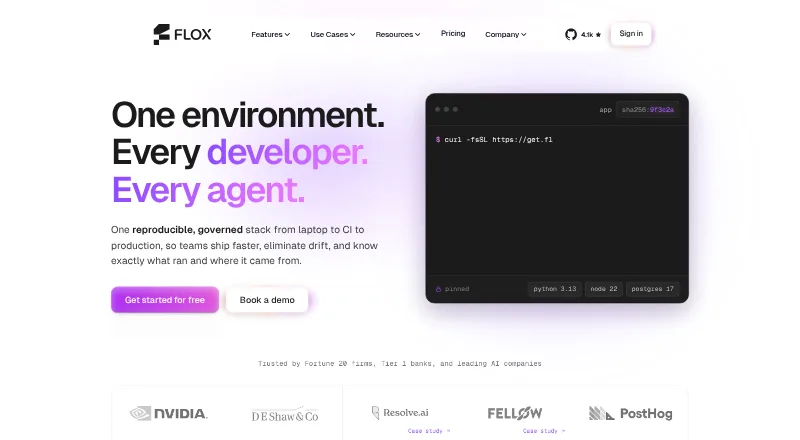
What Flox is
Flox provides reproducible software environments for developers, with project packages, variables, and shell hooks defined and managed as code. It presents those environments as working across macOS, Linux, and WSL2. The Flox Catalog, powered by Nixpkgs, contains more than 190,000 packages. FloxHub supports syncing and sharing environments, including review of package lists, previous versions, and change logs. GitHub Actions can install Flox and activate environments in CI workflows. A VS Code extension manages packages, activates environments, and runs services; it is also compatible with Cursor. Flox Skills are described as helping Claude Code, Codex, and skills.sh agents create environments, services, and builds and onboard repositories. The company says environments carry signed, hash-pinned software bills of materials and build provenance. Personal is free and includes three private FloxHub environments and five private packages. Team costs $20 a month and adds unlimited team environments, unlimited package publishing, and platform support. Enterprise pricing is custom.
Good
- Environments specify packages, variables, and shell hooks.
- Catalog contains more than 190,000 packages.
- GitHub Actions can activate environments in CI.
- Team includes unlimited package publishing and environments.
Watch out
- Personal limits private FloxHub environments to three.
- Personal limits private packages to five.
- Enterprise pricing is custom.
Who it suits
Flox is suited to developers who want project environments managed as code across supported systems. Teams using CI workflows, VS Code or Cursor, or AI coding tools may find its integrations relevant.
Verdict
Flox focuses on making software environments reproducible and shareable across development workflows. Its free tier has explicit private-resource limits, while team and enterprise options extend the listed capabilities.
Plans and prices
From Flox's own pricing page, checked 28 Sep 2026.
| Plan | Price | What it gives you |
|---|---|---|
| Personal | Free | Flox CLI · Flox Catalog access · unlimited public FloxHub environments · 3 private FloxHub environments · 5 private packages · community support via Slack or Discourse · Free |
| Team | $20 a month | Everything in Personal · team catalog · unlimited package publishing · unlimited team FloxHub environments · platform support · paid consulting with Flox packaging experts · $20/seat/month |
| Enterprise | Priced on request | Everything in Team · custom deployment options · custom base catalog · software policy engine · comprehensive packaging support · paid Nix packaging consulting · Custom pricing |
The facts
Each one read from Flox's own pages, with the date it was checked.
What it does
- AI coding tools
- Flox Skills are described as helping Claude Code, Codex, and skills.sh agents create environments, services, and builds and onboard repositories.checked 28 Sep 2026
- Catalog
- The Flox Catalog is powered by Nixpkgs and the features page says it contains more than 190,000 packages.checked 28 Sep 2026
- Certifications
- Flox states that it has SOC 2 Type II and ISO/IEC 27001:2022 certifications, and that prospects can request the related documentation.checked 28 Sep 2026
- CI integration
- Flox provides GitHub Actions for installing Flox and activating environments in CI workflows.checked 28 Sep 2026
- Editor integration
- The download page offers a VS Code extension for managing packages, activating environments, and running services, and says it is also compatible with Cursor.checked 28 Sep 2026
- Enterprise controls
- The enterprise platform describes SSO, role-based access controls, private distribution including air-gapped use, audit lineage, and support with an SLA.checked 28 Sep 2026
- Environment definition
- Environments define project packages, variables, and shell hooks and can be managed as code.checked 28 Sep 2026
- Purpose
- Flox provides reproducible software environments containing the tools and frameworks developers need across the software lifecycle.checked 28 Sep 2026
- Sharing
- FloxHub lets users sync, share, and manage environments, including viewing package lists, previous versions, and change logs.checked 28 Sep 2026
- Supply-chain security
- Flox says environments carry a signed, hash-pinned software bill of materials and build provenance.checked 28 Sep 2026
The company
- Company origin
- Flox says it was originally built to help D. E. Shaw group developers adopt Nix at scale.checked 28 Sep 2026
- Founded
- 2021checked 28 Sep 2026
- Headquarters
- United Stateschecked 28 Sep 2026
Where it runs
- Cross-platform support
- Flox environments are presented as working across macOS, Linux, and WSL2.checked 28 Sep 2026
The full review of Flox
Overview
Flox is a tool for defining and sharing reproducible software environments across development workflows. It suits developers and teams that want project setup managed as code, with a free individual tier and paid collaboration options.
Its strongest case is the combination of a large Nixpkgs-based catalog, environment sharing, and integrations for editors and CI. The trade-off is that private resources are capped on the free plan, and teams pay per seat for expanded collaboration.
Key features
Environments managed as code
Each environment can specify project packages, variables, and shell hooks, so setup can be treated as part of the project rather than recreated manually. Flox also supports runtime management, dependency locking, shell integration, and containers. That breadth makes it relevant to teams seeking repeatable development setups, though it is more than a simple package installer.
Catalog and sharing
The Flox Catalog is powered by Nixpkgs and contains more than 190,000 packages. FloxHub lets users sync, share, and manage environments, with package lists, earlier versions, and change logs. Those history and sharing features help collaborators understand how an environment has changed; the free Personal plan, however, allows only three private environments and five private packages.
Workflow integrations
GitHub Actions can install Flox and activate environments in CI workflows. The VS Code extension supports package management, environment activation, and running services, and is also compatible with Cursor. Flox Skills are designed to help Claude Code, Codex, and skills.sh agents create environments, services, and builds, as well as onboard repositories. These integrations make Flox a stronger fit for teams that want environment setup to reach beyond the local shell.
Security and enterprise controls
Flox says its environments include a signed, hash-pinned software bill of materials and build provenance. The company states that it holds SOC 2 Type II and ISO/IEC 27001:2022 certifications, with related documentation available to prospects on request. Enterprise capabilities include SSO, role-based access controls, private distribution including air-gapped use, audit lineage, and SLA-backed support. That makes the enterprise tier relevant to organizations with governance or deployment constraints, but its custom pricing requires a sales conversation.
Pricing
| Plan | Price | What it includes |
|---|---|---|
| Personal | free | Flox CLI, Flox Catalog access, unlimited public FloxHub environments, three private FloxHub environments, five private packages, and community support via Slack or Discourse. |
| Team | $20 a month | Billed at $20/seat/month; everything in Personal, plus a team catalog, unlimited package publishing, unlimited team FloxHub environments, platform support, and paid consulting with Flox packaging experts. |
| Enterprise | Custom pricing | Everything in Team, plus custom deployment options, a custom base catalog, a software policy engine, comprehensive packaging support, and paid Nix packaging consulting. |
Personal is a capable starting point for an individual or public project, but its private-environment and package caps matter as soon as work needs to remain private. Team removes those stated FloxHub and publishing limits and adds platform support, at $20/seat/month; the per-seat term makes the total rise with team size. Enterprise is for organizations that need tailored deployment, catalog, or policy controls, and its price is custom.
Platforms
Flox lists extension, Linux, macOS, self-hosted, web, and Windows platforms. Its environments are presented as working across macOS, Linux, and WSL2.
Who it's for
Flox is best suited to developers who want a project environment described in code and reused across machines, and to teams that need shared environments, package publishing, and CI or editor integration. Enterprise controls may suit organizations with identity, audit, or air-gapped deployment requirements. It is less compelling for an individual whose needs fit a basic free environment manager, or for a team unwilling to pay per seat for private collaboration.
Pros and cons
- Pro: Environments capture packages, variables, and shell hooks as code, supporting repeatable project setup.
- Pro: FloxHub provides sharing and change history, while Team adds unlimited team environments and package publishing.
- Pro: GitHub Actions, VS Code, Cursor, and AI coding tool integrations extend environment workflows beyond the CLI.
- Con: Personal limits private FloxHub use to three environments and five packages, which can constrain private projects.
- Con: Team is priced per seat at $20/seat/month, so collaboration has a recurring cost that scales with team size.
- Con: Enterprise requires custom pricing, making it less straightforward to budget.
Alternatives
For a focused comparison, see Development Environment Management Tools and Development Environment Managers.
- devenv is a free option for Linux, macOS, and WSL, but requires Nix; choose it if those platforms and that requirement suit your setup.
- DevPod is a free, 100% open-source and extensible client-only option; choose it if open-source client tooling is the priority.
- Nix is a free, open-source package manager with no paid plan; choose it if you want the package manager itself rather than Flox's paid team features.
- mise is a free, MIT-licensed open-source CLI for macOS, Linux, and Windows; choose it if a free CLI is the fit.
- FlyEnv offers a free tier with limits including three local sites, three custom projects per runtime, and one Cloudflare Tunnel; its AI, Screenshot, and Image Optimization features have three-day trials.
- ActiveState Platform has a free organization plan for public projects and a paid enterprise organization plan with contact-sales pricing; choose it if public-project use fits its free tier.
- DDEV is free and open source under Apache 2.0; choose it if that is the environment manager you want.
- Devbox is an open-source project with a free first month on its $5 a month Solo plan; consider it if that plan and its listed platforms suit your needs.
Verdict
Choose Flox if you want project environments managed as code and need sharing, history, CI, and editor integrations in the same workflow. Its free Personal tier is useful for trying the approach, but private-resource caps are a real boundary; teams should choose it when unlimited shared environments and platform support justify $20/seat/month. Look elsewhere if you need only a free, open-source tool or do not need Flox's collaboration layer.
Getting started
- Open https://flox.dev/
- Choose a supported platform such as macOS, Linux, Windows, or the web
- Install the Flox CLI or use the VS Code extension
- Select the free Personal plan or a paid plan
- Create or activate an environment and manage its packages, variables, and shell hooks
Limits worth knowing
The free Personal plan includes three private FloxHub environments and five private packages. Team costs $20 per seat per month, while Enterprise pricing is custom.
Questions
Is Flox free?
Yes. The Personal plan is free and includes the Flox CLI, Catalog access, unlimited public FloxHub environments, three private environments, and five private packages.
What does Team cost?
Team is billed at $20 per seat per month.
Which systems does Flox support?
Flox lists extension, Linux, macOS, self-hosted, web, and Windows platforms, with environments presented as working across macOS, Linux, and WSL2.
Does Flox integrate with development tools?
GitHub Actions can install Flox and activate environments in CI. A VS Code extension also works with Cursor.
What enterprise controls are available?
Enterprise describes SSO, role-based access controls, private distribution including air-gapped use, audit lineage, and SLA-backed support.
Alternatives to Flox
- 1

DevPod
Free planOpen sourceLinuxmacOSSelf-hostedWindows7.4Free plan - 2
nvm
Free planOpen sourceLinuxmacOSSelf-hostedWindows7.4Free plan - 3

ActiveState Platform
Free planWebAPILinuxmacOS7.2Free plan - 4
GHCup
Free planWebLinuxmacOSSelf-hosted7.0Free plan - 5

devenv
Free planWebLinuxmacOSWindows6.9Free plan - 6

Devbox
WebExtensionLinuxmacOS6.8From $5 a month