Flare Scan
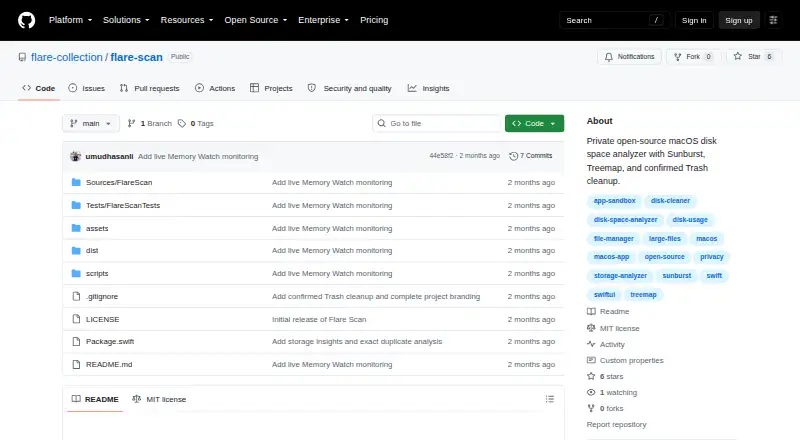
Flare Scan is a free, open-source macOS tool for reviewing disk and memory use and comparing storage scans.
What Flare Scan is
Flare Scan is a free, open-source macOS tool for reviewing disk and memory use and comparing storage scans. Select a folder or volume to explore it in an interactive Sunburst or Treemap view, with file-type categories and rankings of the largest files. It can scan external drives, identify exact duplicates, and flag review candidates larger than 100 MB that have not changed for 180 days. An optional local baseline lets users compare scans and see which files appeared, grew, shrank, or disappeared. Memory Watch tracks app resident memory, process counts, session peaks and averages, recent trends, and approximate foreground time. Reports can be exported as versioned JSON or CSV, including findings, categories, duplicates, scan issues, and available timeline changes. Cleanup requires confirmation and containment checks, then moves selected items to macOS Trash. The project says it has no account, telemetry, cloud service, networking code, or third-party runtime dependencies. It requires macOS 14 Sonoma or newer; the checked-in build targets Apple Silicon and is ad-hoc signed, not Apple-notarized. First launch may require choosing Open from the right-click menu.
Good
- Interactive Sunburst and Treemap views
- Can scan external drives
- Optional local baseline compares storage scans
- Exports JSON and CSV reports
- Cleanup moves selected items to macOS Trash
Watch out
- Requires macOS 14 Sonoma or newer
- Checked-in build targets Apple Silicon
- First launch may require choosing Open
- Duplicate analysis skips files under 1 MB
Who it suits
Flare Scan suits Mac users who want visual storage analysis, scan comparisons, or memory tracking. It is also relevant to people who want local baselines and report exports.
Verdict
Flare Scan combines storage visualization, local scan history, memory monitoring, and cautious cleanup. Check the macOS and Apple Silicon requirements, and expect a first-launch security prompt for the checked-in build.
Plans and prices
From Flare Scan's own pricing page, checked 11 Oct 2026.
| Plan | Price | What it gives you |
|---|---|---|
| Community build | Free | macOS 14 Sonoma or newer · Apple Silicon for the checked-in artifact · MIT license |
The facts
Each one read from Flare Scan's own pages, with the date it was checked.
What it does
- Cleanup safeguards
- Cleanup requires confirmation and containment checks, and sends selected items to macOS Trash rather than permanently deleting them.checked 11 Oct 2026
- Compatibility
- The app requires macOS 14 Sonoma or newer, and the checked-in build targets Apple Silicon; source builds target the host Mac.checked 11 Oct 2026
- Disk visualizations
- It displays selected folders or volumes as interactive Sunburst or Treemap views.checked 11 Oct 2026
- Distribution
- The checked-in community DMG is ad-hoc signed and not Apple-notarized, and first launch may require right-clicking the app and choosing Open.checked 11 Oct 2026
- Exportable reports
- Yeschecked 22 Sep 2026
- Exports
- Users can export versioned JSON or CSV reports containing findings, categories, duplicates, scan issues, and available timeline changes.checked 11 Oct 2026
- External drive scans
- Yeschecked 22 Sep 2026
- File insights
- Features include largest-file rankings, storage categories, exact duplicate detection, and review candidates larger than 100 MB that have not changed for 180 days.checked 11 Oct 2026
- File-type breakdown
- Yeschecked 22 Sep 2026
- Limits
- Duplicate analysis skips files smaller than 1 MB, and baselines track files of at least 1 MB up to 50,000 entries.checked 11 Oct 2026
- Local data
- Memory history stays in memory for the session, while optional storage baselines and hashes remain local to the Mac.checked 11 Oct 2026
- Memory Watch
- Memory Watch tracks app resident memory, process counts, session peaks and averages, last-hour trends, and approximate foreground time.checked 11 Oct 2026
- Permissions
- The app uses standard macOS user permissions without a privileged helper or administrator access, and macOS may deny access to protected paths.checked 11 Oct 2026
- Privacy
- The project states that it has no account, telemetry, cloud service, networking code, or third-party runtime dependencies.checked 11 Oct 2026
- Purpose
- Flare Scan is a native, open-source macOS tool for understanding disk usage, memory use, and what changed between storage scans.checked 11 Oct 2026
- Scan scope
- files_folderschecked 22 Sep 2026
- Storage history
- Users can save an opt-in local baseline and compare later scans to identify files that appeared, grew, shrank, or disappeared.checked 11 Oct 2026
- Support and project
- The project invites users to open GitHub issues, is published under the MIT license, and credits © 2026 Umud Hasanli.checked 11 Oct 2026
- Treemap view
- Yeschecked 22 Sep 2026
Where it runs
- Desktop platforms
- macoschecked 22 Sep 2026
Money
- Free plan
- Yeschecked 22 Sep 2026
Alternatives to Flare Scan
- 1

WizTree
Free planmacOSWindows8.0Free plan - 2
LumaDisk
Free planmacOSWindows7.9$6.89 one-time - 3

Disk Usage Analyzer
Free planOpen sourceLinuxmacOS7.7Free plan - 4
FolderSizes
Free planWindows7.7$30 one-time - 5
SizeTrend
Free planWindows7.7$69.99 one-time - 6
dust
Free planOpen sourceLinuxmacOSWindows7.6Free plan