Ferro Backup System
Ferro Backup System is client-server network backup software for desktops, laptops, and file servers, installed on-premises in a customer’s infrastructure.
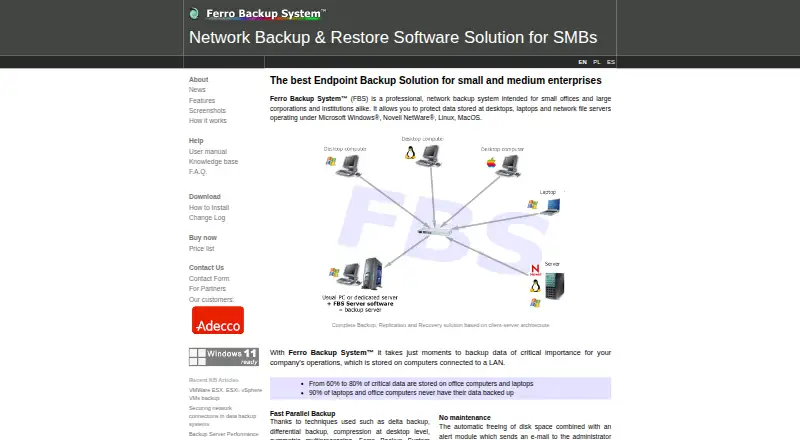
What Ferro Backup System is
Ferro Backup System is client-server network backup software for desktops, laptops, and file servers, installed on-premises in a customer’s infrastructure. Administrators manage backups and recovery through a centralized web console. Backup methods include full, incremental, differential, and file-fragment delta backups. The software can capture files locked by other processes and create a copy of a working operating system for later restoration. Backups can be replicated to network locations, NAS or SAN, FTP, optical media, tape, and cloud storage, and virtual machines on Microsoft Hyper-V and VMware ESX(i) hosts are supported. Workstations can encrypt archives before transfer using 256-bit AES (Rijndael), Serpent, or Twofish. Standard covers workstation, laptop, server, and VM backup; Professional adds tape support and GPO installation; Enterprise adds dual-admin control and the highest performance limits. Licenses are perpetual, with free updates within the same major version for valid license holders. The product is paid, with pricing from €112, and has a free trial; its unregistered demo can connect no more than two computers. Support is selected separately in the order form.
Good
- Supports four backup methods
- Can back up locked files and working operating systems
- Offers multiple replication destinations
- Encrypts archives before transfer
- Perpetual licenses include same-major-version updates
Watch out
- Unregistered demo connects no more than two computers
- Support packages are selected separately
- Price depends on edition and licensed capacity
Who it suits
Ferro Backup System suits organizations that want on-premises network backup management across desktops, laptops, file servers, and supported virtual machines. Its editions address different needs, including tape support or dual-admin control.
Verdict
Ferro Backup System offers centralized on-premises backup management with a broad set of backup methods and destinations. Review edition differences and the demo’s two-computer limit before selecting a license.
Plans and prices
From Ferro Backup System's own pricing page, checked 2 Oct 2026.
| Plan | Price | What it gives you |
|---|---|---|
| Ferro Backup System 7 — Standard, Professional, or Enterprise | — | 1 FBS Server control license per package · Worker licenses according to package size · Demo limited to two computers · Perpetual license; price depends on edition and selected number of workstations, servers, and virtualization hosts. |
The facts
Each one read from Ferro Backup System's own pages, with the date it was checked.
What it does
- Backup methods
- It supports full, incremental, differential, and file-fragment delta backups.checked 2 Oct 2026
- Central management
- A centralized web control console lets administrators manage computer backups and recovery from one location.checked 2 Oct 2026
- Deployment and data access
- The core product is installed on-premises in the customer's infrastructure, and Ferro Software says it has no access to customer data or infrastructure.checked 2 Oct 2026
- Editions
- Standard includes workstation, laptop, server, and VM backup; Professional adds tape support and GPO installation; Enterprise adds dual-admin control and the highest performance limits.checked 2 Oct 2026
- License and updates
- Licenses are perpetual, and updates within the same major version are free for valid license holders.checked 2 Oct 2026
- Product
- Ferro Backup System is client-server network backup software for desktops, laptops, and file servers.checked 2 Oct 2026
- Replication destinations
- Backups can be replicated to network locations, NAS or SAN, FTP, optical media, tape, and cloud storage.checked 2 Oct 2026
- Security
- Archives can be encrypted on workstations with 256-bit AES (Rijndael), Serpent, or Twofish before transfer to the backup server.checked 2 Oct 2026
- Support
- The maker offers technical support packages and says direct technical assistance is available from the developers; support is selected separately in the order form.checked 2 Oct 2026
- Virtualization
- It supports backing up virtual machines on Microsoft Hyper-V and VMware ESX(i) hosts.checked 2 Oct 2026
The company
- Headquarters
- Bystra, Polandchecked 28 Sep 2026
Where it runs
- Open files and OS
- It can back up files locked by other processes and make a backup copy of a working operating system for later restoration.checked 2 Oct 2026
- Platform requirements
- The download page lists Windows and macOS versions and links to Linux/BSD, Synology DSM, and QNAP QTS requirements for Worker and Server components.checked 2 Oct 2026
Money
- Trial limit
- The unregistered demo version can connect no more than two computers.checked 2 Oct 2026
Alternatives to Ferro Backup System
- 1
UrBackup
Free planOpen sourceAndroidWebAPILinux8.7Free plan - 2

IDrive
Free planAndroidiOSWebLinux8.4From $0.25 a month - 3
NinjaOne
AndroidiOSWebAPI7.9From $1.50 a month - 4

BDRShield Endpoint Backup
Free planWebAPILinuxmacOS7.7From $12 a year - 5
Backblaze for Business
AndroidiOSWebAPI7.6From $99 a year - 6
EaseUS Todo Backup
Free planmacOSSelf-hostedWindows7.5From $39.95 a year