Feedreader
Feedreader is a feed aggregator for reading website subscriptions in a single stream online, with a desktop product that downloads and organizes syndicated c…
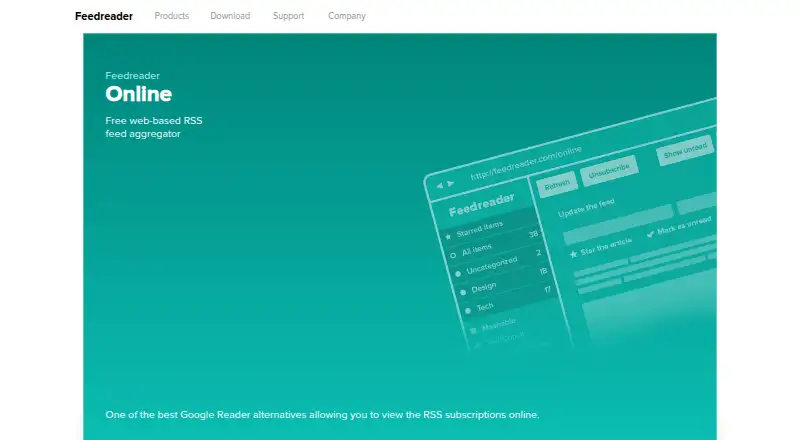
What Feedreader is
Feedreader is a feed aggregator for reading website subscriptions in a single stream online, with a desktop product that downloads and organizes syndicated content. Smart feeds watch for entered keywords or phrases and bring matching articles forward. Readers can use a River of News view, group headlines by source, date, or tag, and combine feeds. Feedreader supports mainstream feed formats, nested folders, Unicode, and SSL connections, and can download enclosures and podcasts attached to articles. Its Intelliupdate feature learns each feed's update frequency and refreshes accordingly. Feedreader Connect can upload feeds to a remote FTP server, forward articles by email, publish feeds to an intranet or extranet, and send articles to Windows Live Messenger users through an instant messaging gateway. The service offers documentation, FAQs, and a contact form, and is described as accessible to users with little technical knowledge. Platforms listed are Linux, web, and Windows. Feedreader Standard Edition is free; listed paid options include Feedreader MySQL Edition at €29, paid once and Connect Personal Edition at €39, paid once. Connect Server and OEM licenses are also listed.
Good
- Smart feeds surface articles matching entered keywords or phrases.
- Headlines can be grouped by source, date, or tag.
- Can download attached podcasts and enclosures.
- Supports SSL connections and offline reading.
- Free Standard Edition is listed.
Watch out
- Connect Server free version is limited to four feeds.
- Connect Server free version archives up to 1,200 articles per feed.
- Connect Personal demo features work for about one day before restart.
- Some listed Connect and server editions have one-time prices.
Who it suits
Feedreader suits readers who want to collect subscriptions, filter articles by keywords, or organize headlines across feeds. Its Connect options may suit users who need to publish or forward feed content.
Verdict
Feedreader offers several ways to organize and filter subscriptions, alongside options for publishing and forwarding feeds. Check the Connect edition limits and listed one-time prices if those functions matter to you.
Plans and prices
From Feedreader's own pricing page, checked 15 Oct 2026.
| Plan | Price | What it gives you |
|---|---|---|
| Standard Edition | Free | Free end-user edition · no hidden fees, spyware or adware stated |
| Feedreader Standard Edition | Free | Free; no hidden fees, spyware, or adware stated |
| Feedreader MySQL Edition | €29, paid once | License for one computer · MySQL Edition beta/trial download available |
| Feedreader Connect Personal Edition | €39, paid once | Personal Connect edition with communication functions |
| Feedreader Connect Server (MSSQL or MYSQL) — up to 100 feeds | €490, paid once | Up to 100 feeds |
| Feedreader Connect Server (MSSQL or MYSQL) up to 100 feeds | €490, paid once | Up to 100 feeds · MSSQL or MySQL |
| Feedreader OEM unlimited license | €500, paid once | Unlimited OEM license · branding and customized deployment |
| Feedreader Connect Server (MSSQL or MYSQL) — up to 1000 feeds | €990, paid once | Up to 1000 feeds |
| Feedreader Connect Server (MSSQL or MYSQL) up to 1000 feeds | €990, paid once | Up to 1000 feeds · MSSQL or MySQL |
| Feedreader Connect Server 1000 feeds and more | €990, paid once | Page shows a special unlimited-feed offer for EUR 990 until 1 June 2010 |
| Feedreader Connect Server — 1000 feeds and more | — | Unlimited feeds; offer text says it was special until 1th of June 2010 |
The facts
Each one read from Feedreader's own pages, with the date it was checked.
What it does
- API and SDK availability
- The reviewed official pages describe integration methods and an embeddable engine but do not publish a conventional public REST API, SDK package or API reference.checked 15 Oct 2026
- Connect demo limit
- The Connect Personal demo functions work for about one day before Feedreader must be restarted to reenable them.checked 7 Oct 2026
- Connect distribution
- Feedreader Connect can publish normal and smart feeds to remote servers, intranets or extranets.checked 15 Oct 2026
- Connect messaging
- Feedreader Connect can forward articles to Windows Live Messenger users through an instant messaging gateway.checked 7 Oct 2026
- Connect sharing
- Feedreader Connect can upload feeds to a remote FTP server, forward articles by email, and publish feeds to an intranet or extranet.checked 7 Oct 2026
- Database support
- The documented engine supports Firebird local SQL, Microsoft SQL Server 2005 and MySQL 5.x, with ADO enabling additional database back ends.checked 15 Oct 2026
- Desktop aggregation
- The desktop product automatically downloads updates from websites and organizes syndicated web content for users.checked 7 Oct 2026
- Developer and origin
- Wikipedia identifies i-Systems Inc. as developer, Microsoft Windows as the operating system, proprietary licensing, and distribution of Feedreader 1.54 on 24 April 2001.checked 15 Oct 2026
- Developer integration
- The technical white paper says Connect Server exposes methods for integrating feeds and articles into third-party applications.checked 15 Oct 2026
- Documentation
- Official documentation covers feed creation, smart feeds, search feeds, search, podcasts, alerts, tags, shortcuts, advanced usage, FAQs, database schema and installation.checked 15 Oct 2026
- Email integration
- Connect includes a Mail Forwarder that sends article XML or transformed output to configured email recipients.checked 15 Oct 2026
- Extensibility
- The Newsbrain engine is separated from the interface and can be embedded in user-interface applications or background services.checked 15 Oct 2026
- Feed formats
- Feedreader states that it supports all mainstream feed formats.checked 15 Oct 2026
- Feed handling
- Feedreader supports mainstream feed formats, nested folders, Unicode, and SSL connections.checked 7 Oct 2026
- Filtering
- Normal feeds can be converted into smart feeds, filtered for included or excluded information, and combined into one stream.checked 15 Oct 2026
- FTP integration
- Connect includes a Feed Uploader that sends aggregated XML or stylesheet-rendered output to an FTP server.checked 15 Oct 2026
- IMAP integration
- Connect Server includes an IMAP mail server for reading RSS articles through standard mail clients such as Outlook or Thunderbird.checked 15 Oct 2026
- Installation size
- The official page says the installation file is under 4 MB.checked 15 Oct 2026
- Intelliupdate
- The desktop client learns each feed's update frequency and refreshes it when needed.checked 15 Oct 2026
- Legacy capabilities
- Wikipedia records feed autodiscovery, keyboard shortcuts, RSS and Atom support, and operation from a USB flash drive.checked 15 Oct 2026
- Licence status
- The current Feedreader product is identified as proprietary, while the official feature page says an older version is available as an open-source package.checked 15 Oct 2026
- Limit: compatibility
- A SourceForge review says the software no longer works with newer technologies and that sites outside the defaults do not work.checked 15 Oct 2026
Money
- Connect free edition limit
- The Feedreader Connect Server free version is limited to four subscribed feeds and 1,200 archived articles per feed.checked 7 Oct 2026
The company
- Founded
- 2001checked 28 Sep 2026
The full review of Feedreader
Feedreader is a web and desktop RSS aggregator that collects subscriptions into one reading stream. It suits readers who need keyword-driven monitoring, detailed headline organization, offline access, and optional feed sharing. The core reader is free, while database-backed and Connect editions target more specialized publishing and forwarding needs.
Overview
Feedreader combines online aggregation with a desktop application that downloads updates and organizes syndicated content. River of News reading, source/date/tag grouping, nested folders, and multi-feed combinations make it practical for substantial subscription lists. Smart feeds add topic monitoring by matching entered words or phrases across incoming articles. It is a stronger fit for research and information tracking than for someone seeking only a minimal chronological list.
The product dates to 2001 and remains focused on RSS-style workflows. Offline reading, filter rules, and automatic enclosure handling broaden its usefulness, but the Connect range is a separate proposition: its sharing and publishing tools are valuable only when their feed, archive, and messaging constraints fit your operation.
Key features
- Smart feeds: Keyword and phrase monitoring surfaces matching articles across subscriptions, reducing manual scanning for recurring subjects. Results are naturally limited to the sources you follow.
- Organized reading: River of News provides a continuous stream, while grouping by source, date, or tag supports different research habits. Nested folders and combined feeds help keep broad collections manageable.
- Broad feed handling: Mainstream feed formats, Unicode, SSL connections, and filter rules cover common compatibility and control requirements.
- Enclosures and podcasts: Automatic downloading of attached enclosures and podcasts is useful when feeds carry media alongside articles.
- Efficient updating: Intelliupdate learns each feed’s publishing frequency and updates when needed, an approach suited to mixed collections with both fast- and slow-moving sources.
- Offline use: Offline reading lets users continue with downloaded material when a connection is unavailable.
- Connect sharing: Connect can upload feeds to remote FTP, forward articles by email, publish to intranets or extranets, and send articles through a Windows Live Messenger gateway. These are specialized workflow tools rather than essential reader features.
Pricing
Feedreader Standard Edition costs nothing, with no hidden fees, spyware, or adware stated. It is the sensible choice for personal reading, filtering, offline access, and feed organization when database storage or Connect distribution is unnecessary. A free trial is available, but the Connect Personal demo functions for about one day before a restart is required to reenable them.
Feedreader MySQL Edition costs €29, paid once. It suits users who need MySQL-backed storage and are prepared to pay a one-time fee. Feedreader Connect Personal Edition costs €39, paid once and adds personal publishing and forwarding workflows; choose it only if those functions justify moving beyond the free reader.
Server editions scale by feed count: Feedreader Connect Server (MSSQL or MYSQL) — up to 100 feeds costs €490, paid once, while the up-to-1000-feeds edition costs €990, paid once. The free Connect Server version is limited to four subscribed feeds and 1,200 archived articles per feed, so it is suitable for a small proof of concept, not a large archive. Feedreader Connect Server — 1000 feeds and more is priced at €12,010,990, paid once for unlimited feeds; its offer text describes that price as special until 1th of June 2010. The Feedreader OEM unlimited license costs €500, paid once for redistribution or deployment scenarios needing an unlimited license. Paid plans have one-time terms as stated rather than monthly renewal pricing.
Platforms
Feedreader is available on Linux, Windows, and the web. That combination supports desktop-focused workflows alongside browser access, although the product’s feature emphasis is strongest in its desktop aggregation and Connect offerings.
Who it's for
Choose Feedreader for personal researchers, analysts, and teams that need keyword monitoring, structured feed collections, offline reading, or enclosure downloads. It also fits organizations that specifically require FTP publishing, intranet or extranet feeds, email forwarding, or team sharing. Readers wanting a modern, lightweight reader without those specialized functions may find the paid Connect structure difficult to justify.
Pros and cons
Pros
- Smart feeds turn keyword monitoring into a repeatable workflow across subscriptions.
- Grouping, nested folders, combined feeds, filters, and offline reading provide meaningful control over large collections.
- Automatic enclosure and podcast downloads support media-heavy feeds.
- SSL support and Intelliupdate address secure access and unnecessary polling.
- A genuinely free Standard Edition covers the core reading experience.
Cons
- The free Connect Server edition’s four-feed and 1,200-article-per-feed caps are restrictive for serious publishing.
- Connect Personal’s demo window of about one day makes extended evaluation difficult.
- Connect and server pricing rises sharply, especially for larger deployments.
- The Windows Live Messenger gateway is a specialized dependency with limited relevance to many current workflows.
Alternatives
Fluent Reader is the better pick for a free, open-source desktop reader spanning Android, iOS, Linux, macOS, and Windows, with local reading as its stated focus.
FreshRSS suits readers who want a free, self-hosted RSS and Atom aggregator with web, mobile, API, and desktop-platform access.
Feeder is preferable when you want a freemium service with 200 feeds, 30-minute updates, 50 posts of history per feed, and two AI summaries per day on its free plan.
Feedly is the alternative for a broad web, mobile, extension, and API ecosystem, including a free account with up to three personal Boards.
Passman is another free option with Android, iOS, Linux, macOS, web, API, extension, and self-hosted availability.
Inoreader fits readers seeking a freemium service whose free plan supports 150 RSS subscriptions, with a paid Pro tier.
NewsBlur is worth choosing for up to 64 sites, real-time RSS updates, story training, public blurblog sharing, and saving stories on its free plan.
Newsboat is the focused choice for a free, MIT-licensed RSS and Atom reader running in text terminals on Linux and macOS.
Browse the RSS Reader Software category for more options.
Verdict
Feedreader is a good choice for readers who value keyword monitoring, granular feed organization, offline reading, and a free core reader, with Connect available for targeted publishing workflows. Look elsewhere if you need generous free sharing limits, a contemporary cross-platform ecosystem, or predictable low-cost scaling beyond a small subscription set.
Alternatives to Feedreader
- 1

NewsBlur
Free planOpen sourceAndroidiOSWebAPI8.5From $36 a year - 2

Feeder
Free planAndroidiOSWebAPI8.1From $7.99 a month - 3

FreshRSS
Free planOpen sourceAndroidiOSWebAPI7.9Free plan - 4

Inoreader
Free planAndroidiOSWebAPI7.9From €7.50 a month - 5

Feedly
Free planAndroidiOSWebAPI7.4From $1,600 a month - 6
Fluent Reader
Free planAndroidiOSLinuxmacOS7.3Free plan