
EZBIS
EZBIS develops chiropractic practice-management and electronic health record software, serving chiropractors since 1980.
What EZBIS is
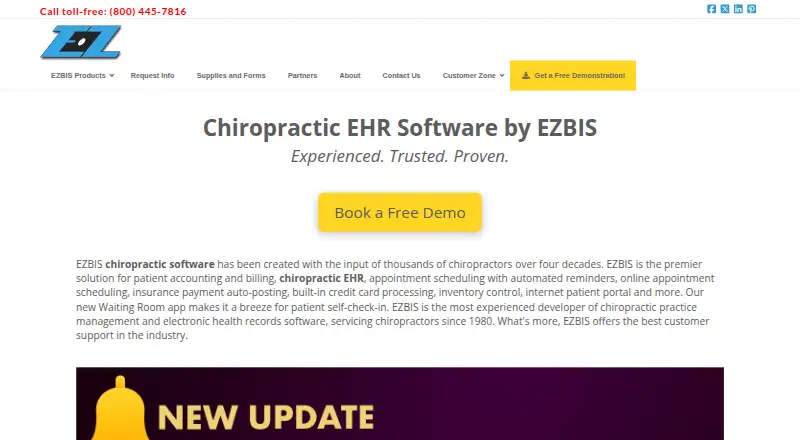
EZBIS develops chiropractic practice-management and electronic health record software, serving chiropractors since 1980. EZBIS Office combines billing, collections, scheduling, electronic health records and patient self-check-in; practices can also select modules à la carte. The suite is described as scalable for solo practitioners, multi-doctor practices and multi-location operations. Its EHR supports body diagrams, customizable panels, SOAP notes, exams, histories, imaging, care plans and automatic billing-code posting. Deployment can be on-premise or cloud-hosted. The cloud option includes the same EZBIS Office software, automatic software and patient-data backups, and telephone support at no additional charge. EZBIS supports electronic claims, remittances and eligibility through clearinghouses, plus built-in EMV card processing. The listed cloud plan costs $225 a month. One-time options include Basic Billing System at 995.00 USD and Complete EZBIS Office with 3 Users at 3995.00 USD. Cloud subscriptions require a one-year commitment, are priced per named user for one facility, and add fees for electronic claims submitted to clearinghouses.
Good
- Combines records, billing, collections and scheduling.
- Modules can be selected à la carte.
- EHR includes SOAP notes and care plans.
- Cloud option includes automatic backups.
- Supports electronic claims and EMV processing.
Watch out
- No free plan is listed.
- Cloud subscription requires a one-year commitment.
- Cloud pricing is per named user for one facility.
- Cloud-hosted software does not support Chromebooks.
Who it suits
EZBIS is aimed at chiropractic practices needing records, billing and scheduling in one suite, from solo operations to multi-location practices. Practices should consider whether they prefer on-premise or cloud hosting and review the cloud commitment and claim fees.
Verdict
EZBIS covers core chiropractic office workflows and offers both on-premise and cloud deployment. The cloud plan's term, user and facility pricing, and electronic-claims charges are important factors to review.
Plans and prices
From EZBIS's own pricing page, checked 30 Sep 2026.
| Plan | Price | What it gives you |
|---|---|---|
| EZBIS Cloud Software | $225 a month | Electronic Health Records · Patient Accounting · Billing · Collections · Scheduling · Patient Self-Check-In · Patient Portal · Remote Scheduling App · Flat Rate, Per Month |
| Basic Billing System | $995, paid once | Patient Accounting · Billing · Flat Rate, One Time |
| Complete EZBIS Office with 3 Users | $3,995, paid once | Patient Accounting · Electronic Health Records · Billing · Scheduling · Patient Self-Check-In · Flat Rate, One Time |
The facts
Each one read from EZBIS's own pages, with the date it was checked.
What it does
- Claims and payments
- EZBIS supports electronic claims, remittances and eligibility through clearinghouses and offers built-in EMV credit-card processing.checked 30 Sep 2026
- Cloud hosting
- The cloud option includes the same EZBIS Office software, automatic software and patient-data backups, and telephone support at no additional charge.checked 30 Sep 2026
- Cloud pricing limits
- The cloud subscription requires a one-year commitment, is priced per named user for one facility, and charges additional fees for electronic claims submitted to clearinghouses.checked 30 Sep 2026
- Core suite
- EZBIS Office combines billing, collections, scheduling, electronic health records and patient self-check-in.checked 30 Sep 2026
- Customer support
- A new EZBIS license includes 90 days of free customer service and technical support; email support is free and usually answered within one business day.checked 30 Sep 2026
- Deployment
- EZBIS Office is available as either an on-premise server-based solution or a cloud-hosted solution.checked 30 Sep 2026
- EHR capabilities
- The EHR supports body diagrams, customizable panels, SOAP notes, automatic billing-code posting, exams, histories, imaging and care plans.checked 30 Sep 2026
- Modular design
- EZBIS modules can be combined à la carte, and EZBIS Office combines all available modules.checked 30 Sep 2026
- Practice size
- EZBIS Office is described as scalable for solo practitioners, multi-doctor practices and multi-location operations.checked 30 Sep 2026
- Product focus
- EZBIS develops chiropractic practice-management and electronic-health-record software and has served chiropractors since 1980.checked 30 Sep 2026
- Security privacy
- EZBIS says it implements a variety of security measures to protect personal information and does not sell or transfer personally identifiable information to outside parties except specified service providers or legal disclosures.checked 30 Sep 2026
The company
- Founded
- 1980checked 28 Sep 2026
Where it runs
- Platform limitation
- EZBIS cloud-hosted software supports Windows, iPad, iOS, Mac OS and Android through Microsoft Remote Desktop, but does not support Chromebooks.checked 30 Sep 2026
- Schedule app
- The EZBIS Schedule app for iOS and Android lets users view and change appointments, with changes synchronized to EZBIS Front Desk.checked 30 Sep 2026
- Waiting Room app
- The Waiting Room app supports patient self-check-in, intake, questionnaires, review-of-systems forms and electronic document signing.checked 30 Sep 2026
The full review of EZBIS
EZBIS is chiropractic practice-management and EHR software, with an all-in-one suite or à-la-carte modules. It suits clinics that need chiropractic charting alongside billing and scheduling, especially those choosing between an on-premise server and cloud hosting. Its broad workflow coverage is a strength; cloud commitment and per-user, per-facility pricing deserve careful consideration.
Overview
Serving chiropractors since 1980, EZBIS brings patient accounting, billing, collections, scheduling, electronic health records and patient self-check-in into EZBIS Office. Practices can combine modules à la carte, while the complete suite packages the available modules together. The system is described as scalable from solo practitioners to multi-doctor and multi-location operations.
That breadth makes EZBIS a plausible fit for clinics looking to manage front-desk and clinical workflows in one system. The trade-off is a paid product with materially different purchase and hosting models, so the right fit depends on both deployment preference and practice size.
Key features
Chiropractic records and office workflows
The EHR supports body diagrams, customizable panels, SOAP notes, exams, histories, imaging and care plans. Automatic billing-code posting connects charting to billing, while patient accounting, collections and scheduling cover core administrative work. Electronic claims, remittances and eligibility run through clearinghouses; built-in EMV processing supports credit-card payments.
The Waiting Room app handles self-check-in, intake, questionnaires, review-of-systems forms and electronic document signing. For staff managing appointments away from the front desk, the iOS and Android Schedule app can view and change appointments, with changes synchronized to EZBIS Front Desk. These tools address distinct clinic workflows rather than relying on the EHR alone.
Deployment and support
Clinics can run EZBIS Office on an on-premise server or choose cloud hosting. The cloud option includes the same software, automatic software and patient-data backups, and telephone support at no extra charge. A new license includes 90 days of free customer service and technical support; email support is free and usually answered within one business day.
EZBIS says it uses security measures to protect personal information and does not sell or transfer personally identifiable information to outside parties except specified service providers or for legal disclosures. Cloud access uses Microsoft Remote Desktop across Windows, iPad, iOS, Mac OS and Android, but not Chromebooks—an important limitation for clinics built around those devices.
Pricing
EZBIS has no free plan. Its listed options differ in both payment structure and what they bundle:
- Basic Billing System: $995, paid once, a one-time flat rate for patient accounting and billing. It is the lowest-cost entry point for practices needing those functions, but it does not include the EHR or scheduling.
- Complete EZBIS Office with 3 Users: $3,995, paid once, a one-time flat rate covering patient accounting, EHR, billing, scheduling and patient self-check-in. The three-user package suits a small team seeking a broader on-premise-style suite, but the listed bundle does not include every module in EZBIS Office.
- EZBIS Cloud Software: $225 a month, billed at a flat rate per month. It includes EHR, patient accounting, billing, collections, scheduling, patient self-check-in, patient portal and remote scheduling app. The subscription requires a one-year commitment and is priced per named user for one facility; electronic claims submitted to clearinghouses incur additional fees.
The cloud plan's monthly price is not a whole-practice rate: named users and one facility define its scope, and claims fees add to the subscription. Clinics should weigh those recurring terms against the one-time license options. The 90-day support inclusion applies to a new license; cloud telephone support is included at no additional charge.
Platforms
EZBIS lists Android, iOS, macOS, self-hosted and Windows platforms. Cloud-hosted access also supports iPad through Microsoft Remote Desktop, while Chromebooks are excluded. The Schedule app is available for iOS and Android.
Who it's for
EZBIS is best suited to chiropractic practices that want clinical documentation tied to billing, scheduling and patient-facing check-in, and that value a choice between local server deployment and cloud hosting. Its stated scalability makes it relevant to solo and larger practices alike, though multi-location operators should account for the cloud plan's one-facility pricing basis. It is less suitable for Chromebook-dependent teams or clinics that need a free starting tier.
Pros and cons
- Pro: Chiropractic-specific charting includes body diagrams, SOAP notes and care plans, with automatic billing-code posting to bridge documentation and billing.
- Pro: On-premise and cloud deployment give practices a choice of hosting model; cloud adds automatic backups and telephone support without an additional charge.
- Pro: Self-check-in, electronic intake and appointment changes synchronized to Front Desk extend the suite beyond back-office records.
- Con: The cloud subscription commits the clinic for a year, is priced per named user and one facility, and adds electronic-claims charges.
- Con: Chromebook support is absent, which rules out cloud use for teams reliant on that platform.
- Con: The Basic Billing System omits EHR and scheduling, while the three-user Complete package is a 3995.00 USD one-time purchase; neither is a free way to evaluate the full suite.
Alternatives
For a wider category comparison, browse Chiropractic Practice Software.
Soap Notes is worth considering for a clinician who wants a freemium option: its Starter plan is free for up to five active clients, unlike EZBIS's paid-only model.
zHealthEHR may suit practices comparing paid chiropractic EHR options; its Essentials plan is $119 a month per provider, with discounts available for practices with three or more providers.
ChiroSpring 360 is another paid alternative for clinics considering a different chiropractic software option.
PracticeEHR Chiropractic EHR is an alternative for practices considering a paid chiropractic EHR with unlimited-patient plans.
PayDC is a paid alternative whose PayDC-One plan costs $349 a month for its full chiropractic EHR platform.
Platinum System is another paid option; its Align plan is $299 a month and includes EHR, charting, SOAP notes, scheduling, billing and payments.
ChiroOffice is an alternative for clinics comparing chiropractic office software with one-time license options.
ChiroScribe may be a better fit for practices focused on SOAP notes and seeking a free trial; its Solo plan is $179 a month for individual practitioners with unlimited SOAP notes.
Verdict
Choose EZBIS if your chiropractic practice wants charting, billing, scheduling and patient check-in within one system, with the option to host on-premise or in the cloud. Its strongest case is the combination of chiropractic EHR workflows and practice-management tools. Look elsewhere if you need Chromebook support, a free plan, or cloud pricing that does not hinge on a one-year term, named users and one facility.
Alternatives to EZBIS
- 1
MERIDIQ
AndroidiOSWebAPI7.7From £5 a month - 2

ChiroFusion
AndroidiOSWebmacOS7.4From $129 a month - 3
EMR Chiro
AndroidiOSWebLinux7.3From $100 a month - 4
Soap Notes
Free planAndroidiOSWebExtension7.2From $36 a month - 5
PracticeEHR Chiropractic EHR
AndroidiOSWebAPI6.9From $229 a month - 6

ChiroSpring 360
AndroidiOSWeb6.7From $49 a month