
Eva
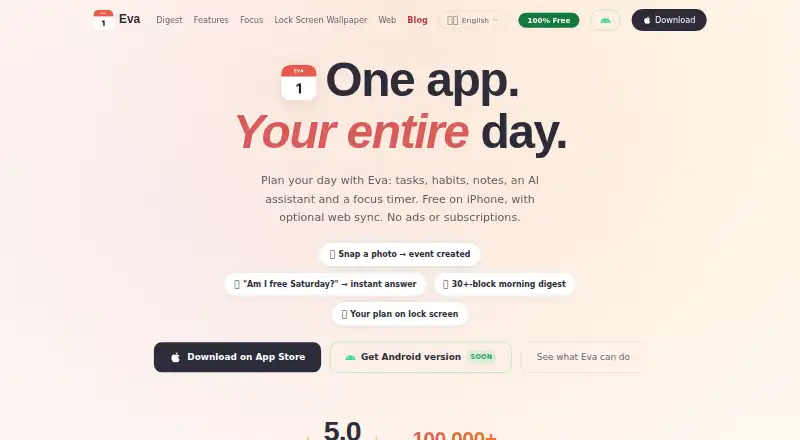
Eva is a free, calendar-first planner combining tasks, habits, notes, an AI assistant, and a focus timer.
What Eva is
Eva is a free, calendar-first planner combining tasks, habits, notes, an AI assistant, and a focus timer. The iPhone app syncs two ways with Apple Calendar and Reminders, while Google Calendar import is optional and read-only. Recurring tasks and habits support routines. The assistant can create events from ticket photos and answer schedule questions. A daily digest includes more than 30 information blocks, such as weather, air quality, moon phases, holidays, horoscope, biorhythms, and clothing suggestions. Its Pomodoro timer offers ambient sounds, a lock-screen Live Activity, and focus statistics; automatic Do Not Disturb requires a user-created Apple Shortcuts automation. Tasks, habits, and notes work offline on iPhone. The browser version can sync with the iPhone app using email sign-in and a one-time code. iOS 18 or later is required. Android is still in development. The Free plan is free, with no subscriptions, in-app purchases, or ads.
Good
- Free plan with no ads
- Two-way Apple Calendar and Reminders sync
- Recurring tasks and habits
- Pomodoro timer with focus statistics
- Offline task, habit, and note access
Watch out
- Requires iOS 18 or later
- Android app is still in development
- Google Calendar import is read-only
- Web sync is off by default
Who it suits
Eva suits iPhone users who want calendar-centered planning, routines, notes, and focus sessions without subscriptions or advertising. It also fits users who value optional web synchronization and on-device defaults.
Verdict
Eva combines calendar planning, routines, notes, AI help, and focus timing in a free iOS app. Check the iOS requirement and platform limitations if you need Android or broader calendar integration.
Plans and prices
From Eva's own pricing page, checked 11 Oct 2026.
| Plan | Price | What it gives you |
|---|---|---|
| Free | Free | No subscriptions · no in-app purchases · no ads |
The facts
Each one read from Eva's own pages, with the date it was checked.
What it does
- AI assistant
- The assistant can create events from ticket photos and answer questions about a user's schedule.checked 11 Oct 2026
- AI data handling
- AI requests are sent to OpenAI only when the user presses send and include the text and relevant date or task details needed to process the request.checked 11 Oct 2026
- Calendar integrations
- Eva describes two-way sync with Apple Calendar and Reminders; Google Calendar import is optional and read-only.checked 11 Oct 2026
- Calendar sync
- Yeschecked 22 Sep 2026
- Daily digest
- The daily digest offers more than 30 blocks, including weather, horoscope, biorhythms, clothing suggestions, air quality, moon phases and holidays.checked 11 Oct 2026
- Focus sessions
- Yeschecked 22 Sep 2026
- Focus timer
- The built-in Pomodoro timer includes ambient sounds, a lock-screen Live Activity and focus statistics; automatic Do Not Disturb requires an Apple Shortcuts automation set up by the user.checked 11 Oct 2026
- iPhone requirement
- The iPhone app requires iOS 18 or later.checked 11 Oct 2026
- Local privacy
- The privacy policy says tasks, settings, mood entries, habits and preferences stay on-device by default, with no accounts, tracking, ads or analytics SDKs.checked 11 Oct 2026
- Offline use
- Tasks, habits and notes work offline on iPhone, while AI requests, fresh weather and web sync need an internet connection.checked 11 Oct 2026
- Optional sync
- Web sync is off by default; synced data is stored on Eva's server, transferred over TLS and can be deleted with the web account.checked 11 Oct 2026
- Product
- Eva combines tasks, habits, notes, an AI assistant and a focus timer in a daily planner.checked 11 Oct 2026
- Recurring tasks
- Yeschecked 22 Sep 2026
- Support
- The contact page invites users to write about bugs, feature requests or other questions and says the maker reads every message.checked 11 Oct 2026
- Web version
- The browser version syncs tasks, habits and notes with the iPhone app using email sign-in and a one-time code.checked 11 Oct 2026
Where it runs
- Android
- The Android app is in development, and the site offers a launch-notification waitlist.checked 11 Oct 2026
- Mobile platforms
- ioschecked 22 Sep 2026
Money
- Free plan
- Yeschecked 22 Sep 2026
- Planning method
- calendar-firstchecked 22 Sep 2026
Alternatives to Eva
- 1

Power Planner
Free planOpen sourceAndroidiOSWebAPI9.0$4.99 one-time - 2
TimeFinder
Free planAndroidiOSWebmacOS8.9$119.99 one-time - 3

Routine
Free planAndroidiOSWebLinux8.8From $5 a month - 4

Amie
Free planiOSWebAPIExtension8.8From $20 a month - 5

Sunsama
AndroidiOSLinuxmacOS8.5 - 6

Tweek
Free planAndroidiOSWebmacOS8.5From $49.99 a year