Emu198x
Emu198x is a free, open-source suite for emulating vintage computers and consoles through JSON scripts or an MCP client.
What Emu198x is
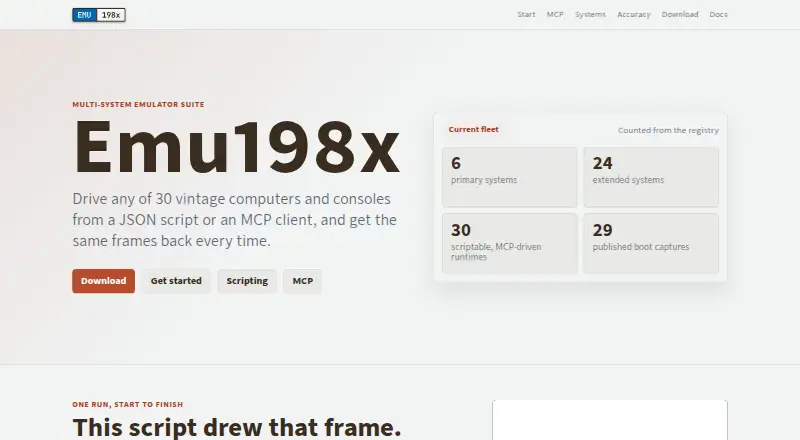
Emu198x is a free, open-source suite for emulating vintage computers and consoles through JSON scripts or an MCP client. Its registry lists 30 machines, with boot captures available for 29. Scripts can automate actions such as advancing frames, checking a CPU register, and saving screenshots; documentation also describes capturing frame sequences and audio. Each machine binary can act as an MCP server, exposing controls for running frames, inspecting state, handling input, and capturing output. Clients connect over standard input and output using JSON-RPC. The maker says repeated script runs produce identical reports and byte-for-byte matching screenshots. Release archives cover Windows, Linux, and macOS, including separate Apple silicon and Intel Mac builds. Users must supply any required ROMs, firmware, disks, tapes, or cartridges, which the project does not distribute. The accuracy information reports crate counts and boot-capture status without percentage or maturity scores. SHA-256 sums are provided for checking release downloads.
Good
- Free, open-source suite for 30 listed machines
- JSON scripts can automate machine actions
- MCP tools expose state, input, and capture controls
- Desktop archives cover Windows, Linux, and macOS
- Release archives include SHA-256 sums
Watch out
- Users must supply required ROMs and other media
- No Android support is listed
- Boot captures are available for 29 of 30 machines
Who it suits
Emu198x suits people who want to automate vintage-system emulation or control it from an MCP client. It may also fit lesson-program workflows that need repeatable runs and captured output.
Verdict
Emu198x pairs scriptable emulation with capture and MCP control across desktop platforms. Users need to source the required machine media themselves.
Plans and prices
From Emu198x's own pricing page, checked 8 Oct 2026.
| Plan | Price | What it gives you |
|---|---|---|
| Emu198x | Free | Free software; 30 machine binaries; requires users to provide ROMs, firmware, and media |
The facts
Each one read from Emu198x's own pages, with the date it was checked.
What it does
- Accuracy evidence
- The accuracy page reports per-system crate counts and boot-capture status and says it does not publish percentages or maturity scores.checked 8 Oct 2026
- Automation
- Every machine binary can act as an MCP server, exposing tools to run frames, inspect machine state, handle input, and capture output.checked 8 Oct 2026
- Capture
- The documentation describes saving screenshots, frame sequences, and audio from a run.checked 8 Oct 2026
- Desktop downloads
- Release archives are provided for Windows, Linux, and macOS, with separate Apple silicon and Intel macOS builds.checked 8 Oct 2026
- Deterministic runs
- The maker says the same script run produces an identical report and a screenshot matching byte for byte.checked 8 Oct 2026
- Download verification
- The maker provides SHA-256 sums for release archives so users can check downloaded files.checked 8 Oct 2026
- Integrations
- MCP clients can communicate with an emulator binary over standard input and output using JSON-RPC.checked 8 Oct 2026
- Intended audience
- The 198x family describes Emu198x as cross-platform, scriptable emulation used by Code198x to run lesson programs and check and capture their output.checked 8 Oct 2026
- MCP constraints
- The MCP server has no network transport, pushes no notifications, advertises no resources or prompts, and does not support breakpoints.checked 8 Oct 2026
- Media requirements
- Emu198x does not distribute commercial ROMs, firmware, disks, tapes, or cartridges, so users must supply required files themselves.checked 8 Oct 2026
- Purpose
- Emu198x is a multi-system emulator suite for driving vintage computers and consoles from JSON scripts or an MCP client.checked 8 Oct 2026
- Scripting
- JSON scripts can run unattended actions such as advancing frames, querying a CPU register, and saving a screenshot.checked 8 Oct 2026
- System coverage
- The site lists 30 machines in its registry, with 29 boot captures available.checked 8 Oct 2026
The full review of Emu198x
Emu198x is a free, open-source emulator suite for vintage computers and consoles controlled through JSON scripts or an MCP client. It is most useful to developers, educators, and preservation work that needs repeatable machine output, not simply a front end for casual gaming. The combination of deterministic captures and broad desktop coverage is persuasive, provided you can supply the media and accept a deliberately narrow MCP implementation.
Overview
Emu198x’s registry contains 30 machines, with boot captures for 29. That gives the project meaningful startup evidence across nearly its whole catalogue, while the accuracy page reports each system’s crate counts and boot-capture status rather than reducing quality to a single score. The result is useful visibility into coverage, although it does not establish that every supported machine is equally mature.
The standout promise is reproducibility. The maker says running the same script produces an identical report and a screenshot that matches byte for byte. That is valuable for regression checks, lesson validation, demonstrations, and archival records. It is unnecessary overhead for someone whose priority is browsing games with a controller.
Key features
Scriptable runs
JSON scripts can advance frames, query a CPU register, handle unattended actions, and save screenshots. This turns an emulator into a repeatable test target: a developer can verify a program’s state, while an educator can capture the same lesson result each time. Users seeking spontaneous interactive play will find less benefit in this workflow.
MCP control
Every machine binary can operate as an MCP server. An MCP client communicates with it over standard input and output using JSON-RPC, with tools for running frames, inspecting state, handling input, and capturing output. That makes Emu198x suitable for agent-driven demonstrations or automated checks. The server has no network transport, sends no notifications, advertises no resources or prompts, and lacks breakpoints, so it is a focused command endpoint rather than a full remote-debugging service.
Capture and verification
Runs can save screenshots, frame sequences, and audio. SHA-256 sums for release archives provide a practical way to verify downloads, which matters when reproducibility depends on using an unmodified binary.
Pricing
Emu198x is free software under its free plan: free. The plan includes 30 machine binaries and requires you to provide the ROMs, firmware, and other media. There is no free trial because the product is already free, and no paid tier or seat allowance is described. The cost advantage is clear, but obtaining lawful machine media remains your responsibility.
Platforms
Desktop release archives are provided for Linux, Windows, and macOS, with separate Apple silicon and Intel macOS builds. Android is not supported. That makes it a strong fit for desktop automation and a poor choice when a phone or tablet is the primary device.
Who it's for
Choose Emu198x for scripted emulator regression tests, Code198x-style lessons, reproducible demonstrations, or preservation projects that need machine-readable captures. It also suits developers building MCP workflows around vintage systems. Look elsewhere if you expect bundled commercial media, a polished plug-and-play library, mobile support, or interactive debugging features such as breakpoints.
Pros and cons
- Pros: 30-machine registry with 29 boot captures gives unusually concrete coverage evidence.
- Pros: Byte-for-byte screenshot determinism supports exact regression and documentation workflows.
- Pros: JSON scripting and MCP tools expose frames, state, input, and capture for automation.
- Pros: Linux, Windows, and both major Mac processor builds broaden desktop deployment.
- Cons: ROMs, firmware, disks, tapes, and cartridges are not included, so setup depends on your own media.
- Cons: MCP omits network transport, notifications, resources, prompts, and breakpoints.
- Cons: No Android version limits it to desktop users.
Alternatives
For a broader catalogue in a conventional emulator, consider ares, a free open-source multi-system emulator for Linux, macOS, and Windows. Emulicious is another desktop option, free for personal use, while commercial users should seek permission first.
If your target is specifically Sega hardware, MasterGear offers free Windows and Linux versions plus a 430.00 USD one-time Android plan, making it the more relevant route for mobile Sega use. Genesis Plus GX is free on Linux and Windows and also has a standalone GameCube/Wii build, but its source uses a specific non-commercial license.
Virtual Jaguar is worth choosing when Android, iOS, or web access matters; it is a free open-source core that requires a libretro frontend such as RetroArch. BizHawk targets Linux and Windows with an MIT-licensed emulator. Dega is a free Linux/Windows alternative for non-commercial use, and Gearlynx covers a wider mix of desktop, mobile, web, API, extension, and self-hosted environments.
For category browsing, see Multi-System Emulators and Sega Master System Emulators.
Verdict
Emu198x is the right choice for desktop users who need scripted, deterministic emulation and MCP-based control across many vintage systems. Its free price, capture tools, and reproducibility make it especially compelling for education, testing, and preservation. Look elsewhere for bundled media, mobile play, or a richer interactive debugging and remote-control experience.
Alternatives to Emu198x
- 1
MasterGear
Free planAndroidLinuxmacOSSelf-hosted7.8$4.99 one-time - 2
ares
Free planOpen sourceLinuxmacOSSelf-hostedWindows7.5Free plan - 3
Genesis Plus GX
Free planLinuxWindows6.7Free plan - 4

Emulicious
Free planLinuxmacOSWindows6.3Free plan - 5
PicoDrive
Free planLinuxSelf-hostedWindows6.2Free plan - 6
SMS
Free planLinux6.2Free plan