
Emulicious
Emulicious is a free multi-system emulator for Game Boy, Game Boy Color, Master System, Game Gear and MSX.
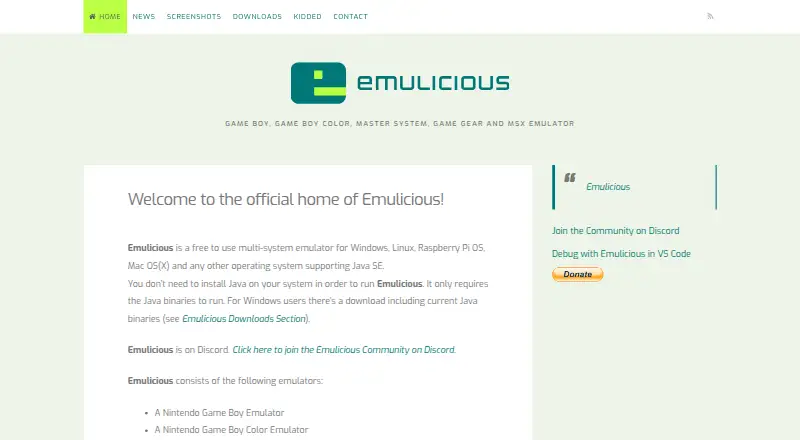
What Emulicious is
Emulicious is a free multi-system emulator for Game Boy, Game Boy Color, Master System, Game Gear and MSX. It includes savestates, IPS patching, automatic updates, and adjustable turbo and throttle controls. Its debugger provides an interactive disassembler that separates code and data automatically, along with reverse stepping. Additional tools include a profiler, tracer, coverage analyzer, memory editor, palette and tile viewers, RAM search and watch, and remote debugging. Emulicious can connect to tools such as Visual Studio Code. Its linked VS Code extension supports source-level debugging for assembler and C code using SDCC, and requires VS Code or VSCodium, Emulicious and a language extension for breakpoints. It can also run Analogue Pocket ROMs with the .pocket extension. The download page lists Windows, Linux, Raspberry Pi OS, Mac OS(X) and other Java SE systems, with Java 1.6 or newer. Installation is not required: users extract the files and run the appropriate program. The license allows free personal use; commercial users should seek permission first.
Good
- Supports Game Boy, Game Boy Color, Master System, Game Gear and MSX.
- Includes savestates and IPS patching.
- Debugger offers reverse stepping and code/data separation.
- Supports remote debugging with Visual Studio Code.
- No installation is needed.
Watch out
- Commercial users should seek permission first.
- VS Code extension requires a language extension for breakpoints.
- Desktop use requires Java 1.6 or newer.
Who it suits
Emulicious suits people who want to emulate its five listed systems on a Java-capable desktop environment. Its debugging tools may also suit developers working with assembler or C code using SDCC.
Verdict
Emulicious combines emulation for five systems with debugging and development tools. It is free for personal use, but commercial users should seek permission from the copyright holders.
Plans and prices
From Emulicious's own pricing page, checked 4 Oct 2026.
| Plan | Price | What it gives you |
|---|---|---|
| Emulicious | Free | Free for personal use · Commercial users should seek permission first |
The facts
Each one read from Emulicious's own pages, with the date it was checked.
What it does
- Accuracy
- The maker says Emulicious aims for precision and accurate emulation.checked 4 Oct 2026
- Analogue Pocket
- Emulicious supports running Analogue Pocket ROMs with the .pocket extension.checked 4 Oct 2026
- Commercial use
- The license says Emulicious is freeware for personal use only and commercial users should seek permission from the copyright holders first.checked 4 Oct 2026
- Debugger
- The debugger includes an interactive disassembler with automated code/data separation and reverse stepping.checked 4 Oct 2026
- Emulator features
- It includes automatic updates, adjustable turbo and throttle, IPS patching and savestates.checked 4 Oct 2026
- Extension capabilities
- The VS Code extension supports source-level debugging for assembler and C code using SDCC.checked 4 Oct 2026
- Extension requirements
- The VS Code extension requires VS Code or VSCodium, Emulicious, and a language extension for breakpoints.checked 4 Oct 2026
- Installation
- The download page says no installation is needed: extract the files and run Emulicious.jar, or Emulicious.exe for the Windows bundle with Java.checked 4 Oct 2026
- License
- The license permits binary use, copying and distribution for non-commercial purposes without a fee, subject to retaining license information and the copyright notice.checked 4 Oct 2026
- Other tools
- Listed tools include a profiler, tracer, coverage analyzer, memory editor, palette and tile viewers, RAM search and watch, and remote debugging.checked 4 Oct 2026
- Purpose
- Emulicious is a free to use multi-system emulator for Game Boy, Game Boy Color, Master System, Game Gear and MSX.checked 4 Oct 2026
- Support
- The maker asks users to report issues and says they will be fixed as soon as possible; the site also links to a Discord community.checked 4 Oct 2026
- VS Code integration
- Emulicious supports remote debugging with tools such as Visual Studio Code, and the maker links to a VS Code extension.checked 4 Oct 2026
Where it runs
- Desktop platforms
- The download page says it runs on Windows, Linux, Raspberry Pi OS, Mac OS(X), and other operating systems supporting Java SE, with Java 1.6 or newer.checked 4 Oct 2026
The company
- Founded
- 2013checked 28 Sep 2026
The full review of Emulicious
Emulicious is a desktop emulator for five classic systems, with a substantial set of tools for inspecting and debugging games. It suits developers and technically minded players who want emulation and code analysis in one package. Its personal-use price is compelling, but the commercial-use restriction and Java requirement make it a less universal choice.
Overview
Emulicious covers Game Boy, Game Boy Color, Master System, Game Gear and MSX. The maker says its goal is precise emulation; adjustable turbo and throttle, savestates and IPS patching add useful control for players. It can also run Analogue Pocket ROMs with the .pocket extension.
The distinction is its developer-focused toolkit. An interactive disassembler separates code from data automatically and supports reverse stepping, while profiling, tracing, coverage analysis, memory editing and remote debugging reach well beyond ordinary play features. Emulicious is freeware for personal use, not an unrestricted commercial tool.
Key features
Emulation and debugging
Automatic updates, turbo and throttle controls, IPS patching and savestates cover practical playback needs. For developers, the debugger combines disassembly with reverse stepping, and additional tools include palette and tile viewers, RAM search and watch. That breadth makes Emulicious especially useful for investigating how a game behaves, rather than simply launching it.
Remote development
Remote debugging works with tools such as Visual Studio Code, and the maker provides a VS Code extension. The extension supports source-level debugging for assembler and C code using SDCC. It requires VS Code or VSCodium, Emulicious and a language extension for breakpoints, so this workflow involves setup beyond the emulator itself.
Pricing
Emulicious costs nothing. The plan is free for personal use and includes the emulator and its tools; commercial users should seek permission from the copyright holders first. That makes it a strong fit for hobbyists and personal projects, but businesses cannot assume the free plan covers their use. No seat, quota, trial or renewal terms apply in the stated plan.
Platforms
Emulicious supports Linux, macOS and Windows. The download page also names Raspberry Pi OS and other operating systems that support Java SE, with Java 1.6 or newer. There is no installation step: extract the files and run Emulicious.jar, or use Emulicious.exe from the Windows bundle with Java. This portable approach suits users comfortable with Java, but the Java dependency is an extra requirement.
Who it's for
Choose Emulicious if you want one desktop tool for five systems and value debugging, profiling or source-level development alongside playing games. Its reverse stepping, code/data separation and remote debugging are particularly relevant to developers. For someone seeking only a straightforward emulator, that toolkit may be more than needed; commercial users should look elsewhere unless they obtain permission.
Pros and cons
- Pros: Five supported systems and a rich debugging suite make it useful for both playing and development.
- Pros: Free personal use includes features such as savestates, IPS patching and remote debugging.
- Pros: The VS Code extension offers source-level debugging for assembler and SDCC-based C code.
- Cons: Commercial use requires permission, limiting its suitability for business workflows.
- Cons: Running it requires Java 1.6 or newer, which adds a prerequisite to an otherwise extract-and-run setup.
- Cons: It is not open source.
Alternatives
For a narrower Master System or Game Gear focus, compare the Sega Master System Emulators and Game Gear Emulators lists; the Multi-System Emulators and Game Console Emulators lists are broader starting points.
MasterGear is worth considering if Android support matters: it offers a free Windows/Linux plan and a $430, paid once Android plan. Genesis Plus GX is another free choice for Linux and Windows, with source code under a specific non-commercial license and a standalone GameCube/Wii build. Dega is a free Linux/Windows option restricted to non-commercial use.
vibe-sms is a free alternative for Linux, macOS and Windows. ares is a free, open-source multi-system emulator for those same desktop platforms, while BizHawk is a free MIT-licensed option for Linux and Windows. Nexen is free and open source, with web and desktop platforms; PicoDrive is a free open-source option for Linux, Windows and self-hosted use, distributed as release packages or ZIP archives installed manually.
Verdict
Emulicious is an excellent fit for personal users who want five classic systems plus unusually capable debugging and development tools at no cost. Its strongest reason to choose is that combination; its clearest reasons to look elsewhere are commercial-use limits and the Java prerequisite.
Alternatives to Emulicious
- 1
MasterGear
Free planAndroidLinuxmacOSSelf-hosted7.8$4.99 one-time - 2
ares
Free planOpen sourceLinuxmacOSSelf-hostedWindows7.5Free plan - 3
Genesis Plus GX
Free planLinuxWindows6.7Free plan - 4
PicoDrive
Free planLinuxSelf-hostedWindows6.2Free plan - 5
SMS
Free planLinux6.2Free plan - 6
BizHawk
Free planLinuxWindows6.1Free plan