Elite Insights
Elite Insights parses binary .evtc files generated by ArcDPS and produces HTML results for review.
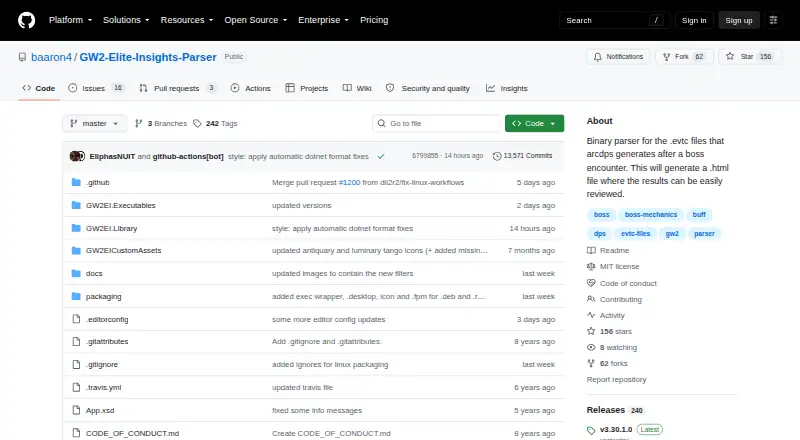
What Elite Insights is
Elite Insights parses binary .evtc files generated by ArcDPS and produces HTML results for review. Users can add .evtc, .evtc.zip and .zevtc files individually, populate the interface from a directory or drag files in. Reports include Statistics, Combat Replay and Healing Statistics. Statistics cover damage, gameplay, offensive and defensive details, support, buffs, damage modifiers, mechanics, graphs, rotations and player or target summaries. Combat Replay includes animation controls, pan and zoom, damage tables, player and target status, mechanics filters, markers and range or cone indicators. Healing reports depend on the ArcDPS Healing Stats Extension. The EVTC Inspector displays events, agent and skill data, content GUIDs and combat items, with filtering and selectable details. Settings can produce HTML, CSV, JSON, XML and trace outputs. Console options support uploads to dps.report and Wingman, plus Discord webhook messages. An Anonymous setting can obscure player character and account names in generated output. The software uses the MIT license and currently requires .NET 8.0; Linux and macOS users are directed to ASP.NET Core Runtime instructions.
Good
- Accepts three listed EVTC-related input formats
- Reports include statistics and combat replay
- Exports HTML, CSV, JSON, XML and trace outputs
- Anonymous setting can obscure player and account names
Watch out
- Healing reports rely on the ArcDPS Healing Stats Extension
- Currently requires .NET 8.0
Who it suits
Elite Insights suits Guild Wars 2 players who want to review ArcDPS combat logs and inspect statistics or replays. It may also fit users who need multiple report export formats or log uploads.
Verdict
Elite Insights provides detailed reports and inspection tools for ArcDPS-generated combat logs. Check the runtime requirement and the separate extension dependency for healing statistics.
Plans and prices
From Elite Insights's own pricing page, checked 1 Oct 2026.
| Plan | Price | What it gives you |
|---|---|---|
| MIT-licensed software | Free | provided as-is · MIT license conditions |
The facts
Each one read from Elite Insights's own pages, with the date it was checked.
What it does
- Combat replay
- Combat Replay supports animation controls, pan and zoom, damage tables, player and target status, mechanics filtering, markers, and range or cone indicators.checked 1 Oct 2026
- EVTC Inspector
- The EVTC Inspector displays events, agent data, skills data, content GUIDs, and combat items with filtering and selectable details.checked 1 Oct 2026
- Exports
- The parser can generate HTML, CSV, JSON, XML, and trace outputs through settings.checked 1 Oct 2026
- Healing
- Healing statistics are supported through the ArcDPS Healing Stats Extension.checked 1 Oct 2026
- Input formats
- The UI accepts .evtc, .evtc.zip, and .zevtc files by add, directory population, or drag and drop.checked 1 Oct 2026
- Integrations
- Console settings support uploads to dps.report and Wingman plus Discord webhook messages.checked 1 Oct 2026
- License
- The software is licensed under MIT, allowing use, copying, modification, distribution, sublicensing, and sale subject to the license conditions.checked 1 Oct 2026
- Privacy option
- The Anonymous setting obfuscates player character and account names in generated output.checked 1 Oct 2026
- Purpose
- Elite Insights parses binary .evtc files generated by ArcDPS and produces HTML results for review.checked 1 Oct 2026
- Release verification
- The project provides an OpenPGP key for verifying release signatures.checked 1 Oct 2026
- Report modules
- Generated HTML reports include Statistics, Combat Replay, and Healing Statistics modules.checked 1 Oct 2026
- Runtime
- The current setup requires .NET 8.0, with ASP.NET Core Runtime instructions for Linux and macOS.checked 1 Oct 2026
- Statistics
- Statistics cover damage, gameplay, offensive, defensive, support, buffs, damage modifiers, mechanics, graphs, rotations, target summaries, and player summaries.checked 1 Oct 2026
- Support
- The maintainers direct users to a Discord server for ArcDPS, addon, and EVTC parsing discussions and troubleshooting.checked 1 Oct 2026
The full review of Elite Insights
Overview
Elite Insights is a Guild Wars 2 combat-log parser for players who want to examine encounters beyond headline damage totals. It is best suited to log-focused players who can work with ArcDPS files and want reports, replay analysis, or data exports.
Key features
Its HTML reports combine Statistics, Combat Replay, and Healing Statistics. Statistics span damage, gameplay, offense, defense, support, buffs, damage modifiers, mechanics, graphs, rotations, and player and target summaries. That breadth helps players investigate different aspects of an encounter; healing analysis, however, depends on the separate ArcDPS Healing Stats Extension.
Combat Replay includes animation controls, pan and zoom, damage tables, player and target status, mechanics filters, markers, and range or cone indicators. It supports closer review of encounter events and positioning. The EVTC Inspector offers filtered, selectable detail for events, agents, skills, content GUIDs, and combat items.
The interface accepts .evtc, .evtc.zip, and .zevtc files by adding files, populating a directory, or dragging and dropping. Settings can generate HTML, CSV, JSON, XML, and trace outputs, while console settings support uploads to dps.report and Wingman and Discord webhook messages. The Anonymous setting obfuscates player character and account names in generated output, and an OpenPGP key is provided for verifying release signatures.
Pricing
Elite Insights is free, with no trial period. Its MIT-licensed software plan costs nothing and is provided as-is under MIT license conditions. The license permits use, copying, modification, distribution, sublicensing, and sale, subject to those conditions. There are no paid tiers or plan quotas to weigh against the feature set.
Platforms
Elite Insights supports Linux, macOS, and Windows, as well as self-hosted use. The current setup requires .NET 8.0; Linux and macOS users also have ASP.NET Core Runtime instructions. That runtime requirement is worth accounting for before choosing it, particularly if you want a parser that works without additional setup.
Who it's for
Choose Elite Insights if you play Guild Wars 2, already have ArcDPS-generated combat logs, and want detailed statistics, replay analysis, or exports. It supports full-combat metrics, combat-log import, and replay analysis, but not a live overlay. Players seeking healing statistics should also be prepared to use the ArcDPS Healing Stats Extension. For troubleshooting and discussion of ArcDPS, addons, and EVTC parsing, maintainers direct users to a Discord server.
Pros and cons
- Pros: Broad statistical coverage and replay controls support detailed encounter review, while the EVTC Inspector and several export formats add useful ways to examine or reuse log data.
- Pros: The Anonymous setting provides an option to obscure player and account names in generated reports.
- Cons: Healing statistics require a separate extension, so the parser alone does not provide that part of the report.
- Cons: The .NET 8.0 runtime requirement adds setup, and the software does not provide a live overlay.
Alternatives
For a broader starting point, browse Game Damage Meters. If you want a free Windows desktop download, Advanced Combat Tracker is a Windows-only freeware option. EQ Zera is a free web and Windows option with no purchase, account, or sign-in requirement and no locked features. eqdps is another free choice for Linux and Windows, with optional EQLDB uploads.
AwowLab Overlay is a free Windows alternative with no paid tier required for its core job. PQ Companion is free for Windows 10/11 and Project Quarm, while STOOP is free for Windows 10/11 with no account or paid tiers. Fellowship Logs and FF Logs are free-to-start alternatives with paid Silver and Gold plans; choose between them based on which game's logging tools you need.
Verdict
Elite Insights is a strong fit for Guild Wars 2 players who want deep analysis of ArcDPS logs without paying for the parser. Its detailed reports, replay tools, and export options are the main reasons to choose it; look elsewhere if you need a live overlay, or if the runtime and separate healing extension make the setup less suitable.
Getting started
- Open the Elite Insights project website on GitHub.
- Install .NET 8.0; Linux and macOS setup instructions cover the ASP.NET Core Runtime.
- Launch the interface and add an .evtc, .evtc.zip, or .zevtc file, populate a directory, or drag files into it.
- Generate an HTML report and use settings for other output formats or console integrations.
Limits worth knowing
Elite Insights is free software under the MIT license conditions. Healing statistics require the ArcDPS Healing Stats Extension.
Questions
How much does Elite Insights cost?
It is free under the MIT license.
Which games does it support?
It supports Guild Wars 2.
Which combat log files can it read?
The interface accepts .evtc, .evtc.zip, and .zevtc files.
What does it export?
Settings can generate HTML, CSV, JSON, XML, and trace outputs.
Does it have a live overlay?
No live overlay is provided.
What does it require to run?
The current setup requires .NET 8.0, with ASP.NET Core Runtime instructions for Linux and macOS.
Alternatives to Elite Insights
- 1
AwowLab Overlay
Free planOpen sourceWindows7.0Free plan - 2
FF Logs
WebAPILinuxmacOS6.4From $2 a month - 3
Warcraft Logs
WebAPILinuxmacOS6.4From $2 a month - 4
Skada
Free planmacOSWindows6.3Free plan - 5
Advanced Combat Tracker
Free planWindows6.1Free plan - 6

EQ Zera
Free planWebWindows6.1Free plan