
Eden
Eden is a free, open-source emulator for Nintendo Switch, with builds for Android, Linux, macOS, and Windows.
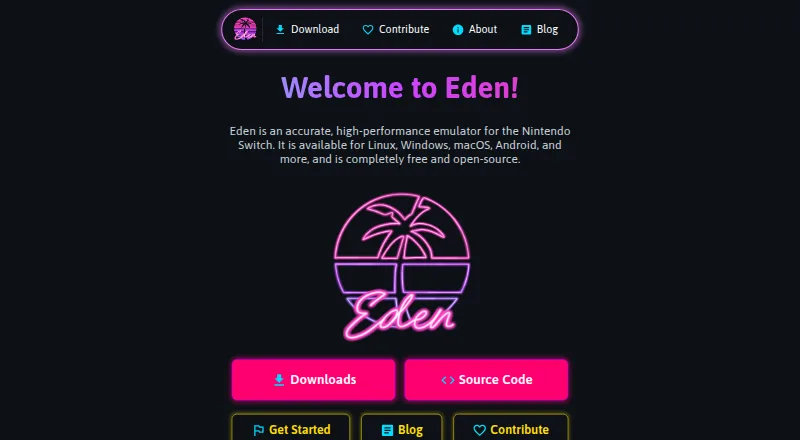
What Eden is
Eden is a free, open-source emulator for Nintendo Switch, with builds for Android, Linux, macOS, and Windows. Listed capabilities include online multiplayer, resolution scaling, motion controls, and Vulkan and OpenGL graphics APIs. The requirements specify Vulkan 1.1 or OpenGL 4.6 at minimum for graphics. Eden offers Stable builds, which receive more thorough testing, and Nightly builds, which are usually updated daily but may contain bugs or incomplete features. The release page says PGO builds generally perform about 10–30% better than standard builds and are generally recommended. Linux packages are AppImages for the relevant architecture; Windows downloads are ZIP files that users extract before launching eden.exe. Android downloads include Standard, Genshin Spoof, and Legacy APK options, with Standard recommended for most users. Android requires a GPU supporting Vulkan 1.1, and most PowerVR and Xclipse GPUs are unsupported. The macOS builds are experimental, with warnings about major graphical glitches and crashes. The site links to setup, requirements, and documentation, and invites bug reports, feature requests, and contributions.
Good
- Available for Android, Linux, macOS, and Windows.
- Includes online multiplayer, resolution scaling, and motion controls.
- Stable and Nightly build channels are offered.
- Free and open-source.
Watch out
- macOS builds are experimental and may crash.
- Most PowerVR and Xclipse Android GPUs are unsupported.
- Nightly builds may contain bugs or incomplete features.
Who it suits
It may suit people seeking a free, open-source Nintendo Switch emulator on a supported platform. Android users should check the stated Vulkan GPU requirement, while macOS users should account for the experimental build status.
Verdict
Eden provides builds across four platforms, with Stable and Nightly release channels and several listed emulator capabilities. Review the graphics requirements first, especially the Android GPU limits and the experimental status of macOS builds.
Plans and prices
From Eden's own pricing page, checked 14 Oct 2026.
| Plan | Price | What it gives you |
|---|---|---|
| Eden | Free | free and open-source Nintendo Switch emulator · Stable and Nightly channels |
The facts
Each one read from Eden's own pages, with the date it was checked.
Where it runs
- Android builds
- Android downloads include Standard, Genshin Spoof, and Legacy APK options; the site recommends Standard for most users.checked 28 Sep 2026
- Android limits
- The requirements page says Android requires a GPU supporting Vulkan 1.1 and that most PowerVR and Xclipse GPUs are unsupported.checked 28 Sep 2026
- Android requirements
- The Android minimum specification lists Snapdragon 865, Tensor G1, Exynos 2200 or Dimensity 8200 class hardware with Vulkan 1.1.checked 14 Oct 2026
- Limit: early Android stability
- The same test reported frequent crashes in heavy games and characterized the tested pre-alpha build as not fully optimized.checked 14 Oct 2026
What it does
- API and extensibility
- The project exposes a Forgejo API endpoint and documents command-line, native-development and testing topics, but no hosted commercial API or SDK offering is described.checked 14 Oct 2026
- Architecture builds
- Release packages include amd64, x86-64 v3, Zen 4 and ARM64 variants, with device-specific Android builds.checked 14 Oct 2026
- Community and contributions
- The contribute page invites users to join Discord, submit bug reports or feature requests, and contribute code or translations.checked 28 Sep 2026
- Controllers
- The Android listing states that physical controllers and customizable on-screen controls are supported.checked 14 Oct 2026
- Developer documentation
- Developer documentation includes native-application debugging guidance and a general build guide.checked 14 Oct 2026
- Distribution incident
- Eden reported that a surge after Tomodachi Life released caused its server to hit 2.5 TB of traffic in four hours, become throttled and achieve only 15% uptime over the following 24 hours.checked 14 Oct 2026
- DMCA pressure
- PC Gamer reported that Eden-related GitHub repositories received Nintendo DMCA notices and that future releases might need distribution directly from Eden.checked 14 Oct 2026
- Documentation
- The user handbook covers setup, settings, controllers, graphics, mods, saves, multiplayer, troubleshooting and platform-specific guides.checked 14 Oct 2026
- Download formats
- Official downloads provide Linux AppImages, Windows ZIP archives, macOS DMG files and Android APKs.checked 14 Oct 2026
- Emulation target
- The project describes Eden as a Switch 1 emulator.checked 14 Oct 2026
- Game library
- The Android listing says Eden scans a chosen folder, adds cover art where available, and supports search and sorting.checked 14 Oct 2026
- Google Play listing
- A Google Play listing titled Eden Emulator Game Player shows 10K+ downloads and identifies its developer as DAR DOUHA rather than the official Eden project.checked 14 Oct 2026
- GPU drivers
- The Android listing says custom GPU drivers can improve frame rate and compatibility on supported devices.checked 14 Oct 2026
- Graphics APIs
- Eden requires Vulkan 1.1 or OpenGL 4.6 at minimum.checked 14 Oct 2026
- Language
- The emulator is written in C++.checked 14 Oct 2026
- Licence
- Eden is licensed under GNU GPL version 3 or any later version.checked 14 Oct 2026
- Limit: input lag
- A Reddit user reported noticeable Android input delay that made platform games feel unplayable despite otherwise working games.checked 14 Oct 2026
The company
- Company attribution
- The site footer reads “© 2026 Utopia LLC/Eden.”checked 28 Sep 2026
- Company identity
- The official site footer identifies the project as Utopia LLC/Eden.checked 14 Oct 2026
Money
- License and cost
- The site says Eden is completely free and open-source.checked 28 Sep 2026
The full review of Eden
Overview
Eden is a free, open-source Nintendo Switch emulator for people who want to run Switch software across desktop and Android devices. Its broad platform reach and graphics options make it worth considering, but hardware compatibility—particularly on Android—and experimental macOS builds are important caveats.
Stable builds suit users who prefer releases that receive more thorough testing; Nightly builds bring more frequent updates at the cost of possible bugs or unfinished features. That choice matters more than a paid-versus-free decision: Eden costs nothing, but getting a suitable build and supported graphics hardware is part of the equation.
Key features
Graphics and controls
Eden supports Vulkan and OpenGL, along with resolution scaling, motion controls, and online multiplayer. Graphics require at least Vulkan 1.1 or OpenGL 4.6. Those minimums narrow compatibility, and Android users face an additional constraint: the GPU must support Vulkan 1.1, while most PowerVR and Xclipse GPUs are unsupported. Check the device's graphics support before choosing Eden for Android.
Release and performance builds
Stable releases are more thoroughly tested, making them the more prudent choice for users who value consistency. Nightly builds are usually updated daily, but may include bugs or incomplete features; they are better suited to users willing to accept that trade-off for newer changes.
The project generally recommends its PGO performance builds, which it says usually run about 10–30% better than standard builds. That makes them the stronger starting point for users prioritizing performance, though the stated gain is not a guarantee for every setup.
Pricing
Eden is free and open-source, with a listed price of no cost. There is no paid tier to unlock the listed emulator capabilities, and no free trial is offered because the software is already free. The trade-off is not a feature cap but compatibility: users still need suitable graphics hardware and should choose a release channel according to their tolerance for bugs.
Platforms
Eden's platforms include Windows, Linux, macOS, Android, and web; its plan specifies Windows, Linux, macOS, and Android. Linux packages are AppImages for the relevant architecture. Windows downloads are ZIP files that users extract before launching eden.exe.
Android users can choose among Standard, Genshin Spoof, and Legacy APKs, with Standard recommended for most. macOS requires particular caution: its builds are experimental, and users should expect major graphical glitches and crashes. That makes Eden a risky primary choice on a Mac compared with its more established desktop targets.
Who it's for
Eden best fits users seeking a no-cost, open-source Switch emulator who have hardware that meets its graphics requirements and are comfortable selecting between Stable and Nightly releases. Android users should first verify Vulkan 1.1 GPU support; most PowerVR and Xclipse devices are poor candidates. Mac users who need dependable graphics and stability should look elsewhere while macOS builds remain experimental.
Users who want setup guidance can turn to the project's Get Started material, system requirements, and documentation. The project also invites community participation through Discord, bug reports, feature requests, code, and translation contributions.
Pros and cons
- Pro: Free and open-source, with no paid plan gating online multiplayer, resolution scaling, or motion controls.
- Pro: Stable and Nightly channels let users prioritize more thorough testing or more frequent updates.
- Pro: PGO builds are generally recommended and usually perform about 10–30% better than standard builds, according to the project.
- Con: Vulkan 1.1 or OpenGL 4.6 is the graphics minimum, limiting compatibility with older or unsupported hardware.
- Con: Android support excludes most PowerVR and Xclipse GPUs, making device selection a significant constraint.
- Con: Experimental macOS builds come with expected major graphical glitches and crashes.
- Con: Nightly releases may contain bugs or incomplete features, so newer updates can mean less dependability.
Alternatives
Nintendo Switch Emulators is the category directory for readers who want to compare emulator options more broadly.
- NeXium is another free, open-source option for Android, Linux, and Windows; choose it if MIT licensing is a priority or you want builds and features that are not paywalled.
- Ruzu is a free, open-source desktop Switch emulator for Windows, macOS, and Linux; it is a closer fit for readers focused on desktop packages.
- Voland is a free option spanning Android, iOS, Linux, macOS, web, and Windows.
- Citron NEO is a free alternative for Android, Linux, macOS, and Windows.
- Nuzu is a free alternative for Android, Linux, macOS, and Windows.
- Ryubing is a free alternative for Linux, macOS, and Windows.
- Ryujinx Classic is an open-source, MIT-licensed emulator written in C#, for Linux, macOS, and Windows.
- Sumi is a free alternative for Windows, Linux, and Android.
Verdict
Eden is a strong candidate for users who want a free, open-source Switch emulator with several listed capabilities and build choices across desktop and Android. Its main reason to choose it is the combination of no-cost access and Stable, Nightly, and PGO builds. Look elsewhere if your Android GPU is unsupported or if you need reliable macOS performance: the graphics limits and experimental Mac status are meaningful constraints.
Getting started
- Open the Eden website and consult its Get Started, System Requirements, or documentation links.
- Choose a Stable or Nightly build for your platform.
- On Windows, extract the ZIP package and launch eden.exe.
- On Linux, use the AppImage package for your architecture.
- On Android, choose an APK; Standard is recommended for most users.
- On macOS, account for the experimental status of the builds.
Limits worth knowing
Graphics support requires Vulkan 1.1 or OpenGL 4.6. On Android, a Vulkan 1.1-capable GPU is required, and most PowerVR and Xclipse GPUs are unsupported.
Questions
Is Eden free?
Yes. Eden is completely free and open-source.
Which platforms does Eden support?
The listed supported platforms are Windows, Linux, macOS, and Android; the website also lists web as a platform.
Which graphics APIs does it support?
Eden lists Vulkan and OpenGL, with Vulkan 1.1 or OpenGL 4.6 required at minimum.
Are there different release types?
Yes. Stable builds are more thoroughly tested. Nightly builds are usually updated daily and may contain bugs or incomplete features.
What Android download should most users choose?
The Android options are Standard, Genshin Spoof, and Legacy APKs. The site recommends Standard for most users.
Who makes Eden?
The site footer reads “© 2026 Utopia LLC/Eden.”
Alternatives to Eden
- 1

GitHub CodeQL
Free planWebExtensionLinuxmacOS7.5From $30 a month - 2
Hydra
Free planOpen sourceWebAPILinuxSelf-hosted7.3Free plan - 3
Pineapple Pictures
Free planOpen sourceLinuxmacOSSelf-hostedWindows7.3Free plan - 4
Ruzu
Free planOpen sourceLinuxmacOSWindows7.2Free plan - 5
MeloNX
Free planOpen sourceiOS7.0Free plan - 6

NeXium
Free planAndroidLinuxWindows6.9Free plan