E-UAE
E-UAE is free, GPL-licensed software that emulates Amiga computers so users can run Amiga software on other systems.
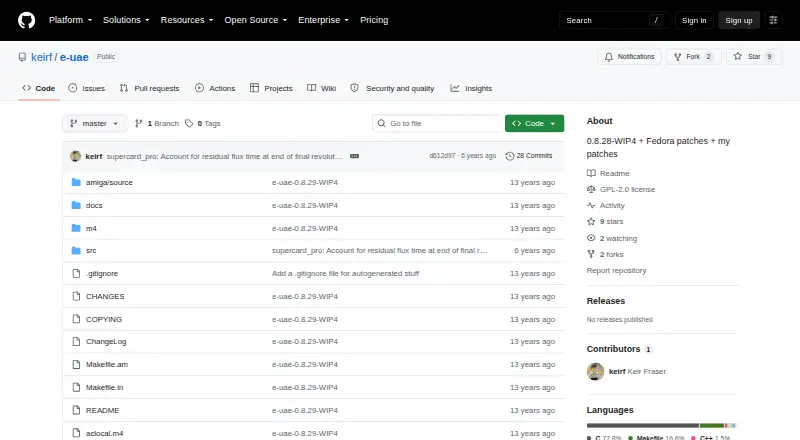
What E-UAE is
E-UAE is free, GPL-licensed software that emulates Amiga computers so users can run Amiga software on other systems. Its listed Amiga models range from 68000-based ECS and AGA machines to CDTV, CD32, 68020, and 68060 systems. It handles ADF, DMS, FDI, and IPF disk images, including gzip- and ZIP-compressed images, and supports save states and hardware acceleration. The project builds for Linux, macOS, Windows, Solaris, BeOS, AmigaOS and clones, MorphOS, and AROS, though features vary by host. Full use requires an Amiga Kickstart ROM image, which is not included; the built-in ROM emulation may work with some older games. In a desktop window, an integrated mouse feature can synchronize the Amiga pointer with the host pointer. An experimental OpenGL renderer is available in the SDL display backend, and uae-configuration can query or modify settings from within emulated AmigaOS. Some features, including serial and parallel port emulation, AHI soundcard emulation, graphics filters and scaling, and floppy drive sounds, are listed as unsupported.
Good
- Supports several Amiga models and disk image formats.
- Provides save states and hardware acceleration.
- Can synchronize Amiga and host pointers in a desktop window.
- Works across a range of host systems.
Watch out
- A Kickstart ROM image is not included.
- Several emulation features are unsupported.
- Mac OS X build is for PowerPC hardware.
- Virtual filesystem can mangle non-ASCII filenames.
Who it suits
E-UAE suits people who want to run Amiga software on a supported host system and have access to a Kickstart ROM image for full use. Its varied host support may also appeal to users working with systems beyond Linux, macOS, and Windows.
Verdict
E-UAE covers a broad range of Amiga models and host systems, but feature availability varies by platform. Check the ROM requirement and unsupported-feature list against the software you intend to run.
Plans and prices
From E-UAE's own pricing page, checked 5 Oct 2026.
| Plan | Price | What it gives you |
|---|---|---|
| E-UAE | Free | Open-source software under the GPL |
The facts
Each one read from E-UAE's own pages, with the date it was checked.
What it does
- Configuration
- Support for the uae-configuration tool lets users query and modify UAE settings from within the emulated AmigaOS environment.checked 5 Oct 2026
- Configuration GUI
- A usable configuration GUI is available only on platforms supporting GTK+, and the GTK+ GUI is described as incomplete.checked 5 Oct 2026
- Display
- An experimental OpenGL renderer is available in the SDL display backend, enabled with the sdl.use_gl=true setting.checked 5 Oct 2026
- Documentation and support
- Documentation is described as work in progress, and the README directs bug reports, comments and patches to a mailing list or Richard Drummond.checked 5 Oct 2026
- Emulation core
- The listed changes include merging the emulation core from WinUAE 1.3.x.checked 5 Oct 2026
- Kickstart ROM requirement
- Full use requires an Amiga Kickstart ROM image; the included ROM emulation may work with some old games, and copyrighted ROMs may not be freely distributed.checked 5 Oct 2026
- Known file system issue
- Its virtual filesystem does not support UTF-8 filename platforms, and filenames with characters outside core ASCII may be mangled.checked 5 Oct 2026
- License
- E-UAE is open-source software made available under the GPL.checked 5 Oct 2026
- Mouse support
- An integrated mouse hack synchronizes the Amiga pointer with the host pointer when E-UAE runs in a desktop window.checked 5 Oct 2026
- Origins
- It is based on UAE and WinUAE and aims to improve performance and features across host platforms.checked 5 Oct 2026
- Purpose
- E-UAE emulates Amiga computers so users can run Amiga software on other platforms.checked 5 Oct 2026
- Supported hosts
- The project says it builds and runs, with varying feature support, on Unix-like systems including Linux, Solaris and Mac OS X, BeOS, AmigaOS and clones, and Windows with Cygwin or MinGW32.checked 5 Oct 2026
- Unsupported features
- The project lists serial and parallel port emulation, AHI soundcard emulation, Catweasel support, graphics filters and scaling, and floppy drive sounds as unsupported.checked 5 Oct 2026
Where it runs
- Known platform limit
- The README says the Mac OS X version is for PowerPC hardware, while pointing Intel Mac users to separate builds.checked 5 Oct 2026
The full review of E-UAE
Overview
E-UAE is a free, GPL-licensed emulator for running Amiga software on other systems. It suits people who want broad Amiga model and disk-image coverage and are comfortable supplying a ROM and working around platform-specific limits. Its range is useful, but unsupported peripherals and incomplete setup tools narrow its appeal.
Key features
E-UAE emulates configurations spanning 68000-based ECS systems, ECS with Fat Agnus, AGA, CDTV, CD32, 68020 and 68060. It handles ADF, DMS, FDI and IPF disk images, including gzip- and ZIP-compressed images, and supports save states. That combination serves users with varied Amiga software collections and a need to select among several hardware configurations.
The core incorporates changes from WinUAE 1.3.x. In desktop-window mode, an integrated mouse hack synchronizes the Amiga pointer with the host pointer, a practical aid for pointer-driven software. An experimental OpenGL renderer is available through the SDL display backend using sdl.use_gl=true; because it is experimental, it is a less compelling option when dependable graphics behavior is the priority.
The uae-configuration tool can query and change UAE settings from inside emulated AmigaOS. A graphical configuration tool is available only on GTK+-supporting platforms, and the GTK+ interface is incomplete, so users should expect to configure without a finished GUI.
Full use requires an Amiga Kickstart ROM image. The included ROM emulation may run some older games, but it is not a substitute for a ROM when broader compatibility matters; copyrighted ROMs may not be freely distributed.
Pricing
E-UAE costs free. The free plan is open-source software under the GPL, with no paid tier or trial. It does not include a Kickstart ROM, so users must provide one for full use.
Platforms
E-UAE is associated with Linux, macOS and Windows, and the project also describes builds for Solaris, BeOS, AmigaOS and clones. Feature support varies across hosts. The Mac OS X version is for PowerPC hardware; Intel Mac users are directed to separate builds. Its virtual filesystem does not support UTF-8 filename platforms, so names containing characters outside core ASCII may be mangled.
Several features are unsupported: serial and parallel port emulation, AHI soundcard emulation, Catweasel support, graphics filters and scaling, and floppy drive sounds. Users who depend on any of these should look elsewhere. Documentation remains a work in progress, and bug reports, comments and patches are directed to a mailing list or Richard Drummond.
Who it's for
E-UAE is best suited to Amiga enthusiasts who already have a Kickstart ROM, want to run software across a range of Amiga configurations, and can tolerate differences between host platforms. Its broad model and disk-image support is useful; the incomplete GUI, evolving documentation and missing peripheral and display features make it a weaker fit for newcomers seeking a polished, self-contained setup.
Pros and cons
- Pro: Covers a wide set of Amiga configurations and four disk-image formats, including compressed images, which helps when working with varied software collections.
- Pro: Save states and host-pointer synchronization support practical desktop use.
- Con: Full use depends on a separately supplied Kickstart ROM, and copyrighted ROMs may not be freely distributed.
- Con: The GTK+ configuration GUI is incomplete and not available on every platform.
- Con: Missing peripheral emulation, graphics filters and scaling, and floppy sounds rule out some use cases; non-ASCII filenames can also be corrupted by the virtual filesystem.
Alternatives
Amiga Emulators is the category directory for comparing more options. Choose Damisoft Amiga Emulator if browser access matters; it is free across Linux, macOS, web and Windows, and requires a Kickstart ROM. Amiberry is another free, GPLv3 Amiga emulator, with Android support alongside Linux, macOS and Windows.
FS-UAE is a free, open-source emulator for Linux, macOS and Windows, with optional donations. Meta Amiga Emulator is free and open source for the same desktop platforms, but it is pre-alpha and has no emulator to run yet. UAE4ALL2 Mod is the platform-specific choice for Android and iOS users.
Jammy is free MIT-licensed software for Linux and Windows. Amigo — Amiga Emulator is free on iOS and macOS, with no ads or accounts, and requires users to bring their own Kickstart ROM and disks. Buddi is budgeting software rather than an Amiga emulator, so it is not a substitute for running Amiga programs.
Verdict
Choose E-UAE if you want a free emulator with broad Amiga model and disk-image support and can supply a Kickstart ROM. Its main advantage is that range; look elsewhere if you need reliable support for the features it omits, a complete graphical configuration tool, or a smoother introduction to Amiga emulation.
Alternatives to E-UAE
- 1

Damisoft Amiga Emulator
Free planWebLinuxmacOSWindows6.8Free plan - 2
Amiga Forever
AndroidiOSLinuxmacOS6.6$19.95 one-time - 3
Meta Amiga Emulator
Free planLinuxmacOSWindows6.6Free plan - 4
UAE4ALL2 Mod
Free planAndroidiOS6.6Free plan - 5
Amiberry
Free planAndroidLinuxmacOSWindows6.4Free plan - 6
Jammy
Free planLinuxWindows6.4Free plan