
Dubbing AI
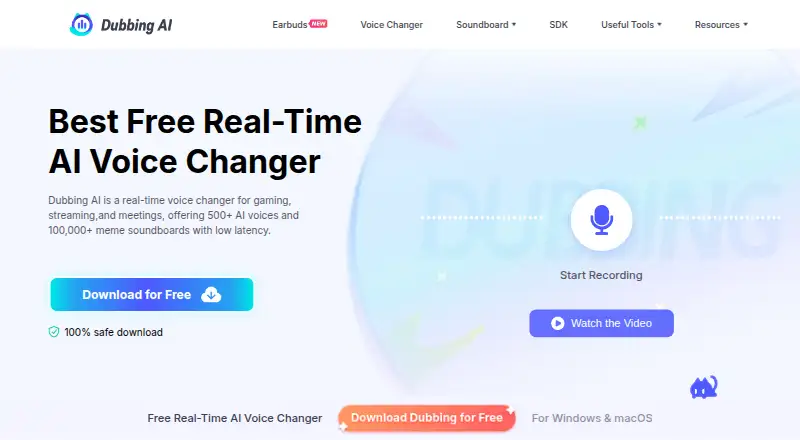
Dubbing AI changes a user's voice in real time for gaming, streaming, and meetings.
What Dubbing AI is
Dubbing AI changes a user's voice in real time for gaming, streaming, and meetings. It works as a virtual microphone with apps including Discord, Zoom, OBS, Streamlabs, and games. The service advertises more than 500 AI voices, with new voices refreshed weekly, and includes a soundboard where users can upload and share custom sounds. Users can also upload a short sample to clone a voice. Dubbing AI describes voice transformation latency as under 300 milliseconds. Its voice changer page says microphone audio is transformed on-device and is not stored or shared; only the output leaves the device. The free plan rotates at least 10 voices daily, while a subscription unlocks all voice characters. An email-registered account is required. Listed support includes Windows 10 or higher, macOS 10.13 or higher, iOS 15.0 or newer, and Android OS 8.0 or above; Windows does not require a GPU. A free trial is available. SDK pricing is tailored and provided after requesting a demo.
Good
- Works with Discord, Zoom, OBS, and Streamlabs.
- Includes a soundboard and custom sound sharing.
- Supports uploading a sample to clone a voice.
- Microphone audio is transformed on-device, according to its page.
Watch out
- Free access rotates at least 10 voices daily.
- An email-registered account is required.
- SDK pricing requires requesting a demo.
Who it suits
Dubbing AI suits people who want voice effects in games, streams, or meetings, including users of its listed virtual-microphone apps. It may also suit users who want a soundboard or custom voice cloning, provided they register by email.
Verdict
Dubbing AI combines live voice changing, soundboard tools, and a rotating free voice selection across desktop and mobile platforms. Users seeking all voice characters need a subscription, and SDK pricing requires a demo request.
Plans and prices
From Dubbing AI's own pricing page, checked 28 Sep 2026.
| Plan | Price | What it gives you |
|---|---|---|
| Free | Free | At least 10 voices rotate daily · subscription unlocks all voice characters |
The facts
Each one read from Dubbing AI's own pages, with the date it was checked.
What it does
- Account requirement
- The homepage says users need to register an account by email to use the voice changer.checked 28 Sep 2026
- Desktop requirements
- The download page lists Windows 10 or higher with no GPU required, and macOS 10.13 or higher.checked 28 Sep 2026
- Integrations
- It works as a virtual microphone with apps including Discord, Zoom, OBS, Streamlabs, and games.checked 28 Sep 2026
- Live performance
- The site describes voice transformation with latency under 300 milliseconds.checked 28 Sep 2026
- Mobile requirements
- The download page lists iOS 15.0 or newer and Android OS 8.0 or above.checked 28 Sep 2026
- Privacy
- The voice changer page says microphone audio is transformed on-device and is not stored or shared; only the output leaves the device.checked 28 Sep 2026
- Product
- Dubbing AI is a real-time voice changer for gaming, streaming, and meetings.checked 28 Sep 2026
- SDK pricing
- The SDK page says to request a demo to receive a tailored pricing plan.checked 28 Sep 2026
- Soundboard
- The product includes a soundboard and lets users upload and share custom sounds through its community sound feature.checked 28 Sep 2026
- Voice cloning
- The voice changer page says users can upload a short sample to clone a voice.checked 28 Sep 2026
- Voice library
- The site advertises more than 500 AI voices, with new voices refreshed weekly.checked 28 Sep 2026
Money
- Free access limit
- The homepage says at least 10 voices rotate daily for free, and also describes five Daily MysteryBox voices plus 15 others that switch weekly.checked 28 Sep 2026
The company
- Headquarters
- Singaporechecked 23 Sep 2026
The full review of Dubbing AI
Overview
Dubbing AI is a real-time voice changer for people who want character voices and sound effects in games, streams, or meetings. Its broad voice library and custom-sound tools make it a strong fit for regular live use, but the free tier’s rotating selection is a poor match for anyone who needs the same voice reliably.
It routes transformed audio to other apps as a virtual microphone, and the company describes latency under 300 milliseconds. That focus on live use sets it apart from tools aimed primarily at editing recorded audio.
Key features
Voices, soundboard, and customization
Dubbing AI advertises more than 500 AI voices, with new choices refreshed weekly. The library’s breadth suits users who like to change characters, while the soundboard and community feature for uploading and sharing custom sounds give streamers and gamers another way to vary live audio. Custom voice creation is also supported; the voice changer page says a short uploaded sample can be used to clone a voice.
Free access is less predictable: at least 10 voices rotate daily, and the homepage also describes five Daily MysteryBox voices and 15 others that change weekly. That can serve casual experimentation, but users who need a specific character consistently have to subscribe to unlock all voice characters.
Live routing and privacy
Dubbing AI works as a virtual microphone with Discord, Zoom, OBS, Streamlabs, and games. This makes it relevant for both communication and streaming rather than only standalone voice playback. The advertised latency target is useful for live conversation, though it does not establish how performance will feel on every setup.
The voice changer page says microphone audio is transformed on-device and is not stored or shared; only the output leaves the device. Users must register with an email account before using the voice changer, so the privacy claim does not mean the service is account-free.
Pricing
The Free plan costs nothing and provides at least 10 rotating voices daily. It is the sensible starting point for occasional use or trying the live workflow, but it does not unlock all voice characters; a subscription is required for the full selection. No subscription price is given, so treat the paid tier as custom pricing.
The SDK has custom pricing: Dubbing AI asks prospective users to request a demo for a tailored plan. That makes it an option for teams evaluating integration, but not one buyers can budget from a published rate.
Platforms
Dubbing AI supports Windows, macOS, iOS, and Android. The download page specifies Windows 10 or higher with no GPU required, macOS 10.13 or higher, iOS 15.0 or newer, and Android OS 8.0 or above. The no-GPU requirement broadens its desktop appeal, while the stated minimum versions give mobile users a clear compatibility check.
Who it's for
Dubbing AI is best suited to gamers, streamers, and meeting participants who want live voice transformation, a large changing character library, and soundboard tools in one product. It is less suitable for someone who needs a fixed voice at no cost, or who will not register an email account. Teams considering an SDK should expect a demo-request process and custom pricing.
Pros and cons
- Pro: More than 500 advertised voices, refreshed weekly, offer substantial variety for users who change characters often.
- Pro: Virtual-microphone routing works with named communication and streaming apps as well as games, supporting live use across several contexts.
- Pro: On-device transformation and the stated no-storage/no-sharing approach address a relevant concern for microphone users.
- Con: Free voices rotate, and all characters require a subscription, so free users cannot count on keeping a preferred option.
- Con: Email registration is required before using the voice changer, adding an account step for anyone who wants to try it.
- Con: SDK pricing requires a demo request, which leaves prospective integrators without an immediate price to compare.
Alternatives
Consider Voice.ai if a monthly 5k-credit allowance, text to speech, online voice changing, and audio tools with a five-minute conversion are a better fit. Choose iMyFone MagicMic if five free voices daily and basic sound effects and voice memes suit your needs. BadloVoice is another free option.
Altered Real-Time Pro may suit users whose needs align with 20 minutes of daily processing, speech-enhancement models, daily voice skins, and multi-seat account management. Pick FineShare VoiceTrans if five daily voice effects, unlimited community effects, 10 custom voices, and limited soundboard effects fit better. AI Voice Changer is another free option. HitPaw VoicePea Audio Enhancer and W-Okada Voice Changer are also alternatives.
Browse the Game Voice Changers category to compare more options.
Verdict
Choose Dubbing AI if you want a live voice changer that combines a large character library, custom-sound tools, and routing into games, calls, and streaming apps. Its clearest advantage is the range of ways to use voice effects live; look elsewhere if you need a dependable free voice selection or want SDK pricing before requesting a demo.
Alternatives to Dubbing AI
- 1
Voice.ai
Free planAndroidiOSWebAPI8.3From $5 a month - 2
BadloVoice
Free planOpen sourceAndroidiOSWebAPI7.9Free plan - 3

FineVoice AI Voice Changer
Free planWebAPImacOSWindows7.8Free plan - 4
EaseUS VoiceWave
Free planAndroidiOSWebWindows7.6From $24.97 a year - 5
iMyFone MagicMic
Free planAndroidiOSmacOSWindows7.5From $45.99 a year - 6
FineShare VoiceTrans
Free planiOSWebmacOSWindows7.4$5.99 one-time