DriverMax
DriverMax scans Windows PCs for devices with newer drivers and shows reports on how driver packages performed on other machines.
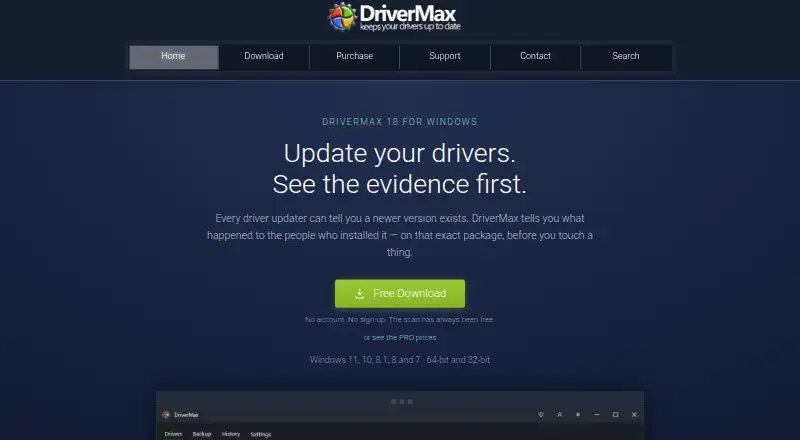
What DriverMax is
DriverMax scans Windows PCs for devices with newer drivers and shows reports on how driver packages performed on other machines. Its catalogue covers more than 2,300,000 devices. Before installation, it archives the existing driver and creates a Windows restore point; it can also back up and restore drivers. Driver matching considers hardware and compatible IDs, driver date, declared operating system, and performance reports. Driver packages are checked for threats and signatures, and the app shows which packages are signed before installation. Scheduled background scans are available in both Free and PRO. The free version allows two driver installations per day and ten per month, while PRO removes that limit. DriverMax 18 supports Windows 11, 10, 8.1, 8, and 7 in 32-bit and 64-bit editions, as well as corresponding Windows Server editions. The free plan includes scanning and driver backup and restore. During scanning, hardware identifiers leave the PC for driver lookup.
Good
- Archives existing drivers and creates a restore point.
- Scans packages for threats and checks signatures.
- Scheduled background scans are included in Free and PRO.
- Supports Windows 7 through 11 and corresponding Server editions.
Watch out
- Free use is limited to two installs daily and ten monthly.
- Hardware identifiers are sent off the PC for lookup.
- Listed plans limit use to one computer, except unlimited-PC options.
Who it suits
DriverMax suits Windows PC users who want to locate, install, back up, and restore drivers. The free plan may suit users who can work within its monthly and daily installation limits.
Verdict
DriverMax combines driver lookup with backup and rollback tools for Windows systems. The free installation cap and transmission of hardware identifiers are important considerations; paid plans remove the install limit.
Plans and prices
From DriverMax's own pricing page, checked 3 Oct 2026.
| Plan | Price | What it gives you |
|---|---|---|
| 30 days | $4.95 a month | Unlimited driver installs · one computer · billed monthly |
| 1 year | $10.39 a year | Unlimited driver installs · one computer · billed once a year |
| 2 years | $18.95 a year | Unlimited driver installs · one computer · billed every two years |
| Free | Free | Scan without limit · 2 driver installs/day, 10/month · backup and restore drivers |
| Lifetime | $29.80, paid once | Unlimited driver installs · one computer · no renewal · billed once, ever |
| Lifetime, unlimited PCs | $270, paid once | Unlimited driver installs · unlimited PCs · one payment, no renewal |
The facts
Each one read from DriverMax's own pages, with the date it was checked.
What it does
- Backups and rollback
- Before installation, DriverMax archives the existing driver and creates a Windows restore point; it also backs up and restores drivers.checked 3 Oct 2026
- Data sent for lookup
- During scanning, the list of hardware identifiers leaves the PC so DriverMax can look up drivers.checked 3 Oct 2026
- Driver catalogue
- The product page states that DriverMax covers more than 2,300,000 devices.checked 3 Oct 2026
- Driver selection
- Driver matching uses hardware and compatible IDs, driver date, declared operating system, and reports of the package's performance on other machines.checked 3 Oct 2026
- Driver updates
- Yeschecked 20 Sep 2026
- Installer integrity
- The download page says each release publishes its version, filename, size, and SHA-256 checksum in a JSON file.checked 3 Oct 2026
- Payment handling
- Checkout is handled by 2Checkout, and DriverMax says card details never touch its servers.checked 3 Oct 2026
- Product
- DriverMax scans Windows PCs for devices with newer drivers and shows how each driver performed for other users.checked 3 Oct 2026
- Refund guarantee
- The pricing page states that purchases have a 30-day money-back guarantee.checked 3 Oct 2026
- Restore-point tools
- Yeschecked 20 Sep 2026
- Scheduled maintenance
- Yeschecked 20 Sep 2026
- Scheduled scans
- Scheduled background scans are included in both Free and PRO.checked 3 Oct 2026
- Security checks
- Driver packages are scanned for threats and their signatures are checked, and the app shows which packages are signed before installation.checked 3 Oct 2026
- Support
- Users can contact support from inside the app, where the form can send an application log and Windows details that users can review and untick before sending.checked 3 Oct 2026
Where it runs
- Device limit
- 1checked 20 Sep 2026
- Windows compatibility
- DriverMax 18 supports Windows 11, 10, 8.1, 8, and 7 in 32-bit and 64-bit editions, plus corresponding Windows Server editions.checked 3 Oct 2026
- Windows support
- windows 10 and 11checked 20 Sep 2026
Money
- Free plan
- Yeschecked 20 Sep 2026
- Notable free limit
- The free version allows two driver installs per day and ten per month; PRO removes this install limit.checked 3 Oct 2026
The full review of DriverMax
DriverMax is a Windows driver updater with tools for backing up and restoring drivers. It is most compelling for someone maintaining one PC who wants scheduled scans and a recovery option without paying just to check for updates. Its free installation quota is restrictive, and its driver lookup sends hardware identifiers off the PC.
Overview
DriverMax scans a Windows PC for devices with newer drivers, drawing on a catalogue that covers more than 2,300,000 devices. Its matching considers hardware and compatible IDs, driver date, declared operating-system support and reports of package performance on other machines. Those signals offer useful context for choosing an update, but do not remove the need to judge whether a proposed driver is right for the system.
Before installation, the app archives the current driver and creates a Windows restore point. It can also back up and restore drivers, giving users a way to recover if an update causes trouble. The privacy trade-off is direct: hardware identifiers leave the PC during scans so DriverMax can look up drivers.
Key features
Updates, scans and recovery
DriverMax supports driver updates and scheduled maintenance. Scheduled background scans are included with both Free and PRO, so the paid plan is not necessary just to have the app check for newer drivers. Free allows two driver installations per day and ten per month; PRO removes that cap. That is workable for occasional upkeep, but a poor fit for a batch of outdated devices.
Package checks and support
Driver packages are scanned for threats and their signatures are checked; the app shows which packages are signed before installation. The download page also publishes each release’s version, filename, size and SHA-256 checksum in a JSON file, a useful integrity reference for users who verify downloads.
Support contact is available inside the app. Its form can include an application log and Windows details, which users can review and untick before sending. Checkout is handled by 2Checkout, and DriverMax says card details never reach its own servers.
Pricing
DriverMax has a free plan and paid plans from $4.95/mo. There is no free trial, and purchases carry a 30-day money-back guarantee.
- Free: free. Unlimited scanning, backup and restore, and two installs per day with a ten-per-month cap. Best for occasional checks on one PC; the install quota is the main drawback.
- 30 days: $4.95 a month, billed monthly, for unlimited installs on one computer. This is the lowest-commitment paid option for a concentrated update job.
- 1 year: $10.39 a year, billed once a year, for unlimited installs on one computer. It suits ongoing use if an annual billing cycle is acceptable.
- 2 years: $18.95 a year, billed every two years, for unlimited installs on one computer. It lowers the stated yearly price, but commits the buyer to a two-year billing interval.
- Lifetime: $149 a month, billed once ever, for one computer at a time. This is a one-time purchase for a single-PC user rather than a multi-PC household.
- Lifetime, unlimited PCs: $270 a month, one payment with no renewal, for unlimited PCs. It is the plan for users managing more than one computer.
Every paid plan removes the installation limit, while the listed plans differ in billing interval and number of computers. The free plan keeps scans and backup tools but is not practical for frequent bulk updates.
Platforms
DriverMax is for Windows. Version 18 supports Windows 11, 10, 8.1, 8 and 7 in 32-bit and 64-bit editions, as well as corresponding Windows Server editions. The stated Windows support includes Windows 10 and 11.
Who it's for
DriverMax suits Windows users who want more than a scan-and-update prompt: scheduled checks, driver backups, restore points and rollback tools are all part of the package. Free makes sense for a user installing only a few drivers now and then. A paid plan is more appropriate when regular updates or a larger repair job would run into the monthly free cap.
It is less suited to users who do not want hardware identifiers transmitted for lookup, or who need a paid licence covering several computers at a lower tier: the standard paid offers are for one computer, and unlimited PCs is reserved for the $270.00 lifetime option.
Pros and cons
- Pro: Backups, restore points and driver restoration provide a recovery route if an installation creates problems.
- Pro: Scheduled scans are included in Free as well as PRO, so monitoring does not require an upgrade.
- Pro: Matching uses several signals, including compatibility, driver date and user performance reports, rather than identifiers alone.
- Con: Free is capped at ten installs per month, limiting its usefulness for a broad update session.
- Con: Hardware identifiers leave the PC during scans, which may rule it out for privacy-conscious users.
- Con: Most paid plans cover just one computer; unlimited-PC coverage requires the lifetime plan.
Alternatives
For driver-focused options, DriverFinder has one-PC and three-PC paid plans, while DriverHub offers a free plan with driver search, updates, automatic restore points and downloads. DriverPack Solution is a free Windows option with online and offline driver packages. If the need is limited to AMD hardware, the AMD Auto-Detect and Install Tool is free and targets supported AMD Radeon graphics or Ryzen chipsets on qualifying Windows versions.
Driver Genius is another Windows freemium choice, with its free edition covering driver updates, backup and restore, offline updates and hardware information. Driver Talent X has a free plan for driver detection, updates, uninstall, backup and restore. For a different maintenance task, IObit Uninstaller is a Windows freemium app for batch uninstalling apps and cleaning leftovers, not a driver updater. Readers comparing more options can browse Driver Updater Software, Game Driver Updaters or PC Optimization Software.
Verdict
DriverMax is a sensible choice for a single Windows PC when scheduled driver checks and practical rollback tools matter more than keeping lookup data on-device. Its free plan is enough for light maintenance, but the ten-install monthly cap makes paid service the realistic choice for heavier updating. Look elsewhere if transmitting hardware identifiers is unacceptable or if you need multi-PC coverage without the lifetime price.
Getting started
- Open the DriverMax website
- Choose the Free plan or a paid billing option
- Download and install DriverMax for Windows
- Run a hardware scan
- Review driver reports and signing information
- Install selected drivers with the restore point created beforehand
Limits worth knowing
The Free plan permits two driver installs per day and ten per month, although scans are unlimited. PRO removes this installation limit; several listed plans cover one computer.
Questions
Is there a free plan?
Yes. The Free plan costs nothing and includes unlimited scanning, driver backup and restore.
How much do paid plans cost?
Paid options include $4.95 a month, $10.39 a year, $18.95 a year for a two-year term, $149 a month for Lifetime, and $270 a month for Lifetime, unlimited PCs.
Which Windows versions are supported?
DriverMax 18 supports Windows 11, 10, 8.1, 8 and 7 in 32-bit and 64-bit editions, plus corresponding Windows Server editions.
What limits apply to the free plan?
Scanning is unlimited, but installations are limited to two per day and ten per month.
Does DriverMax create recovery safeguards?
Yes. It archives the existing driver and creates a Windows restore point before installation, and it can back up and restore drivers.
Is there a refund guarantee?
The pricing page states a 30-day money-back guarantee for purchases.
Alternatives to DriverMax
- 1

CCleaner
Free planAndroidiOSmacOSWindows8.1From $44.95 a year - 2
Driver Genius
Free planWindows7.4Free plan - 3

Driver Talent X
Free planWindows6.9From $19.95 a year - 4

DriverPack Solution
Free planWindows6.8Free plan - 5
Driver Booster
Windows6.7 - 6
DriverHub
Free planWindows6.7Free plan