dprint
dprint is a command-line application that automatically formats code.
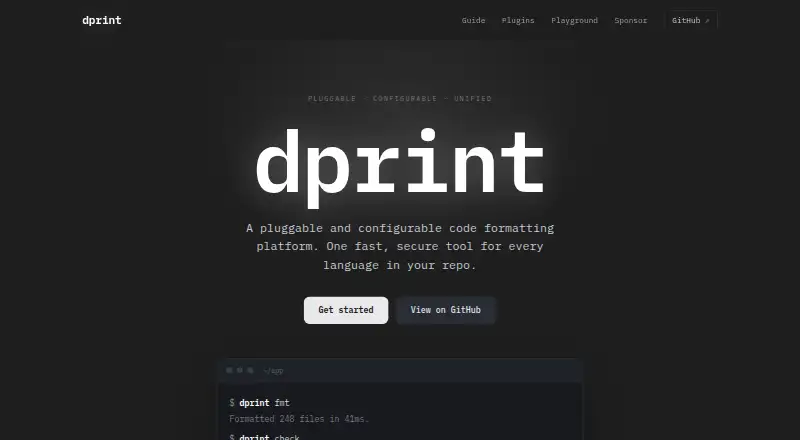
What dprint is
dprint is a command-line application that automatically formats code. Built with Rust and WebAssembly, it provides a configurable, pluggable formatting system for languages and formats including TypeScript, JavaScript, JSON, Markdown, CSS, Python, Go, Swift, GraphQL, and YAML. Projects use dprint configuration files to define plugins, formatting rules, included files, and exclusions. Plugins can be loaded from a URL or file path and pinned or versioned. The project says dprint can format hundreds of files in milliseconds and uses incremental caching by default. WebAssembly plugins run in a sandbox without network or file-system access, while process plugins are executable files and are not sandboxed. Editor integrations are listed for Visual Studio Code, IntelliJ, and Neovim; the language-server command can be used by other editors. The CLI is distributed as a static binary without runtime dependencies and can be installed through several package and tool managers. CI integrations include GitHub Action, GitLab, and generic use through dprint check. dprint is MIT-licensed, open source, and free.
Good
- Supports a wide range of languages and formats
- Incremental caching is enabled by default
- Wasm plugins lack network and file-system access
- Editor and CI integrations are documented
- MIT-licensed and free
Watch out
- Process plugins are not sandboxed
- Formatting configuration uses dprint-specific files
Who it suits
dprint suits developers who want configurable automated formatting in command-line, editor, or CI workflows. Teams should distinguish sandboxed WebAssembly plugins from executable process plugins.
Verdict
dprint offers a configurable formatter with broad language coverage and documented editor and CI integrations. Its plugin security differs by type, so take that distinction into account when selecting plugins.
Plans and prices
From dprint's own pricing page, checked 30 Sep 2026.
| Plan | Price | What it gives you |
|---|---|---|
| Open source dprint | Free | MIT-licensed CLI · self-managed installation |
The facts
Each one read from dprint's own pages, with the date it was checked.
What it does
- Architecture
- dprint is a pluggable and configurable code-formatting platform built with Rust and WebAssembly.checked 30 Sep 2026
- CI integrations
- The project documents a GitHub Action, a GitLab integration and generic CI usage through dprint check.checked 30 Sep 2026
- Configuration
- Projects use dprint.json, dprint.jsonc, .dprint.json or .dprint.jsonc files to define plugins, formatting settings, includes and excludes.checked 30 Sep 2026
- Editor integrations
- The installation guide lists Visual Studio Code, IntelliJ and Neovim integrations, with the dprint language-server command usable by other editors.checked 30 Sep 2026
- Extensibility
- Plugins can be loaded from a URL or file path and pinned or versioned in configuration.checked 30 Sep 2026
- Installation
- The CLI is distributed as a single static binary with no runtime dependencies and can be installed via shell, PowerShell, Scoop, Homebrew, Cargo, npm, uv, mise, asdf or Arch Linux.checked 30 Sep 2026
- Language coverage
- Official and wrapper plugins support languages and formats including TypeScript, JavaScript, JSON, Markdown, TOML, CSS, Dockerfile, C#, Python, Go, Swift, GraphQL, YAML, PHP, LaTeX, R and Julia.checked 30 Sep 2026
- License
- The dprint GitHub repository is marked MIT licensed.checked 30 Sep 2026
- Performance
- The site says dprint formats hundreds of files in milliseconds and uses incremental caching by default.checked 30 Sep 2026
- Plugin limitation
- Process plugins are executable files and do not run sandboxed.checked 30 Sep 2026
- Purpose
- dprint is a command-line application that automatically formats code.checked 30 Sep 2026
- Security
- Wasm plugins run sandboxed without access to the network or file system.checked 30 Sep 2026
- Support
- The official contact page directs users to email [email protected].checked 30 Sep 2026
The full review of dprint
dprint is a configurable, plugin-based command-line formatter built for teams that want one tool to handle many languages and formats. It suits developers who are comfortable managing project configuration and integrating a CLI into their editors or CI. Its breadth and sandboxed WebAssembly plugins are appealing, but executable process plugins carry a different security trade-off.
Overview
dprint is an open-source code-formatting platform built with Rust and WebAssembly. Projects configure it through dprint.json, dprint.jsonc, .dprint.json or .dprint.jsonc files, which define plugins, formatting settings, and included or excluded files. Plugins can be loaded from a URL or file path and pinned or versioned in configuration, giving teams control over what their projects use.
The project says it can format hundreds of files in milliseconds and enables incremental caching by default. That design makes it a strong fit for repeat formatting in larger codebases, though the practical value depends on a team’s project and workflow. Its plugin architecture is flexible, but plugin type matters: WebAssembly plugins are sandboxed from network and file-system access, while process plugins are executable files and do not run sandboxed.
Key features
- Broad language coverage: Official and wrapper plugins cover TypeScript, JavaScript, JSON, Markdown, TOML, CSS, Dockerfile, C#, Python, Go, Swift, GraphQL, YAML, PHP, LaTeX, R and Julia, among other languages and formats. This makes dprint useful for mixed-language repositories that would otherwise need several formatters.
- Editor support: Installation guidance covers Visual Studio Code, IntelliJ and Neovim. The dprint language-server command can also be used with other editors, so support is not limited to those three.
- CI workflows: Documented options include a GitHub Action, a GitLab integration and generic CI use through dprint check. Teams can incorporate formatting checks into different build environments.
- Flexible installation: The CLI is a static binary with no runtime dependencies. Installation options include shell, PowerShell, Scoop, Homebrew, Cargo, npm, uv, mise, asdf and Arch Linux, offering multiple routes to fit existing developer setups.
- Project-level controls: Configuration supports ignore files, changed-lines formatting and a library API, in addition to settings and include or exclude patterns. These options help teams fit formatting into established workflows rather than treating every run as an all-files rewrite.
Pricing
Open source dprint — free. The free offering is an MIT-licensed CLI with self-managed installation. There is no paid plan or free trial to weigh against it; users install and maintain the tool themselves. That is a good fit for individuals and teams able to own their formatter setup, but not for buyers seeking a managed service or a paid support tier within the stated offering.
Platforms
dprint supports Windows, macOS, Linux and WSL, as well as Node.js and Deno environments. It is also available as an editor extension and can be self-hosted. The combination of a standalone CLI and editor integrations makes it adaptable to local development and CI rather than tied to one operating system or editor.
Who it's for
dprint is best for developers and teams working across several languages who want a single configurable formatter, project-pinned plugins and documented CI paths. Its installation choices and editor support suit teams with varied environments. Those unwilling to manage a CLI or assess plugin security should look elsewhere, particularly if their workflow relies on process plugins that lack sandboxing.
Pros and cons
- Pro: Broad language and format coverage can reduce the number of separate formatting tools a mixed-language project needs.
- Pro: Wasm plugins run without network or file-system access, a meaningful boundary for teams choosing sandboxed extensions.
- Pro: Multiple installation methods, editor integrations and documented CI options make it practical across diverse development setups.
- Con: Process plugins are executable files without sandboxing, so plugin selection requires more care than the Wasm security model alone might suggest.
- Con: The free CLI is self-managed, which leaves installation and maintenance to the user rather than providing a managed plan.
Alternatives
Code Formatting Tools offers a broader category view. Among specific alternatives, Prettier is another free formatter, with platform support spanning API, extensions, Linux, macOS, web and Windows; its enterprise support and maintenance are offered through Tidelift Subscription. Consider it when those platform options or that support route better suit your needs.
Black is a free MIT-licensed Python formatter. Choose it when Python is the focus rather than dprint’s cross-language plugin approach. Biome is a free open-source toolchain for web projects, making it a relevant alternative for web-focused work.
Ruff is another free option; its maker describes its tools as high-performance, open-source and permissively licensed for the Python ecosystem. It is the alternative to consider when that Python-tooling focus is a better match. clang-format is also available as a free formatter for readers comparing other options.
CSharpier offers free, opinionated formatting for C# and XML and installs as a .NET tool, so it is a focused choice for those formats. rustfmt is free and has no paid plans stated. PHP CS Fixer is free and supports PHP 7.4–8.5, making it a focused alternative for PHP projects.
Verdict
dprint is a strong choice for developers who want a free, configurable formatter spanning many languages, with editor and CI integrations that support real project workflows. Its broad coverage and project-level plugin controls are the main reasons to choose it. Look elsewhere if you need a managed offering, or if the lack of sandboxing for process plugins is unacceptable for your security requirements.
Alternatives to dprint
- 1

Prettier
Free planOpen sourceWebAPIExtensionLinux7.5Free plan - 2
Avidemux
Free planOpen sourceWebLinuxmacOSWindows7.3Free plan - 3
Fourmolu
Free planWebLinuxWindows6.7Free plan - 4
rustfmt
Free planLinuxmacOSWindows6.6Free plan - 5
Black
Free planLinuxmacOSSelf-hostedWindows6.5Free plan - 6

Ruff
Free planWebLinuxmacOSSelf-hosted6.5Free plan