
Biome
Biome is a toolchain for maintaining the health of web projects.
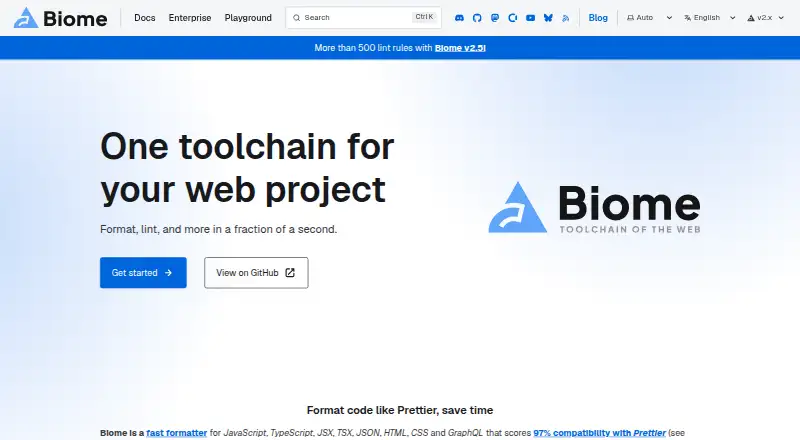
What Biome is
Biome is a toolchain for maintaining the health of web projects. It formats JavaScript, TypeScript, JSX, TSX, JSON, HTML, CSS, and GraphQL, and provides lint rules for JavaScript, TypeScript, JSX, CSS, and GraphQL with diagnostics and safe fixes. Its check command can format, lint, and organize imports in one run. Biome is a standalone executable, so it does not require Node.js. Installation instructions cover npm, pnpm, bun, deno, and yarn. First-party extensions are available for VS Code, IntelliJ, and Zed; community extensions include Vim, Neovim, and Sublime Text. The getting-started guide links to CI integrations for GitHub Actions and GitLab CI. The project describes itself as open source and offers MIT or Apache 2.0 licensing. The open-source toolchain is free. Contributors may offer commercial support, with requests depending on their availability.
Good
- Formats eight listed web languages and formats.
- Check combines formatting, linting, and import organization.
- Standalone executable does not require Node.js.
- Free, open-source toolchain with two license options.
Watch out
- Commercial support depends on contributor availability.
Who it suits
Biome suits web project teams looking for formatting, linting, and import organization in a single toolchain. Its standalone executable, editor extensions, and CI links can fit a range of development setups.
Verdict
Biome brings formatting, linting, and import organization together for web projects. Its free open-source toolchain and editor and CI links make it relevant to teams using supported setups.
Plans and prices
From Biome's own pricing page, checked 29 Sep 2026.
| Plan | Price | What it gives you |
|---|---|---|
| Open-source Biome | Free | Open-source toolchain for web projects |
The facts
Each one read from Biome's own pages, with the date it was checked.
What it does
- CI integrations
- The getting-started guide links CI integrations for GitHub Actions and GitLab CI.checked 29 Sep 2026
- Combined check
- The check command can format, lint, and organize imports in one command.checked 29 Sep 2026
- Commercial support
- Commercial support may be offered by contributors, and requests are subject to contributor availability.checked 29 Sep 2026
- Editor integrations
- First-party extensions are available for VS Code, IntelliJ, and Zed.checked 29 Sep 2026
- Formatter
- Biome formats JavaScript, TypeScript, JSX, TSX, JSON, HTML, CSS, and GraphQL.checked 29 Sep 2026
- Linter
- Biome provides lint rules for JavaScript, TypeScript, JSX, CSS, and GraphQL, with diagnostics and safe fixes.checked 29 Sep 2026
- Open source and licenses
- The project describes itself as open source and states that it is MIT licensed or Apache 2.0 licensed.checked 29 Sep 2026
- Other editors
- Community extensions are available for editors including Vim, Neovim, and Sublime Text.checked 29 Sep 2026
- Package managers
- The getting-started guide provides installation instructions for npm, pnpm, bun, deno, and yarn.checked 29 Sep 2026
- Purpose
- Biome is a toolchain for web projects that provides tools to maintain project health.checked 29 Sep 2026
- Runtime
- Biome is available as a standalone executable that does not require Node.js.checked 29 Sep 2026
- Who it is for
- Biome describes its toolchain as intended for web projects and lists organizations using it in production.checked 29 Sep 2026
The full review of Biome
Overview
Biome is a free toolchain for teams maintaining web projects, particularly those that want formatting, linting and import organization in one workflow. Its strongest case is the breadth of those shared checks; its scope is still centered on web-project languages.
Key features
Formatting and linting
The formatter handles JavaScript, TypeScript, JSX, TSX, JSON, HTML, CSS and GraphQL. Lint rules cover JavaScript, TypeScript, JSX, CSS and GraphQL, with diagnostics and safe fixes. Autofix, custom rules and security rules are also supported, and Biome reports 17 supported languages. In practice, that makes it a substantial choice for web codebases, though teams should check that their particular languages and rules fit its scope.
Combined checks
A single check command can format code, lint it and organize imports. That consolidation can reduce the number of separate maintenance steps a team needs to run, while giving it one toolchain for recurring checks.
Editors and CI
First-party extensions support VS Code, IntelliJ and Zed; community extensions include options for Vim, Neovim and Sublime Text. GitHub Actions and GitLab CI integrations are linked from the getting-started guide. This makes Biome relevant both in an editor workflow and in automated project checks, although the first-party editor choices are narrower than the broader community list.
Installation and licensing
Biome is distributed as a standalone executable and does not require Node.js. Installation guidance covers npm, pnpm, bun, deno and yarn, so teams can choose among several package-manager routes. The project is open source under MIT or Apache 2.0. Commercial support may be offered by contributors, subject to their availability, so it is not a dependable support commitment for teams that require guaranteed assistance.
Pricing
Open-source Biome: free. The plan includes the open-source toolchain for web projects. It is the only plan described, with no paid tier or seat-based plan to weigh against it. That suits individual developers and teams able to manage support through the project and contributor community; organizations needing assured commercial support should account for the availability caveat.
Platforms
Biome is listed for extension, Linux, macOS, web and Windows. Its standalone executable avoids a Node.js runtime requirement, while editor extensions provide a route into supported development environments.
Who it's for
Biome is best suited to web-project developers who want one free, open-source toolchain for formatting, linting and import organization, especially when they use its supported editors or CI integrations. It is less compelling for teams whose main need falls outside web-project maintenance or who require guaranteed commercial support.
Pros and cons
- Pros: One check command combines formatting, linting and import organization, reducing the need to invoke those tasks separately.
- Pros: The standalone executable does not require Node.js, and installation guidance spans npm, pnpm, bun, deno and yarn.
- Pros: The toolchain is free and open source, with editor extensions and CI links for common project workflows.
- Cons: Linting covers a narrower set of named languages than formatting, so teams should verify coverage for their codebase.
- Cons: Commercial support depends on contributor availability, which may not suit organizations that need assured support.
Alternatives
For other options, browse Linters and Code Formatting Tools.
- PMD is a free downloadable static code analyzer under a BSD-style license; consider it when that analyzer is a better fit than Biome's web-project toolchain.
- Cppcheck offers a free core static-analysis plan and a Project plan with custom pricing; choose it when you want that alternative's core analyzer or need to consider its paid project option.
- Ruff is an alternative to consider when you are evaluating another free tool in this category.
- Astral bundles Ruff, uv and ty as free, open-source, permissively licensed tools; choose it when that tool set better matches your needs.
- golangci-lint is a free, open-source project built by volunteers; consider it as another free option.
- Oxc is a free, open-source alternative to consider.
- Stylelint is free, with no paid plans or usage limits stated; consider it as another option when comparing tools.
- ESLint is a free, open-source JavaScript linting utility; choose it when JavaScript linting is the central requirement.
Verdict
Choose Biome if your web project would benefit from free formatting, linting and import organization under one toolchain, with editor and CI integration options. Look elsewhere if your requirements extend beyond its web-project focus or depend on guaranteed commercial support.
Getting started
- Visit the Biome website.
- Install using the instructions for npm, pnpm, bun, deno, or yarn.
- Alternatively, use the standalone executable, which does not require Node.js.
- Add a first-party extension for VS Code, IntelliJ, or Zed, or a community extension for another listed editor.
- Use the check command to format, lint, and organize imports, or follow the linked GitHub Actions or GitLab CI integrations.
Questions
Does Biome cost anything?
No. The Open-source Biome plan is free.
What languages and file types can Biome format?
It formats JavaScript, TypeScript, JSX, TSX, JSON, HTML, CSS, and GraphQL.
Which editors have Biome extensions?
First-party extensions are available for VS Code, IntelliJ, and Zed. Community extensions include Vim, Neovim, and Sublime Text.
Does Biome require Node.js?
No. Biome is available as a standalone executable that does not require Node.js.
Is Biome open source?
Yes. The project describes Biome as open source and states that it is MIT licensed or Apache 2.0 licensed.
Are CI integrations available?
The getting-started guide links integrations for GitHub Actions and GitLab CI.
Alternatives to Biome
- 1

Cppcheck
Free planOpen sourceLinuxmacOSSelf-hostedWindows7.4Free plan - 2
JSHint
Free planOpen sourceWebAPIExtensionLinux7.4Free plan - 3
Flake8
Free planOpen sourceAPILinuxmacOSSelf-hosted7.3Free plan - 4
PMD
Free planLinuxmacOSSelf-hostedWindows6.8Free plan - 5
SwiftLint
Free planLinuxmacOSWindows6.6Free plan - 6

Ruff
Free planWebLinuxmacOSSelf-hosted6.5Free plan