Documentero
Documentero creates Word, Excel, and PDF documents from custom templates using forms, spreadsheets, APIs, or AI-assisted features.
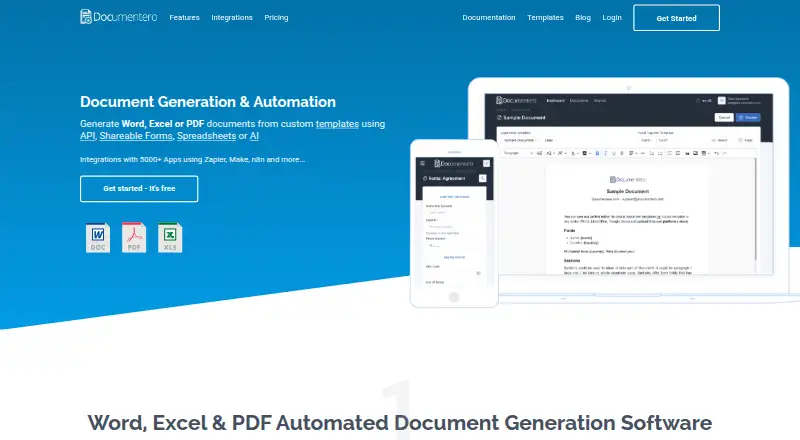
What Documentero is
Documentero creates Word, Excel, and PDF documents from custom templates using forms, spreadsheets, APIs, or AI-assisted features. It accepts .docx and .xlsx templates prepared in Microsoft Word or Excel, Google Docs or Sheets, or LibreOffice. Uploaded templates can be turned into customizable web forms with field labels, ordering, required inputs, and conditional fields; those forms can also be embedded as website widgets. For bulk creation, each row in CSV, Excel, or Google Sheets data can supply one document. Its REST API uses a template identifier, account API key, and JSON field data. Documentero advertises connections with 5000+ apps through services including Zapier, Make, n8n, Integrately, and Pabbly Connect. AI features include field-content generation, template editing, document-to-template conversion, form configuration, and an MCP server. The free plan includes 50 documents and three templates. Generation data and uploaded templates each have a 10MB limit, and templates must be standard .docx or .xlsx without macros or embedded objects. Generated-document download links expire within 60 minutes according to the privacy policy, while the FAQ gives a 10-minute validity period.
Good
- Generates DOCX, XLSX, and PDF documents.
- Forms can include required and conditional fields.
- Spreadsheet rows can drive bulk document creation.
- Offers REST API and integrations through automation platforms.
Watch out
- Template and generation data are each limited to 10MB.
- Macros and embedded objects are unsupported in templates.
- Download-link expiry differs between the privacy policy and FAQ.
Who it suits
Documentero suits teams that generate documents from reusable Word or Excel templates, web forms, spreadsheets, or API data. Its bulk generation and integration options may suit workflows that create many document variations.
Verdict
Documentero supports several routes from template and data to a generated document, including forms and bulk spreadsheet input. Confirm its file restrictions and download-link validity details for workflows that depend on them.
Plans and prices
From Documentero's own pricing page, checked 1 Oct 2026.
| Plan | Price | What it gives you |
|---|---|---|
| Free | Free | 50 documents /once · 3 templates · Unlimited Pages & Fields · Shareable Forms + Emails · Cloud API Service · $0/year |
| Micro | $19 a month | 100 documents /month · 5 templates · Unlimited Pages & Fields · Shareable Forms + Emails · Cloud API Service · $600/year |
| Mini | $39 a month | 300 documents /month · 10 templates · Unlimited Pages & Fields · Shareable Forms + Emails · Cloud API Service · $984/year |
| Standard | $99 a month | 1000 documents /month · 20 templates · Unlimited Pages & Fields · Shareable Forms + Emails · Cloud API Service · $0/year |
| Premium | $169 a month | 2000 documents /month · 50 templates · Unlimited Pages & Fields · Shareable Forms + Emails · Cloud API Service · $600/year |
| Enterprise | $399 a month | 10000 documents /month · 100 templates · Unlimited Pages & Fields · Shareable Forms + Emails · Cloud API Service · $984/year |
The facts
Each one read from Documentero's own pages, with the date it was checked.
What it does
- AI features
- AI-assisted features include field-content generation, template editing, document-to-template conversion, form configuration, and an MCP server.checked 1 Oct 2026
- Bulk generation
- Spreadsheet, CSV, Excel, or Google Sheets data can be used to generate multiple documents, with each row representing one document.checked 1 Oct 2026
- Data storage
- Documentero says generated documents and customer document data are not stored as a separate dataset, while document templates and form configurations are stored for active accounts.checked 1 Oct 2026
- Download expiry
- Generated-document download links expire within 60 minutes according to the privacy policy, while the FAQ says links are valid for 10 minutes.checked 1 Oct 2026
- Embeddable forms
- Shareable document-generation forms can be embedded on a website as a widget.checked 1 Oct 2026
- Encryption
- Data in transit is encrypted with HTTPS and data at rest is encrypted within the hosting provider's infrastructure.checked 1 Oct 2026
- Form builder
- Uploaded templates automatically produce customizable web forms with field types, ordering, labels, required fields, and conditional fields.checked 1 Oct 2026
- Hosting region
- Documentero says its Google Cloud resources for account data, templates, and documents are configured in European Union regions.checked 1 Oct 2026
- Integrations
- Documentero advertises integrations with 5000+ apps through Zapier, Make, n8n, Integrately, Pabbly Connect, and other platforms.checked 1 Oct 2026
- REST API
- The cloud service exposes a RESTful API using a template identifier, account API key, and JSON field data to generate documents.checked 1 Oct 2026
- Support
- The privacy policy identifies in-application live chat through Tidio and email support at [email protected].checked 1 Oct 2026
- Template formats
- It supports .docx Word templates and .xlsx Excel templates, including templates prepared in Microsoft Word/Excel, Google Docs/Sheets, or LibreOffice.checked 1 Oct 2026
- Template limits
- The FAQ states there is a 10MB limit for document-generation data and a 10MB limit for uploaded templates, with no page, field, or placeholder count limit.checked 1 Oct 2026
- Unsupported templates
- The platform only supports standard .docx and .xlsx templates without macros, embedded objects, or other unsafe elements.checked 1 Oct 2026
- What it does
- Documentero generates Word, Excel, and PDF documents from custom templates using APIs, shareable forms, spreadsheets, or AI.checked 1 Oct 2026
The full review of Documentero
Documentero is a cloud document-generation service for turning templates and structured data into Word, Excel, and PDF files. It suits teams that need forms, spreadsheet-driven batches, or API generation without building each document by hand. Its range of input routes is a strength, but template restrictions and inconsistent download-link expiry make it a less reassuring fit for workflows with strict handoff requirements.
Overview
Documentero accepts DOCX and XLSX templates made in Microsoft Office, Google Docs or Sheets, and LibreOffice, then generates DOCX, XLSX, or PDF outputs. Data can come from CSV, Excel, Google Sheets, JSON, web forms, or its REST API. That flexibility makes it useful for both occasional form submissions and repeatable document production.
Uploaded templates can be turned into web forms with configurable labels, field order, required fields, field types, and conditional fields. Forms can also be embedded on a website. For higher-volume work, each row in a spreadsheet or CSV can produce a separate document. These paths cover common generation needs, though the service does not provide approval workflows.
Key features
Templates, forms, and automation
The REST API combines a template ID and account API key with JSON field data, a straightforward structure for applications that need to generate documents programmatically. Documentero also advertises connections to 5,000+ apps through Zapier, Make, n8n, Integrately, Pabbly Connect, and other platforms. That breadth can reduce custom integration work, while CRM connectors are available for teams whose document process starts with customer records.
AI-assisted tools can generate field content, edit templates, convert documents into templates, configure forms, and provide an MCP server. These capabilities broaden the ways a team can prepare a workflow; they do not change the underlying template constraints. Only standard DOCX and XLSX templates are supported, with macros, embedded objects, and other unsafe elements excluded.
Limits and data handling
The FAQ sets a 10MB limit for both generation data and uploaded templates, but imposes no page, field, or placeholder-count cap. That should suit many routine documents, though large files need to stay within those size boundaries. Documentero says generated documents and customer document data are not kept as a separate dataset; templates and form configurations remain stored for active accounts. Data is encrypted in transit with HTTPS and at rest within the hosting provider's infrastructure, and Google Cloud resources for account data, templates, and documents are configured in EU regions.
Download-link expiry is described inconsistently: the privacy policy gives 60 minutes, while the FAQ says 10 minutes. If recipients may not download promptly, plan for a short retrieval window rather than relying on the longer figure.
Pricing
The Free plan costs nothing (billed $0/year) and includes 50 documents once, 3 templates, unlimited pages and fields, shareable forms plus emails, and cloud API service. Its one-time document allowance makes it better for light use or evaluation than recurring production.
Micro costs $19 a month (billed $600/year) for 100 documents per month and 5 templates. Mini costs $39 a month (billed $984/year) for 300 documents per month and 10 templates. Both retain unlimited pages and fields, shareable forms plus emails, and cloud API service. Their rising quotas suit modest recurring workloads, but the stated annual billing amounts are worth weighing against the monthly prices.
Standard costs $99 a month (billed $0/year) and includes 1,000 documents per month and 20 templates. Premium costs $169 a month (billed $600/year) for 2,000 documents per month and 50 templates. Enterprise costs $399 a month (billed $984/year) for 10,000 documents per month and 100 templates. All three include unlimited pages and fields, shareable forms plus emails, and cloud API service. Standard's billing figure does not align with its monthly price, so confirm the charge before choosing it; the listed higher-tier billing totals also merit confirmation. The plans increase document and template capacity, not the stated feature set.
Platforms
Documentero is available as a web service and API. It supports generated DOCX, XLSX, and PDF files, with no desktop or mobile app platform specified.
Who it's for
Documentero is a strong fit for operations and product teams that need to turn reusable templates and structured data into recurring documents, especially when forms, spreadsheet batches, or API calls matter. Small users can start with the one-time free quota; teams with sustained volume can move up through monthly document caps. It is a weaker choice for teams needing approval workflows, macro-enabled templates, or dependable long-lived download links.
Pros and cons
Pros
- Multiple routes to generation: forms, spreadsheets, JSON, and a REST API accommodate both staff-led and automated processes.
- Useful template flexibility: DOCX and XLSX templates from common office suites can be reused, and forms inherit their fields for customization.
- Batch and integration options: row-by-row spreadsheet generation and advertised connections to 5,000+ apps suit repetitive work.
- Generous structural allowance: unlimited pages and fields across plans avoids per-document caps on those dimensions.
Cons
- Strict template compatibility: macros, embedded objects, and other unsafe elements are unsupported.
- File-size ceilings: templates and generation data each have a 10MB limit.
- Uncertain download window: the stated expiry ranges from 10 to 60 minutes, a concern for delayed recipients.
- No approval workflows: teams needing review and sign-off stages will need another solution or process.
- Pricing terms need care: several annual billing figures do not reconcile with the corresponding monthly prices.
Alternatives
Choose Carbone if its free cloud option or broader platform coverage—including self-hosted deployments—is a better match. Choose Legito when document lifecycle management, customizable workflows, or electronic signatures matter more than Documentero's generation routes. Docassemble is a free, self-hosted option for teams comfortable budgeting separately for hosting, typically $10–$40 per month or more depending on needs.
Fluent by Apryse is a paid alternative with entry-level packages starting at $1,500; pricing varies by features, volume, and deployment. Docxtemplater offers an open-source option with basic features and community support, alongside paid modules. Docmosis is worth considering for its paid Cloud Professional plan, which includes 4,000+ pages per month, one user, one environment, and multi-region US, EU, and AU hosting.
PDFMonkey may suit PDF-focused users who can work within a free allowance of 20 documents per month, one-day retention, and a 30-second generation limit. PDF Generator API offers a paid Creator plan at €80 a year, with 50 credits per month, five templates, one workspace, and 30 requests per minute. For broader category comparisons, see Document Template Management Software and Document Generation Software.
Verdict
Documentero is a sensible choice for teams that want one service for template-based generation through forms, batch data, and APIs. Its combination of input methods and reusable office templates is the main reason to choose it. Look elsewhere if your process depends on approval workflows, complex macro-enabled files, or download links that remain valid for a predictable period; confirm plan billing terms before committing.
Getting started
- Open the Documentero website
- Choose the Free plan or another listed plan
- Prepare a standard .docx or .xlsx template
- Upload the template to create and configure its form
- Connect spreadsheet, JSON, REST, or automation inputs
- Generate DOCX, XLSX, or PDF documents
Limits worth knowing
The Free plan provides 50 documents once and three templates, with unlimited pages and fields. Uploaded templates and document-generation data each have a 10MB limit, and templates cannot contain macros, embedded objects, or other unsafe elements.
Questions
Does Documentero have a free plan?
Yes. The Free plan costs nothing and includes 50 documents once, three templates, unlimited pages and fields, shareable forms, emails, and cloud API service.
Which platforms does Documentero support?
Documentero is available through its web service and API.
What file types can it generate?
Its listed output formats are DOCX, XLSX, and PDF.
Can Documentero use Microsoft or Google templates?
Yes. It supports standard .docx and .xlsx templates prepared in Microsoft Word or Excel, Google Docs or Sheets, or LibreOffice.
Does it offer integrations?
Documentero advertises integrations with 5000+ apps through Zapier, Make, n8n, Integrately, Pabbly Connect, and other platforms.
How long do generated-document links work?
The privacy policy says download links expire within 60 minutes, while the FAQ says they are valid for 10 minutes.