
Ditto
Ditto is a distributed database and Edge SDK for applications that must continue operating when network access is unreliable or unavailable.
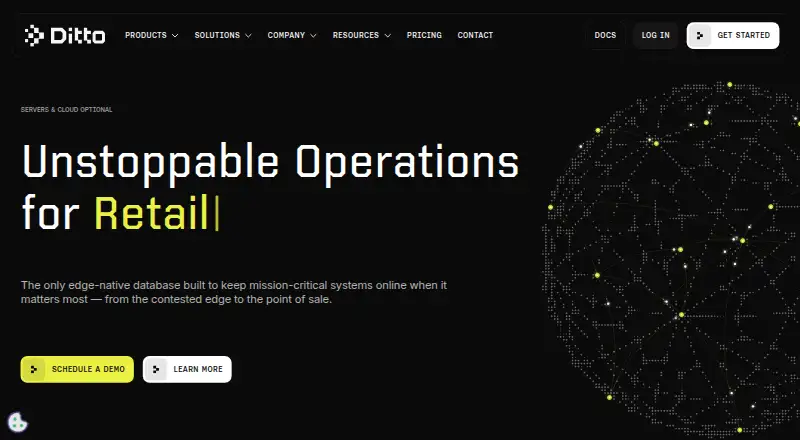
What Ditto is
Ditto is a distributed database and Edge SDK for applications that must continue operating when network access is unreliable or unavailable. Its embedded database lets devices read and write while disconnected, then synchronize data bidirectionally when peers can connect. Ditto uses Bluetooth Low Energy, peer-to-peer Wi-Fi, and local area networks, so synchronization can work without internet access or additional network hardware. Devices running the Edge SDK can automatically form wireless mesh networks for real-time sharing in bandwidth-constrained environments. Automatic conflict resolution handles changes made offline, online, between peers, and with the cloud when available. The SDK is platform agnostic across iOS, Android, Windows, and Linux, with language support including Swift, Kotlin, JavaScript, C#, C++, Rust, Flutter, and React Native. Ditto lists a free plan with 10 cloud device connections, 2GB of storage, and 5GB of data transfer. Pro and Enterprise add larger allocations, service-level agreements, and stronger support options. Enterprise deployment can be Ditto-hosted, BYOC, or self-managed. Security documentation describes TLS 1.2+ encryption in transit, encryption at rest, role-based controls, and least-privilege access.
Good
- Works offline with an embedded database
- Synchronizes through Bluetooth, peer-to-peer Wi-Fi, or LAN
- Automatically resolves peer and cloud conflicts
- Supports iOS, Android, Windows, and Linux
- Offers multiple SDK language options
- Enterprise supports hosted, BYOC, or self-managed deployment
Watch out
- Free plan has 10 cloud device connections
- Free plan includes 2GB storage and 5GB transfer
- Free plan has no uptime SLA
- Free plan support is limited
Who it suits
Ditto suits teams building mobile or edge applications that need data access during disconnections. It is also relevant when devices must synchronize over local wireless links and resolve changes automatically.
Verdict
Pick Ditto when applications must remain operational across disconnected mobile or edge devices. Its mesh synchronization and automatic conflict handling are central advantages. Look elsewhere if your project does not need offline, peer-to-peer, or edge data replication.
Plans and prices
From Ditto's own pricing page, checked 29 Sep 2026.
| Plan | Price | What it gives you |
|---|---|---|
| Free | Free | 10 cloud device connections · 2GB storage · 5GB data transfer · No SLA · Limited support |
| Enterprise | Priced on request | Custom cloud device connections and storage · 99.95% uptime SLA · 24x7 support |
| Pro | Priced on request | 1,000 cloud device connections included (up to 10,000 with added cost) · 50GB storage included (up to 250GB with added cost) · 250GB data transfer included · 99% uptime SLA · Business hours support |
The facts
Each one read from Ditto's own pages, with the date it was checked.
What it does
- Conflict handling
- Ditto automatically resolves online and offline conflicts between peers and with the cloud when available.checked 29 Sep 2026
- Data protection
- The DPA says Ditto appoints a Data Protection Officer, trains employees annually on data protection, and maintains an incident response process.checked 29 Sep 2026
- Deployment options
- The pricing page lists Ditto-hosted deployment for Free and Pro, and Ditto-hosted, BYOC, or self-managed deployment for Enterprise.checked 29 Sep 2026
- Integrations
- The pricing page lists a MongoDB Connector for Pro and Enterprise plans; the Ditto Server page also describes HTTP webhook events, a Kafka change stream for Enterprise, and an HTTP document API.checked 29 Sep 2026
- Intended use
- Ditto describes its Edge SDK as a solution for mobile and edge devices that need to keep applications operational regardless of network conditions.checked 29 Sep 2026
- Mesh networking
- Devices with the Edge SDK automatically create wireless mesh networks for real-time data sharing in bandwidth-constrained environments.checked 29 Sep 2026
- Offline operation
- The Edge SDK includes an embedded database that lets devices read and write data while disconnected from the internet.checked 29 Sep 2026
- Product
- Ditto is a distributed database that replicates data across devices through a peer-to-peer mesh, without requiring a centralized server or internet connection.checked 29 Sep 2026
- Security
- Ditto's DPA says data is encrypted in transit using TLS 1.2+ and at rest, and describes role-based access controls and least-privilege access.checked 29 Sep 2026
- Support
- The Free plan offers limited support, Pro offers business-hours support, and Enterprise offers 24x7 support.checked 29 Sep 2026
- Wireless sync
- Ditto uses Bluetooth Low Energy, Peer-to-Peer Wi-Fi, and Local Area Network to sync data without internet access or extra network hardware.checked 29 Sep 2026
Money
- Plan limits
- The Free plan includes 10 cloud device connections, 2GB of storage, and 5GB of data transfer; it has no uptime SLA.checked 29 Sep 2026
Where it runs
- Supported platforms
- The Edge SDK is platform agnostic across iOS, Android, Windows, and Linux.checked 29 Sep 2026
The full review of Ditto
Ditto is a distributed database and Edge SDK for teams building applications that must share data across phones, computers, and edge equipment even when connectivity is intermittent. It suits developers who need peer-to-peer replication rather than a permanently reachable central service. Its strongest case is resilient, bidirectional synchronization across disconnected devices; projects built around ordinary always-online backends will find that architecture unnecessary.
Overview
Ditto embeds a database inside each application, allowing devices to read and write locally while they are offline. Devices then exchange changes directly through an automatically formed wireless mesh instead of sending every operation to a central server. That design keeps an application usable during outages and in locations where internet access is limited or unavailable.
Synchronization can use Bluetooth Low Energy, peer-to-peer Wi-Fi, or a local area network, with no additional networking hardware. The approach is aimed at mobile and edge deployments where bandwidth and connectivity vary. For a wider comparison of this category, see Mobile Databases.
Key features
Offline operation and mesh replication
The embedded store supports both reads and writes without an internet connection, while bidirectional synchronization moves updates between peers when links appear. Devices running the Edge SDK create a mesh automatically, enabling real-time sharing in bandwidth-constrained environments. This is a meaningful advantage for field, retail, industrial, or transport applications that cannot pause whenever a connection drops. It is less compelling for a conventional app whose users are nearly always online and already served well by a centralized database.
Automatic conflict handling
Ditto resolves conflicts automatically when peers make changes independently, including changes made online and offline. It can also reconcile peer and cloud data when cloud connectivity returns. That removes a difficult synchronization layer from the application team, although teams with domain-specific merge rules should still verify that automatic resolution matches their business logic.
Platforms, languages, and integrations
The Edge SDK is platform agnostic across iOS, Android, Windows, and Linux. Supported languages and frameworks include Swift, Kotlin, JavaScript, C#, C++, Rust, Flutter, and React Native, giving mixed-platform teams several implementation paths. Pro and Enterprise plans list a MongoDB Connector. Ditto Server also provides HTTP webhook events and an HTTP document API, while Enterprise adds a Kafka change stream.
Security controls
Data is encrypted in transit with TLS 1.2 or later and encrypted at rest. Role-based controls and least-privilege access support a tighter operational model. Ditto also describes a data protection officer, annual employee training, and an incident-response process, useful requirements for organizations with formal compliance responsibilities.
Pricing
Ditto uses a freemium model with Ditto-hosted deployment on Free and Pro, and Ditto-hosted, bring-your-own-cloud (BYOC), or self-managed deployment on Enterprise.
| Plan | Price | Included limits and service |
|---|---|---|
| Free | free | 10 cloud device connections, 2GB storage, 5GB data transfer, no uptime SLA, and limited support. |
| Pro | Custom pricing | 1,000 cloud device connections included, expandable to 10,000 for an added cost; 50GB storage included, expandable to 250GB for an added cost; 250GB data transfer; 99% uptime SLA; business-hours support. |
| Enterprise | Custom pricing | Custom cloud device connections and storage, 99.95% uptime SLA, 24x7 support, and the broadest deployment choices. |
Free is suitable for prototypes and small deployments that fit within its connection, storage, and transfer caps and can operate without an SLA. Pro is the practical step for a production service needing substantially higher quotas, a contractual 99% availability target, and business-hours assistance. Enterprise is for organizations requiring custom scale, around-the-clock support, a stronger SLA, or control over hosting; its price is negotiated rather than published.
Platforms
Ditto supports Android, iOS, Linux, macOS, and Windows. The Edge SDK's listed language and framework options are Swift, Kotlin, JavaScript, C#, C++, Rust, Flutter, and React Native, so teams can cover native and cross-platform applications without changing the replication model.
Who it's for
Choose Ditto for mobile or edge software that must remain useful during network loss, share state directly among nearby devices, or synchronize eventually across a fleet. Its mesh and conflict handling are particularly relevant when adding always-on infrastructure is impractical. A simple online CRUD application, or a project that needs only a local database with no peer replication, is unlikely to justify Ditto's distributed approach.
Pros and cons
- Pro: Offline reads and writes keep applications operational through internet outages.
- Pro: Bluetooth, peer-to-peer Wi-Fi, and LAN synchronization avoid dependence on extra network hardware.
- Pro: Automatic conflict resolution reduces custom reconciliation code for disconnected workflows.
- Pro: iOS, Android, Windows, and Linux coverage plus broad SDK language support suits heterogeneous fleets.
- Con: The Free plan is capped at 10 cloud connections, 2GB of storage, and 5GB of transfer, with no SLA and limited support.
- Con: Pro and Enterprise pricing is custom, making budgeting harder before contacting Ditto.
- Con: Automatic merges may not fit applications that require bespoke, domain-specific conflict policies.
Alternatives
Espresso is a free Android UI-testing tool for a single target app, so pick it for testing rather than distributed data storage. Hive is a free mobile database with a forever-free plan that includes 1,000 AI credits per month, 200MB storage, and up to 10 workspace members; it fits lightweight workspace use better than Ditto's peer mesh. RxDB offers a free core with replication and realtime sync across many platforms, making it an alternative for teams seeking an open-source-oriented reactive database. ObjectBox provides a no-cost core database, with Sync as a separate offering, for projects prioritizing local storage first. Realm is an open-source free mobile database, now associated with MongoDB's Atlas Device SDKs, and suits teams choosing that ecosystem. Sparksee has a free academic licence for eligible university users. SQLDelight is a free open-source Kotlin SQL code-generation library rather than a peer-to-peer mesh database. WCDB is a free open-source mobile database framework for teams that need local database infrastructure without Ditto's replication model.
Verdict
Pick Ditto when an application must keep reading, writing, and sharing data across disconnected mobile or edge devices. Its combination of embedded offline storage, wireless mesh synchronization, and automatic conflict handling is the central reason to choose it. Look elsewhere when you only need a local database or a straightforward always-online backend, or when custom conflict semantics and predictable published pricing matter more than resilient peer replication.
Getting started
- Open the Ditto website
- Choose the Free, Pro, or Enterprise plan
- Select a supported deployment option where available
- Use the Edge SDK on iOS, Android, Windows, or Linux
- Integrate with a supported SDK language
- Configure synchronization and conflict handling
Limits worth knowing
The Free plan allows 10 cloud device connections, 2GB of storage, and 5GB of data transfer. It has no uptime SLA and provides limited support.
Questions
Does Ditto have a free plan?
Yes. The Free plan costs nothing and includes 10 cloud device connections, 2GB of storage, and 5GB of data transfer.
Which platforms does Ditto support?
The Edge SDK supports iOS, Android, Windows, and Linux. Listed SDK languages include Swift, Kotlin, JavaScript, C#, C++, Rust, Flutter, and React Native.
Can Ditto work without internet access?
Yes. Devices can read and write while disconnected and synchronize through Bluetooth Low Energy, peer-to-peer Wi-Fi, or a local area network.
What integrations are listed?
MongoDB Connector is listed for Pro and Enterprise. Ditto Server documentation also describes HTTP webhook events, an Enterprise Kafka change stream, and an HTTP document API.
How is Ditto data protected?
The DPA describes TLS 1.2+ encryption in transit, encryption at rest, role-based access controls, and least-privilege access.
Alternatives to Ditto
- 1
Hive
Free planOpen sourceAndroidiOSWebAPI8.6From $5 a month - 2

Firestore
Free planAndroidiOSWebAPI8.1$0.03 usage-based - 3
SQLDelight
Free planOpen sourceAndroidiOSWebAPI7.9Free plan - 4
PouchDB
Free planOpen sourceAndroidiOSWebAPI7.8Free plan - 5

Sparksee
Free planAndroidiOSAPILinux7.6Free plan - 6

RxDB
Free planAndroidiOSWebAPI7.5From $99 a month