Distant Desktop
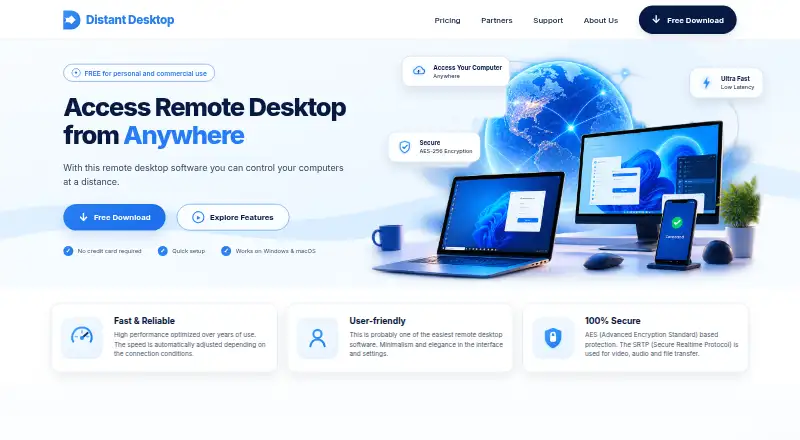
The facts below are what the maker publishes about Distant Desktop, checked and dated. Our editors have not written about it yet.
Plans and prices
From Distant Desktop's own pricing page, checked 11 Oct 2026.
| Plan | Price | What it gives you |
|---|---|---|
| Solo | $3.33 a month | 1 licensed computer · one outgoing connection at a time · no branding/customization · billed yearly for $39.95 |
| Pro | $4.16 a month | Up to 3 devices of the licensed user · unlimited simultaneous outgoing connections · billed yearly for $49.95 |
| 3 Pro Licenses | $3.31 a month | 3 Pro licenses · one licensed user per license · up to 3 devices per licensed user · billed yearly for $119 |
| 5 Pro Licenses | $2.90 a month | 5 Pro licenses · one licensed user per license · up to 3 devices per licensed user · billed yearly for $174 |
| 10 Pro Licenses | $2.41 a month | 10 Pro licenses · one licensed user per license · up to 3 devices per licensed user · billed yearly for $289 |
| Free | Free | 17 hours/month outgoing connection time · no simultaneous outgoing connections · standard support · slow file transfer |
The facts
Each one read from Distant Desktop's own pages, with the date it was checked.
What it does
- Access mode
- bothchecked 20 Sep 2026
- Administration features
- Features include unattended access, remote printing, Wake-on-LAN, whitelisting, and one-click system commands.checked 11 Oct 2026
- Communication
- The product includes text chat and voice communication between remote partners.checked 11 Oct 2026
- File transfer
- Users can send files and folders between their computer and the remote host.checked 11 Oct 2026
- Integrations
- The pricing comparison lists clipboard synchronization, connection logs, and multiple-monitor support among included tools.checked 11 Oct 2026
- Multiple connections
- Users can connect to several computers at once and allow several partners to connect to their PC.checked 11 Oct 2026
- Paid from
- 3.33checked 20 Sep 2026
- Product
- Distant Desktop lets users control computers remotely from anywhere.checked 11 Oct 2026
- Security
- The vendor says it uses AES-based protection and SRTP for video, audio, and file transfer.checked 11 Oct 2026
- Setup
- The application connects computers using an ID and password and requires no registration to get started.checked 11 Oct 2026
- Support
- Support options include an FAQ, a user manual, and direct contact; the About page says they usually respond within an hour.checked 11 Oct 2026
- Target users
- The vendor describes use cases including remote technical assistance, administration, distance education, presentations, and working from home.checked 11 Oct 2026
- View-only mode
- View-only mode lets others see the user's actions and communicate without controlling the PC.checked 11 Oct 2026
The company
- Founded
- 2018checked 28 Sep 2026
- Maker
- Distant Software says it was founded in 2018 in Toronto, Canada.checked 11 Oct 2026
Money
- Free plan
- Yeschecked 20 Sep 2026
- Free use
- The free version is available for personal and commercial use, with limited functionality described as more suitable for infrequent use.checked 11 Oct 2026
Where it runs
- Managed devices
- 1checked 20 Sep 2026
- Platform support
- The download page offers Windows and macOS versions; listed Windows support includes Windows 7, Vista, 8, 10, 11, and Windows Server 2008–2023.checked 11 Oct 2026
- Supported platforms
- Windows,macOSchecked 20 Sep 2026
Alternatives to Distant Desktop
- 1

DWService
Free planOpen sourceAndroidiOSWebAPI9.2From $40 a year - 2

ManageEngine Remote Access Plus
Free planAndroidiOSWebAPI9.0From $75 a year - 3

Zoho Assist
Free planAndroidiOSWebLinux8.9From $10 a month - 4

HopToDesk
Free planAndroidiOSLinuxmacOS8.8From $159 a year - 5

ThinLinc
Free planAndroidiOSWebLinux8.7From $103 a year - 6
TeamViewer Remote
Free planAndroidiOSWebLinux8.5Free plan