DiskMapper
The facts below are what the maker publishes about DiskMapper, checked and dated. Our editors have not written about it yet.
Plans and prices
From DiskMapper's own pricing page, checked 22 Sep 2026.
| Plan | Price | What it gives you |
|---|---|---|
| Free | Free | Sunburst and treemap visualizations · External-drive and folder scanning · Biggest Files and System Junk panels · Cleanup actions for selected files · Free donationware; optional donations are voluntary and nothing is locked behind a paywall. |
| Donationware | Free | Nothing is locked behind a paywall · optional donation |
The facts
Each one read from DiskMapper's own pages, with the date it was checked.
Where it runs
- Application sizes
- Yeschecked 22 Sep 2026
- Desktop platforms
- macoschecked 22 Sep 2026
- Platform
- The download is for Apple silicon Macs running macOS 26 Tahoe or later.checked 11 Oct 2026
What it does
- Cleanup
- Users can select items to move to Trash, evict iCloud downloads, or move or copy elsewhere.checked 11 Oct 2026
- Distribution
- DiskMapper is a direct, signed and notarized download; the maker says it is not on the Mac App Store because sandboxing prevents the access and file management it needs.checked 11 Oct 2026
- External drive scans
- Yeschecked 22 Sep 2026
- Largest items
- The Biggest Files panel shows the 200 largest items on a volume with their relative paths.checked 11 Oct 2026
- Limits
- DiskMapper does not include a duplicate finder or app-uninstall feature.checked 11 Oct 2026
- Local data
- Settings, favorite folders, and scan history are stored locally, and the app reads file names, sizes, dates, and folder structure rather than file contents.checked 11 Oct 2026
- Navigation
- Users can drill into folders, navigate back and forward, and see synchronized highlights between the map and file list.checked 11 Oct 2026
- Permission
- DiskMapper requires Full Disk Access to see and manage files across the Mac, and flags sources without access.checked 11 Oct 2026
- Privacy
- The app has no accounts or telemetry; its routine network connection is a daily update check that sends only the app version and can be disabled.checked 11 Oct 2026
- Purpose
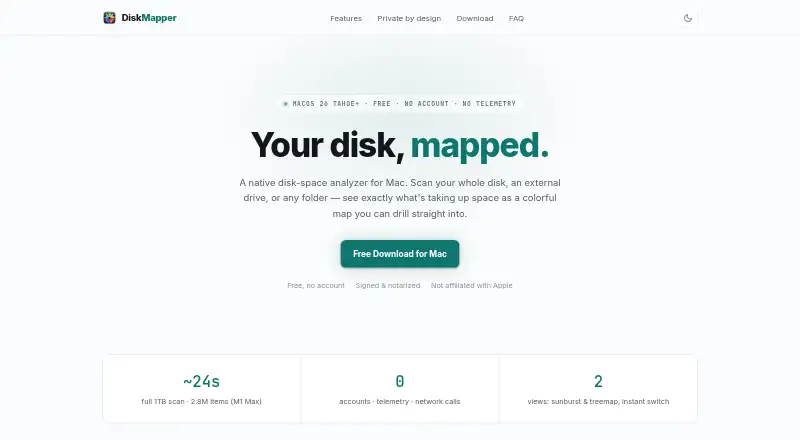
- DiskMapper analyzes disk space on a Mac by mapping a whole disk, external drive, or folder.checked 11 Oct 2026
- Scan scope
- files_folders_appschecked 22 Sep 2026
- Support
- The maker invites public beta reports by email at [email protected].checked 11 Oct 2026
- System junk
- The System Junk panel identifies items such as caches, old diagnostic reports, app leftovers, and stale DerivedData, with confidence levels.checked 11 Oct 2026
- Treemap view
- Yeschecked 22 Sep 2026
- Visualizations
- It displays disk contents as a sunburst or treemap, with instant switching between the two views.checked 11 Oct 2026
Money
- Free plan
- Yeschecked 22 Sep 2026
The company
- Headquarters
- Canadachecked 28 Sep 2026
- Maker
- The site identifies Brad Macdonald as the independent maker and says DiskMapper is made in Canada.checked 11 Oct 2026
Alternatives to DiskMapper
- 1

WizTree
Free planmacOSWindows8.0Free plan - 2
LumaDisk
Free planmacOSWindows7.9$6.89 one-time - 3

Disk Usage Analyzer
Free planOpen sourceLinuxmacOS7.7Free plan - 4

FolderSizes
Free planWindows7.7$30 one-time - 5
SizeTrend
Free planWindows7.7$69.99 one-time - 6
dust
Free planOpen sourceLinuxmacOSWindows7.6Free plan