diskbloom
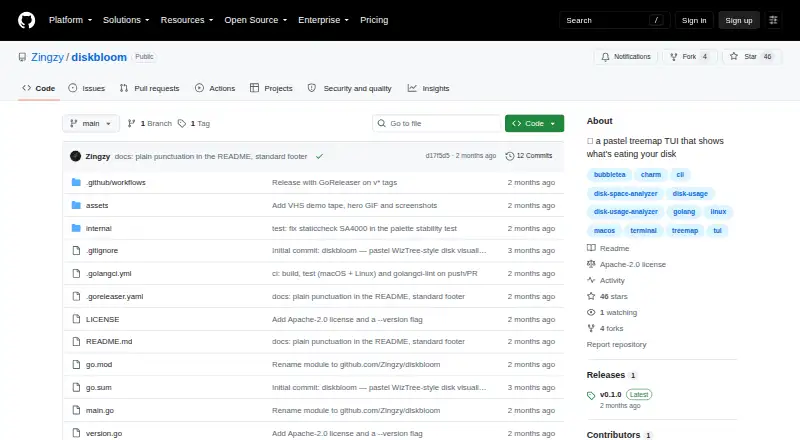
The facts below are what the maker publishes about diskbloom, checked and dated. Our editors have not written about it yet.
Plans and prices
From diskbloom's own pricing page, checked 12 Oct 2026.
| Plan | Price | What it gives you |
|---|---|---|
| diskbloom | Free | Apache-2.0 licensed · macOS and Linux |
The facts
Each one read from diskbloom's own pages, with the date it was checked.
Where it runs
- Application sizes
- Nochecked 22 Sep 2026
- Desktop platforms
- macos,linuxchecked 22 Sep 2026
- Platform support
- DiskBloom supports macOS and Linux, with binaries listed for macOS arm64 and amd64 and Linux amd64 and arm64.checked 12 Oct 2026
What it does
- Delete behavior
- The ctrl+x delete action sends items to Trash by default, while permanent deletion requires typing it out.checked 12 Oct 2026
- Deletion
- Ctrl+X sends items to Trash by default; permanent deletion requires typing it out.checked 12 Oct 2026
- Dependencies
- The README describes DiskBloom as a single static binary with no dependencies and says it is built with Bubble Tea and Lip Gloss.checked 12 Oct 2026
- Disk measurement
- It measures allocated disk space and deduplicates hardlinks so shared data is counted once.checked 12 Oct 2026
- Exportable reports
- Nochecked 22 Sep 2026
- File actions
- Enter opens files in their default app, and Space invokes Quick Look on macOS.checked 12 Oct 2026
- File-type breakdown
- Yeschecked 22 Sep 2026
- Installation
- The README lists Homebrew, Go install, and prebuilt macOS and Linux binaries as installation options.checked 12 Oct 2026
- Install options
- The project documents installation through Homebrew, Go, or prebuilt binaries, and says building from source requires Go 1.26 or later.checked 12 Oct 2026
- Intended users
- The project presents itself as a terminal alternative inspired by WizTree and lists terminal disk analyzers as alternatives.checked 12 Oct 2026
- License
- The repository identifies its license as Apache-2.0.checked 12 Oct 2026
- Mouse controls
- Users can click to select, click again to open, and scroll either pane.checked 12 Oct 2026
- Navigation
- The interface supports keyboard navigation and mouse selection, opening, and scrolling.checked 12 Oct 2026
- Preview and open
- Space previews files with Quick Look on macOS, and Enter opens files in their default app.checked 12 Oct 2026
- Privacy and security
- The README describes local directory scanning and does not describe a cloud service or security certifications.checked 12 Oct 2026
- Purpose
- DiskBloom is a pastel terminal disk visualizer that uses a treemap to show what is taking up disk space.checked 12 Oct 2026
- Requirements
- Building from source requires Go 1.26 or later, and a truecolor terminal is recommended for the full palette.checked 12 Oct 2026
- Scanning
- A bounded parallel scanner measures on disk allocation and deduplicates hardlinks so shared data counts once.checked 12 Oct 2026
- Scan scope
- files_folderschecked 22 Sep 2026
- Security
- GitHub reports that the project has no SECURITY.md policy and no published security advisories.checked 12 Oct 2026
- Support
- The maintainer welcomes issues and pull requests and directs users to open an issue to report a bug.checked 12 Oct 2026
Alternatives to diskbloom
- 1

WizTree
Free planmacOSWindows8.0Free plan - 2
LumaDisk
Free planmacOSWindows7.9$6.89 one-time - 3

Disk Usage Analyzer
Free planOpen sourceLinuxmacOS7.7Free plan - 4

FolderSizes
Free planWindows7.7$30 one-time - 5
SizeTrend
Free planWindows7.7$69.99 one-time - 6
dust
Free planOpen sourceLinuxmacOSWindows7.6Free plan