
DirEqual
DirEqual compares folders and files, then lets users synchronize folder contents on macOS or Windows.
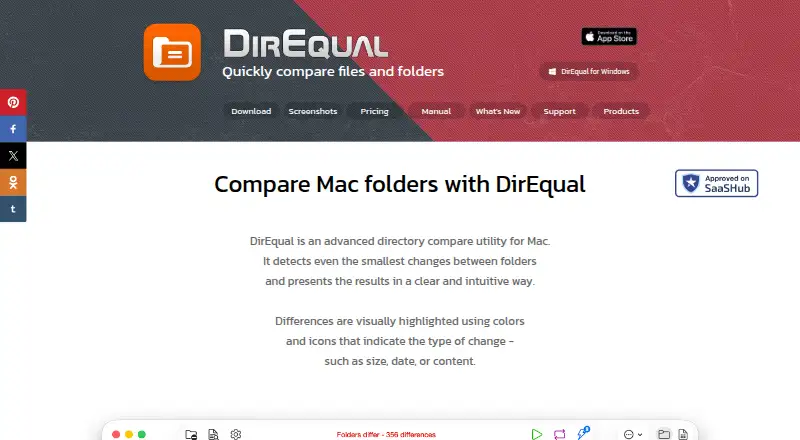
What DirEqual is
DirEqual compares folders and files, then lets users synchronize folder contents on macOS or Windows. Its side-by-side view presents folders as expandable trees, with colors and icons marking differences. It compares text and binary files by content; text differences can be inspected at line, word, and character levels. Folder snapshots can be saved for comparison with other folders or to review changes over time. Before synchronizing, users choose items to copy or delete, review the proposed actions, and execute them using update or mirror mode. Other options include ignoring filename extensions, filtering by filename templates, exporting results as CSV, and saving or restoring settings. On macOS, Finder Services and AppleScript support comparisons and synchronization automation. DirEqual is paid software with a 14-day trial. The listed monthly subscription costs $5 a month. Other options include annual subscriptions and one-time licenses. The downloads list macOS 10.13 or later for 64-bit Intel and Apple M, and Windows for 32-bit or 64-bit Intel.
Good
- Compares text and binary file contents
- Text differences shown at line, word, and character levels
- Folder snapshots support later comparison
- Synchronization offers update and mirror modes
Watch out
- No free plan is listed
- Monthly subscription costs $5 a month
- macOS support requires version 10.13 or later
Who it suits
It may suit Mac users, including developers, designers, and people working with large file directories. It can also suit Windows users who need folder comparison and synchronization controls.
Verdict
DirEqual offers detailed folder and file comparison alongside selectable synchronization actions. Review its operating system requirements and license options before choosing a plan.
Plans and prices
From DirEqual's own pricing page, checked 8 Oct 2026.
| Plan | Price | What it gives you |
|---|---|---|
| Monthly Subscription | $5 a month | Install on 3 home Macs · Cancel anytime · Monthly |
| Annual Subscription | $15 a year | Install on 3 home Macs · Cancel anytime · Annually |
| Single User License | $39, paid once | One user license · Install on 3 home Macs · One-time payment |
| Annual Business Subscription | $59 a year | For 5 Macs in your company · Cancel anytime · Annually |
| Small Business License | $129, paid once | For 5 Macs in your company · One-time payment |
| Site License | $499, paid once | For all Macs in your company · One-time payment |
The facts
Each one read from DirEqual's own pages, with the date it was checked.
What it does
- Comparison options
- The product page lists filename extension ignoring, filename template filters, CSV result export, and saving and restoring settings.checked 8 Oct 2026
- Data handling
- For support requests, Naarak Studio says it collects the user's IP address, email address, and information provided such as crash logs or diagnostic information.checked 8 Oct 2026
- File comparison
- It compares text and binary files by their contents, and text comparisons highlight differences at line, word, and character levels.checked 8 Oct 2026
- Integrations
- DirEqual supports macOS Finder Services and AppleScript for comparing folders and automating synchronization tasks.checked 8 Oct 2026
- License limits
- The EULA says a single user license covers three household computers, commercial use on one company computer, and a small business license covers up to five company computers.checked 8 Oct 2026
- Privacy and file access
- The privacy policy says DirEqual reads selected files and does not write or modify them unless the user selects files to merge, in which case it may copy, move, or delete them.checked 8 Oct 2026
- Snapshots
- It can create folder snapshots for later comparison with other folders or to review changes over time.checked 8 Oct 2026
- Support
- The maker provides a support form that asks users to include as much detail as possible and accepts attachments up to 100 MB.checked 8 Oct 2026
- Supported systems
- The download page lists macOS 10.13 and later for 64-bit Intel and Apple M, and a Windows download for 32-bit and 64-bit Intel.checked 8 Oct 2026
- Synchronization control
- Users can select items to copy or delete, review selected actions, and execute them; synchronization offers update and mirror modes.checked 8 Oct 2026
- Visual comparison
- It displays folders side by side as expandable trees and highlights differences with colors and icons.checked 8 Oct 2026
- What it does
- DirEqual compares folders and files and can synchronize folder contents.checked 8 Oct 2026
- Who it is for
- The product page describes DirEqual as designed for Mac users including developers, designers, and people working with large file directories.checked 8 Oct 2026
Alternatives to DirEqual
- 1

Diffchecker
Free planiOSWebAPIExtension8.2From $15 a month - 2
Avidemux
Free planOpen sourceWebLinuxmacOSWindows7.3Free plan - 3
Code Compare
Free planAPIExtensionWindows7.3$69.95 one-time - 4

KDiff3
Free planOpen sourceLinuxmacOSWindows7.3Free plan - 5
UltraCompare
LinuxmacOSWindows7.1From $99.95 a year - 6

Diffract
Free planLinuxmacOSWindows6.8$34 one-time