Code Compare
Code Compare is a file and folder comparison and merge tool available as a standalone app and a Visual Studio extension.
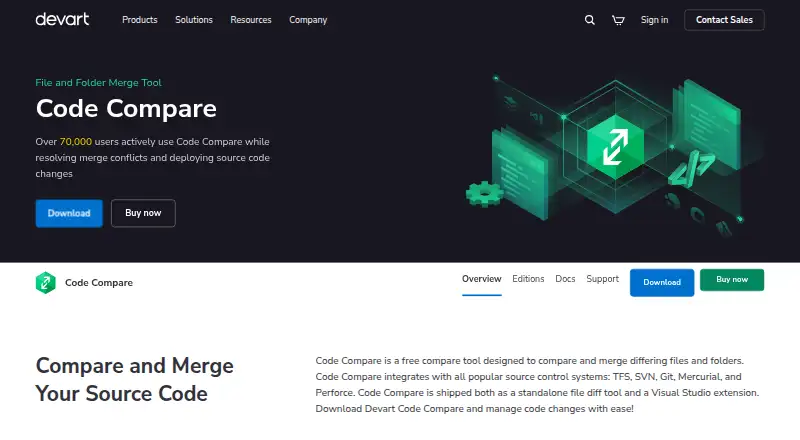
What Code Compare is
Code Compare is a file and folder comparison and merge tool available as a standalone app and a Visual Studio extension. It compares source code by structure and signature, and also offers lexical comparison for C#, C++, Visual Basic, JavaScript, Java, and XML. In the text view, colored change blocks and within-line highlighting mark differences; users can edit files there or merge changes with point-and-click controls. Folder comparison filters by file type, marks added, deleted, and modified files, and supports batch copying between panes or to a selected folder. For merges, it supports three-way comparison, can automatically apply changes without conflicts, and highlights conflicts for review. Listed integrations include TFS, SVN, Git, Mercurial, Perforce, TortoiseGit, GitKraken, SourceTree, and Git Extensions. It can also be connected to Android Studio as an external tool. The Visual Studio extension lists versions 2015, 2017, 2019, and 2022.
Good
- Compares source code by structure and signature.
- Supports three-way comparison and merge.
- Can automatically merge changes without conflicts.
- Folder view supports filters and batch copying.
- Offers a free plan and free trial.
Watch out
- Lexical comparison lists six languages.
Who it suits
Code Compare suits developers who need to compare or merge source files and folders. Its Visual Studio extension, standalone app, and version-control integrations offer options for different workflows.
Verdict
Code Compare combines source and folder comparison with merge tools, including three-way handling. Its free plan is a way to start, while paid access begins at $69.95.
Plans and prices
From Code Compare's own pricing page, checked 3 Oct 2026.
| Plan | Price | What it gives you |
|---|---|---|
| Code Compare Free | Free | Free version available; detailed limits not stated |
| Evaluation | Free | Evaluation use only; after expiry purchase Pro, continue under Free, or uninstall · 30 calendar days from installation |
| Free edition | Free | two-way text comparison and merge · folder comparison and merge · Visual Studio and Windows Explorer integration · CLI and VCS integration · no three-way merge · no structural comparison |
| Pro edition | $69.95, paid once | three-way comparison and merge · automatic merging · structural comparison · moved-code detection · code outlining · word-by-word and line-by-line comparison · Perpetual license; updates are covered by a 12-month subscription term |
| Code Compare Pro | Priced on request | Paid Pro features; pricing not displayed on the opened pricing page |
The facts
Each one read from Code Compare's own pages, with the date it was checked.
Where it runs
- Android Studio
- The maker says Code Compare can be linked to Android Studio as an external tool for comparing and merging code.checked 3 Oct 2026
What it does
- Command-line interface
- The CLI accepts up to three file or folder paths and parameters for source-control type, environment, waiting, and comparison titles.checked 14 Oct 2026
- Documentation scope
- The online documentation covers getting started, basic and advanced comparison, IDE integration, VCS setup, command-line use, FAQs, and release notes.checked 14 Oct 2026
- Download
- The download page lists Code Compare version 5.5.11, released March 6, 2026.checked 3 Oct 2026
- Folder comparison
- Folder comparison color-codes added, deleted, and changed files, supports include/exclude filters, opens individual file comparisons, and batch-copies files.checked 14 Oct 2026
- Git configuration
- Git integration is configured through .gitconfig difftool and mergetool entries that call CodeCompare.exe and CodeMerge.exe.checked 14 Oct 2026
- Latest release
- The download page lists Code Compare 5.5.11, released on 6 March 2026, with a 12.85 MB installer.checked 14 Oct 2026
- Licence model
- The EULA says the software is licensed rather than sold, with proprietary Devart ownership and restrictions on reverse engineering, redistribution, and transfer.checked 14 Oct 2026
- Limit: comparison speed
- A TrustRadius review reports that comparisons and multi-tab differences can take noticeable time to appear.checked 14 Oct 2026
- Limit: documentation and UI polish
- TrustRadius reviewers request dark mode, a more modern interface, and a more helpful user guide; one reviewer says experienced VCS teams may not need the extra tool.checked 14 Oct 2026
- Limit: feature gaps and errors
- G2 reviewers mention missing history or same-file notifications, occasional errors, some features not working as expected, and compatibility problems in one Oracle setup.checked 14 Oct 2026
- Limit: interface and performance
- G2 reviewers repeatedly describe the GUI as dated and report lag or slower performance with large files, multiple tabs, or some workloads.checked 14 Oct 2026
- Marketplace positioning
- The Visual Studio Marketplace listing describes Code Compare as a standalone diff tool and Visual Studio extension that can be connected to any VCS supporting external comparators through its command line.checked 14 Oct 2026
- Merge support
- The product supports three-way comparison and merge, and can automatically merge non-conflicting changes while highlighting conflicts.checked 3 Oct 2026
- Older Visual Studio support
- Version 5.3 discontinued Visual Studio 2010–2013 support while retaining support for Visual Studio 2015–2019.checked 14 Oct 2026
- Praise: customer support
- A 2026 Trustpilot reviewer praises Devart software and says support answers questions promptly and professionally.checked 14 Oct 2026
- Praise: ease of use and integration
- G2’s review summary says users repeatedly praise the intuitive interface, visual change display, and Visual Studio integration for simplifying comparison and merging.checked 14 Oct 2026
- Praise: file and folder workflows
- TrustRadius users highlight file and folder comparison, visual cues, drag-and-drop pane workflows, and synchronization with production or other revisions.checked 14 Oct 2026
- Praise: version-control integration
- TrustRadius identifies Git and other version-control integrations as a frequently valued capability for tracking and merging changes.checked 14 Oct 2026
- Privacy behavior
- The application checks for updates and sends version, development-environment, and installation-ID data; Devart says it does not send personal information or user code and lets users edit or decline error reports.checked 14 Oct 2026
The company
- Company
- Devart says it was founded in 1997 and that Code Compare was introduced in 2010.checked 3 Oct 2026
- Company headquarters and size
- LinkedIn lists headquarters at 3422 Old Capitol Trail, Wilmington, Delaware, with a company size of 201–500 employees.checked 14 Oct 2026
- Company identity
- LinkedIn lists the maker as Devart, a privately held software-development company founded in 1997.checked 14 Oct 2026
- Founded
- 1997checked 28 Sep 2026
Alternatives to Code Compare
- 1

Diffchecker
Free planiOSWebAPIExtension8.2From $15 a month - 2
Avidemux
Free planOpen sourceWebLinuxmacOSWindows7.3Free plan - 3

KDiff3
Free planOpen sourceLinuxmacOSWindows7.3Free plan - 4
UltraCompare
LinuxmacOSWindows7.1From $99.95 a year - 5

Diffract
Free planLinuxmacOSWindows6.8$34 one-time - 6
Beyond Compare
LinuxmacOSWindows6.4$35 one-time