Desktop Calendar
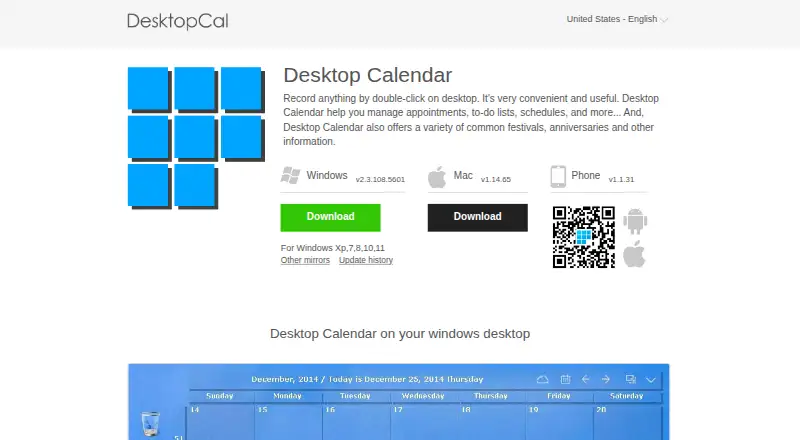
The facts below are what the maker publishes about Desktop Calendar, checked and dated. Our editors have not written about it yet.
Plans and prices
From Desktop Calendar's own pricing page, checked 20 Sep 2026.
| Plan | Price | What it gives you |
|---|---|---|
| Free | Free | Desktop calendar entries · Appointments, to-do lists, and schedules · Calendar customization · Data transfer tools |
| VIP | — | Automatic synchronization across multiple devices · More cloud storage · More security for data |
| Desktop Calendar | Free | Desktop calendar features · VIP features require payment |
| VIP Edition | Priced on request | Automatic sync across multiple devices · More cloud storage · More data security |
The facts
Each one read from Desktop Calendar's own pages, with the date it was checked.
Where it runs
- Appearance
- Users can set a background color for individual days and customize calendar settings.checked 12 Oct 2026
- Platforms
- The download page lists Windows and Mac versions and a Phone version; it specifies Windows XP, 7, 8, 10, and 11 support.checked 12 Oct 2026
What it does
- Calendar information
- The product offers information about common festivals, anniversaries, and other occasions.checked 12 Oct 2026
- Cloud sync
- The site describes cloud sync with rollback and says it can make data more secure.checked 12 Oct 2026
- Mobile sync
- The site says its mobile app supports real-time data synchronization.checked 12 Oct 2026
- Printing
- Users can print a calendar page with wallpaper as they work.checked 12 Oct 2026
- Privacy
- The privacy policy says the company may collect account details and feature usage information, and may share personal information with partners in stated circumstances.checked 12 Oct 2026
- Purpose
- Desktop Calendar helps manage appointments, to-do lists, schedules, and other notes on the desktop.checked 12 Oct 2026
- Quick entry
- Users can record items by double-clicking the Windows desktop.checked 12 Oct 2026
- Support
- The site directs questions and suggestions to [email protected].checked 12 Oct 2026
- Transfer
- The site says users can move data from one device to another with its tools.checked 12 Oct 2026
- VIP features
- The paid VIP edition offers automatic sync across multiple devices, more cloud storage, and more data security.checked 12 Oct 2026
The company
- Company
- The site says DesktopCal, Inc. was founded in 2011 and develops productivity tools.checked 12 Oct 2026
- Founded
- 2011checked 28 Sep 2026
Money
- Free plan
- Yeschecked 20 Sep 2026
Alternatives to Desktop Calendar
- 1

Lark
Free planAndroidiOSWebAPI9.2From $6 a month - 2
EGroupware
Free planOpen sourceAndroidiOSWebAPI9.2From €21.90 a month - 3
Teamup
Free planAndroidiOSWebAPI9.0From $12 a month - 4
Twake Calendar
Open sourceAndroidiOSWebAPI9.0From €4 a month - 5
TimeFinder
Free planAndroidiOSWebmacOS8.9$119.99 one-time - 6

7shifts
Free planAndroidiOSWebAPI8.9From $39.99 a month