DeskRoll Remote Desktop
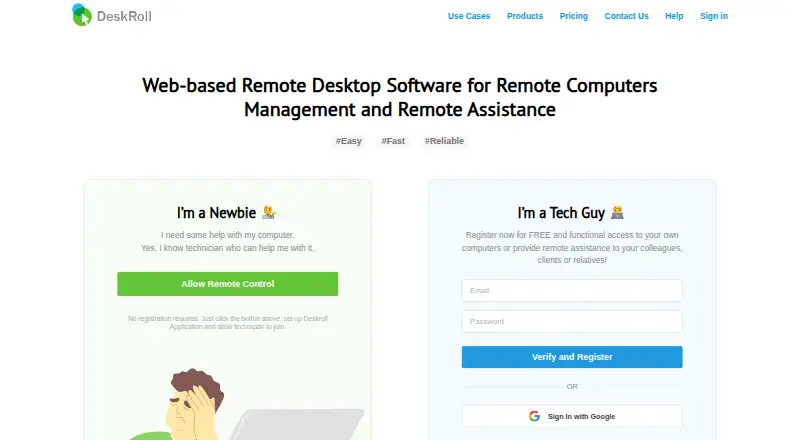
The facts below are what the maker publishes about DeskRoll Remote Desktop, checked and dated. Our editors have not written about it yet.
Plans and prices
From DeskRoll Remote Desktop's own pricing page, checked 9 Oct 2026.
| Plan | Price | What it gives you |
|---|---|---|
| Starter | $3.25 a month | 2 ad-hoc support clients · 2 unattended computers · no application branding · no multi-accounts · 3.25 USD per month; annual license only |
| Lite | $8.25 a month | 5 unattended computers · 5 ad-hoc support clients · application branding · no multi-accounts · from 8.25 USD per month; monthly or annual license |
| Pro | $24.95 a month | Unlimited ad-hoc support clients · unlimited unattended computers · application branding · mass deployment · multi-accounts · from 24.95 USD per month; monthly or annual license |
The facts
Each one read from DeskRoll Remote Desktop's own pages, with the date it was checked.
What it does
- Access mode
- bothchecked 22 Sep 2026
- Authentication
- Unconfirmed email addresses cannot use remote access, and first-time support sessions require a six-digit password from the client.checked 9 Oct 2026
- Encryption
- The maker describes remote desktop streaming as using 256-bit data encryption over a secured SSL data channel.checked 9 Oct 2026
- Features
- DeskRoll lists desktop control, file transfer, clipboard synchronization, keyboard shortcuts, text chat, and support request notifications.checked 9 Oct 2026
- File transfer
- Yeschecked 22 Sep 2026
- Network connectivity
- DeskRoll says it works through firewalls, proxies, and NAT without requiring a VPN or additional open ports.checked 9 Oct 2026
- Paid from
- 3.25checked 22 Sep 2026
- Purpose
- DeskRoll provides browser-based remote desktop access and remote assistance for PC and Mac users.checked 9 Oct 2026
- Remote support
- The support components require someone near the remote computer to approve session requests.checked 9 Oct 2026
- Security practices
- DeskRoll says its servers broker connections and resend data when needed, and that it does not store user data.checked 9 Oct 2026
- Self-hosting
- The pricing page says DeskRoll hosts the service but offers self-hosting as an option.checked 9 Oct 2026
- Support
- The contact page lists technical support, general issues, and billing or payment issues as contact topics.checked 9 Oct 2026
- Unattended access
- Its remote desktop components enable access to a computer at any time after installation.checked 9 Oct 2026
Where it runs
- Browser access
- Technicians can connect using an HTML5-compliant browser without installing a client on their side.checked 9 Oct 2026
- Managed devices
- 2checked 22 Sep 2026
- Mobile apps
- Yeschecked 22 Sep 2026
- Platform limits
- The operating systems page lists Windows and MacOS remote computers; it says Mac support is attended-only and file transfer is unavailable on Mac.checked 9 Oct 2026
- Supported platforms
- Windows,macOS,Linux,iOS,Android,web browserschecked 22 Sep 2026
Money
- Free plan
- Nochecked 22 Sep 2026
- Trial
- New signups receive a trial license with unlimited remote computers and clients; branding is unavailable and session time is limited.checked 9 Oct 2026
Alternatives to DeskRoll Remote Desktop
- 1

DWService
Free planOpen sourceAndroidiOSWebAPI9.2From $40 a year - 2

ManageEngine Remote Access Plus
Free planAndroidiOSWebAPI9.0From $75 a year - 3

Zoho Assist
Free planAndroidiOSWebLinux8.9From $10 a month - 4

HopToDesk
Free planAndroidiOSLinuxmacOS8.8From $159 a year - 5

ThinLinc
Free planAndroidiOSWebLinux8.7From $103 a year - 6

TeamViewer Remote
Free planAndroidiOSWebLinux8.5Free plan