DBeaver
DBeaver is a database management tool with a free, open-source Community edition and paid editions for individual and enterprise use.
What DBeaver is
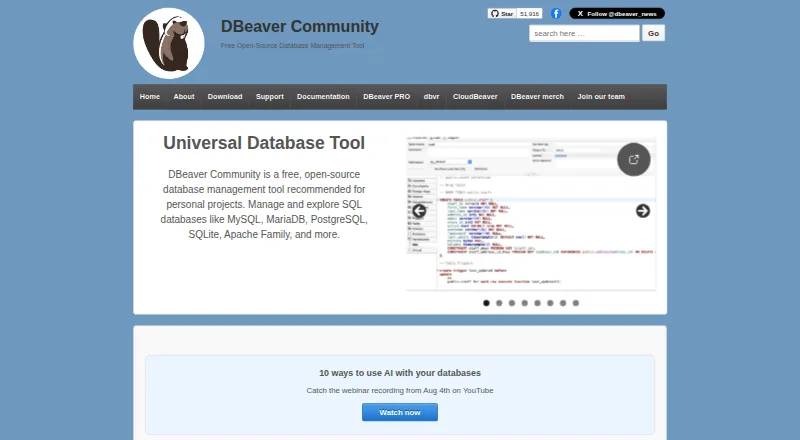
DBeaver is a database management tool with a free, open-source Community edition and paid editions for individual and enterprise use. Community works with databases that have a JDBC driver and can also handle external data sources without one. Its desktop environment includes an SQL editor, spreadsheet-style data editing, a visual query builder, query history, and tools to import, export, compare, and migrate data. DBeaver says its product range connects to more than 100 sources, including SQL, NoSQL, and cloud databases. Ultimate adds native AWS, GCP, and Azure support and a Cloud Explorer for cloud and on-premise databases. The product family also includes CloudBeaver Enterprise as a web-server application and Team Edition as a server platform with GraphQL and REST APIs, an MCP server, and a JDBC proxy driver. Community is free under Apache License 2. Paid individual subscriptions include Lite at $12 a month or $113 a year, Enterprise at $26 a month or $255 a year, and Ultimate at $51 a month or $510 a year.
Good
- Free, open-source Community edition under Apache License 2
- Works with JDBC databases and external data sources
- Includes SQL editing and spreadsheet-like data editing
- Supports import, export, comparison, and migration
- Ultimate includes native AWS, GCP, and Azure support
Watch out
- Paid subscriptions require internet for activation and renewal
- Community support is directed through GitHub issues
- EAP licenses limit connections and automation tasks
Who it suits
DBeaver suits people who need to work with databases and data sources through desktop tools, or teams seeking server-based or cloud database workflows. Community is a free option for personal projects; paid editions offer additional product capabilities and support.
Verdict
DBeaver covers database editing and data movement, with a free Community edition and paid products for additional database workflows. Check edition details and license limits to choose the fit for your use.
Plans and prices
From DBeaver's own pricing page, checked 15 Oct 2026.
| Plan | Price | What it gives you |
|---|---|---|
| Community | Free | Free and open source · relational database support · data editor · SQL editor · task management · maintenance tools · AI Chat |
| DBeaver Community | Free | Personal projects · supports databases with JDBC drivers and external data sources · Free and open-source under Apache License 2 |
| Lite monthly | $12 a month | Visual query builder · inline editing · ER diagrams · simplified analyst view · limited development tools · $12 / month |
| DBeaver Lite Monthly Subscription | $12 a month | Individual use · One-month subscription; internet access required for initial activation and each renewal |
| Enterprise Edition Monthly Subscription | $26 a month | Individual use · One-month subscription; internet access required for initial activation and each renewal |
| Enterprise monthly | $26 a month | Lite features · development tools · DBA tools and dashboards · Git integration · cloud support · $26 / month |
| Ultimate Edition Monthly Subscription | $51 a month | Individual use · One-month subscription; internet access required for initial activation and each renewal |
| Lite | $113 a year | Visual query builder · inline editing · ER diagrams · simplified analyst view · limited development tools · $113 / year |
| DBeaver Lite Annual Subscription | $113 a year | Individual use · One year; includes product usage, version updates, and technical support |
| Enterprise | $255 a year | Lite features · development tools · DBA tools and dashboards · Git integration · cloud support · $255 / year |
| Enterprise Edition Annual Subscription | $255 a year | Individual use · One year; includes product usage, version updates, and technical support |
| Ultimate Edition Annual Subscription | $510 a year | Individual use · One year; includes product usage, version updates, and technical support |
| Ultimate | $510 a year | Enterprise features · cloud explorer · AWS, GCP and Azure support · cloud storage · no monthly subscription · $510 / year |
| CloudBeaver | $1,025 a year | No desktop application · cloud authentication · AWS integration · cloud storage · no monthly subscription · $1025 / year |
| Team Edition | $1,630 a year | Ultimate features · CloudBeaver features · team and role management · resource sharing · no monthly subscription · $1630 / year |
The facts
Each one read from DBeaver's own pages, with the date it was checked.
What it does
- AI features
- Community lists AI Chat and an @ai command among its included capabilities.checked 15 Oct 2026
- API
- Team Edition provides GraphQL and REST APIs, an MCP server, and a JDBC proxy driver for integrations and automation.checked 29 Sep 2026
- API tooling
- Team Edition authenticates GraphQL API calls with tokens, includes an in-browser console and can run operations from files through its CLI.checked 15 Oct 2026
- Bundled runtime
- DBeaver bundles OpenJDK and keeps that JDK private to the application, so a separate Java license is unnecessary.checked 15 Oct 2026
- CloudBeaver requirements
- The official deployment repository specifies at least 4 GB RAM, 50 GB storage, Docker and docker-compose 2.10 or newer for the standard deployment.checked 15 Oct 2026
- Cloud integrations
- PRO provides native AWS, Google Cloud and Azure support plus cloud-database and cloud-storage connectivity.checked 15 Oct 2026
- Cloud support
- DBeaver Ultimate provides native AWS, GCP, and Azure support and a unified Cloud Explorer for cloud and on-premise databases.checked 29 Sep 2026
- Connection methods
- Connections can use JDBC drivers, and PRO editions also support ODBC drivers and manually added drivers through Driver Manager.checked 15 Oct 2026
- Credential portability limitation
- Master-password storage ties credentials to a user and device, which prevents sharing complete connection credentials through exported projects.checked 15 Oct 2026
- Database coverage
- DBeaver supports more than 100 database drivers and can connect to databases that expose JDBC or ODBC drivers.checked 15 Oct 2026
- Database range
- DBeaver says its products connect to over 100 data sources, including SQL, NoSQL, and cloud databases.checked 29 Sep 2026
- Database support
- DBeaver Community supports databases with a JDBC driver and can handle external data sources that may not have one.checked 29 Sep 2026
- Data editing
- The product provides a data editor for viewing and changing database records.checked 15 Oct 2026
- Desktop systems
- The desktop installer supports Windows 10 or later, Windows Server 2016 or later, macOS 11 or later and most modern Linux distributions.checked 15 Oct 2026
- Documentation depth
- The documentation site covers Community and PRO products, installation, security, drivers, APIs, deployment and release notes.checked 15 Oct 2026
- Extensibility
- DBeaver is built on Eclipse and supports installing official and third-party Eclipse plugins, including Git, SQL debugger, Office integration and collaboration extensions.checked 15 Oct 2026
- Funding
- The company page says DBeaver took a $6 million seed investment to build on its growing popularity.checked 15 Oct 2026
- Integrations
- DBeaver lists integrations with Git, Liquibase, Tableau, office tools, and AI platforms including OpenAI, Amazon Bedrock, Anthropic Claude, Ollama, GitHub Copilot, and Google Gemini.checked 29 Sep 2026
Where it runs
- Browser and server products
- DBeaver offers CloudBeaver Enterprise as a web-server application and Team Edition as a server-based platform deployable on premises or in the cloud.checked 29 Sep 2026
The company
- Company founded
- LinkedIn lists the company as founded in 2017.checked 15 Oct 2026
- Company headquarters
- LinkedIn lists DBeaver headquarters in New York, New York.checked 15 Oct 2026
- Company legal name
- The maker identifies itself as DBeaver Corporation.checked 15 Oct 2026
- Company size
- LinkedIn lists DBeaver as having 51–200 employees.checked 15 Oct 2026
- Founded
- 2017checked 23 Sep 2026
The full review of DBeaver
Overview
DBeaver is a desktop database client for writing SQL, editing data, and moving it between sources. It suits people who need one workspace for varied databases, while the free Community edition makes it accessible for personal projects. Its breadth is a strength, but paid features and license limits make edition choice important.
Community works with databases that have JDBC drivers and some external sources without one; DBeaver’s wider product range connects to more than 100 SQL, NoSQL, and cloud sources. That range does not mean every edition has the same capabilities.
For category comparisons, see our Database Client Software and SQL Query Tools directories.
Key features
- SQL and data editing: An SQL editor, spreadsheet-like data editor, visual query builder, query history, and SSH tunneling cover common database work in one desktop app. This is a practical fit for users who want both query and record editing rather than a query-only tool.
- Data movement: Import, export, comparison, and migration tools support moving or reconciling data. Export formats include CSV, HTML, XML, JSON, XLS, XLSX, Markdown, SQL, TXT, and Parquet, offering flexibility for different downstream uses.
- Cloud and integrations: Ultimate adds native AWS, GCP, and Azure support plus a Cloud Explorer for cloud and on-premise databases. DBeaver also lists integrations with Git, Liquibase, Tableau, office tools, and AI platforms including OpenAI, Amazon Bedrock, Anthropic Claude, Ollama, GitHub Copilot, and Google Gemini.
- Security and support: PRO editions offer Master Password encryption and secure credential storage; Community uses integrated operating-system security as its password provider. Community users are directed to GitHub issues, while PRO trial users and licensed customers can submit support tickets.
Pricing
Community costs free, is open source under Apache License 2, and is intended for personal projects. It supports JDBC databases and external data sources, making it the clear starting point for individual users who do not need paid-edition capabilities.
Paid monthly subscriptions are for individual use and require internet access for initial activation and each renewal: Lite costs $12 a month, Enterprise costs $26 a month, and Ultimate costs $51 a month. The monthly terms suit users who prefer shorter commitments, but the renewal connectivity requirement matters for offline workflows.
Annual individual subscriptions cost $113 a year for Lite, $255 a year for Enterprise, and $510 a year for Ultimate. Each includes product usage, version updates, and technical support. The annual terms make sense for users who expect sustained use and want updates and support included; the listed plan details do not specify what distinguishes Lite from Enterprise beyond their position in the product range.
DBeaver also offers a 14-day trial. EAP licenses are limited to three simultaneous database connections and five automation tasks, with no CLI or task scheduler and only one default workspace and project; users needing more than those limits should not treat EAP as an unrestricted route to the full workflow.
Platforms
DBeaver supports Windows 10 or later, Windows Server 2016 or later, macOS 11 or later, and most modern Linux distributions. The core deployment is desktop. CloudBeaver Enterprise is a web-server application, while Team Edition is server-based and can be deployed on premises or in the cloud. Team Edition also provides GraphQL and REST APIs, an MCP server, and a JDBC proxy driver for integrations and automation.
Who it's for
DBeaver is best for individuals who work across database types and want SQL editing, data changes, and transfer tools together. Community is a strong fit for personal projects and cost-conscious users. Ultimate is the more relevant choice for users who need native major-cloud support; teams seeking server deployment or APIs should consider Team Edition. Readers who need a simple client for a narrower database workflow may not benefit from the breadth of the product family.
Pros and cons
- Pro: Community is free and open source, with support for JDBC databases and some external sources, so personal projects can start without a subscription.
- Pro: Editing, querying, importing, exporting, comparing, and migrating data in one client reduces the need to split routine database work across separate tools.
- Pro: The wider product range spans more than 100 data sources and offers cloud, integration, and server-based options for broader workflows.
- Con: Edition capabilities differ, so users must choose carefully; the broad product-level source count is not a promise that Community includes every connection or cloud feature.
- Con: Monthly paid subscriptions require internet access at activation and each renewal, which can complicate disconnected environments.
- Con: EAP restrictions on connections, automation tasks, CLI, scheduling, and workspaces can obstruct users who need a fuller automation setup.
Alternatives
Beekeeper Studio is worth considering for individuals, non-profits, and qualifying organizations who want a free Community client with common database support, unlimited connections, and no tab limits.
Apache Drill is a free, downloadable option for readers who specifically want embedded or cluster deployment under Apache License 2.0.
dbForge Studio for PostgreSQL may suit readers focused on PostgreSQL who want a free basic edition or a paid Standard subscription.
DbVisualizer offers a free standard feature set for commercial and non-commercial use, with a Pro plan that includes 60 days of support.
DataGrip is an alternative for individual non-commercial development, with a free non-commercial plan that includes AI Free and forum and bug-tracker support.
Mode is a web-based alternative with Studio for up to three users and a Pro tier with a 250 GB monthly quota and 5 GB per-query limit.
Querybook is a free option for readers looking for a web and self-hosted tool.
Apache Hue is a free, self-hosted open-source alternative under Apache License 2.0.
Verdict
Choose DBeaver if you want a capable desktop home for SQL and data editing across a broad mix of sources, with a free Community edition for personal work and paid options as needs grow. Look elsewhere if a restricted EAP license is central to your workflow, or if you need a focused tool without the edition-selection overhead.
Getting started
- Visit https://dbeaver.io/ to find DBeaver products.
- Choose DBeaver Community for the free, open-source edition or select a paid subscription.
- Install the desktop product on Windows 10 or later, Windows Server 2016 or later, macOS 11 or later, or a modern Linux distribution.
- Connect to a database with a JDBC driver or use an external data source.
- Use the SQL editor and data tools to work with database content.
Limits worth knowing
Community is limited to personal projects and supports databases with JDBC drivers and external data sources. The listed EAP license allows three simultaneous database connections and five automation tasks, with no CLI or task scheduler and one default workspace and project.
Questions
Is DBeaver free?
DBeaver Community costs nothing and is open-source under Apache License 2. Paid individual subscriptions are also available.
What do the individual subscriptions cost?
Monthly subscriptions are 12.00 USD for Lite, 26.00 USD for Enterprise, and 51.00 USD for Ultimate. Annual subscriptions cost 113.00 USD, 255.00 USD, and 510.00 USD respectively.
Which operating systems does the desktop product support?
DBeaver supports Windows 10 or later, Windows Server 2016 or later, macOS 11 or later, and most modern Linux distributions.
What databases can DBeaver connect to?
Community supports databases with a JDBC driver and external data sources that may not have one. DBeaver says its products connect to over 100 SQL, NoSQL, and cloud data sources.
Is DBeaver open source?
DBeaver Community is free and open-source under Apache License 2.
Does DBeaver offer cloud or server products?
Ultimate provides native AWS, GCP, and Azure support with Cloud Explorer. CloudBeaver Enterprise is a web-server application, and Team Edition is a server-based platform deployable on premises or in the cloud.
Alternatives to DBeaver
- 1

Outerbase Studio
Free planOpen sourceAndroidiOSWebAPI8.5From $9 a month - 2

Beekeeper Studio
Free planOpen sourceAPIExtensionLinuxmacOS8.0From $18 a month - 3

MySQL
Free planAPILinuxmacOSSelf-hosted7.9Free plan - 4
Database Workbench
Free planLinuxmacOSWindows7.5€199 one-time - 5
dbForge Studio for PostgreSQL
Free planLinuxmacOSWindows7.5From $89.95 a year - 6
dotConnect
Free planAPILinuxmacOSWindows7.4$219.95 one-time