
Crossware Email Signature
Crossware Email Signature centrally creates and applies branded, personalized signatures to company email across supported platforms.
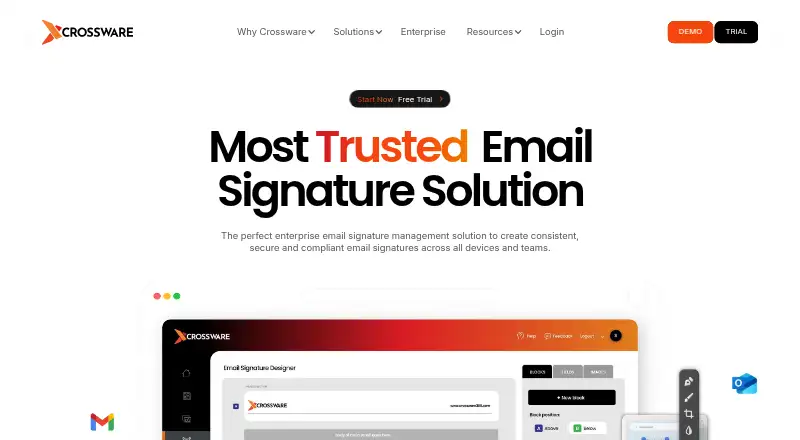
What Crossware Email Signature is
Crossware Email Signature centrally creates and applies branded, personalized signatures to company email across supported platforms. It works with Microsoft 365, Google Workspace, Microsoft Exchange, and HCL Domino. Administrators can design signatures using rich text or HTML, templates, drag-and-drop blocks, images, and conditional fields. Rules can vary signatures or blocks for internal versus external messages, new messages versus replies, or selected date ranges. Directory integration can pull current contact details into signatures, and selected users or groups can be given access without administrator rights. Signatures can include marketing banners and centrally managed legal disclaimers. For Microsoft 365, Crossware says the service operates in Microsoft Azure and applies signatures in the Microsoft cloud after messages are sent; that service does not require installation or a download. Other options include cloud or on-premise deployment. Licensing is per user, defined as a mail file that requires a signature. Pricing is available by quote and depends on email-user numbers; the free 30-day trial includes all features.
Good
- Supports Microsoft 365, Google Workspace, Exchange, and Domino.
- Rules can vary signatures by message conditions.
- Directory integration pulls current contact details.
- Trial includes all features for 30 days.
- Offers 24-hour email support.
Watch out
- No free plan is listed.
- Pricing requires a quote.
- Design changes and platform migration are additional paid services.
Who it suits
Crossware suits enterprise organizations and Marketing, IT, Legal, or Sales teams that need central control of email signatures. It supports several major email platforms and cloud or on-premise deployment options.
Verdict
Crossware focuses on centrally managed signatures, with rules, directory data, and branding options for several email platforms. Pricing depends on the number of email users, so organizations should request a quote.
Plans and prices
From Crossware Email Signature's own pricing page, checked 5 Oct 2026.
| Plan | Price | What it gives you |
|---|---|---|
| Subscription User License | Priced on request | Microsoft 365 · Google Workspace · Microsoft Exchange · HCL Domino · Per user; price depends on the number of email users and requires a quote. |
The facts
Each one read from Crossware Email Signature's own pages, with the date it was checked.
What it does
- Central control
- Signatures are managed centrally, and selected users or groups can receive access without being made administrators.checked 5 Oct 2026
- Deployment options
- Crossware says it can be installed in the cloud or on an on-premise server; its Microsoft 365 service requires no installation or download.checked 5 Oct 2026
- Directory data
- Crossware integrates with an existing directory to pull current contact information into signatures.checked 5 Oct 2026
- Intended customers
- The product is presented for enterprise organizations and teams including Marketing, IT, Legal, and Sales.checked 5 Oct 2026
- Licensing
- The subscription is licensed per user, defined on the company site as a mail file that requires a signature.checked 5 Oct 2026
- Marketing and compliance
- Signatures can include marketing banners and centrally managed legal disclaimers.checked 5 Oct 2026
- Microsoft 365 operation
- For Microsoft 365, Crossware says it runs within Microsoft Azure and applies signatures in the Microsoft cloud after users send messages.checked 5 Oct 2026
- Purpose
- Crossware centrally creates and applies branded, personalized email signatures to company messages across devices.checked 5 Oct 2026
- Rules
- Administrators can set rules for signatures or blocks based on conditions such as internal versus external email, new versus reply messages, and date ranges.checked 5 Oct 2026
- Security claims
- Crossware says its Microsoft 365 service is hosted in Microsoft data centers and email stays within the Microsoft Cloud.checked 5 Oct 2026
- Signature design
- The designer supports rich text and HTML editing, templates, drag-and-drop blocks, images, and conditional fields.checked 5 Oct 2026
- Support
- Crossware offers 24-hour email support and says design changes and platform migration are available as additional paid services.checked 5 Oct 2026
Where it runs
- Supported email platforms
- The product supports Microsoft 365, Google Workspace, Microsoft Exchange, and HCL Domino.checked 5 Oct 2026
Money
- Trial
- Crossware offers a free 30-day trial with access to all features.checked 5 Oct 2026
Alternatives to Crossware Email Signature
- 1

Blinq Email Signatures
Free planAndroidiOSWebAPI8.2Free plan - 2

HiHello Email Signature Manager
Free planAndroidiOSWebmacOS8.2From $5 a month - 3

Signite
Free planAndroidiOSWebAPI8.1Free plan - 4

MySignature
Free planAndroidiOSWebExtension8.0From $2.40 a month - 5

Scribe
Free planAndroidiOSWebAPI8.0From $68 a month - 6

Signitic
Free planAndroidiOSWebExtension7.4Free plan