Copyfish
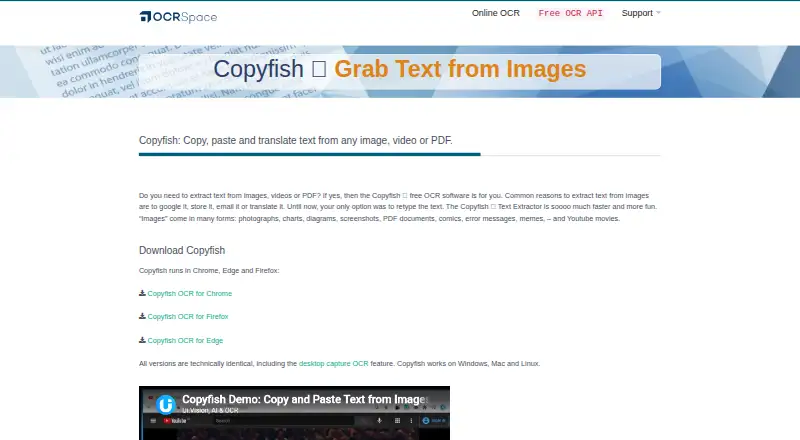
Copyfish extracts text from images, videos, and PDFs so it can be copied, pasted, or translated.
What Copyfish is
Copyfish extracts text from images, videos, and PDFs so it can be copied, pasted, or translated. Its browser extension runs in Chrome, Edge, and Firefox. With the XModules2 desktop automation module, it can capture text from desktop documents, menus, webpages, presentations, and games. Copyfish offers three OCR engines; Engine 3 includes handwriting, table, and markdown OCR and supports more than 200 languages, though larger images can take longer to process. Local OCR runs offline on the user's machine, and the maker says image data stays on the computer. This mode has fewer languages and somewhat reduced accuracy than online OCR. Extracted text can be sent to Google Translate or DeepL, and translator extensions and popup dictionaries are supported. Copyfish is free, open-source software under the GPL license, with source code on GitHub. Online OCR documents are deleted after processing, except searchable PDFs, which remain available for 60 minutes before deletion. Desktop capture and local OCR require XModules2. Support is directed through the Copyfish help page and OCR software forum.
Good
- Free and open-source under the GPL license.
- Works as an extension in Chrome, Edge, and Firefox.
- Local OCR runs offline on the user's machine.
- Engine 3 supports more than 200 languages.
Watch out
- Desktop capture and local OCR require XModules2.
- Offline OCR has fewer languages and reduced accuracy.
- Engine 3 can be slower on larger images.
Who it suits
Copyfish suits people who need to extract text from images, video, PDFs, or desktop content for reuse or translation. Its offline mode may suit users who want local OCR and accept its language and accuracy limits.
Verdict
Copyfish provides free OCR through a browser extension, with desktop capture and offline OCR available through XModules2. Choose between local and online OCR with their respective language, accuracy, and data-handling differences in mind.
Plans and prices
From Copyfish's own pricing page, checked 9 Oct 2026.
| Plan | Price | What it gives you |
|---|---|---|
| Copyfish | Free | Free and open-source browser extension; desktop and offline OCR require the free XModules2 app |
The facts
Each one read from Copyfish's own pages, with the date it was checked.
Where it runs
- Browser support
- The extension runs in Chrome, Edge, and Firefox.checked 9 Oct 2026
- Primary platform
- bothchecked 21 Sep 2026
The company
- Company
- OCR.space is a service of a9t9 software GmbH, whose office is listed in Heidelberg, Germany.checked 9 Oct 2026
What it does
- Desktop capture
- With the XModules2 app, Copyfish can capture text from desktop documents, menus, webpages, presentations, and games.checked 9 Oct 2026
- Desktop dependency
- Desktop capture and local OCR require the XModules2 desktop automation module.checked 9 Oct 2026
- Handwriting OCR
- Yeschecked 21 Sep 2026
- OCR engines
- Copyfish offers three OCR engines, including handwriting, table, and markdown OCR in Engine 3; Engine 3 supports more than 200 languages and can be slower on larger images.checked 9 Oct 2026
- Offline OCR
- Local OCR runs offline on the user's machine, and the maker says no image data leaves the computer; offline OCR has fewer languages and somewhat reduced accuracy than online OCR.checked 9 Oct 2026
- Online OCR data handling
- OCR.space says hosted OCR documents are deleted after processing, except searchable PDFs, which remain available for 60 minutes before deletion.checked 9 Oct 2026
- Open source
- Copyfish is free and open-source software published under the GPL license, with source code on GitHub.checked 9 Oct 2026
- Privacy
- The maker says local OCR runs completely offline and no image data leaves the computer.checked 9 Oct 2026
- Purpose
- Copyfish extracts text from images, videos, and PDFs so it can be copied, pasted, or translated.checked 9 Oct 2026
- Support
- The maker directs users to the Copyfish help page and OCR software forum for technical support.checked 9 Oct 2026
- Supported inputs
- bothchecked 21 Sep 2026
- Translation integrations
- Copyfish can send extracted text to Google Translate or DeepL and supports translator extensions and popup dictionaries.checked 9 Oct 2026
Money
- Free plan
- Yeschecked 21 Sep 2026
Alternatives to Copyfish
- 1
FreeOCR.AI
Free planWebAPImacOSWindows8.2From $80 a year - 2
Tesseract OCR
Free planAndroidAPILinuxmacOS7.9Free plan - 3

Open-Capture
Free planOpen sourceWebAPILinuxSelf-hosted7.9Free plan - 4
ScanScan
AndroidiOSWebmacOS7.7CN¥30 one-time - 5
Prizmo
Free planiOSmacOS7.7Free plan - 6
Tungsten OmniPage
APILinuxmacOSSelf-hosted7.6€99 one-time