Computershare BoardWorks
Computershare BoardWorks is a board management platform for boards and committees, with tools for meeting preparation, document handling, and member particip…
What Computershare BoardWorks is
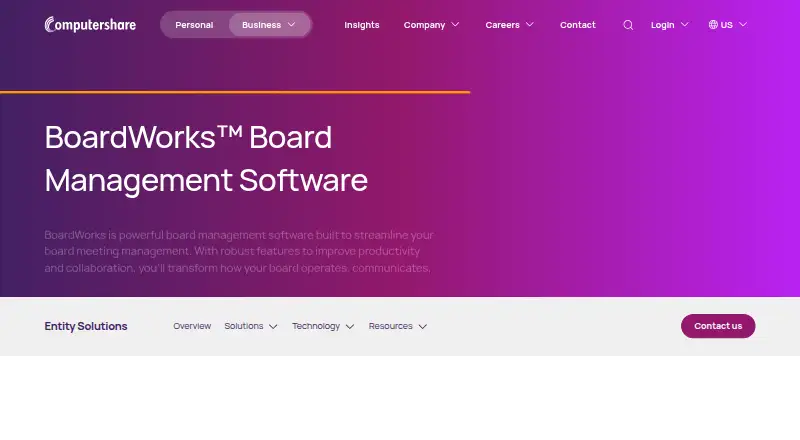
Computershare BoardWorks is a board management platform for boards and committees, with tools for meeting preparation, document handling, and member participation. It creates board books automatically and lets users assemble board packs by dragging and dropping materials. Members can store, review, annotate, and share documents, with remote wiping available for annotations. Voting, evaluations, surveys, and feedback tools support board decisions. BoardWorks works online and offline, and users control which documents synchronize. It integrates with Microsoft 365 and DocuSign. Security features include encryption, biometric and two-factor authentication, and remote wiping; Computershare describes its data centers as meeting SSAE16 and AT 101 requirements. Available languages include English, Spanish, Simplified Chinese, Traditional Cantonese, French, German, and Danish. Clients receive 24/7 dedicated support, onboarding training, and live chat. The subscription includes all modules and unlimited committees; additional users are charged. Pricing is available on request.
Good
- Creates board books automatically and supports drag-and-drop assembly.
- Supports online and offline work.
- Users choose which documents synchronize.
- Includes voting, evaluations, surveys, and feedback tools.
- Clients receive 24/7 dedicated support and onboarding training.
Watch out
- Pricing is available on request.
- Additional users are charged.
- The subscription does not list a price.
Who it suits
BoardWorks is aimed at corporations, nonprofits, healthcare organizations, credit unions, higher education institutions, and banks managing board or committee work. It may suit groups that need offline document access and built-in voting or feedback tools.
Verdict
BoardWorks combines meeting materials, document collaboration, and decision-making tools for boards and committees. Organizations should request pricing and clarify the cost of additional users.
Plans and prices
From Computershare BoardWorks's own pricing page, checked 1 Oct 2026.
| Plan | Price | What it gives you |
|---|---|---|
| BoardWorks subscription | Priced on request | all modules included · unlimited committees · additional users charged |
| Custom subscription | Priced on request | Subscription · unlimited committees included in standard pricing · No public price; pricing details are unavailable |
The facts
Each one read from Computershare BoardWorks's own pages, with the date it was checked.
Where it runs
- Android availability
- Google Play lists the app with 1K+ downloads and features for chat, annotations, evaluations, voting, signatures, multi-boarding and biometrics.checked 15 Oct 2026
- Android data safety
- Google Play says the developer reports no third-party data sharing, possible collection of personal information and encryption in transit.checked 15 Oct 2026
- Apple complaint
- App Store reviewers reported frequent crashes, instability, poor Face ID integration and a lack of a user troubleshooting forum.checked 15 Oct 2026
- GetApp feature rating
- Users rated document management 5.0 out of 5 from 5 ratings and access controls 4.6 out of 5 from 5 ratings.checked 15 Oct 2026
- GetApp support
- The marketplace lists 24/7 live representatives, chat, email/help desk, FAQs, knowledge base and phone support.checked 15 Oct 2026
- GetApp value rating
- GetApp reports a value-for-money score of 4.1 out of 5 from 9 ratings.checked 15 Oct 2026
What it does
- Annotation
- Directors can comment, highlight text and remotely delete annotations inside the portal.checked 15 Oct 2026
- API and SDK
- The opened official product page documents Microsoft 365 and DocuSign integrations but gives no public API or SDK details.checked 15 Oct 2026
- Board book assembly
- Company secretaries can create and update board books with electronic drag-and-drop assembly.checked 15 Oct 2026
- Board books
- The software provides automatic board book creation and drag-and-drop board pack assembly.checked 1 Oct 2026
- Board evaluations
- Integrated questionnaires allow an unlimited number of in-app board evaluations.checked 15 Oct 2026
- Collaboration
- In-app alerts, real-time updates and a unified view support directors serving on multiple boards.checked 15 Oct 2026
- Data facilities
- Computershare describes its BoardWorks data centers as bank-level secure facilities meeting SSAE16 and AT 101 requirements.checked 1 Oct 2026
- Document management
- The product stores board documents and lets directors view, annotate and approve materials online or offline.checked 15 Oct 2026
- DocuSign integration
- DocuSign signing status is automatically updated in BoardWorks after documents are signed.checked 15 Oct 2026
- Integrations
- BoardWorks integrates with Microsoft 365 and DocuSign.checked 1 Oct 2026
- Languages
- Supported languages include English, Spanish, Simplified Chinese, Traditional Cantonese, French, German and Danish.checked 1 Oct 2026
- Licence and hosting
- The opened official and marketplace pages provide no open-source licence or self-hosting option.checked 15 Oct 2026
- Limit: pricing and service
- A G2 reviewer complained that changes such as address updates incurred charges and that service was slow and overpromised.checked 15 Oct 2026
The company
- Company acquisitions
- Crunchbase reports that Computershare has acquired 24 organizations.checked 15 Oct 2026
- Company founded
- Computershare says it began in 1978.checked 15 Oct 2026
- Company headquarters and size
- LinkedIn lists Computershare as a public financial-services company headquartered in Melbourne, Victoria, with 10,001+ employees.checked 15 Oct 2026
- Founded
- 1978checked 28 Sep 2026
- Headquarters
- Melbourne, Australiachecked 28 Sep 2026
The full review of Computershare BoardWorks
Computershare BoardWorks is board and committee management software for organizations that need secure meeting preparation and decision-making across mobile and desktop. It suits corporate, nonprofit, healthcare, education and financial institutions looking for one subscription across committees. Its strongest case is the combination of board materials, collaboration and governance tools; custom pricing and charges for additional users make seat costs worth clarifying.
Overview
BoardWorks brings board book preparation, document handling and decision-making into a platform designed for directors and committee members. Teams can assemble board packs by drag and drop, annotate and share documents, and use built-in voting, evaluations and surveys. Standard subscriptions include unlimited committees, with no additional charges for meetings or storage space; additional users are charged separately.
Key features
- Board materials: Automatic board book creation and drag-and-drop pack assembly can reduce the work of preparing meeting materials. Agendas, minutes and governance records are supported.
- Document collaboration: Members can store, review, annotate and share documents. Remote wiping of annotations adds a way to remove sensitive notes, while offline access and control over which documents sync help members work when disconnected without syncing every file.
- Decision-making: Voting, approvals, evaluations, surveys and feedback tools support decisions and gather member input in one platform.
- Security: BoardWorks offers bank-grade encryption, biometric and two-factor authentication, and remote wiping. Computershare describes its data centers as bank-level secure facilities meeting SSAE16 and AT 101 requirements.
- Integrations and support: Microsoft 365 and DocuSign integrations connect the platform to two common business tools. Clients receive 24/7 dedicated support, onboarding training and live chat.
Pricing
BoardWorks uses paid, custom pricing. The BoardWorks subscription includes all modules and unlimited committees, and the provider says meetings and storage do not incur additional charges. Additional users are charged separately, so organizations should request pricing with their expected user count in mind. There is no separate lower-cost plan in the subscription details.
Platforms
BoardWorks is available on Android, iOS, web and Windows. Its supported languages include English, Spanish, Simplified Chinese, Traditional Cantonese, French, German and Danish.
Who it's for
The platform is aimed at corporations, nonprofits, healthcare organizations, credit unions, higher education institutions and banks. It is a better fit for organizations managing several committees or needing offline document access and formal governance workflows than for small groups seeking a free board portal.
Pros and cons
Pros
- Unlimited committees: The standard subscription can accommodate multiple committees without a committee-count charge.
- Meeting and storage costs stay predictable: The provider says customers do not pay extra for meetings or storage space.
- Security and remote work tools: Strong authentication options, remote wiping and selective offline synchronization address common concerns for sensitive board materials.
- Broad governance coverage: Board books, documents, voting, approvals and records sit alongside surveys and feedback.
Cons
- Per-user charges can grow: Additional users cost extra, which may matter for larger boards or broad committee participation.
- Custom pricing limits comparison: Organizations must request a quote before weighing the subscription against alternatives.
Alternatives
For a board-management shortlist, browse Board Management Software. Organizations comparing governance platforms across entity administration can also review Legal Entity Management Software, while companies focused on share plans can explore Equity Compensation Management Software.
- BoardiGO is worth considering for organizations that want a free entry point: its free plan supports one organization, up to 10 users and 2 GB of storage, with core board-governance workflow and task management.
- BoardPAC is another paid board-management option, with Android, iOS, macOS, web, Windows and self-hosted platforms.
- GlobalBoards is a paid alternative for teams working on iOS or the web.
- Boardable may suit buyers seeking a paid option with a free trial and support for Android, iOS, macOS, web and Windows.
- Simbli is a paid alternative with personalized pricing and an implementation proposal after consultation.
- Diligent Audit is a paid option with Android, iOS, web and API platforms.
- My Board View is worth considering for groups that can work with a free, web-based plan covering meeting scheduling, invitations, minutes, document and policy storage, and announcements.
- Sherpany is a paid alternative with a free trial and Executive and Board plans.
Verdict
Choose BoardWorks if your organization needs secure board materials, decision tools and multiple committees under one subscription, especially when offline access and dedicated support matter. Look elsewhere if additional-user charges or quote-based pricing make costs difficult to plan, or if a free starting plan is a priority.
Alternatives to Computershare BoardWorks
- 1
Inform Direct
Free planWebAPI7.5From £0.08 a month - 2
TaxCalc
LinuxmacOSWindows7.0 - 3

EntityFlo
Free planWeb6.9From A$199 a month - 4
EntityKeeper
AndroidiOSWeb6.8From $50 a year - 5
Lextree
WebAPI6.8From $75 a month - 6

Alethia
Free planWebAPI6.7From £12,000 a year