ComfyUI Video Stabilizer
ComfyUI Video Stabilizer is a free, MIT-licensed custom node package for stabilizing video inside ComfyUI.
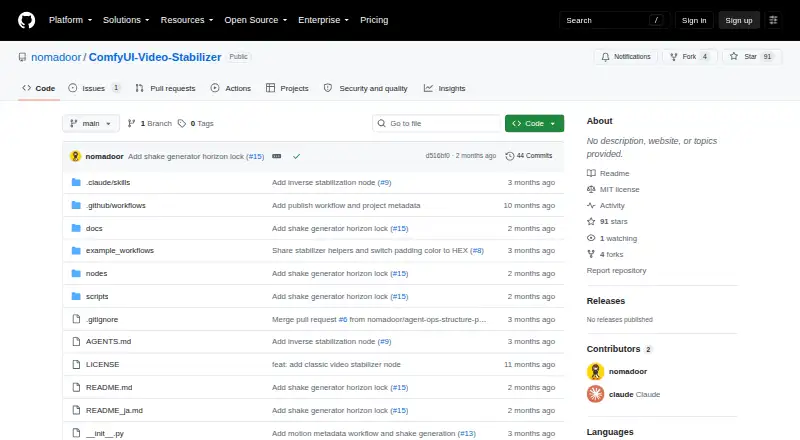
What ComfyUI Video Stabilizer is
ComfyUI Video Stabilizer is a free, MIT-licensed custom node package for stabilizing video inside ComfyUI. Video Stabilizer Classic uses feature tracking, while Video Stabilizer Flow uses dense optical flow and is described as heavier but more accurate. Framing options crop the image, crop and pad gaps, or expand the canvas. Classic and Flow record removed camera motion as metadata, which Motion Apply can later reproduce. The package also supports artificial shake: Shake Generator creates deterministic shake metadata, and Manual accepts pan, tilt, roll, and zoom settings. Motion Apply can add motion blur. Stabilization exposes revealed areas as a mask for video-generation AI outpainting, with example workflows for Wan 2.1 VACE and Wan 2.2 VACE-Fun. The package runs locally, can be installed through ComfyUI Manager, and is intended for footage preparation before editing or video generation, followed by restoring natural camera motion.
Good
- Runs locally inside ComfyUI
- Offers feature tracking and optical flow
- Records removable motion as metadata
- Supports crop, padding, and canvas expansion
- Includes AI outpainting masks
Watch out
- Requires ComfyUI
- Flow is described as heavier
- No security or compliance details are provided
Who it suits
It suits ComfyUI users who need local video stabilization, controlled shake, or motion restoration. It is also useful for workflows that outpaint areas exposed by stabilization.
Verdict
This package links stabilization, motion reuse, shake generation, and outpainting within ComfyUI. Its local workflow and MIT license suit users comfortable managing their own ComfyUI setup.
Plans and prices
From ComfyUI Video Stabilizer's own pricing page, checked 4 Oct 2026.
| Plan | Price | What it gives you |
|---|---|---|
| Free | Free | MIT-licensed ComfyUI custom node package |
The facts
Each one read from ComfyUI Video Stabilizer's own pages, with the date it was checked.
What it does
- AI workflow
- The stabilizer outputs exposed areas as a mask that a video generation AI can use to outpaint without sacrificing field of view.checked 4 Oct 2026
- Core functions
- It stabilizes camera shake, restores original shake after stabilization, and adds artificial shake.checked 4 Oct 2026
- Framing
- Its framing modes are crop, crop_and_pad, and expand, which respectively crop, pad remaining gaps, or expand the canvas.checked 4 Oct 2026
- Installation
- The package can be installed through ComfyUI Manager.checked 4 Oct 2026
- Integrations
- The repository provides example workflows for Wan 2.1 VACE and Wan 2.2 VACE-Fun outpainting.checked 4 Oct 2026
- Intended users
- The maker describes using it to stabilize footage before editing or video generation, then restore natural camera motion afterward.checked 4 Oct 2026
- License
- The repository lists the project under the MIT license.checked 4 Oct 2026
- Motion blur
- The maker’s documentation says Motion Apply can also add motion blur.checked 4 Oct 2026
- Motion metadata
- The Classic and Flow nodes output metadata recording removed camera motion, which Motion Apply can use to reproduce that motion.checked 4 Oct 2026
- Purpose
- ComfyUI Video Stabilizer is a custom node package for stabilizing video inside ComfyUI.checked 4 Oct 2026
- Security
- The repository page does not provide security or compliance details for the project.checked 4 Oct 2026
- Shake generation
- The Shake Generator creates deterministic shake metadata, and the Manual node allows direct pan, tilt, roll, and zoom settings.checked 4 Oct 2026
- Stabilization methods
- Video Stabilizer Classic uses feature tracking, while Video Stabilizer Flow uses dense optical flow and is described as heavier but more accurate.checked 4 Oct 2026
Alternatives to ComfyUI Video Stabilizer
- 1
TensorPix
Free planAndroidiOSWebAPI8.3From $5.50 a month - 2
Cutout.Pro
Free planAndroidiOSWebAPI8.2From $5 a month - 3

CyberLink PowerDirector
Free planAndroidiOSmacOSWindows8.2From $59.99 a year - 4
Wondershare Filmora
Free planAndroidiOSWebmacOS7.9From $49.99 a year - 5

Adobe Premiere
AndroidiOSmacOSWindows7.8From $19.99 a month - 6

Gyroflow
Free planOpen sourceAndroidiOSLinuxmacOS7.8Free plan