
Coder
Coder is a self-hosted platform for AI coding agents and cloud development environments on infrastructure you control.
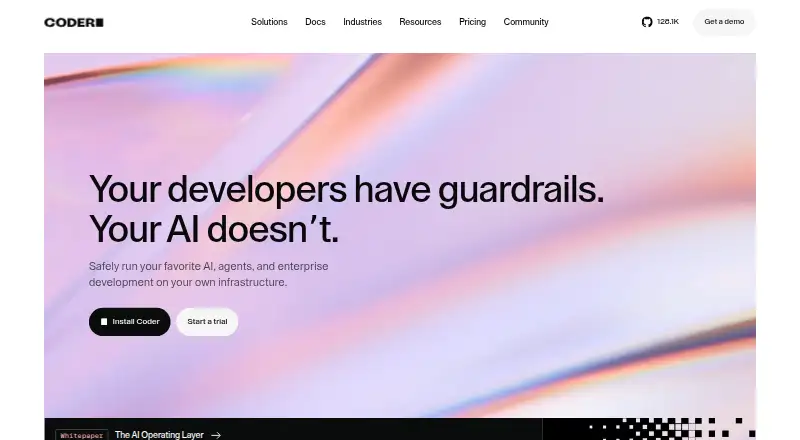
What Coder is
Coder is a self-hosted platform for AI coding agents and cloud development environments on infrastructure you control. Workspaces use Terraform definitions and connect through a secure WireGuard tunnel. You can open a workspace from VS Code, JetBrains, Cursor, a web terminal, remote desktop, or SSH, with support for persistent storage, prebuilds, GPU workspaces, custom configurations, and multiple version-control hosts. Idle workspaces can stop automatically and restart when needed. Coder Agents lets developers assign development or research work through chat or an API; it provisions a workspace for each task. Agents can connect to Anthropic, OpenAI, Google, Bedrock, and self-hosted model endpoints. The agent loop runs in Coder’s control plane, keeping language-model credentials out of workspaces. Integrations include GitHub, GitLab, Bitbucket, and JFrog Artifactory. The Community plan is free and provides unlimited self-hosted workspaces, up to five active Coder Agents, and one platform integration. Premium adds governance, high availability, workspace proxies, OIDC synchronization, audit logging, and SLA-backed support. AI Premium adds self-hosted AI workflows, the Coder Agents API, network-isolated agent workspaces, and model connections for Anthropic, OpenAI, Azure, and AWS Bedrock.
Good
- Unlimited self-hosted workspaces on Community
- Terraform-defined workspaces with WireGuard connectivity
- Access through VS Code, JetBrains, Cursor, terminal, desktop, or SSH
- Supports Anthropic, OpenAI, Google, Bedrock, and self-hosted models
- Automatic stopping and restarting for idle workspaces
- GPU workspaces, prebuilds, and persistent storage
Watch out
- Community allows up to five active Coder Agents
- Community includes one platform integration
- Premium and AI Premium list additional capabilities
- Self-hosted deployment requires customer-controlled infrastructure
Who it suits
Coder suits developers who need cloud workspaces and AI agents while keeping infrastructure under their control. It fits users working through popular IDEs, terminals, remote desktop, or SSH, and organizations needing integrations, governance, or isolated agent workspaces.
Verdict
Choose Coder if you want self-hosted development environments with AI agents and broad workspace access options. The free Community plan covers unlimited self-hosted workspaces, but users needing more than five active agents, advanced governance, or isolated AI workflows should consider higher plans.
Plans and prices
From Coder's own pricing page, checked 14 Oct 2026.
| Plan | Price | What it gives you |
|---|---|---|
| Community | Free | Unlimited self-hosted workspaces · up to 5 active Coder Agents · one platform integration · community support · Free |
| AI Premium | Priced on request | Unlimited Coder Agents · background agents through API · network-isolated agent workspaces · Anthropic, OpenAI, Azure and AWS Bedrock connectivity · Custom |
| Premium | — | Up to 5 active Coder Agents · unlimited platform integrations · multi-org RBAC · OIDC synchronization · audit logging · SLA-backed support · Annually per user |
The facts
Each one read from Coder's own pages, with the date it was checked.
What it does
- Agent API
- Background agent tasks can be triggered through the Coder Agents API from CI pipelines, GitHub Actions, Slack, Jira and other systems.checked 14 Oct 2026
- Agent governance
- Administrators can approve models and providers, set spending limits, restrict workspace templates and audit agent activity.checked 14 Oct 2026
- Agent security
- Coder Agents runs its agent loop in the Coder control plane, keeping LLM credentials out of workspaces.checked 29 Sep 2026
- AI model providers
- Coder Agents supports Anthropic, OpenAI, Google, Bedrock, and self-hosted model endpoints.checked 29 Sep 2026
- API limit
- The documented default maximum request body size is 4 MiB and cannot be increased by a deployment option.checked 14 Oct 2026
- Architecture support
- A single deployment supports ARM and x86-64 architectures across Windows, Linux and macOS.checked 14 Oct 2026
- Automatic shutdown
- Idle workspaces automatically stop and can restart in seconds to reduce cloud spending.checked 14 Oct 2026
- Coder Agents
- Coder Agents runs its agent loop in the self-hosted control plane rather than inside workspaces or a vendor cloud.checked 14 Oct 2026
- Community support
- The Community plan lists support through GitHub and Discord.checked 29 Sep 2026
- Compliance
- Coder's site displays a SOC 2 Type II certification badge.checked 14 Oct 2026
- Database requirement
- Coder's production quickstart recommends PostgreSQL version 13 or later.checked 14 Oct 2026
- Documentation depth
- The documentation is organized into installation, user guides, administration, tutorials and reference sections, including a large REST API reference.checked 14 Oct 2026
- Earlier funding
- Crunchbase News reported Coder's $4.5 million seed round in November 2018 and a later $30 million Series B round.checked 14 Oct 2026
- Enterprise support
- The Premium plan includes SLA-backed support and lists ticket-based global support.checked 29 Sep 2026
- Funding news
- Coder announced a $35 million funding round on June 25, 2024, bringing its Series B total to $65 million.checked 14 Oct 2026
- IDE access
- Users can connect through VS Code, JetBrains, Cursor, web terminals, remote desktop or SSH.checked 14 Oct 2026
- Integrations
- Coder lists integrations including Backstage, VS Code, JetBrains, Cursor, Kiro, Devin Desktop and Dev Containers.checked 14 Oct 2026
- License
- The public Coder repository is licensed under AGPL-3.0, with a separate enterprise license file also present.checked 14 Oct 2026
- Limit: learning curve
- G2 reviewers report that advanced template customization requires Terraform knowledge and can be difficult for teams without infrastructure expertise.checked 14 Oct 2026
Where it runs
- Air-gapped use
- Coder documents downloading a matching CLI from the deployment for air-gapped environments and describes support for restricted-network deployments.checked 14 Oct 2026
- Installation platforms
- The Coder CLI installs on Linux, macOS and Windows; the same CLI runs the control plane and client.checked 14 Oct 2026
The company
- Company
- Coder's company blog says it was founded in 2017 in Austin, Texas.checked 29 Sep 2026
- Company profile
- LinkedIn lists Coder as a privately held software-development company headquartered in Austin, Texas, with 51–200 employees and founded in 2017.checked 14 Oct 2026
Money
- Free plan
- Yeschecked 22 Sep 2026
The full review of Coder
Coder is a self-hosted control plane for cloud development environments and AI coding agents, aimed at teams that need their workspaces on infrastructure they control. It is a strong fit for organizations with varied editor preferences, persistent or GPU-backed environments, and security requirements around model credentials. The trade-off is that this flexibility demands more infrastructure ownership than a fully hosted coding workspace.
Overview
Coder defines workspaces with Terraform and connects them through a secure WireGuard tunnel, giving administrators a way to standardize custom environments while retaining control of the underlying infrastructure. Workspaces can persist storage, use prebuilds, and run on GPU-capable setups, so the platform can cover anything from ordinary development to resource-intensive workloads.
Developers can enter the same workspace through VS Code, JetBrains, Cursor, a web terminal, remote desktop, or SSH. Idle environments can stop automatically and restart when needed, which is useful when teams want persistent setups without leaving every machine running continuously.
Coder Agents adds delegated development and research. A request arrives through chat or an API; Coder provisions a workspace for the task, while the agent loop stays in the control plane. Keeping LLM credentials out of workspaces is a meaningful security boundary for teams that do not want secrets exposed inside development environments.
Key features
- Infrastructure-defined environments: Terraform and custom workspace configuration suit organizations with specific networking, software, or compliance requirements. They also require more operational expertise than a preset hosted environment.
- Broad workspace access: Support for VS Code, JetBrains, Cursor, browser terminal, remote desktop, and SSH lets individuals keep their preferred tools instead of adopting one mandated interface.
- Agent delegation: Coder Agents can execute coding and research tasks in provisioned workspaces through chat or API. The control-plane agent loop separates model credentials from workspace processes.
- Multiple model providers: Anthropic, OpenAI, Google, Bedrock, and self-hosted model endpoints are supported. This gives teams provider choice rather than locking agent work to one model vendor.
- Development integrations: Documented connections include GitHub, GitLab, Bitbucket, and JFrog Artifactory, covering common source-control and artifact workflows.
- Lifecycle and capacity options: Automatic stopping and restarting, persistent storage, prebuilds, and GPU workspaces make Coder suitable for environments that need continuity or specialized compute.
- Security posture: The site displays a SOC 2 Type II Certified badge, while WireGuard connectivity and control-plane agent execution support a security-conscious deployment model.
Pricing
Community — free (billed Free): This plan includes unlimited self-hosted workspaces, up to five active Coder Agents, and one platform integration. GitHub and Discord support are included. It is the practical starting point for individuals and teams able to operate their own infrastructure, but the five-agent ceiling and single integration limit matter for larger automation programs.
Premium — custom pricing: Premium adds advanced governance, high availability and workspace proxies, OIDC synchronization, audit logging, SLA-backed support, and ticket-based global support. It remains capped at up to five active Coder Agents, so its value is governance, availability, and support rather than greater agent concurrency.
AI Premium — custom pricing: This tier is for organizations building self-hosted AI workflows. It includes unlimited agents, the Coder Agents API, network-isolated agent workspaces, and model connections for Anthropic, OpenAI, Azure, and AWS Bedrock. Choose it when agent volume or isolation is central; otherwise Community provides the core workspace platform without those enterprise AI controls.
A free trial is offered, and the Community plan is free rather than a time-limited subscription.
Platforms
Coder is available as a self-hosted and web platform, with API access and a CLI for Linux, macOS, and Windows. Workspace connections span those operating systems through supported editors, terminal access, remote desktop, or SSH. JetBrains support, persistent storage, prebuilds, and GPU workspaces broaden its usefulness beyond lightweight browser coding.
Who it's for
Coder is best for engineering teams that need infrastructure control, reproducible Terraform-defined environments, multiple VCS hosts, or a deliberate boundary between AI agents and workspace credentials. It also suits organizations standardizing mixed editor workflows or running persistent and GPU-backed development systems.
It is less suitable for someone seeking an immediately hosted playground with minimal administration. The self-hosted model places responsibility for infrastructure and operations on the customer, and Community's one-integration and five-active-agent limits can constrain expanding teams.
Pros and cons
Pros
- Self-hosted control: Workspaces run on customer-controlled infrastructure, allowing environment and network decisions to remain in-house.
- Editor and connection choice: VS Code, JetBrains, Cursor, web terminal, remote desktop, and SSH accommodate established workflows.
- Credential separation for agents: The control-plane loop keeps LLM credentials out of workspaces.
- Strong free baseline: Community offers unlimited self-hosted workspaces at no charge.
- Scalable AI tier: AI Premium removes the five-agent ceiling and adds isolated workflows and API access.
Cons
- Operational burden: Self-hosting and Terraform-based customization demand infrastructure ownership.
- Community limits: One platform integration and up to five active agents may be restrictive for larger teams.
- Premium still limits agents: Organizations needing more than five active agents must move to AI Premium rather than Premium.
- Custom pricing: Premium and AI Premium costs require a sales decision, making budgeting less immediate.
Alternatives
Replit is the better choice for a hosted, cross-platform environment with a free Starter plan, though that plan limits users to one live project and one background task at a time.
GitHub Codespaces fits teams wanting usage-billed cloud machines, with listed 2-core and 4-core compute options, rather than customer-managed infrastructure.
Playcode suits lightweight browser projects where a free tier offers three projects or published sites and one collaborator.
JupyterLab is the simpler free, open-source choice for locally installed notebook-oriented development.
Deepnote is preferable for collaborative hosted projects, with a free plan capped at three editors and five projects.
Tencent Cloud Cloud Studio offers fixed cloud resource tiers, including a free 1-core, 2GB configuration.
RunCode.io is an alternative for parallel hosted workspaces, with listed Beginner and Enterprise workspace counts.
AWS Cloud9 suits AWS users wanting an environment with no additional Cloud9 charge, while EC2 and storage remain billed separately.
For broader category comparisons, see Coding Playgrounds, Cloud Development Environments, and AI Coding Assistants.
Verdict
Choose Coder if your team wants customer-controlled development infrastructure, flexible workspace access, and AI agents with credentials kept outside those workspaces. Look elsewhere if you want a turnkey hosted environment or if Community's integration and agent limits do not match your scale; in that case, evaluate AI Premium or a hosted alternative.
Getting started
- Open https://coder.com/
- Choose the Community, Premium, or AI Premium plan
- Deploy Coder on infrastructure you control
- Define a workspace with Terraform
- Connect through the secure WireGuard tunnel
- Open the workspace with your preferred IDE, terminal, desktop, or SSH client
Limits worth knowing
The free Community plan includes up to five active Coder Agents and one platform integration. Premium also lists up to five active agents, while AI Premium provides unlimited agents.
Questions
Is Coder free?
The Community plan costs nothing and includes unlimited self-hosted workspaces.
Which platforms does Coder support?
Coder is available through API, Linux, macOS, self-hosted deployments, the web, and Windows. The CLI supports Linux, macOS, and Windows.
Which AI model providers can Coder Agents use?
Coder Agents supports Anthropic, OpenAI, Google, Bedrock, and self-hosted model endpoints. AI Premium also lists model connections for Anthropic, OpenAI, Azure, and AWS Bedrock.
Can Coder connect to version-control services?
Documented integrations include GitHub, GitLab, and Bitbucket, along with JFrog Artifactory.
What support comes with the plans?
Community support is provided through GitHub and Discord. Premium includes SLA-backed, ticket-based global support.
Alternatives to Coder
- 1

Replit
Free planAndroidiOSWebLinux9.2From $18 a month - 2

StackBlitz
Free planAndroidiOSWebAPI8.9Free plan - 3

Playcode
Free planAndroidiOSWebAPI8.9From $25 a month - 4
Paperspace Gradient
Free planOpen sourceWebAPIExtensionLinux8.7From $8 a month - 5
GitHub Codespaces
Free planAndroidiOSWebAPI8.6Free plan - 6

JDoodle
Free planAndroidiOSWebAPI8.6From $4 a month