
CineLog
CineLog is filmmaking project management software for organizing production work around scripts, schedules, cast and crew, locations, and call sheets.
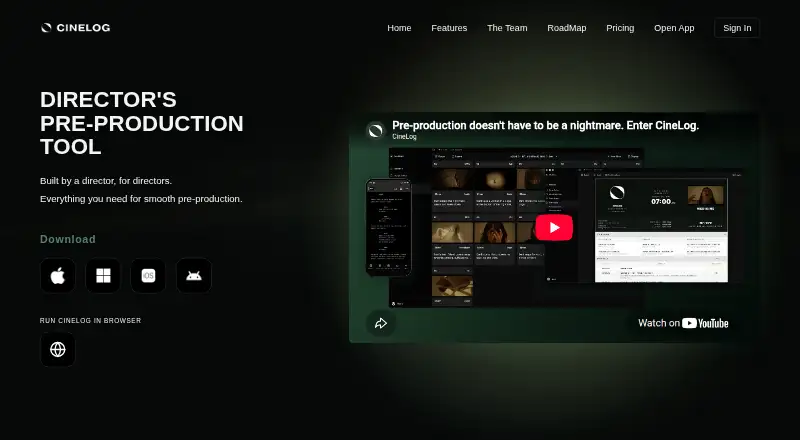
What CineLog is
CineLog is filmmaking project management software for organizing production work around scripts, schedules, cast and crew, locations, and call sheets. Its script breakdown feature supports project preparation, while stripboard scheduling provides a way to view production scheduling. Cast and crew tracking, location management, and call-sheet support bring these planning tasks into the service. CineLog is available on Android, iOS, macOS, web, and Windows. The Free plan costs nothing, billed monthly, and includes 1 active project, 50 MB of media storage, and up to 2 collaborators. Filmmaker costs $15 a month, billed monthly, and supports up to 3 active projects, 3 GB of storage, and 20 collaborators. Production Company costs $40 a month, billed monthly, with up to 10 active projects, 20 GB of storage, and 50 collaborators. Studio costs $90 a month, billed monthly, and allows up to 30 active projects, 60 GB of storage, and 100 collaborators. The free tier provides a way to start with a small project, while the paid tiers raise project, storage, and collaboration limits for larger teams.
Good
- Covers script breakdown and stripboard scheduling.
- Tracks cast, crew, and locations.
- Includes call-sheet support.
- Runs on Android, iOS, macOS, web, and Windows.
- Free plan includes one active project.
Watch out
- Free plan is limited to 50 MB of media storage.
- Free plan allows up to 2 collaborators.
Who it suits
CineLog suits filmmakers who need to organize script breakdowns, scheduling, cast and crew, locations, and call sheets in one production workflow. Its Free plan fits a small project with up to two collaborators, while higher tiers accommodate more projects, media storage, and collaborators.
Verdict
CineLog is a sensible choice for production teams that want script, schedule, people, location, and call-sheet tools together. The Free tier is limited to one project, 50 MB, and two collaborators; teams needing more capacity can consider paid plans starting at $15 a month, billed monthly.
Plans and prices
From CineLog's own pricing page, checked 23 Sep 2026.
| Plan | Price | What it gives you |
|---|---|---|
| Free | Free | 1 active project · 50 MB media storage · Up to 2 collaborators · billed monthly |
| Filmmaker | $15 a month | Up to 3 active projects · 3 GB media storage · Up to 20 collaborators · billed monthly |
| Production Company | $40 a month | Up to 10 active projects · 20 GB media storage · Up to 50 collaborators · billed monthly |
| Studio | $90 a month | Up to 30 active projects · 60 GB media storage · Up to 100 collaborators · billed monthly |
| Enterprise | Priced on request | Unlimited projects · Custom media storage · Unlimited collaborators |
The full review of CineLog
CineLog is a production-planning app that brings script breakdown and scheduling together with tools for coordinating a film crew. It is best suited to filmmakers and production teams that want those jobs in one workspace; its free plan is tightly capped, while paid tiers scale project, storage, and collaborator limits.
Overview
CineLog combines script breakdown, stripboard scheduling, cast and crew tracking, location management, and call-sheet support. That breadth suits productions that need to coordinate people and places alongside the schedule, rather than manage stripboards alone. The project and storage caps matter as much as the feature set: a small production can start free, but teams with multiple active projects or substantial media needs will need a higher tier.
Key features
- Script breakdown and stripboard scheduling: These cover two central planning tasks: organizing script elements and arranging the production schedule. CineLog is a natural fit for teams seeking both in one app, though these features alone do not establish a complete production suite.
- Cast and crew tracking, locations, and call sheets: Keeping people, places, and call-sheet work alongside scheduling can reduce the need to split those planning tasks across separate tools. The value is strongest for productions coordinating collaborators; the number each plan supports varies substantially.
Pricing
CineLog has a free tier and four paid tiers, with monthly billing on the priced plans. The Free plan costs nothing and allows one active project, 50 MB of media storage, and up to two collaborators. That is a narrow but workable starting point for a single small project; the storage and seat limits leave little room for a larger crew or media-heavy workflow.
- Filmmaker — $15 a month, billed monthly: Up to three active projects, 3 GB of storage, and 20 collaborators. This is the sensible step up for a small team that has outgrown the free caps.
- Production Company — $40 a month, billed monthly: Up to 10 active projects, 20 GB, and 50 collaborators. It fits teams managing several productions at once or coordinating larger crews.
- Studio — $90 a month, billed monthly: Up to 30 active projects, 60 GB, and 100 collaborators. The higher capacity is aimed at larger operations; smaller teams may not need its expanded limits.
- Enterprise — custom pricing: Unlimited projects and collaborators, with custom media storage. It is the tier for organizations that cannot work within the Studio ceilings, though the price must be established directly.
The main trade-off between the priced tiers is capacity, not a stated change in core features. Buyers should choose by active project count, storage needs, and crew size rather than assume a higher tier adds particular tools.
Platforms
CineLog is available on Android, iOS, macOS, web, and Windows. That range gives teams options across mobile devices and desktop environments, with web access as another platform.
Who it's for
CineLog is a good match for filmmakers and production teams that want breakdown, scheduling, crew, location, and call-sheet functions together. Solo users or very small crews can use the free tier if one active project, 50 MB, and two collaborators are enough. Teams running concurrent projects or involving more people should compare the paid caps before committing.
It is less compelling for someone who needs only one narrow planning function, or for a team whose storage requirements exceed the available tier limits. Enterprise may accommodate larger organizations, but its custom pricing calls for a separate budget decision.
Pros and cons
- Pros: Script breakdown, stripboard scheduling, cast and crew tracking, location management, and call sheets sit within one production-planning app.
- Pros: The four priced tiers scale from three to 30 active projects and from 20 to 100 collaborators, giving growing teams defined capacity steps.
- Pros: Android, iOS, macOS, web, and Windows support a range of device preferences.
- Cons: The free plan's one-project, 50 MB, and two-collaborator caps constrain even modest team workflows.
- Cons: Storage tops out at 60 GB on the Studio tier; Enterprise uses custom storage and custom pricing.
Alternatives
Film Production Scheduling Software is a useful place to compare options if you want to evaluate scheduling tools category-wide.
- Gorilla Scheduling is worth considering if its free plan or free trial suits your evaluation; its free tier has limited features, and collaboration, certain reports and exports, fringes, and the integrated Ratebook require a paid plan.
- Production Slate may suit a project that fits its free plan's two-project and five-shoot-day limits, with call sheets to 10 recipients and capped sends; CineLog instead gives up to two collaborators and one active project free.
- Cinetech has a free, read-only demo account with 100 assistant credits; choose it if that demo is sufficient, while CineLog's free plan permits up to two collaborators on one active project.
- Prescene is an alternative if you want its free screenplay-editor drafts; its free tier has no AI usage, while CineLog's stated tools focus on production planning.
- Shamel Studio is another freemium option for web users; CineLog is the clearer fit when its listed breakdown, stripboard, tracking, location, and call-sheet tools match your needs.
- Studiovity offers a free trial and supports Android, iOS, macOS, web, and Windows; consider it if you want to compare a cross-platform option with CineLog.
- Filmustage may appeal if a free plan with one active project and partial AI breakdown is a better fit; CineLog's listed planning features include stripboard scheduling, tracking, location management, and call sheets.
- MoviePrepper is another alternative for film-production needs.
Verdict
CineLog is a strong fit for production teams that want script breakdown, stripboard scheduling, people, locations, and call sheets together across mobile, desktop, and web. Its clearest reason to choose it is that combination; its main drawback is the tight free allowance, followed by storage ceilings on paid tiers. Start free only if the one-project, 50 MB, two-collaborator limit works; otherwise, compare the monthly capacity against your crew and project load before choosing a paid plan.
Getting started
- Visit https://cinelog.com/.
- Choose the Free plan or a paid plan.
- Select a plan based on project, storage, and collaborator limits.
- Use CineLog on Android, iOS, macOS, web, or Windows.
- Set up a project and organize its script, schedule, cast and crew, locations, and call sheets.
Limits worth knowing
The Free plan allows 1 active project, 50 MB of media storage, and up to 2 collaborators.
Questions
Does CineLog have a free plan?
Yes. The Free plan costs nothing, billed monthly, and includes 1 active project, 50 MB of media storage, and up to 2 collaborators.
Which platforms support CineLog?
CineLog is available on Android, iOS, macOS, web, and Windows.
What production features does CineLog include?
It supports script breakdown, stripboard scheduling, cast and crew tracking, location management, and call sheets.
How many projects and collaborators do the plans allow?
Free allows 1 project and 2 collaborators; Filmmaker allows 3 and 20; Production Company allows 10 and 50; Studio allows 30 and 100. Enterprise offers unlimited projects and collaborators.
How much media storage is included?
Free includes 50 MB, Filmmaker 3 GB, Production Company 20 GB, and Studio 60 GB. Enterprise has custom media storage.
Alternatives to CineLog
- 1
Studiovity
AndroidiOSWebAPI7.8 - 2

Gorilla Scheduling
Free planWebmacOSWindows7.7Free plan - 3

GitHub CodeQL
Free planWebExtensionLinuxmacOS7.5From $30 a month - 4
StudioBinder
Free planWeb7.5From $29 a month - 5
Prescene
Free planWebAPI7.4From $49 a month - 6

Production Slate
Free planAndroidiOSWeb7.4From $99 a year