
ChronoFrame
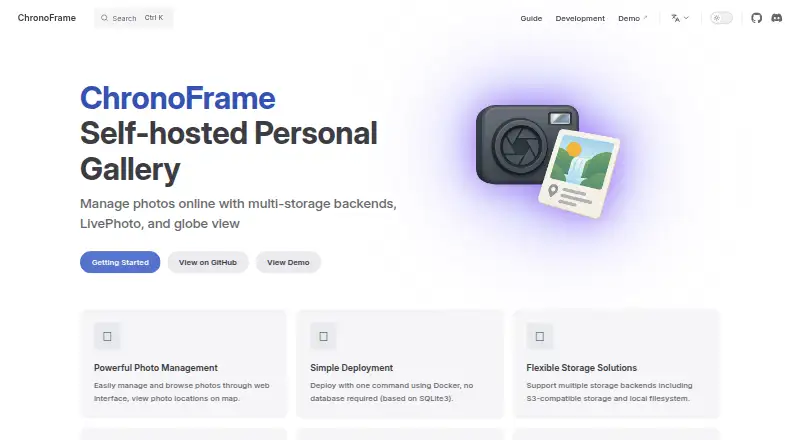
The facts below are what the maker publishes about ChronoFrame, checked and dated. Our editors have not written about it yet.
The facts
Each one read from ChronoFrame's own pages, with the date it was checked.
What it does
- Authentication
- The guide says GitHub OAuth can be enabled, while a default admin account is available if GitHub OAuth is not configured.checked 5 Oct 2026
- Deployment
- The guide describes Docker deployment using a single container or Docker Compose, with SQLite and no separate database required.checked 12 Oct 2026
- Documentation status
- The getting-started guide says the documentation is under construction and some sections may be incomplete.checked 12 Oct 2026
- Geocoding integrations
- OpenStreetMap Nominatim is the default reverse-geocoding provider, and Mapbox Search API can be used when configured with an access token.checked 12 Oct 2026
- License
- ChronoFrame is open source under the MIT License, which the maker says users may use and contribute to freely.checked 12 Oct 2026
- Map integrations
- MapLibre and Mapbox are supported map providers; the guide lists a MapTiler token for MapLibre and a Mapbox token for Mapbox.checked 12 Oct 2026
- Map options
- The configuration guide lists Mapbox and MapLibre as map provider options.checked 5 Oct 2026
- Photo locations
- It extracts GPS information from photos and can display their locations on a map.checked 12 Oct 2026
- Product
- ChronoFrame is a self-hosted personal gallery for managing and browsing photos online.checked 5 Oct 2026
- Purpose
- ChronoFrame is a self-hosted personal gallery for managing and browsing photos online.checked 12 Oct 2026
- Security configuration
- The configuration guide requires a session password and enables upload MIME whitelist validation by default.checked 12 Oct 2026
- Session configuration
- The configuration guide requires a 32-character random session password for encrypting sessions.checked 5 Oct 2026
- Sign-in
- GitHub OAuth login is optional; without it, the guide says users can log in with the default admin account provisioned at first start.checked 12 Oct 2026
- Storage
- Supported storage backends are S3-compatible storage, local filesystem, and OpenList.checked 12 Oct 2026
- Support
- The maker lists GitHub Issues, GitHub Discussions, and Discord as community support channels.checked 12 Oct 2026
- Upload limits
- The default upload MIME whitelist includes JPEG, PNG, WebP, GIF, BMP, TIFF, HEIC, HEIF, QuickTime, and MP4 types, and can be customized or disabled.checked 12 Oct 2026
- Upload validation
- The configuration guide says MIME type whitelist validation is enabled by default and lists supported image and video MIME types.checked 5 Oct 2026
Where it runs
- Live and Motion Photos
- It supports Apple LivePhoto and Google-standard Motion Photo formats and processes MOV files to preserve dynamic photo effects.checked 12 Oct 2026
The company
- Maker
- The project README names Timothy Yin as the author.checked 5 Oct 2026
Alternatives to ChronoFrame
- 1

Cryptee
Free planOpen sourceAndroidiOSWebLinux8.6From €3 a month - 2

Ente Photos
Free planOpen sourceAndroidiOSWebLinux8.6From $2.49 a month - 3

IDrive
Free planAndroidiOSWebLinux8.4From $0.25 a month - 4
Permafiles
Free planOpen sourceAndroidiOSWebLinux8.4From £1.99 a month - 5
Stingle Photos
Free planOpen sourceAndroidiOSWebAPI8.4From $29.90 a year - 6

Google Photos
Free planAndroidiOSWebAPI8.3Free plan