Cheqaat
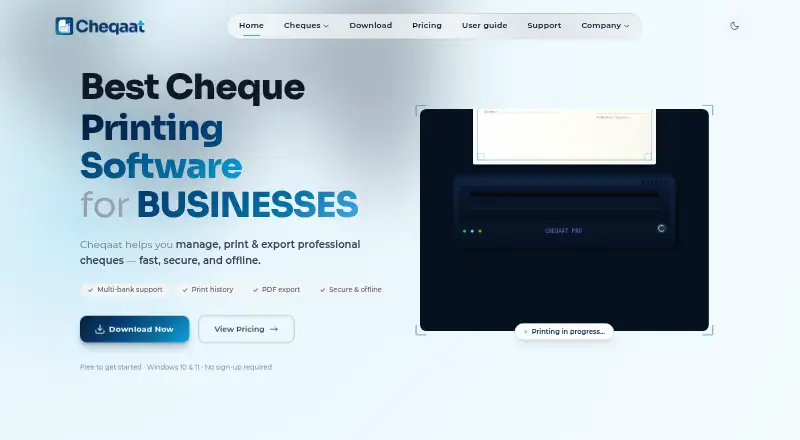
Cheqaat is Windows desktop software for managing, printing and exporting professional cheques.
What Cheqaat is
Cheqaat is Windows desktop software for managing, printing and exporting professional cheques. Bank templates help align printed cheques, and batch tools support bulk printing, including post-dated cheques for recurring payments. Cheques are logged and searchable, and records can be exported as PDFs. For Qatar users, it supports Arabic and English fields and an interface in both languages; the Qatar page lists nine bundled local bank templates and reusable custom formats. The maker says account details and cheque history are encrypted locally and never uploaded to a server. After download, the software works offline and requires Windows 10 or 11 (64-bit), with about 133 MB of disk space. A 30-day free trial requires no credit card. Pro costs $99 a year, billed once a year with no auto-renewal. Enterprise offers custom pricing. The maker identifies SMBs, corporates, accountants and finance teams in Qatar as intended users.
Good
- Supports bulk cheque printing.
- Records are searchable and exportable as PDFs.
- Works offline after download.
- Cheque history stays encrypted locally, according to the maker.
Watch out
- Available for Windows only.
- Requires a 64-bit Windows 10 or 11 computer.
- Pro costs $99 a year.
Who it suits
Cheqaat is aimed at SMBs, corporates, accountants and finance teams in Qatar that need to prepare and track cheques. Its Arabic and English fields and local bank templates are relevant to users handling Qatar cheques.
Verdict
Cheqaat combines cheque preparation, batch printing and searchable records in a Windows desktop application. Its listed pricing includes a 30-day trial and an annual Pro plan.
Plans and prices
From Cheqaat's own pricing page, checked 11 Oct 2026.
| Plan | Price | What it gives you |
|---|---|---|
| Free | Free | Core features · unlimited cheque printing · multi-bank templates · bulk preparation · PDF export and print history · offline use · 30-day free trial; no credit card required |
| Pro | $99 a year | Full feature set · 12 months of access · unlimited cheque printing · multi-bank templates · bulk preparation · PDF export and print history · offline use · Once a year; no auto-renewal |
| Enterprise | Priced on request | Flexible licensing · customized integrations · custom application development · automation support · compliance and reporting support · Custom pricing |
The facts
Each one read from Cheqaat's own pages, with the date it was checked.
What it does
- Bank templates
- The Qatar page lists nine bundled local bank templates and says users can create reusable custom formats.checked 11 Oct 2026
- Cheque printing
- The software uses bank templates to print aligned cheques and supports bulk or batch printing.checked 11 Oct 2026
- Integrations
- The Enterprise plan lists customized integrations; the maker does not name specific integrations on its pricing page.checked 11 Oct 2026
- Intended users
- The maker identifies SMBs, corporates, accountants, and finance teams as intended users in Qatar.checked 11 Oct 2026
- Languages
- Cheqaat supports Arabic and English fields and an Arabic and English interface for Qatar users.checked 11 Oct 2026
- Limits
- The download page says Cheqaat is currently Windows-only and has no confirmed macOS release date.checked 11 Oct 2026
- Post-dated cheques
- Cheqaat supports printing and recording post-dated cheques in bulk for recurring payments.checked 11 Oct 2026
- Product
- Cheqaat is desktop software for managing, printing, and exporting professional cheques.checked 11 Oct 2026
- Records and export
- Cheques are logged and searchable, and records can be exported as PDFs.checked 11 Oct 2026
- Security
- The maker says account details and cheque history are encrypted locally and never uploaded to a server.checked 11 Oct 2026
- Support
- The support page says the team typically responds within 24 hours and provides a user guide, FAQs, and direct email support.checked 11 Oct 2026
Where it runs
- Platform and requirements
- Cheqaat is available for Windows 10 or 11 (64-bit), requires about 133 MB of disk space, and works offline after download.checked 11 Oct 2026
The full review of Cheqaat
Cheqaat is a Windows desktop application for businesses that prepare, print, and retain cheque records. It suits Qatar-based SMBs, accountants, and finance teams that need local bank layouts, Arabic-English operation, and offline access. Its strongest case is a recurring, multi-cheque workflow; organizations that require macOS, mobile, or web access should choose another product.
Overview
Cheqaat brings cheque preparation, aligned printing, and recordkeeping into one desktop workflow. Bank templates handle the positioning needed for printed cheques, while searchable entries and PDF export make past transactions easier to retrieve and file. The Qatar edition includes nine local bank templates, and reusable custom formats cover businesses whose layouts are not bundled.
Arabic and English fields, together with an interface in both languages, make it suitable for Qatar teams working bilingually. Cheqaat works offline after download, and the maker says account details and cheque history are encrypted locally rather than uploaded to a server. That design benefits organizations that want records kept on their own machines, although it also means the software is tied to a Windows desktop workflow.
Key features
Batch preparation and printing
Bulk and batch printing are the practical center of Cheqaat. Finance staff can prepare many cheques in one run instead of repeating the same setup for each payment. Post-dated cheques can also be printed and recorded in bulk, which fits recurring obligations that are scheduled ahead of time.
Records, export, and customization
Every cheque is logged and searchable, giving teams a usable history rather than a print-only tool. PDF export supports filing or sharing a fixed copy of a record. Customizable layouts and reusable formats are valuable when a bank or company requires a non-standard presentation.
Support and security
Support documentation includes a user guide and FAQs, with direct email assistance; the support team typically responds within 24 hours. Cheqaat requires about 133 MB of disk space and runs on 64-bit Windows 10 or 11. It is currently Windows-only, with no confirmed macOS release date.
Pricing
| Plan | Price and terms | What you get |
|---|---|---|
| Free | free; billed as a 30-day free trial; no credit card required | Core features, unlimited cheque printing, multi-bank templates, bulk preparation, PDF export and print history, and offline use |
| Pro | $99 a year; billed once a year; no auto-renewal | Full feature set and 12 months of access, including unlimited printing, multi-bank templates, bulk preparation, PDF export and print history, and offline use |
| Enterprise | Custom pricing | Flexible licensing, customized integrations, custom application development, automation support, and compliance and reporting support |
The 30-day trial is a sensible way to confirm that the bank templates and printing workflow suit your equipment before paying. Pro is aimed at a continuing business operation: its annual $99.00 USD fee removes the trial’s time limit, and the absence of automatic renewal avoids an unexpected recurring charge. The trial and Pro feature lists are otherwise the same, so the cheaper option gives up duration rather than printing capacity. Enterprise is the appropriate discussion for larger deployments needing bespoke integrations, development, automation, or compliance work; its price is negotiated.
Platforms
Cheqaat is desktop software for Windows 10 or 11 (64-bit), with approximately 133 MB of required disk space. It continues to work offline after installation. There are no Android, iOS, Linux, macOS, or web versions, and no confirmed macOS release date, making platform choice a decisive limitation for mixed-device organizations.
Who it's for
Cheqaat is best for Qatar-based SMBs, corporates, accountants, and finance teams issuing cheques in volume, especially where nine bundled local bank templates, Arabic-English support, post-dated batches, and locally retained records matter. It is less suitable for a sole user who needs only occasional online printing, or for teams that must work from phones, browsers, or Apple computers.
Pros and cons
Pros
- Qatar-oriented templates: nine bundled local bank formats reduce setup work for common banks, while custom formats handle other layouts.
- Strong batch workflow: bulk preparation and post-dated cheque handling target recurring finance operations.
- Useful record trail: searchable logs and PDF export support retrieval and filing after printing.
- Offline, local storage: work continues without an internet connection, with account details and history encrypted locally.
- Clear Pro terms: $99 a year includes 12 months and does not auto-renew.
Cons
- Windows-only: teams on macOS or mobile devices cannot use the application natively.
- Annual cost after the trial: there is no permanent free plan, so ongoing use requires Pro or an Enterprise agreement.
- Enterprise pricing is custom: larger organizations cannot budget from a published figure.
- Integration scope is bespoke: Enterprise mentions customized integrations but does not identify specific ready-made connectors.
Alternatives
Use Check Printing Software to compare the wider category.
- CHECKPRINT is a freemium Android, iOS, and web option when cross-platform access and a free tier matter; its free plan limits you to one bank account and stores checks for 30 days with watermarked PDFs.
- Zil Money suits users wanting mobile, web, or API access and a free plan with limited monthly transactions; Business and Enterprise plans provide broader capacity at custom prices.
- ChequePro is another Windows choice if a free-forever tier, one device, up to three bank accounts, and one company are more important than Cheqaat’s Qatar templates.
- SimpleChex is a web alternative with a free plan for one business, unlimited bank accounts, and 10 checks per month, favoring browser access over offline desktop use.
- TROY AssurePay Check is for medium-to-large businesses seeking a paid product across Windows, macOS, Linux, mobile, and web, with quote-based pricing.
- ChequeMaster offers a Windows free plan for personal, non-commercial use with unlimited banks, accounts, layouts, and printed cheques, but excludes vouchers and reports and limits payees and cheque entries.
- PrintCheck is a free web utility with no signup, guest use, 500 checks per batch, and five templates.
- SwiftCheckPrint is a free web printer with guest access and no subscription when you supply compatible check stock and a printer.
Verdict
Choose Cheqaat if your Qatar-based business needs local bank templates, high-volume and post-dated cheque preparation, bilingual operation, and searchable offline records in one Windows application. The $99.00 USD annual Pro plan is straightforward and non-renewing, while the 30-day trial lowers the risk of checking template fit. Look elsewhere if your team needs macOS, mobile, web access, or a permanent free plan, or if you require named third-party integrations rather than custom Enterprise work.
Alternatives to Cheqaat
- 1
OnlineCheckWriter.com
Free planAndroidiOSWebAPI8.0Free plan - 2
Checkeeper
AndroidiOSWebAPI7.6From $14.99 a month - 3

CHECKPRINT
Free planAndroidiOSWeb7.4From $50 a year - 4
MultiCHAX
Windows6.9$129 one-time - 5

Checkrun
AndroidiOSWeb6.8From $50 a month - 6

ChequeMaster
Free planWindows6.7Free plan