MultiCHAX
MultiCHAX is Windows desktop software for printing MICR-encoded payroll and accounts payable checks from accounting software.
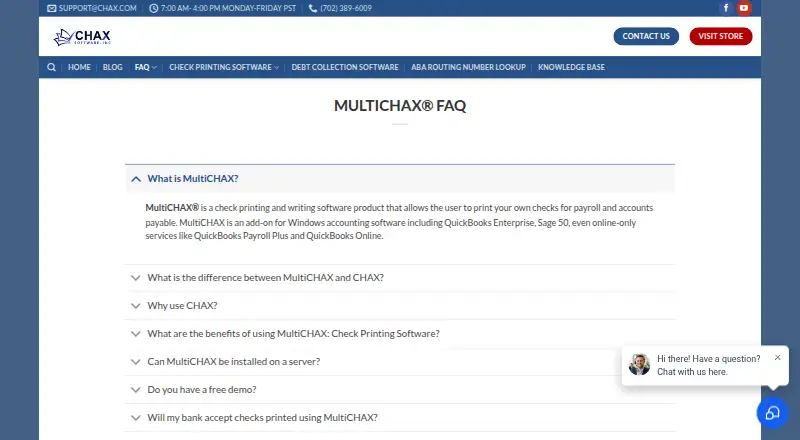
What MultiCHAX is
MultiCHAX is Windows desktop software for printing MICR-encoded payroll and accounts payable checks from accounting software. It prints checks on blank forms in one step and can apply signatures, logos, and form overlays from scanned images. Layouts support customization. Depending on the edition and accounting software, bank selection can be manual, semi-automatic, or automatic. The maker lists compatibility with QuickBooks, QuickBooks Online, QuickBooks Payroll Plus, Quicken, Sage 50, Great Plains, Solomon, and Peachtree. Multiple network users can work simultaneously with record-level locking. Files are encrypted and password protected, while permissions can limit access to templates or bank accounts and set maximum check amounts. Plans are one-time per-license purchases: Starter is $129, paid once, Professional $199, paid once, and Ultimate $299, paid once. A free trial is available. The manual lists Windows 7, 8, 8.1, 10, and 11, with a laser printer and TrueType font support required.
Good
- Prints MICR checks on blank forms
- Supports listed accounting software integrations
- Offers encrypted, password-protected files
- Allows network users with record locking
- Includes a free trial
Watch out
- No free plan
- ARM-based processors are incompatible
- Mac OS X is not officially supported
- Requires a laser printer with TrueType support
Who it suits
It suits organizations printing payroll or accounts payable checks from supported accounting software on Windows. It can also fit teams needing shared network use and check-access controls.
Verdict
MultiCHAX combines blank-check MICR printing with accounting-software compatibility, customizable layouts, and bank-account controls. Buyers should confirm their Windows, printer, server, and accounting setup before choosing an edition.
Plans and prices
From MultiCHAX's own pricing page, checked 15 Oct 2026.
| Plan | Price | What it gives you |
|---|---|---|
| Demo / Trial | Free | downloadable trial · Windows x86/x64 |
| Upgrade License | $125, paid once | upgrade license · from |
| Starter | $129, paid once | 1 workstation · 5 bank accounts · 2 templates · unlimited checks · 30-day phone support · perpetual license |
| Professional | $199, paid once | 1 workstation · 999 bank accounts · 2 templates · unlimited checks · 30-day phone support · perpetual license |
| Ultimate | $299, paid once | 1 workstation · unlimited bank accounts · unlimited templates · unlimited checks · 1-year phone support · perpetual license |
| Enterprise | $649, paid once | Windows Server 2008–2022 · unlimited users · unlimited bank accounts · unlimited checks and styles · 90-day phone support · perpetual license |
The facts
Each one read from MultiCHAX's own pages, with the date it was checked.
What it does
- Accounting integrations
- Official pages list QuickBooks, QuickBooks Online, Quicken, Sage 50/Peachtree, Great Plains, Solomon, MAS 90, Microsoft Dynamics and Nimble Accounting compatibility.checked 15 Oct 2026
- API and SDKs
- The reviewed official documentation describes a virtual-printer integration model and does not present a public API or SDK.checked 15 Oct 2026
- Bank selection
- Bank accounts can be selected manually, semi-automatically or automatically from check-number data.checked 15 Oct 2026
- Blank checks
- The software can print blank checks for later handwritten completion.checked 15 Oct 2026
- Check formats
- It prints checks on blank forms in one step and can add signatures, logos, and form overlays from scanned images.checked 8 Oct 2026
- Check layouts
- Supported standard layouts include top, middle, bottom, three-per-page and Z-fold forms.checked 15 Oct 2026
- Deposit slips
- MultiCHAX can print deposit slips and store a deposit-ticket MICR line.checked 15 Oct 2026
- Digital signatures
- Users can add scanned digital signature images and optionally trigger a second signature line at a specified dollar amount.checked 15 Oct 2026
- Documentation
- The user manual documents installation, bank setup, selection modes, security permissions and troubleshooting workflows.checked 15 Oct 2026
- Hardware requirements
- The manual requires an x86/x64 processor, .NET Framework 3.5 SP1, at least 100 MB disk space, 1024×720 resolution and a TrueType-capable laser printer.checked 15 Oct 2026
- Integrations
- The maker lists QuickBooks, QuickBooks Online, QuickBooks Payroll Plus, Quicken, Sage 50, Great Plains, Solomon, and Peachtree compatibility.checked 8 Oct 2026
- Licence model
- The vendor describes desktop editions as one-workstation perpetual licenses with no recurring fees.checked 15 Oct 2026
- Limit: support responsiveness
- A July 2026 Trustpilot reviewer said support messages were ignored and phone contact did not answer; the company replied that the requests had gone to an orders mailbox and were later resolved.checked 15 Oct 2026
- MICR printing
- The software reformats accounting print data into checks containing MICR characters and bank information in one step.checked 15 Oct 2026
- Network use
- The product can share its database over a network for users, account changes and transaction records.checked 15 Oct 2026
Money
- Free demo
- The maker offers a demo download, but does not state a trial duration on the pages reviewed.checked 8 Oct 2026
The company
- Headquarters
- Henderson, Nevada, USAchecked 28 Sep 2026
- Maker company profile
- LinkedIn lists CHAX, Inc. as privately held, headquartered in Los Angeles and employing 11–50 people.checked 15 Oct 2026
- Maker founded
- CHAX Software says it was founded in Southern Nevada in 1992.checked 15 Oct 2026
- Maker headquarters
- The vendor’s current about page gives 10624 S. Eastern Ave., Henderson, Nevada 89052 as its address.checked 15 Oct 2026
- Maker history
- CHAX Software says it has delivered check printing software since 1992.checked 8 Oct 2026
Where it runs
- Logos and overlays
- Bank setup accepts optional logo, signature and full-page overlay image files for printed checks.checked 15 Oct 2026
- Mac limitation
- macOS is not officially supported, although the vendor says it may work in a virtual desktop such as Parallels.checked 15 Oct 2026
- Mac support
- Mac OS X is not officially supported, though the maker says the software can work in a virtual desktop such as Parallels Desktop for Mac.checked 8 Oct 2026
Alternatives to MultiCHAX
- 1

OnlineCheckWriter.com
Free planAndroidiOSWebAPI8.0Free plan - 2
Checkeeper
AndroidiOSWebAPI7.6From $14.99 a month - 3

CHECKPRINT
Free planAndroidiOSWeb7.4From $50 a year - 4

Checkrun
AndroidiOSWeb6.8From $50 a month - 5

ChequeMaster
Free planWindows6.7Free plan - 6
TROY AssurePay Check
AndroidiOSWebAPI6.7