
Checksub
Checksub provides AI-powered subtitles, dubbing and voice-over for videos through web, API and extension platforms.
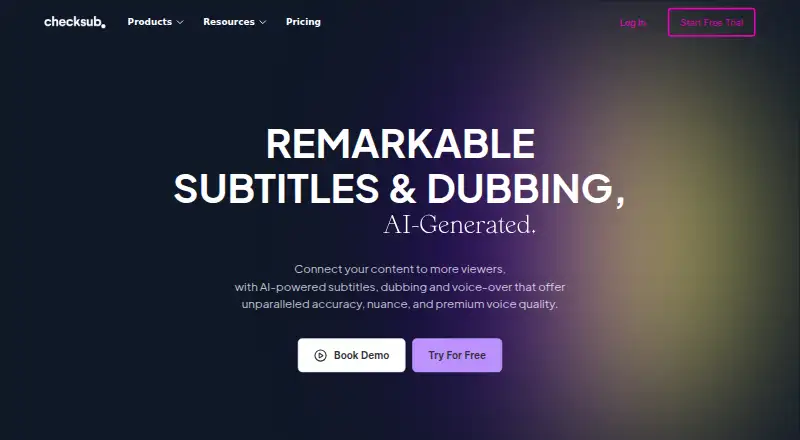
What Checksub is
Checksub provides AI-powered subtitles, dubbing and voice-over for videos through web, API and extension platforms. It can create automatic subtitles or synchronize a script to video, and says it can generate subtitle translations in 200 languages. Dubbing replaces the original voice while retaining background audio; users can also replace voice-over with a cloned voice in 30 languages. The online editor lets users revise and regenerate sentences after subtitle or dubbing generation. Subtitles can be burned into exported videos and styled with animations, including karaoke effects. Translated videos can be published to YouTube, and the Starter plan connects one channel. Listed tools include YouTube, Twitch, Google Drive, Adobe Premiere Pro, DaVinci Resolve and Final Cut Pro. Credit use is one credit minute per video minute for subtitles, three for dubbing and five for lip-sync. A free plan and trial are available, as is a free YouTube subtitle downloader and Chrome extension. Junior costs $18 a month, billed monthly; Starter costs $59 a month, billed monthly. Checksub was founded in 2017 and is headquartered in France.
Good
- Generates subtitle translations in 200 languages.
- Offers cloned voice-over in 30 languages.
- Can publish translated videos to YouTube.
- Includes a free plan and free trial.
Watch out
- Subtitles, dubbing and lip-sync use different credit amounts.
- Junior includes one translation per project and one user.
- Starter connects one YouTube channel.
Who it suits
It suits video creators who need subtitle generation, translation, dubbing or voice-over tools. Its plans include different monthly credit amounts, storage and user limits.
Verdict
Checksub combines subtitling, translation, voice work and video editing in one service, with a free plan and trial. Compare the included credits and project limits with your video workflow before choosing a paid tier.
Plans and prices
From Checksub's own pricing page, checked 28 Sep 2026.
| Plan | Price | What it gives you |
|---|---|---|
| JUNIOR | $18 a month | 2 hours of credits / month · Up to 1 translation per project · 20GB storage · 4Go upload size · 1 user · Email support · Billed monthly. |
| STARTER | $59 a month | 5 hours of credits / month · Up to 1 translation per project · 50GB storage · 4Go upload size · 1 YouTube channel · 1 user · Email support · Billed monthly. |
| JUNIOR | $144 a year | 24 hours of credits / year · Up to 1 translation per project · 20GB storage · 4Go upload size · 1 user · Email support · Billed yearly ($144/year). |
| STARTER | $576 a year | 60 hours of credits / year · Up to 1 translation per project · 50GB storage · 4Go upload size · 1 YouTube channel · 1 user · Email support · Billed yearly ($576/year). |
| ENTERPRISE | — | Custom credits · Translation in 187 languages · Unlimited upload size · API Access · Connect YouTube Channels · Account manager · From $299/month. (Billed Yearly) |
| ENTERPRISE | — | Custom number of credits / year · Translation in 187 languages · Unlimited upload size · API Access · Connect YouTube Channels · Account manager · From $299/month. |
The facts
Each one read from Checksub's own pages, with the date it was checked.
What it does
- Account security
- Account creation requires email confirmation, which Checksub says is for security reasons.checked 28 Sep 2026
- AI dubbing
- Its dubbing keeps the original audio background and replaces the original voice.checked 28 Sep 2026
- Auto-captioning
- Yeschecked 20 Sep 2026
- Core product
- Checksub provides AI-powered subtitles, dubbing and voice-over for videos.checked 28 Sep 2026
- Credit usage
- The pricing FAQ says subtitles use 1 credit minute per video minute, dubbing uses 3, and lip-sync uses 5.checked 28 Sep 2026
- Downloader and extension
- Checksub offers a free YouTube subtitle downloader and says subtitles can also be downloaded faster with its Chrome extension.checked 28 Sep 2026
- Editor
- The online editor lets users edit and regenerate sentences after AI subtitle or dubbing generation.checked 28 Sep 2026
- Paid from
- 12checked 20 Sep 2026
- Software integrations
- The software page lists use with YouTube, Twitch, Google Drive, Adobe Premiere Pro, DaVinci Resolve, Final Cut Pro and other video tools.checked 28 Sep 2026
- Speaker labels
- Yeschecked 20 Sep 2026
- SRT export
- Yeschecked 20 Sep 2026
- Subtitle styling
- Users can burn subtitles into exported video and apply animated subtitle styles, including karaoke animation.checked 28 Sep 2026
- Subtitle translation
- Yeschecked 20 Sep 2026
- Subtitling
- The platform offers automatic subtitles and converts scripts into subtitles synchronized with video.checked 28 Sep 2026
- Support
- Paid plans include email support, and Enterprise customers can contact Checksub for a demo or quote.checked 28 Sep 2026
- Translation
- Checksub says it can generate subtitle translations in 200 languages.checked 28 Sep 2026
- Voice cloning
- Checksub says users can replace the original voice-over with a cloned voice in 30 languages.checked 28 Sep 2026
- VTT export
- Yeschecked 20 Sep 2026
- YouTube publishing
- Checksub supports publishing translated videos to YouTube channels and the Starter plan connects one YouTube channel.checked 28 Sep 2026
The company
- Founded
- 2017checked 28 Sep 2026
- Headquarters
- Francechecked 28 Sep 2026
Money
- Free plan
- Nochecked 20 Sep 2026
- Free trial
- The free trial provides credits allowing translation of 1 hour of video, and all features can be tested while credits remain.checked 28 Sep 2026
Alternatives to Checksub
- 1

Captions
Free planAndroidiOSWebAPI9.1From $4.99 a month - 2

Whisper
Free planOpen sourceAPILinuxmacOSSelf-hosted8.9$0.01 usage-based - 3

SRTGen
Free planWebAPI8.3From $4 a month - 4
Fluen AI Subtitle Generator
Free planWebAPIExtensionmacOS8.2Free plan - 5
ZapCap
Free planAndroidiOSWebAPI8.1From $8 a month - 6
ngram
Free planWebAPIExtension8.1From $29 a month