
Cavalry
Cavalry is a 2D animation and motion graphics application for macOS and Windows.
What Cavalry is
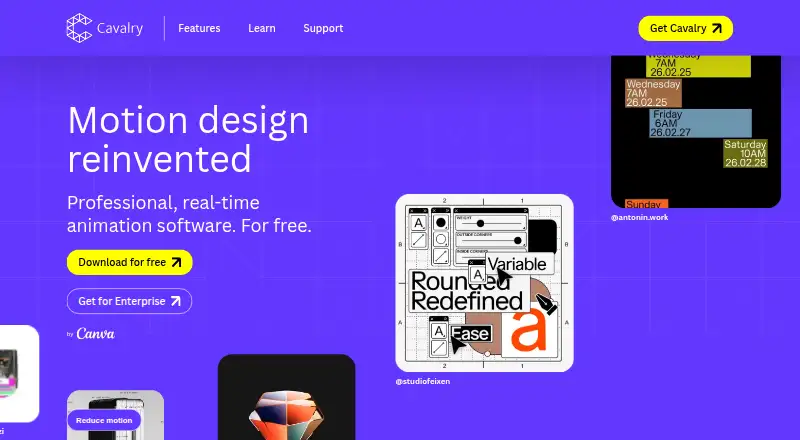
Cavalry is a 2D animation and motion graphics application for macOS and Windows. It includes character rigging, procedural rigs, data-driven sequences, node-based compositing, keying tools, simulation tools, and a hybrid render engine. Its real-time viewport supports full-speed rendering without preview lag. Users can connect spreadsheets to animate data, and exports include APNG, GIF, JPEG, Lottie, MP4, PNG, QuickTime, SVG, sprite sheets, WebM, and WebP. Individuals can download and use Cavalry for free without usage restrictions or payment. The page lists no paid individual price. A Canva account is required to access the software, which is brought to users by Canva. Organizations can provide team access with SSO through Canva Enterprise or Canva Education. Cavalry is not available on mobile devices. Its learning materials include getting-started guidance, feature and tips content, tutorials, and community resources, alongside documentation and a support link. Refunding a legacy subscription removes Pro features in Cavalry 2.6.1 and earlier.
Good
- Free individual use has no stated usage restrictions.
- Includes character rigging and procedural rigs.
- Connects spreadsheets for data-driven animation.
- Exports Lottie, SVG, video, and image formats.
- Offers real-time rendering and node-based compositing.
Watch out
- A Canva account is required.
- Not available on mobile devices.
- Enterprise SSO requires Canva Enterprise or Education.
- Refunding a legacy subscription removes earlier Pro features.
Who it suits
Cavalry suits individuals creating 2D animation, motion graphics, or data-driven sequences, as well as organizations seeking team access through Canva Enterprise or Canva Education. It is for macOS and Windows users; there is no mobile version.
Verdict
Cavalry provides a broad 2D animation toolkit, spreadsheet-driven sequences, and a range of export formats. Individual use is free without stated limits, but access requires a Canva account and is limited to macOS and Windows.
Plans and prices
From Cavalry's own pricing page, checked 28 Sep 2026.
| Plan | Price | What it gives you |
|---|---|---|
| Free for Individuals | Free | Free to download and use for individuals with no restrictions or payment needed. · 2D animation software · Professional features · Procedural rigs · Real-time viewport · Data-driven sequences |
| Enterprise | Priced on request | For organizations needing team access with SSO via Canva Enterprise or Canva Education. · Organization-wide access · SSO via Canva Enterprise or Canva Education |
The facts
Each one read from Cavalry's own pages, with the date it was checked.
What it does
- 2D animation tools
- Yeschecked 21 Sep 2026
- Canva Account
- A Canva account is required to use Cavalry.checked 28 Sep 2026
- Canva Integration
- Cavalry is brought to users by Canva and accessed through a Canva account.checked 28 Sep 2026
- Character rigging
- Yeschecked 21 Sep 2026
- Current Pricing
- The page presents individual access as free and gives no paid price figure.checked 28 Sep 2026
- Documentation Support
- Documentation and a support link are available on the page.checked 28 Sep 2026
- Export formats
- APNG,GIF,JPEG,Lottie,MP4,PNG,QuickTime,SVG,Sprite Sheet,WebM,WebPchecked 21 Sep 2026
- Learning Resources
- Cavalry provides getting-started, feature, tips, tutorial, and community content series.checked 28 Sep 2026
- Legacy Refund Effect
- Refunding a legacy subscription removes access to Pro features in Cavalry 2.6.1 and earlier.checked 28 Sep 2026
- Lottie Export
- Lottie export is listed among Cavalry features.checked 28 Sep 2026
- Mobile Availability
- Cavalry is not available on mobile devices.checked 28 Sep 2026
- Motion graphics
- Yeschecked 21 Sep 2026
- Procedural Animation
- Professional features include procedural rigs and data-driven sequences.checked 28 Sep 2026
- Real-Time Rendering
- The software provides full-speed real-time rendering without preview lag.checked 28 Sep 2026
- Spreadsheet Integration
- Users can connect a spreadsheet and animate data at scale.checked 28 Sep 2026
The company
- Company Ownership
- Cavalry is now brought to users by Canva.checked 28 Sep 2026
- Headquarters
- United Kingdomchecked 28 Sep 2026
- Team SSO
- Organizations can provide team access through SSO with Canva Enterprise or Canva Education.checked 28 Sep 2026
Money
- Free Individual Use
- Individuals can use Cavalry for free without restrictions or payment.checked 28 Sep 2026
- Free plan
- Yeschecked 21 Sep 2026
- Free Tier Limits
- The page states no usage restrictions for the free individual plan.checked 28 Sep 2026
Where it runs
- Supported platforms
- macos,windowschecked 21 Sep 2026
- Supported Platforms
- Cavalry is available for Mac and Windows, including macOS on Apple silicon and Intel.checked 28 Sep 2026
The full review of Cavalry
Cavalry is desktop software for 2D animation and motion graphics, with procedural tools for building data-driven sequences. It is best suited to motion designers who need repeatable animation and varied exports; it is a weaker fit for mobile workflows or teams that cannot use Canva accounts.
Overview
Cavalry brings animation, compositing, keying, simulation and 3D camera tracking into one hybrid-rendering application. That breadth gives motion designers room to build more than simple animated graphics, while the real-time viewport is intended to keep iteration moving without preview lag. Its focus remains 2D animation, so the added effects tools do not make it a general-purpose substitute for every visual-effects workflow.
Key features
Procedural, data-driven work
Procedural rigs and character rigging support reusable animation setups rather than requiring every variation to be built from scratch. Connecting a spreadsheet to animate data at scale is especially useful for graphics that need to reflect changing values or repeated datasets. This makes Cavalry a compelling option for systematic motion design, though it is less directly suited to work that does not benefit from 2D animation or data-driven sequences.
Rendering and delivery
The real-time viewport is designed to render at full speed without preview lag, helping users refine work as they go. Export options include APNG, GIF, JPEG, Lottie, MP4, PNG, QuickTime, SVG, sprite sheets, WebM and WebP. That range covers animated and static outputs as well as vector and web-oriented formats, reducing the need to choose a tool around a single delivery format.
Learning support
Getting-started guidance, feature material, tips, tutorials, community content, documentation and a support link give new users several ways to find help. This is useful for learning a feature-rich tool, although the presence of resources alone cannot tell a newcomer how quickly a particular workflow will click.
Pricing
Free for Individuals: free. Individual use includes professional features, procedural rigs, a real-time viewport and data-driven sequences, with no stated usage restrictions or payment requirement. That makes it an unusually accessible option for an individual who wants a full 2D motion-design toolkit without a recurring software bill.
Enterprise: custom pricing. Organizations can provide team access with SSO through Canva Enterprise or Canva Education. This plan is aimed at organizations that need centralized access; it is not the individual route, and access depends on the relevant Canva offering.
A Canva account is required to use Cavalry. Refunding a legacy subscription removes access to Pro features in Cavalry 2.6.1 and earlier, a consideration for users with that older subscription history.
Platforms
Cavalry runs on macOS and Windows, not mobile devices. Desktop users on either supported system can consider it, but it is not an option for animating on a phone or tablet. Organizations can provide team access through SSO with Canva Enterprise or Canva Education.
Who it's for
Cavalry is a strong fit for motion designers and animators who want procedural rigs, spreadsheet-driven sequences, character rigging and broad export choices, especially when they work on macOS or Windows. Its free individual use also makes it practical for independent creators who need professional features without stated usage caps. Teams should weigh the Canva account requirement and Enterprise or Education SSO route; mobile-first creators should look elsewhere.
Pros and cons
- Pro: Individual use is free without stated restrictions, so users can access professional animation tools without a listed usage cap.
- Pro: Spreadsheet connections and procedural rigs support repeatable, data-driven animation at scale.
- Pro: The export range spans formats including Lottie, SVG, video, images and sprite sheets, supporting varied delivery needs.
- Con: A Canva account is required, which adds an account dependency to using the software.
- Con: macOS and Windows are the only supported platforms; there is no mobile version.
Alternatives
For broader visual-effects and animation categories, browse Visual Effects Software or Animation Software.
- Houdini is another freemium option with a free plan and Windows, macOS and Linux support; consider it if Linux compatibility matters.
- DaVinci Resolve has a free plan across Linux, macOS and Windows, with a Studio version priced at $295, paid once; consider it if cross-platform availability or its stated Ultra HD, 60 fps offering better matches your needs.
- Mari offers a free non-commercial plan with export limited to 4K and 16-bit per channel, plus a trial; consider it if a non-commercial free option is the priority.
- Mistika Boutique has a free educational plan with all features, H264-only renders and community support, plus a €99 a month personal plan; consider it if those render and support terms suit you.
- Natron is free software under the GNU GPL and supports Linux, macOS and Windows; consider it if a free, open-source option is the priority.
- TouchDesigner offers a non-commercial plan with 1280x1280 resolution and supports macOS and Windows; consider it if those terms fit your work.
- EbSynth is another freemium option; consider it as an alternative if you want to compare tools.
- Gaea has a Windows-only Community Edition with 1,024 × 1,024 single-build resolution and non-commercial use; consider it if those limits suit your project.
Verdict
Cavalry is an easy recommendation for individual motion designers on macOS or Windows who want procedural 2D animation, data-driven sequences and flexible exports without paying for individual access. Its main reason to choose it is the combination of those tools with unrestricted free individual use. Look elsewhere if you need mobile support, cannot use a Canva account, or require a different platform.
Alternatives to Cavalry
- 1

PopcornFX
Free planAndroidiOSAPILinux8.0From €250 a year - 2

Houdini
Free planWindowsmacOSLinux7.6From $95 a year - 3
Terragen
Free planAPILinuxmacOSWindows7.6From $96 a year - 4

Fusion
Free planLinuxmacOSWindows7.0$295 one-time - 5

Mistika VR
macOSWindows7.0From €499 a year - 6
Autodesk Maya
macOSLinux6.9