
PopcornFX
PopcornFX is a suite for authoring and simulating real-time visual effects, using visual programming, engine integrations, and a runtime framework for custom…
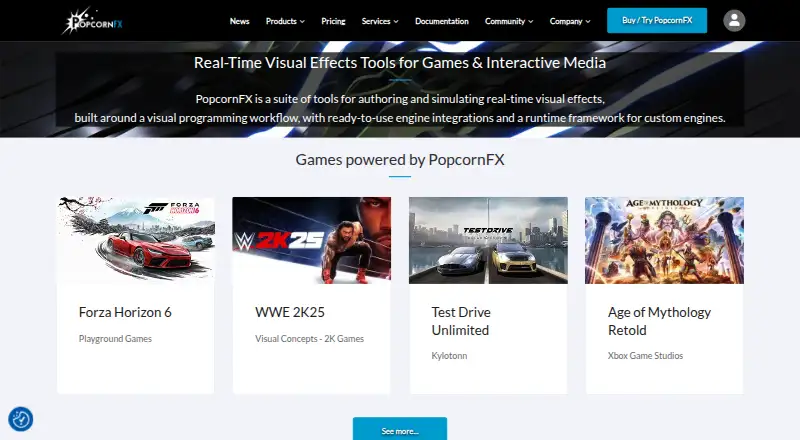
What PopcornFX is
PopcornFX is a suite for authoring and simulating real-time visual effects, using visual programming, engine integrations, and a runtime framework for custom engines. Its Effect Editor supports real-time 3D editing and testing, node-based programming, content reuse, and performance and memory analysis. The wider editor includes mesh, texture, vectorfield, and material tools, as well as project and content management. It does not create textures, sound, meshes, or other assets usually made with digital content creation tools, so those assets need to be prepared separately. Listed integrations include Unity, Unreal Engine, Godot, O3DE, and a C++ SDK; plugins for Unity, Unreal Engine, O3DE, and Adobe After Effects are freely accessible. The Unity integration is described as compatible with Unity 2020.3 and later, including HDRP, URP, and legacy renderers. PopcornFX is available on Windows, macOS, Linux, Android, and iOS. Its free Personal Learning Edition is for non-commercial or educational use. The Indie plan is €25/user/mo (annual), and commercial evaluations can start a one-month trial through an Indie, Professional, or Enterprise category.
Good
- Effect Editor supports real-time 3D editing and testing.
- Includes node-based programming and performance and memory analysis.
- Lists integrations for Unity, Unreal Engine, Godot, and O3DE.
- Available on Windows, macOS, Linux, Android, and iOS.
Watch out
- Editor does not create meshes, textures, or sound.
- Free Personal Learning Edition is non-commercial or educational only.
- Indie costs €25/user/mo (annual).
- Runtime licensing fees could apply to non-indie studios.
Who it suits
PopcornFX suits creators and teams working on real-time visual effects with compatible engines. The free Personal Learning Edition is intended for non-commercial or educational use, not commercial evaluation.
Verdict
PopcornFX provides authoring and simulation tools alongside integrations for several engines and platforms. Its free edition is restricted to non-commercial or educational use, and the Editor does not replace tools for creating source assets such as meshes and textures.
Plans and prices
From PopcornFX's own pricing page, checked 8 Oct 2026.
| Plan | Price | What it gives you |
|---|---|---|
| Personal Learning Edition (PLE) | Free | Non-commercial or educational purposes · Community support · Training assets · €Free |
| Personal Learning Edition | Free | Non-commercial or educational use only · community support · training assets · €Free |
| Indie | €25 a month | Revenue below $200k or freelancers · bug-fix support · training assets · €25 / month |
| Professional | €125 a month | Professional teams · bug-fix support · training assets · optional support plan · €125 / month |
| Schools & Universities | €250 a year | Educational institutions · training assets · €250 / user / year |
| Indie annual | €300 a year | Revenue below $200k or freelancers · bug-fix support · training assets · €300 / year |
| Professional annual | €1,500 a year | Professional teams · bug-fix support · training assets · optional support plan · €1500 / year |
| Enterprise | Priced on request | Studios with turnover over $100M · R&D access · bug-fix support · training assets · optional support plan · €On demand |
The facts
Each one read from PopcornFX's own pages, with the date it was checked.
What it does
- Asset tools
- The editor includes mesh, texture, vectorfield and material tools, as well as project and content management.checked 8 Oct 2026
- Commercial evaluation
- Commercial evaluations can initiate a one-month trial by selecting the appropriate Indie, Professional or Enterprise category.checked 8 Oct 2026
- Community license
- Public game-engine integration source code may be used, modified and shared under the PopcornFX Community License.checked 14 Oct 2026
- C++ SDK
- The SDK supplies C++ libraries for simulation, rendering, effect compilation, upgrading and importing.checked 14 Oct 2026
- Custom engines
- Persistant Studios offers direct assistance integrating the C++ SDK into in-house engines.checked 14 Oct 2026
- Documentation depth
- The v2.25 documentation covers core concepts and troubleshooting but explicitly describes itself as a work in progress.checked 14 Oct 2026
- Editor
- The PopcornFX Editor provides tools for creating effects and managing related assets.checked 8 Oct 2026
- Editor limitation
- The Editor does not create textures, sound, meshes or other assets usually made with DCC tools.checked 8 Oct 2026
- Effect authoring
- The Effect Editor supports real-time 3D editing and testing, node-based visual programming, content reuse, and performance and memory analytics.checked 8 Oct 2026
- Effect editor
- The editor provides a real-time 3D viewport for editing, viewing and testing effects.checked 14 Oct 2026
- Events
- Layer graphs use events to trigger particle layers and can export events with payloads to gameplay code.checked 14 Oct 2026
- Independent classification
- AlternativeTo lists PopcornFX as proprietary VFX software with a free personal edition.checked 14 Oct 2026
- Independent listing
- SaaSHub describes PopcornFX as cross-platform middleware for games, films and AR/VR/MR and shows zero user reviews.checked 14 Oct 2026
- Integrations
- Official plugins are listed for Unity, Unreal Engine, O3DE and Adobe After Effects.checked 14 Oct 2026
- Intended users
- The pricing page describes the Personal Learning Edition as for non-commercial or educational use and says it is not for evaluating PopcornFX in a commercial organization or studio.checked 8 Oct 2026
- License model
- PopcornFX is proprietary licensed software; the terms say it is licensed rather than sold and ownership remains with Persistant Studios.checked 14 Oct 2026
- Limit: editor stability
- The Mac editor is experimental with shader-compilation crash issues, while Linux installation can be tedious.checked 14 Oct 2026
- Limit: GPU coverage
- Independent documentation reports GPU simulation is limited to D3D11, D3D12 and PS5, with CPU fallback elsewhere; Vulkan support is scheduled for 2026-27.checked 14 Oct 2026
- Limit: particle scaling
- The same review reports a propagation test becoming increasingly crash-prone around 100,000 particles, although other effects reached millions.checked 14 Oct 2026
- Limit: pipeline overhead
- A RealTimeVFX user reported needing to move back and forth between PopcornFX and the engine and described a Unity crash issue in an older project.checked 14 Oct 2026
The company
- Company
- PopcornFX is produced by Persistant Studios, whose group site says it was established in 2005 and identifies Paris, France as its headquarters address.checked 8 Oct 2026
- Company facts
- LinkedIn lists Persistant Studios - PopcornFX as privately held, founded in 2005, headquartered in Paris and employing 11–50 people.checked 14 Oct 2026
- Company footprint
- Persistant Studios’ group page says it has nearly 50 people, three subsidiaries and offices in Paris/Bordeaux, Montreal and Los Angeles.checked 14 Oct 2026
- Founded
- 2005checked 28 Sep 2026
The full review of PopcornFX
PopcornFX is a real-time effects authoring suite for artists and teams building interactive 3D projects. It is strongest when visual programming and engine integration matter; studios should weigh its focused scope and commercial licensing terms before adopting it.
Overview
PopcornFX combines effect authoring, simulation, asset management and runtime options for supported engines or custom C++ environments. Its visual workflow and real-time editing suit effects that need to be built and assessed within an interactive production context. The trade-off is scope: the Editor manages related assets but does not create source textures, sound, meshes or other assets normally made with DCC tools, so it belongs alongside those tools rather than replacing them.
PopcornFX is produced by Persistant Studios, established in 2005 and headquartered in Paris, France.
Key features
- Visual effect authoring: Node-based programming, real-time 3D editing and testing, and content reuse support iterative effects work. This is a good fit for teams shaping interactive effects, rather than artists seeking a general-purpose modeling or compositing environment.
- Simulation and analysis: Performance and memory analytics help creators assess effects against real-time constraints while authoring. That is more useful for production teams concerned with runtime behavior than for work aimed only at rendered output.
- Asset and project tools: Mesh, texture, vectorfield and material tools sit alongside project and content management. They support effects workflows, but do not remove the need to create source assets elsewhere.
- Engine integrations: Integrations cover Unity, Unreal Engine, Godot, O3DE and a C++ SDK, with plugin sources on GitHub. Unity support is described as production ready across platforms, compatible with Unity 2020.3 and later, and supports HDRP, URP and legacy renderers. The pricing page says plugins for Unity, Unreal Engine, O3DE and Adobe After Effects are freely accessible; plugin access does not by itself settle runtime licensing.
- Support: Troubleshooting documentation and a public Discord serve community users, while private issues or suggestions can go through a private support tracker. Paid plans add bug-fix support, and some include an optional support plan.
Pricing
PopcornFX is freemium, with a free edition and paid plans. The Personal Learning Edition costs nothing and is limited to non-commercial or educational use; it includes community support and training assets. It is not intended to evaluate the product inside a commercial organization or studio, so commercial teams should choose an eligible paid category instead.
- Indie: €25 a month. Intended for indie studios with revenue below $200k and freelancers; includes bug-fix support and training assets. It is the entry paid tier for eligible small studios, but does not include an optional support plan.
- Professional: €125 a month. For professional teams, with bug-fix support, training assets and an optional support plan. The higher price is aimed at teams needing a professional category rather than the Indie eligibility.
- Schools & Universities: €250 a year, for schools and universities, with training assets. Its education focus and annual price distinguish it from commercial studio plans.
- Enterprise: Custom pricing, for studios with turnover over $100M. It includes bug-fix support, training assets, an optional support plan and access to the R&D team.
Commercial evaluations can start a one-month trial by selecting the appropriate Indie, Professional or Enterprise category. Plugins for Unity, Unreal Engine, O3DE and Adobe After Effects are freely accessible, but a runtime licensing fee could apply to non-indie game studios. Buyers should account for that potential fee separately when evaluating a commercial deployment.
Platforms
PopcornFX supports Windows, macOS, Linux, Android and iOS. That range suits projects targeting desktop and mobile, while specific integration compatibility still depends on the engine and renderer; Unity compatibility includes Unity 2020.3 and above, HDRP, URP and legacy renderers.
Who it's for
PopcornFX is best suited to effects artists, indie developers and production teams who need to author and simulate real-time effects, reuse content, monitor performance and bring work into supported engines or a custom C++ runtime. Schools and universities have a separate paid plan, and learners can use the free edition for educational work. It is a weaker fit for a commercial studio seeking a no-cost evaluation, or for anyone expecting one application to create meshes, textures and other source assets as well as effects.
Pros and cons
- Pro: Real-time editing, simulation and performance and memory analytics keep effect creation connected to runtime concerns.
- Pro: Integrations across major engines and a C++ SDK accommodate both established engine pipelines and custom runtimes.
- Pro: A free educational edition and a one-month commercial evaluation provide distinct ways to explore the tool within their stated terms.
- Con: The free edition excludes commercial use and cannot be used to evaluate PopcornFX in a commercial organization or studio.
- Con: Source asset creation remains outside the Editor, requiring other tools for meshes, textures, sound and similar material.
- Con: Non-indie game studios may face an additional runtime licensing fee, which complicates total-cost planning.
Alternatives
Browse Visual Effects Software for the category. Consider Houdini if you want a freemium tool with a free plan on Windows, macOS and Linux. Terragen is another option for Linux, macOS and Windows, with a free plan, trial and a Professional license subscription for an individual in the under-$50,000 income tier at $10 a month. Choose DaVinci Resolve if its free plan and stated 60 fps, Ultra HD 3840 x 2160 capability suit your work, or its Studio edition at $295, paid once for an advanced paid version. Fusion is a freemium alternative with a free plan for Linux, macOS and Windows, and its page includes a Fusion page in DaVinci Resolve. Cavalry may suit individuals seeking 2D animation software: its free individual plan has no restrictions or payment requirement and is available on macOS and Windows. Mari offers a non-commercial free edition for Linux and Windows with export limited to 4K and 16-bit per channel and Python scripting disabled; its Professional license subscription for the Individual income under $50,000 tier costs $10 a month. Mistika Boutique has a free educational plan with all features, H264-only renders and community support, plus a €99 a month Personal plan. Natron is a free, open-source option for Linux, macOS and Windows, licensed under GNU GPL.
Verdict
Choose PopcornFX if your priority is authoring and simulating real-time effects in a visual workflow that connects to engines or a custom C++ runtime, with analytics to keep performance in view. Its strongest case is that focused production workflow; look elsewhere if you need source-asset creation in the same application, a commercial free tier, or certainty that runtime fees will not add to the cost.
Getting started
- Visit https://www.popcornfx.com/.
- Choose the Personal Learning Edition for non-commercial or educational use, or select a paid plan for your use case.
- For commercial evaluation, select the appropriate Indie, Professional or Enterprise category to initiate a one-month trial.
- Install the editor on Windows, macOS or Linux, or use a supported mobile platform listed for PopcornFX.
- Use an available integration for Unity, Unreal Engine, Godot or O3DE, or the C++ SDK for a custom engine.
Limits worth knowing
The free Personal Learning Edition is for non-commercial or educational purposes and is not for evaluating PopcornFX in a commercial organization or studio. A runtime licensing fee could be required for non-indie game studios.
Questions
Is there a free plan?
Yes. The Personal Learning Edition costs nothing and is for non-commercial or educational purposes, with community support and training assets.
What does Indie cost?
Indie is €25 a month. It is for indie studios with revenue below $200k and freelancers, and includes bug fix support and training assets.
Is there a trial for commercial evaluation?
Yes. Commercial evaluations can initiate a one-month trial by selecting the appropriate Indie, Professional or Enterprise category.
Which engines and platforms are supported?
Listed integrations include Unity, Unreal Engine, Godot, O3DE and a C++ SDK for custom engines. PopcornFX supports Windows, macOS, Linux, Android and iOS.
Does PopcornFX make meshes, textures or sound?
No. The Editor does not create textures, sound, meshes or other assets usually made with DCC tools.
Who makes PopcornFX?
PopcornFX is produced by Persistant Studios, which was established in 2005.
Alternatives to PopcornFX
- 1

Houdini
Free planWindowsmacOSLinux7.6From $95 a year - 2
Terragen
Free planAPILinuxmacOSWindows7.6From $96 a year - 3

Fusion
Free planLinuxmacOSWindows7.0$295 one-time - 4

Mistika VR
macOSWindows7.0From €499 a year - 5
Autodesk Maya
macOSLinux6.9 - 6

Mistika Boutique
Free planmacOSWindows6.9From €990 a year